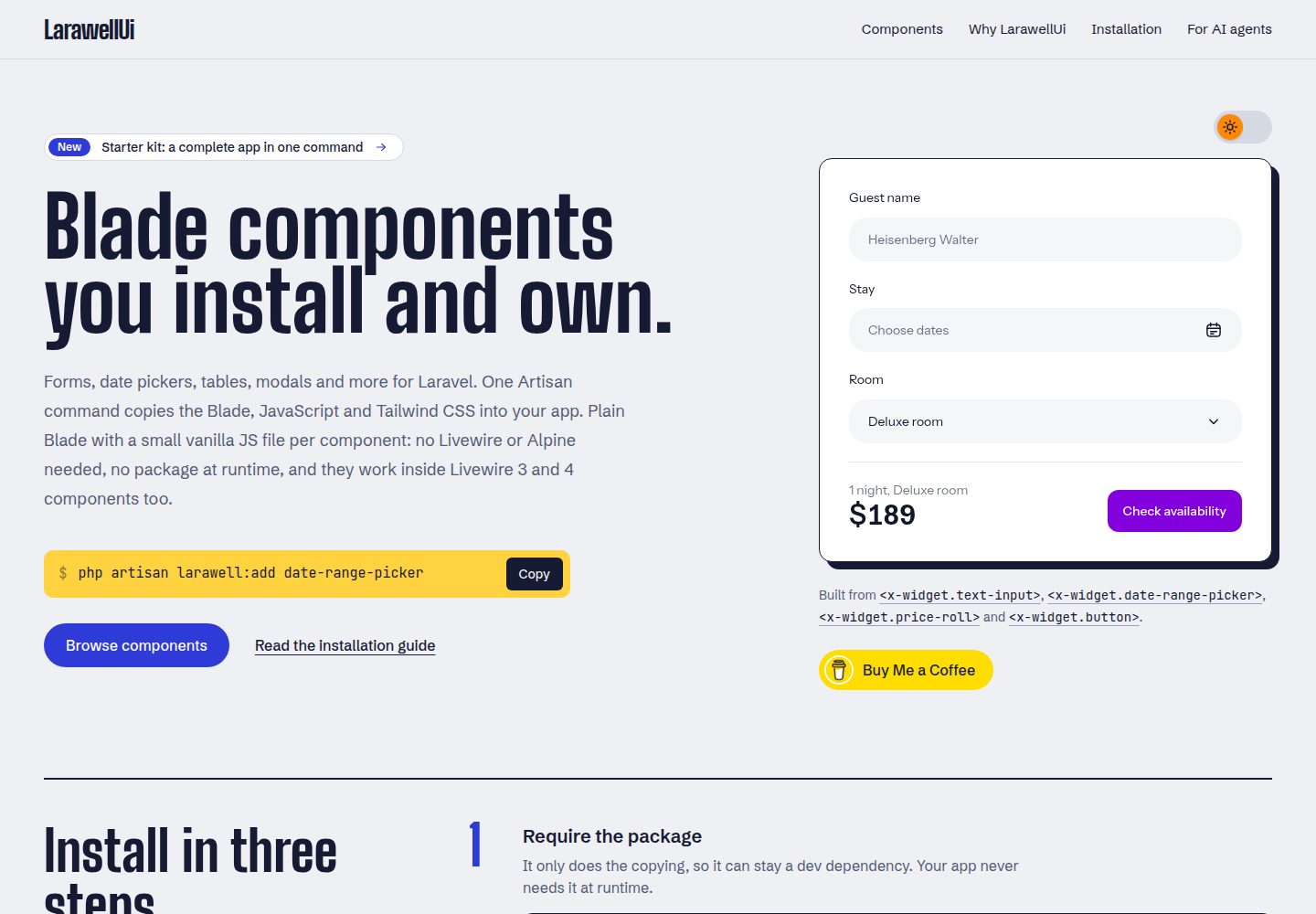
Sign-in, registration, password reset, email verification, password confirmation, dashboard and settings pages built with LarawellUI Blade components
VueLaravelReactStarter
bladewell-starter-kit — Vue Starter Template
By rkwebforge
A Laravel starter kit built on LarawellUI Blade components, including sign-in, registration, password reset, email verification and account settings pages, without React, Vue or Alpine.
Explore the design
Compare the page layouts and mobile experience. Open any screenshot for a closer look.
Desktop homepage1 / 2
Desktop captureTop of page
Actual screenshot captured by the server browser.
All pages & views 2
Screenshots show visual appearance; interactive behavior may differ.
Recorded 2026-10-06View source
What stands out
A quick read of the recorded project description.
No React, Vue, Inertia or Alpine; each component has a native JavaScript module and can run under a strict CSP
Security settings centralized in config/security.php, including login rate limiting, passwords of at least 12 characters, password required to change email, and logging out other sessions when changing password
Component files are copied into the project and can be freely modified; larawellui.lock records edited files, and larawell:add --installed does not overwrite edited content
Provides two MCP services, Laravel Boost and larawell:mcp, plus CLAUDE.md and AGENTS.md for AI coding agents
Each flow has corresponding feature tests under tests/Feature
Template Details
This is a Laravel starter kit that provides pages for sign-in, registration, password reset, email verification, password confirmation, dashboard and account settings, with the interface built from LarawellUI Blade components. Each component comes with a small native JavaScript module, does not use React, Vue, Inertia or Alpine, and can run under a strict Content Security Policy (CSP).
The kit uses SQLite by default; you can configure MySQL or another database in .env and then run migrations. Running db:seed creates [email protected] (password password) and generates some login history for the dashboard table demo; the home page links to all pages, and pages that require sign-in will first ask you to sign in before redirecting. New accounts must complete email verification before entering the dashboard; in the development environment the verification link is written to the log file, or you can skip verification by removing the MustVerifyEmail interface from the User model.
Security settings are centralized in a single file, config/security.php, with notes on the cost of changes: login rate limiting, passwords at least 12 characters (in production, checked against known breached passwords), requiring a password to change email, logging out other sessions when changing password, and sending a strict CSP on every page. SECURITY.md lists the full checklist, go-live checks, and what to adjust when integrating Stripe, analytics, embedded content or Livewire.
Component files are copied into the project and can be freely modified; larawellui.lock records edited component files and must be committed to version control. Use commands such as larawell:list, larawell:add and larawell:diff to view, add and compare components; larawell:add --installed will not overwrite edited files. The kit is versioned by date (e.g. 2026.10.0); the starter kit is a one-time copy rather than an upgrade, and the version number indicates how old the copy is. The repository also includes configuration for AI coding agents (Laravel Boost, larawell:mcp, CLAUDE.md and AGENTS.md), as well as feature tests covering each flow.
VueLaravelReactStarter
Is it right for your project?
Use Cases
- Projects that need basic Laravel authentication and account settings pages and prefer Blade components over a front-end framework
- Applications that require pages to run under a strict Content Security Policy and do not use React, Vue or Alpine
- Projects that want component code to be freely modifiable and to choose whether to merge upstream component updates
- Collaborative development of Laravel applications using AI coding agents (Claude Code, Codex, Cursor, Copilot, etc.)
Suitable For
- Developers using Laravel who prefer server-rendered Blade templates
- Projects that need basic authentication flows such as sign-in, registration, password reset, email verification and account settings
- Teams that want security policies centrally configured for easier review and adjustment
- Projects that need to provide project rules and component lookup capabilities for AI coding agents
Getting started & customization
Use these recorded setup notes alongside the repository instructions for your chosen version.
- 1
Create the project with composer create-project larawellui/starter-kit my-app, or complete the first step via laravel new my-app --using=larawellui/starter-kit
- 2
Run npm install && npm run build to build front-end assets, then use composer run dev to start the development environment
- 3
SQLite is used by default; to switch to MySQL, set DB_* in .env and run php artisan migrate
- 4
Run php artisan db:seed to create [email protected] (password password) and login history data for demonstration
- 5
In the development environment, email verification links are written to storage/logs/laravel.log; to skip verification, remove the MustVerifyEmail interface from app/Models/User.php
License & source material
Usage conditions & limitations
Free to use · keep license noticeThis listing covers the free version under the MIT license in the public repository; the free scope is the code of that version and does not mean external services or third-party assets are free.
Must comply with when using
- You may use, modify, commercially use and distribute the code of this version for free.
- When distributing copies or substantial portions of the code, retain the original author's copyright notice and the full MIT license notice.
- The code is provided as is; warranties and limitations of liability are governed by the original license and applicable law.
Additional costs & items to verify
- Demo images, fonts, icons and other third-party assets must be checked against their respective licenses; the code's MIT license alone cannot be used to judge them.
- External services such as domains, hosting, databases, payments or AI may incur separate charges.
- Updating components requires installing the larawellui/larawellui development dependency via Composer and manually specifying the target version; composer update alone cannot automatically upgrade to a new minor version.
- Before LarawellUI 1.0, running composer update alone will only stay within the current minor version and will not automatically upgrade to a new 0.x minor version; the version must be specified manually.
- New accounts must complete email verification before entering the dashboard; in the development environment the verification link is written to the log file, and mail sending must be configured to actually receive emails.
- SQLite is used by default; if you switch to MySQL or another database, set DB_* in .env and run migrations.
- Laravel Boost is a development dependency only; production deployment must use composer install --no-dev, otherwise it will not be included on the server.
- When using the MCP service, do not write API keys into .mcp.json; use environment variables instead.
View Original Text Basis
Permission is hereby granted, free of charge
Original License Text
composer require --dev larawellui/larawellui:^0.3 # move to the new release (the version from its changelog)
Original README
While LarawellUI is below 1.0, `composer update` alone stays within the minor version you have: `^0.2.1` gets 0.2.x fixes but never 0.3.0
Original README
New accounts verify their email before reaching the dashboard; in development the link is written to `storage/logs/laravel.log` (`MAIL_MAILER=log`).
Original README
It uses SQLite by default. For MySQL, set the `DB_*` values in `.env`, then run `php artisan migrate`.
Original README
Boost is a development dependency: deploy with `composer install --no-dev` and it isn't on your server.
Original README
https://github.com/rkwebforge/bladewell-starter-kit/blob/main/LICENSEhttps://github.com/rkwebforge/bladewell-starter-kit/blob/main/README.mdNever put API keys in `.mcp.json`; use environment variables.
Original README
Compiled by DeepSeek based on repository license and README ·2026-10-06. Results only cover the materials read; dependencies, images, fonts, and subsequent term changes are subject to their respective original texts.
Project checks & description sources
Template Information
- Source platforms
- GitHub
- Documentation and maintenance reference score
- More documented · 85 / 100
- Technologies
- Vue · Laravel · React
- Website type
- Starter
How this score is calculated
Our heuristic uses license records (up to 30), a demo link (12), a preview (10), stars (15), recorded maintenance (15), description completeness (8), feature records (5) and classification data (5). It is not a code, security or performance test, or a Google score. A link does not establish tested functionality.
What to verify for this project
- Repository update recorded
- 2026-10-05
- Screenshot last checked
- 2026-10-06
A demo link is listed. Check it with your own content and viewport sizes; its presence does not confirm that forms, authentication or payments work.
The catalog identifies Vue as the primary stack. Check the actual dependency manifest and lockfile for versions and hosting requirements. These notes use recorded metadata, not a code audit or a deployment test.
Use a selection guide →How this description was prepared
AI-assisted description based on catalog records and repository material. Repository authors are not automatically the reviewers of this description.
Review declaration: [email protected] · 2026-10-06
Inspect the recorded source material
SHA-256: 885ac03a1487abc12621fd520aa7a167eb974e236b5aadbc0e85c2759ebd293c
2026-10-06T08:14:19.481Z
Source file / repository# LarawellUI Starter Kit A Laravel starter kit with sign in, registration, password reset, email verification and account settings, built from [LarawellUI](https://larawellui.wasmer.app) widgets. Plain Blade and a small vanilla JS module per widget: no React, Vue, Inertia or Alpine. Works under a strict Content Security Policy. ## Start a new app ```bash composer create-project larawellui/starter-kit my-app cd my-app npm install && npm run build composer run dev ``` With the Laravel installer, `laravel new my-app --using=larawellui/starter-kit` does the same first step. (No `laravel` command? `composer global require laravel/installer` installs it.) It uses SQLite by default. For MySQL, set the `DB_*` values in `.env`, then run `php artisan migrate`. To try it with data, run `php artisan db:seed`: it creates `[email protected]` (password `password`) with a few pages of sign-in history for the dashboard table. The home page links to every page; the ones behind sign in ask for it first, then go straight there. ## What's included | Page | Route | Widgets | | --- | --- | --- | | Sign in | `/login` | text-input, password, checkbox, button, alert | | Create account | `/register` | text-input, password (with its rule checklist), button | | Forgot / reset password | `/forgot-password`, `/reset-password/{token}` | text-input, password, button, alert | | Verify email | `/verify-email` | button, alert | | Confirm password | `/confirm-password` | password, button | | Dashboard: your sign-in history | `/dashboard` | table (sortable, paginated, cards on phones), alert, dropdown account menu, accordion menu sidebar on large screens | | Settings | `/settings/profile` | text-input, password, button, breadcrumbs, modal (other devices, delete account), toast | New accounts verify their email before reaching the dashboard; in development the link is written to `storage/logs/laravel.log` (`MAIL_MAILER=log`). To skip verification, remove `implements MustVerifyEmail` from `app/Models/User.php`. ## Security Safe by default, and every choice is in one file, [`config/security.php`](config/security.php), with a comment on what changing it costs. Sign-in is rate limited, passwords need 12+ characters (and are checked against known breaches in production), changing your email asks for your password, a password change signs out your other sessions, and every page sends a strict Content Security Policy. [SECURITY.md](SECURITY.md) has the full list, a checklist for going live, and what to change when your app adds Stripe, analytics, embedding or Livewire. ## Where things live ```text routes/auth.php sign in, registration, password reset, verification routes/web.php dashboard and settings app/Http/Controllers/Auth/ the auth controllers app/Http/Controllers/Settings/ profile, password, other devices app/Http/Middleware/SecurityHeaders.php the Content Security Policy and other browser security headers app/Listeners/RecordSignIn.php keeps the sign-in history config/security.php every security setting, explained resources/views/components/layouts/ app (sidebar on large screens, header and account menu) and guest (centred card) resources/views/auth/ the auth pages resources/views/components/theme-toggle.blade.php the Light / Dark / System menu resources/js/theme.js, theme-boot.js switching the theme, and applying it before the page is drawn resources/views/components/widget/ LarawellUI widgets: yours to edit resources/js/widget/, resources/css/widget/ larawellui.lock which widget files you've edited; commit it ``` ## Widgets The widgets are copied into your app, so you can change them freely. To add more: ```bash php artisan larawell:list php artisan larawell:add datepicker ``` ### Keeping widgets up to date Your app keeps the widgets exactly as they were when you created it; nothing changes behind your back. New LarawellUI releases bring fixes and new widgets, and you take them when you choose: ```bash composer require --dev larawellui/larawellui:^0.3 # move to the new release (the version from its changelog) php artisan larawell:add --installed # update the widget files you haven't edited php artisan larawell:diff # see what changed in the ones you have php artisan larawell:add new-widget # add a widget that's new in that release ``` `larawell:add --installed` never overwrites a file you've edited: it reports it, and `larawell:diff` shows the difference so you can merge by hand. `larawellui.lock` is how it tells them apart, so commit it. While LarawellUI is below 1.0, `composer update` alone stays within the minor version you have: `^0.2.1` gets 0.2.x fixes but never 0.3.0, as Composer treats each 0.x minor release as possibly breaking. That's why the first command names the version. Read the [changelog](https://github.com/rkwebforge/larawellui/blob/main/CHANGELOG.md) for the widgets you use before moving. ## AI agents The kit is ready for AI coding agents (Claude Code, Codex, Cursor, Copilot and others): - **[Laravel Boost](https://github.com/laravel/boost)** gives them this app's Laravel version, database schema, logs, errors and version-matched Laravel docs, through its MCP server (`php artisan boost:mcp`). - **`php artisan larawell:mcp`** lets them look up every widget's props and examples, and install widgets. - **`CLAUDE.md` and `AGENTS.md`** tell them how to work here: the kit's rules (widgets, the Content Security Policy, `config/security.php`, tests) and a careful working style. Claude Code finds both MCP servers in `.mcp.json` by itself. For another agent, run `php artisan boost:install` and pick it: Boost writes that agent's MCP settings and instructions file; add `larawellui` (`php artisan larawell:mcp`) next to `laravel-boost` there. `CLAUDE.md` and `AGENTS.md` are generated, so write your own rules in `.ai/guidelines/`, then run `php artisan boost:update`. Commit these files: they're the project's instructions, so every agent and every teammate works by the same rules, and changes to them get reviewed like code. Your personal ones stay out of git: `CLAUDE.local.md`, `.claude/settings.local.json`, `.codex/` and `.cursor/` are in `.gitignore`. Never put API keys in `.mcp.json`; use environment variables. Boost is a development dependency: deploy with `composer install --no-dev` and it isn't on your server. ## Tests ```bash php artisan test ``` Every flow above has a feature test in `tests/Feature`. ## Versions The kit is versioned by date: `2026.10.0` is the first release of October 2026, and `2026.10.1` a fix to it. You copy a starter kit once rather than upgrade it, so the version says how fresh your copy is. [CHANGELOG.md](CHANGELOG.md) lists what each release changed. ## License MIT. See [LICENSE](LICENSE).
Explore similar templates
Compare previews and descriptions within the same stack and category.

vitesse
Vitesse is an opinionated Vite + Vue 3 starter template maintained by antfu-collective, offering file-based routing, component and API auto-import, Pinia, UnoCSS, PWA, i18n, Markdown, vite-ssg, TypeScript, Vitest, and Cypress.
Vue · Starter

vitesse-webext
vitesse-webext is a Vite-powered WebExtension starter template using Vue 3 and TypeScript, with built-in popup, options, and content script examples. It targets Chrome and Firefox, integrates webextension-polyfill, webext-bridge, UnoCSS, VueUse, and unplugin tools, and supports hot reload during development.
Vue · Starter

laravel-vue-spa
A Laravel + Vue SPA starter kit for quickly building a decoupled web application skeleton. It includes login, registration, email verification, and password reset flows, uses JWT for authentication, and integrates Laravel Socialite with GitHub as an example provider.
Vue · Starter

vue3-h5-template
A mobile H5 starter template built on Vue3, Vite, and Vant4, with TypeScript by default and JavaScript and i18n branches.
Vue · Starter

tov-template
tov-template is an MIT-licensed Vite + Vue 3 + TypeScript starter maintained by dishait. It bundles file-based routing, layouts, Mock, auto-imports, UnoCSS, Pinia, vue-request, Vitest, i18n, dark mode, Dockerfile, and engineering scripts.
Vue · Starter

shadcn-vue-landing-page
A Vue + Shadcn-Vue + TypeScript + Tailwind landing page template with sections like Navbar, Hero, Pricing, FAQ, Team, and Contact, plus dark mode and responsive layout.
Vue · Corporate Website