Memos timeline: supports per-entry independent comment iframes, automatically expands entries with comments, standalone deep-linkable pages, and local search injection
HexoBlog
hexo-theme-panda — Hexo Blog Template
By SpeechlessPanda
A card-style Hexo theme extended from Butterfly, adding a memos timeline, blog series, Atom feed, and OG share image generation.
Explore the design
Compare the page layouts and mobile experience. Open any screenshot for a closer look.
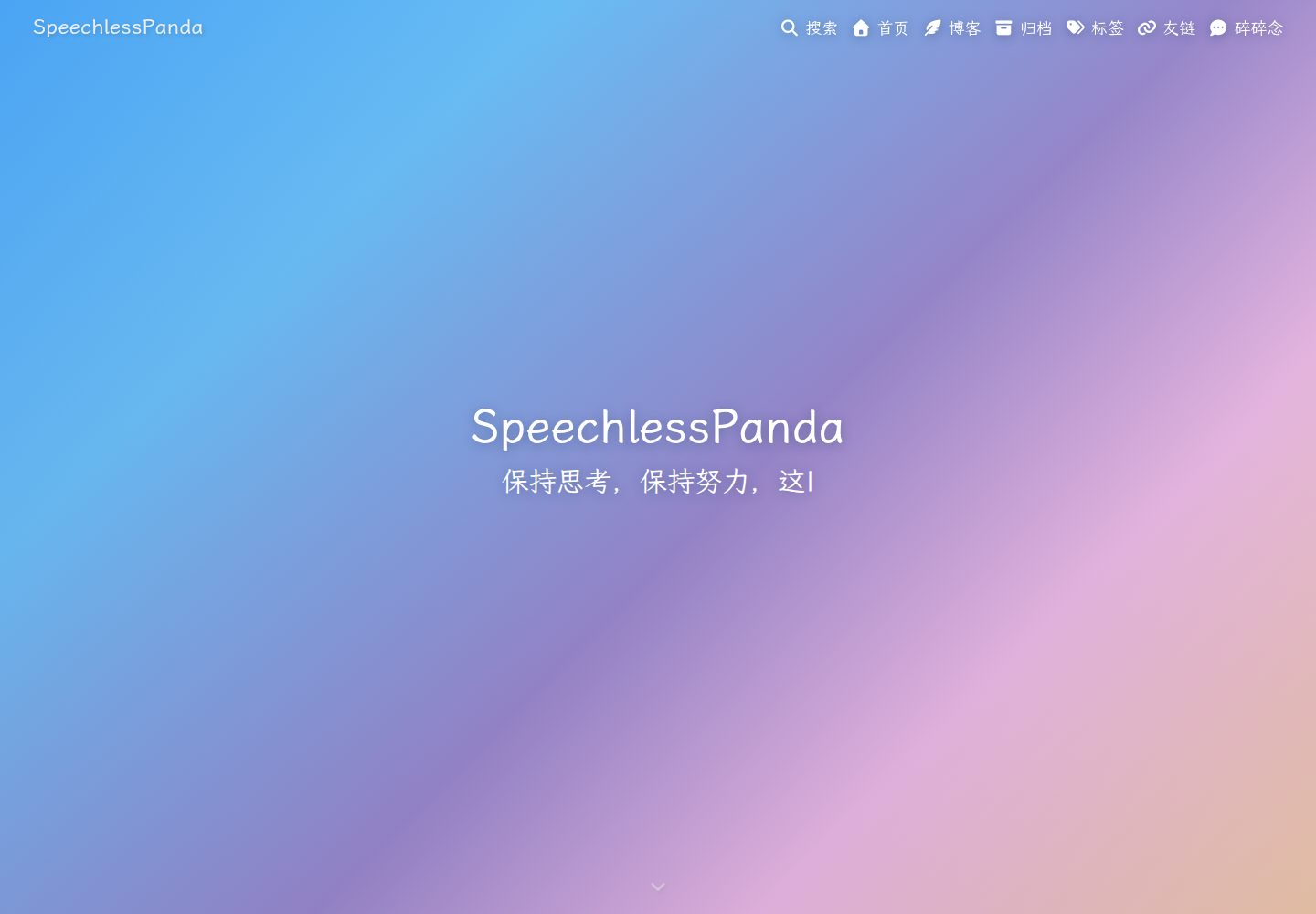
Desktop homepage1 / 3
Desktop captureTop of page
Actual screenshot captured by the server browser.
All pages & views 3
Screenshots show visual appearance; interactive behavior may differ.
Recorded 2026-10-01View source
What stands out
A quick read of the recorded project description.
Blog series: a top-level folder under source/_posts with an index.md becomes a card in the post stream; chapters do not appear separately in the stream
Built-in Atom feed generator that mixes posts and memos, and includes update notification entries
Optional OG share images: generates a 1200×630 gradient image per post, requiring additional installation of @resvg/resvg-js
Homepage as about page: the homepage renders about/index.md, and the post stream moves to /blog/
Retains all Butterfly features, with configuration consistent with Butterfly
Template Details
hexo-theme-panda is a Hexo blog theme forked and extended from hexo-theme-butterfly 5.7.0, under the Apache-2.0 license. While retaining Butterfly's original capabilities (PJAX, dark mode, comment systems, search, word count, and more), it adds several of its own features: a memos timeline, blog series folders, using the homepage as an about page, built-in Atom feed generation, and optional OG share image generation.
The theme is characterized by a card-style layout and gradient visuals. The header, footer, and background use a blue → purple → orange gradient, adjustable via configuration, and yield to a background image when one is present. When a background image is configured, the navigation bar draws a top strip from that image.
In use, the theme requires Hexo 5.3.0 or above and Node.js 18 or above, and depends on the hexo-renderer-pug and hexo-renderer-stylus renderers. Installation via npm is recommended; the theme declares its required renderer dependencies. If it was previously installed via git clone into themes/panda, that directory must be deleted, otherwise Hexo will load the old copy first. Configuration follows the same approach as Butterfly: create _config.panda.yml in the site root to override defaults, rather than editing the theme's _config.yml directly.
Memos content is not created via hexo new; instead, edit source/_data/shuoshuo.yml. If the data file is missing or empty, the theme displays a built-in example, which disappears once the first real entry is written. The OG share image feature is off by default and requires installing @resvg/resvg-js to enable. Memos comment counts require the build environment to provide GH_DISCUSSION_TOKEN. The theme generates public/atom.xml itself, so hexo-generator-feed should not be enabled to avoid path conflicts.
HexoBlog
Is it right for your project?
Use Cases
- Personal sites that want a card-style blog built with Hexo and need a memos-style short-content timeline
- Blogs that need to organize series posts into folders so the series appears as a single card in the post stream
- Sites that want the theme to include Atom feed output without installing an additional feed generator
- Blogs that need to generate gradient OG share images for posts to display on social platforms
- Sites that want the homepage to serve as an about page and the post list to be placed at /blog/
Suitable For
- Bloggers using Hexo 5.3.0 or above and Node.js 18 or above
- Users familiar with Butterfly configuration who want memos and series features on top of it
- Users who accept overriding configuration via _config.panda.yml rather than editing theme files directly
- Developers who need theme code that is modifiable and commercially usable under the Apache-2.0 license
Getting started & customization
Use these recorded setup notes alongside the repository instructions for your chosen version.
- 1
Recommended: run npm install hexo-theme-panda in the Hexo site root, and set theme: panda in the site's _config.yml
- 2
If previously installed via git clone into themes/panda, delete that directory; otherwise Hexo will load the old copy first and updates will not take effect
- 3
When upgrading, first run npm update hexo-theme-panda, then hexo clean && hexo generate; if built by CI or a hosting platform, commit the updated lockfile
- 4
Do not modify the theme's _config.yml; create _config.panda.yml in the site root and put overrides there
- 5
Edit memos content in source/_data/shuoshuo.yml; OG share images require installing @resvg/resvg-js; memos comment counts require GH_DISCUSSION_TOKEN in the build environment
License & source material
Usage conditions & limitations
Free to use · keep license noticeThis entry covers the free version in the public repository under the Apache-2.0 license; the free scope is that version's code and does not imply that external services or third-party assets are free.
Must comply with when using
- Free use, modification, commercial use, and distribution are permitted; when distributing, include the Apache-2.0 license.
- Modified files must carry prominent notices of changes, and relevant copyright, patent, trademark, and attribution notices must be retained.
- If the original project includes a NOTICE file, applicable attribution notices in it must be retained when distributing derivative works.
- The license includes an applicable contributor patent grant; initiating patent litigation as described in the license terminates that patent grant, and no trademark rights are granted.
- The code is provided as is; warranties and limitations of liability are governed by the original license and applicable law.
Additional costs & items to verify
- The OG share image feature is off by default; enabling it requires installing the @resvg/resvg-js dependency in the site.
- Memos comment counts require a GitHub token with discussions read permission (GH_DISCUSSION_TOKEN) in the build environment; otherwise this step is silently skipped.
- The theme includes Atom feed generation; hexo-generator-feed must not be enabled at the same time, or path conflicts will occur.
- The LXGW WenKai font used for OG share images is under the SIL OFL 1.1 license and is downloaded to the fonts/ directory on the first build.
- The theme is derived from hexo-theme-butterfly; the attribution and change list in NOTICE must be retained, and modified files must be annotated in header comments.
- Demo images, fonts, icons, and other third-party assets must be checked against their respective licenses and cannot be judged solely by the code's Apache-2.0 license.
- External services such as domains, hosting, databases, payments, or AI may incur separate charges.
View Original Text Basis
no-charge, royalty-free, irrevocable copyright license
Original License Text
OG share images (`og_image.enable`) | `npm install @resvg/resvg-js`
Original README
`comment_count` needs `GH_DISCUSSION_TOKEN` (a GitHub token with discussions read access) in the build environment.
Original README
Do **not** also enable `hexo-generator-feed` (both would claim the same path).
Original README
The LXGW WenKai font (SIL OFL 1.1) is downloaded once into `fonts/` on first build.
Original README
https://github.com/SpeechlessPanda/hexo-theme-panda/blob/main/LICENSEhttps://github.com/SpeechlessPanda/hexo-theme-panda/blob/main/README.mdPanda is derived from [hexo-theme-butterfly](https://github.com/jerryc127/hexo-theme-butterfly) by Jerry (Apache-2.0); see [NOTICE](NOTICE) for attribution and the list of changes.
Original README
Compiled by DeepSeek based on repository license and README ·2026-10-01. Results only cover the materials read; dependencies, images, fonts, and subsequent term changes are subject to their respective original texts.
Project checks & description sources
Template Information
- Source platforms
- GitHub
- Documentation and maintenance reference score
- More documented · 87 / 100
- Technologies
- Hexo
- Website type
- Blog
How this score is calculated
Our heuristic uses license records (up to 30), a demo link (12), a preview (10), stars (15), recorded maintenance (15), description completeness (8), feature records (5) and classification data (5). It is not a code, security or performance test, or a Google score. A link does not establish tested functionality.
What to verify for this project
- Repository update recorded
- 2026-09-28
- Screenshot last checked
- 2026-10-01
A demo link is listed. Check it with your own content and viewport sizes; its presence does not confirm that forms, authentication or payments work.
The catalog identifies Hexo as the primary stack. Check the actual dependency manifest and lockfile for versions and hosting requirements. These notes use recorded metadata, not a code audit or a deployment test.
Use a selection guide →How this description was prepared
AI-assisted description based on catalog records and repository material. Repository authors are not automatically the reviewers of this description.
Automatically checked against source and license rules; no manual editorial review.
Inspect the recorded source material
SHA-256: 17139f7d1601896368bb64922bb8239cfcbd7b90e6390433423a12c4d51785e6
2026-10-01T03:05:29.824Z
Source file / repository<div align="right"><a title="中文" href="README_CN.md">中文</a> | English</div>
<p align="center">
<img src="./source/img/panda-icon.svg" width="120" alt="Panda Logo"/>
</p>
<h1 align="center">hexo-theme-panda</h1>
<p align="center">
<a href="LICENSE"><img src="https://img.shields.io/github/license/SpeechlessPanda/hexo-theme-panda?style=for-the-badge" alt="License" /></a>
<a href="https://www.npmjs.com/package/hexo-theme-panda"><img src="https://img.shields.io/npm/v/hexo-theme-panda?style=for-the-badge" alt="npm" /></a>
<a href="https://www.npmjs.com/package/hexo-theme-panda"><img src="https://img.shields.io/npm/dm/hexo-theme-panda?style=for-the-badge" alt="npm downloads" /></a>
<a href="https://hexo.io"><img src="https://img.shields.io/badge/Hexo-%3E%3D%205.3.0-0E83CD?style=for-the-badge&logo=hexo&logoColor=white" alt="Hexo" /></a>
<a href="https://nodejs.org"><img src="https://img.shields.io/badge/Node.js-%3E%3D%2018-339933?style=for-the-badge&logo=nodedotjs&logoColor=white" alt="Node.js" /></a>
<a href="https://speechlesspanda.github.io"><img src="https://img.shields.io/badge/Demo-live-success?style=for-the-badge" alt="Demo" /></a>
</p>
<p align="center">A card-style Hexo theme: memos timeline, blog series, gradient visuals, built-in Atom feed & OG image generation</p>
<p align="center">Forked and extended from <a href="https://github.com/jerryc127/hexo-theme-butterfly">hexo-theme-butterfly</a> 5.7.0 (Apache-2.0)</p>
<p align="center"><strong>Demo</strong>: <a href="https://speechlesspanda.github.io">SpeechlessPanda's Blog</a> · <strong>npm</strong>: <a href="https://www.npmjs.com/package/hexo-theme-panda">hexo-theme-panda</a></p>
---
## ✨ What Panda adds on top of Butterfly
| Feature | Description | Default |
|---------|-------------|---------|
| Memos enhancements | Per-memo Giscus comment iframes, auto-expand commented memos, standalone deep-link pages, local-search injection | on |
| Home-as-about | Home renders `about/index.md`; the post stream moves to `/blog/` | on (optional) |
| Latest memo card | The newest memo pinned on top of the post stream | on |
| Blog series | A `_posts/<name>/` folder with `index.md` becomes one card on the post stream; chapters stay off the stream | on |
| Atom feed | Custom generator mixing posts + memos, with update-notification entries | on |
| OG share images | Per-post 1200×630 gradient images (requires `@resvg/resvg-js`) | off |
| Gradient look | Blue→purple→orange gradient header/footer/background (configurable, yields to your images) | on |
| Nav background band | With an image `background`, the fixed nav paints that image's top band, viewport-locked and aligned with `#web_bg` | on |
| Link target blank | Article/memo links open in a new tab | on |
| Extra highlighting | fish & typst grammars registered out of the box | built-in |
| `{% hideToggle %}` collapse | Expanded blocks get a bottom collapse bar that scrolls back to the header | on |
Everything Butterfly offers (PJAX, dark mode, comment systems, search, word count, etc.) is kept intact and configured exactly the Butterfly way.
## 📦 Installation
### npm (recommended)
Hexo **≥ 5.3.0**. Run this in the Hexo **site** root (not inside the theme). Package: [hexo-theme-panda](https://www.npmjs.com/package/hexo-theme-panda).
```bash
npm install hexo-theme-panda
```
The renderers Panda needs (`hexo-renderer-pug`, `hexo-renderer-stylus`, `hexo-util`, `moment-timezone`) are its own `dependencies`, so npm/pnpm/yarn installs them automatically. Hexo 5+ loads `hexo-theme-panda` from `node_modules`.
> **`themes/` wins over `node_modules`.** Hexo looks for `themes/<theme>` *first* and only falls back to `node_modules/hexo-theme-<theme>`. If you previously cloned the theme, **delete `themes/panda/`** — otherwise the stale copy keeps loading and `npm update hexo-theme-panda` silently does nothing. The build prints a warning when this happens.
Upgrading an existing install: see [🔄 Upgrading](#-upgrading).
### Git clone
Only if you want to hack on the theme itself.
```bash
git clone https://github.com/SpeechlessPanda/hexo-theme-panda.git themes/panda
```
Enable the theme in the site `_config.yml`:
```yaml
theme: panda
```
New site from scratch:
```bash
npm install -g hexo-cli
hexo init my-blog && cd my-blog
npm install hexo-theme-panda
```
Then set `theme: panda` as above.
## 🔄 Upgrading
Two commands, and both of them matter:
```bash
npm update hexo-theme-panda
hexo clean && hexo generate
```
- **`npm update` only swaps files in `node_modules`.** It rebuilds nothing, so a `public/` written by the previous theme keeps rendering exactly what it had — including the old version in the footer.
- **`hexo clean` before `hexo generate`.** An upgrade can drop or rename files under `source/`; `hexo clean` deletes `public/` and `db.json` so nothing from the old theme survives. Running `hexo generate` alone after a theme upgrade is the usual cause of a site that looks half-updated.
Swap in `pnpm update` / `yarn upgrade` if that is your package manager.
If `npm update` says **Already up to date** while a newer release exists on [npm](https://www.npmjs.com/package/hexo-theme-panda), you are resolving through a registry mirror that has not caught up yet. Pin the version to get past it: `npm install hexo-theme-panda@latest` (`pnpm add` / `yarn up` behave the same way).
### If a CI or a host builds your site
GitHub Actions, Vercel, Netlify, Cloudflare Pages and friends build from **the committed lockfile**, not from your laptop. After the two commands above, commit the result and push:
```bash
git add package.json package-lock.json # or pnpm-lock.yaml / yarn.lock
git commit -m "chore(deps): bump Panda theme"
git push
```
Skipping this is the single most common "I upgraded but the footer still shows the old version" report: your local `public/` runs the new theme, while the deployed site keeps rendering whatever the lockfile in the repository still pins. The build now prints the version it used, so the CI log tells you which theme produced the deployment.
### Verify
| Where | What you should see |
|-------|---------------------|
| `hexo g` output | `[panda] theme X.Y.Z · Hexo A.B.C · N files generated` (plus the banner at startup) |
| CI log | the same `[panda] theme X.Y.Z` line on the run that deployed |
| Any page footer | `Panda X.Y.Z` next to the Hexo version |
| Page source | theme assets carrying `?v=X.Y.Z` |
If the `[panda]` line, the footer and the `?v=` disagree, the page you are reading was not built by the theme you have installed — regenerate, then redeploy.
## 🖥️ Daily commands
All of these run in the **site root**. Full CLI: [Hexo commands](https://hexo.io/docs/commands).
| Command | What it does |
|---------|----------------|
| `hexo new "My post"` | New article → `source/_posts/My-post.md` |
| `hexo new series "Intro to X"` | New series → `source/_posts/Intro to X/index.md` (title is the folder name, not slugized) |
| `hexo new --series "Intro to X" "Chapter 1"` | New chapter → `source/_posts/Intro to X/Chapter 1.md` (creates `index.md` if missing) |
| `hexo new page about` | New page → `source/about/index.md` |
| `hexo server` / `hexo s` | Local preview at http://localhost:4000/ |
| `hexo s --draft` | Preview including drafts |
| `hexo generate` / `hexo g` | Build static files into `public/` |
| `hexo deploy` / `hexo d` | Publish `public/` with your deployer |
| `hexo g -d` | Generate, then deploy |
| `hexo clean` | Delete `db.json` and `public/` |
| `hexo clean && hexo g -d` | Full republish |
| `hexo clean && hexo s` | Stale theme/config? wipe cache, then preview |
Memos (碎碎念) are **not** created with `hexo new`. Edit `source/_data/shuoshuo.yml`, then `hexo s` or `hexo g`.
### Deploy (publish the blog)
`hexo deploy` needs a deployer plugin. GitHub Pages example:
```bash
npm install hexo-deployer-git
```
```yaml
# site _config.yml
deploy:
type: git
repo: [email protected]:<user>/<user>.github.io.git
branch: main
```
```bash
hexo clean && hexo g -d
```
Panda writes `public/atom.xml` itself. Do **not** also enable `hexo-generator-feed` (both would claim the same path).
## ⚙️ Configuration
Same convention as Butterfly: **don't edit** the packaged `_config.yml` (`node_modules/hexo-theme-panda/_config.yml` or `themes/panda/_config.yml`). Create `_config.panda.yml` in your site root and put your overrides there (Hexo deep-merges, overlay wins).
The fully-commented default config lives in [_config.yml](_config.yml).
```mermaid
flowchart LR
overlay["_config.panda.yml"] --> hexo[Hexo]
theme["_config.yml"] --> init["scripts/events/init.js"]
init --> hexo
hexo --> layouts["layout/*.pug"]
hexo --> memos["scripts/panda/memos.js"]
hexo --> feed["scripts/panda/feed.js"]
hexo --> series["scripts/panda/blog-series.js"]
hexo --> og["scripts/panda/og-image.js"]
```
## ✅ Requirements
- [Hexo](https://hexo.io/) **≥ 5.3.0** (8.x works; this is what the demo runs)
- Node.js **≥ 18**
- Renderers: `hexo-renderer-pug` and `hexo-renderer-stylus` (install them if your site does not already have them)
Optional extras, only if you turn the matching feature on:
| Feature | Extra install |
|---------|----------------|
| OG share images (`og_image.enable`) | `npm install @resvg/resvg-js` |
| Local search injection | Butterfly-style `search.use: local_search` plus a search data file |
| Memo comment counts | `GH_DISCUSSION_TOKEN` in the build environment |
## 🐼 Panda features
### Home-as-about
```yaml
# _config.panda.yml
home_about:
enable: true # falls back to the post list when the source page is missing
source: about/index.md
```
Move the post stream to `/blog/` and bind the home page:
```yaml
# site _config.yml
index_generator:
path: /blog
```
```markdown
---
title: About
layout: home
---
```
(source/index.md)
`/` keeps the full-screen hero (title + typewriter). `/blog/` uses the same short header as About / Links (`#page-site-info`, i18n `page.articles`), not the homepage banner.
### Memos (shuoshuo)
1. Create `source/memos/index.md`:
```markdown
---
title: Memos
type: shuoshuo
---
```
2. Write entries in `source/_data/shuoshuo.yml`:
```yaml
- date: 2026-09-10 12:00 # site timezone (_config.yml `timezone`)
content: Supports **markdown** and [links](https://example.com)
tags: [life] # optional
key: my-custom-key # optional; derived from date otherwise
```
```yaml
# _config.panda.yml
memos:
enable: true
path: /memos/ # page path (shared by card link, standalone pages, feed)
data_key: shuoshuo # source/_data/<data_key>.yml
latest_card: true # "latest memo" card on the post stream
standalone_pages: true # one deep-linkable page per memo
search_injection: true # inject into local search (needs search.use: local_search)
comment_count: true # build-time Giscus counts -> auto-expand commented memos
```
While the data file is missing or empty, the theme shows one built-in sample memo ("Hello, it's my blog!") on the timeline, the latest-memo card and the feed, so a fresh site demonstrates the format end to end. It disappears everywhere the moment you write your first real entry, and it is never persisted into your `db.json`.
Comments use Giscus (`comments.use: Giscus` + `giscus.*`, same as Butterfly). Each memo gets its own discussion via the theme's multi-iframe giscus `/widget` integration.
> `comment_count` needs `GH_DISCUSSION_TOKEN` (a GitHub token with discussions read access) in the build environment. Without it, the step is skipped silently and comment areas stay collapsed.
### Blog series
A series is a **one-level folder** under `source/_posts`, not Butterfly's `{% series %}` tag (`series.enable` stays off).
| Path | Role |
|---|---|
| `source/_posts/hello.md` | Independent post, shown on the post stream |
| `source/_posts/Intro to X/index.md` | Series metadata only (`title` + `description` keys required; `description` may be empty). Not a post, not in the feed |
| `source/_posts/Intro to X/Chapter 1.md` | Chapter: listed on the series page, hidden from the post stream, still an RSS entry |
`index.md` example:
```markdown
---
title: Intro to X
description: From zero to a working setup
cover: /img/series-intro.jpg
---
```
`cover` is the series thumbnail (same idea as a post `cover`). It appears on the `/blog/` series card and as the series page header. It does **not** inherit from chapters.
| `cover` value | Effect |
|---|---|
| `/img/foo.jpg`, `https://…/foo.png` | Image. Local files go in `source/` so the URL matches (`source/img/foo.jpg` → `/img/foo.jpg`). Also `gif` / `svg` / `webp` / `avif` |
| `linear-gradient(135deg, #6ec6ff, #ffd2a8)` or `#6ec6ff` | CSS background, not an `<img>` |
| empty / omit / `false` | No card image; series page header falls back to `default_top_img` |
The post stream mixes independent posts and series cards, newest first. A series card's date is its **latest chapter**. Empty series (index only) are omitted. Drag existing posts into the folder — no extra front-matter — and they leave the stream on the next `hexo g` / `hexo s`. CLI: `hexo new series "Intro to X"` and `hexo new --series "Intro to X" "Chapter 1"` (see [Daily commands](#-daily-commands)).
```yaml
# _config.panda.yml
blog_series:
enable: true
path: /series/ # landing page URL prefix
```
Landing pages: `/series/<folder>/`. Chapter permalinks stay whatever your site `permalink` already is. In-series prev/next only walks sibling chapters. Comments on the series page follow the site comment system; set `comments: false` on `index.md` to turn them off.
Deeper than one folder (`_posts/a/b/c.md`) is ignored.
### Atom feed
```yaml
# _config.panda.yml
feed:
enable: true # on by default; do not run hexo-generator-feed together
path: atom.xml
post_limit: 20
excerpt_limit: 140
update_notify_hours: 24 # re-push posts with explicit front-matter `updated:` >24h after `date:`
include_memos: true
```
Entry identity lives entirely in the URL path (never query/fragment), which every reader preserves; memo entries link to their standalone pages and update entries to auto-generated redirect stubs. Entry ids derive from file **content**, never from file mtime (which is just checkout time on CI): rebuilding after any unrelated change — e.g. adding a memo — never re-pushes old posts. New posts scaffold with `updated: false` and `sticky: false`; to re-push a revised post, flip `updated` to a real date (`updated: 2026-09-28 21:00:00`) more than `update_notify_hours` after `date:` — `false`/`null`/empty all mean "never revised" and are ignored. The stub id is a content hash, so every further edit notifies exactly once more, and ids stop moving the moment you stop editing. Series chapters are ordinary posts: they scaffold the same keys and re-push the same way. Memo dates accept `YYYY-MM-DD HH:mm` (also ISO `T` or date-only); a memo with an unparseable date is skipped with a build warning. Series `index.md` is not a post and never appears in the feed. A series card on the post stream is dated by its latest chapter, so a new chapter also moves the card.
### OG share images
```bash
npm install @resvg/resvg-js # once, in your site
```
```yaml
# _config.panda.yml
og_image:
enable: true
width: 1200
height: 630
```
The LXGW WenKai font (SIL OFL 1.1) is downloaded once into `fonts/` on first build. Each post gets `og-images/<slug>.png` wired into `og:image`.
### Gradient look
On by default. Setting Butterfly's `background`, `default_top_img` or `footer_img` makes the matching gradient area yield to your image automatically. To recolor:
```yaml
# _config.panda.yml
gradient:
header_light: linear-gradient(135deg, ...)
header_dark: linear-gradient(135deg, ...)
web_bg_light: linear-gradient(180deg, ...)
web_bg_dark: linear-gradient(180deg, ...)
# plus header_mask_* / nav_* — see the default config comments
```
Disable entirely: `gradient.enable: false`.
### Website background & nav band
Butterfly's `background` paints the page background (`#web_bg`). Panda adds one thing on top: when that value is an **image**, the fixed nav bar paints the **top band of the same image**, locked to the viewport. It no longer scrolls away, and it no longer falls back to a flat gradient bar.
```yaml
# _config.panda.yml
background: /img/bg.webp # an array works too — a random pick on each load
```
Why it lines up: `#web_bg` is a viewport-sized box with `background-size: cover` + `background-position: center`. Painting that same `cover` onto the 60px `#nav` box zooms into the photo's middle. The scrolled bar instead uses a viewport-sized `#nav::before` (`100vw×100vh`, `cover`, `center`, clipped to 60px) so it shows the top strip of the rendered page background — same pixels, no seam, no scroll.
Legibility: the band carries a scrim (`gradient.nav_band_mask_light/dark`) under white / `#eaf4ff` nav text. Measured against a mid-tone photo: 5.0:1 in light mode, 5.2:1 in dark mode. Unusually light or dark image? Retune:
```yaml
# _config.panda.yml
nav:
background_band: true # false keeps the gradient nav bar
band_text_light: '#ffffff'
band_text_dark: '#eaf4ff'
gradient:
nav_band_mask_light: 'linear-gradient(180deg, rgba(12, 24, 44, 0.6) 0%, rgba(12, 24, 44, 0.42) 100%)'
nav_band_mask_dark: 'linear-gradient(180deg, rgba(0, 0, 0, 0.58) 0%, rgba(0, 0, 0, 0.42) 100%)'
```
Edge cases:
- A color or a raw CSS gradient in `background` has no "top band", so the nav keeps the normal gradient bar.
- A random-array `background` keeps the nav on the image `#web_bg` actually picked (synced at runtime, PJAX included).
- iOS Safari still mishandles a viewport-locked image in the 60px bar. There the theme drops the image layer and keeps the scrim + blur.
### Misc
```yaml
# _config.panda.yml
link_target_blank: true # article/memo links open in a new tab (default on)
```
fish / typst code highlighting works out of the box.
`{% hideToggle Title %}…{% endhideToggle %}` is Butterfly's tag. Panda adds a bottom collapse bar (i18n: en Collapse / zh-CN 收起 / zh-TW 收合 / ja 閉じる / ko 접기). Clicking it closes the block and scrolls back to the header under the fixed nav. Asset URLs carry `?v=<theme version>` so a patch like 1.1.1 busts cached `main.js` / `index.css`.
## 🔄 Migrating from Butterfly
1. Replace `themes/butterfly` with this theme (or swap the npm package) and set `theme: panda`
2. Rename `_config.butterfly.yml` to `_config.panda.yml`
3. Butterfly's legacy `_data/butterfly.yml` override is not supported (Panda warns on startup)
4. Every other config key is compatible
## 📄 License
[Apache-2.0](LICENSE). Panda is derived from [hexo-theme-butterfly](https://github.com/jerryc127/hexo-theme-butterfly) by Jerry (Apache-2.0); see [NOTICE](NOTICE) for attribution and the list of changes. Modified files carry a notice in their header comments. The OG font [LXGW WenKai](https://github.com/lxgw/LxgwWenKai) is SIL OFL 1.1.
Releases: [CHANGELOG.md](CHANGELOG.md).
Explore similar templates
Compare previews and descriptions within the same stack and category.

hexo-theme-matery
hexo-theme-matery is a Material Design, responsive Hexo blog theme with homepage carousel, waterfall post list, timeline archive, word cloud tags, radar chart categories, and an about page.
Hexo · Blog

hexo-theme-cactus
Cactus is a responsive Hexo theme for personal websites and blogs, maintained by probberechts. It offers four color schemes (dark, light, white, classic), configurable navigation, homepage post lists, project lists, social links, and copyright year ranges.
Hexo · Blog

hexo-theme-volantis
Volantis is a blog theme for Hexo, distributed as the npm package hexo-theme-volantis and enabled by setting theme to volantis in the Hexo site's _config.yml. It requires Hexo 7.3+, hexo-cli 4.3+, Node.js 22.x LTS+, and npm 10.x LTS+.
Hexo · Blog

hexo-theme-aurora
Hexo Theme Aurora is a futuristic Hexo blog theme built around aurora gradients and a magazine-style grid layout.
Hexo · Blog

hexo-theme-Claudia
Claudia is a Hexo blog theme focused on a clean look and easy configuration. It automatically follows the device's dark mode and claims a 90+ Lighthouse score.
Hexo · Blog

hexo-theme-A4
hexo-theme-A4 is a minimalist Hexo blog theme that mimics the texture of A4 paper, emphasizing simplicity, small size, and minimal configuration.
Hexo · Blog