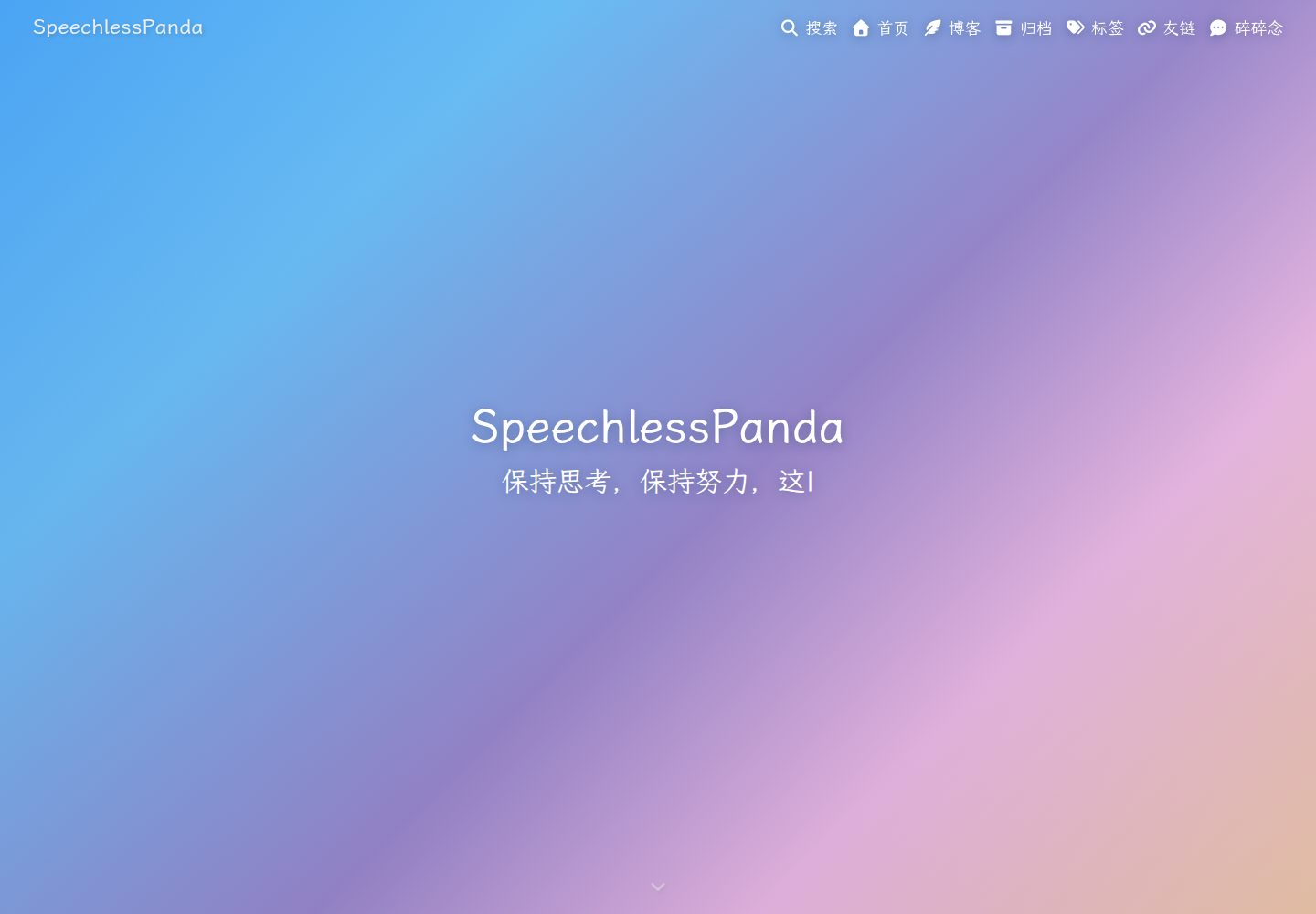
碎碎念时间线:支持每条独立评论 iframe、自动展开有评论的条目、可深链的独立页面与本地搜索注入
Hexo博客
hexo-theme-panda — Hexo 博客模板
作者 SpeechlessPanda
基于 Butterfly 扩展的卡片式 Hexo 主题,新增碎碎念时间线、博客系列、Atom 订阅与 OG 分享图生成。
看看你的网站会是什么样
浏览真实页面截图,比较内容排版与手机效果。点击下方缩略图切换,放大查看整页细节。
全部页面与视图 3
截图用于了解视觉与布局,交互效果请以实际项目为准。
采集于 2026-10-01查看来源
值得关注的模板亮点
从已有项目资料中,快速了解它的特点。
博客系列:source/_posts 下的一级文件夹加 index.md 即成为文章流上的一张卡片,章节不单独出现在流中
内置 Atom 订阅生成器,混合文章与碎碎念,并包含更新通知条目
可选的 OG 分享图:为每篇文章生成 1200×630 渐变图,需额外安装 @resvg/resvg-js
首页作为关于页:首页渲染 about/index.md,文章流移至 /blog/
保留 Butterfly 全部功能,配置方式与 Butterfly 一致
模板详细介绍
hexo-theme-panda 是一个 Hexo 博客主题,从 hexo-theme-butterfly 5.7.0 分叉并扩展而来,采用 Apache-2.0 许可。它在保留 Butterfly 原有能力(PJAX、暗色模式、评论系统、搜索、字数统计等)的基础上,加入了几项自有功能:碎碎念(memos)时间线、博客系列文件夹、首页作为关于页、内置 Atom 订阅生成,以及可选的 OG 分享图生成。
主题以卡片式布局和渐变视觉为特征,页头、页脚与背景使用蓝→紫→橙渐变,可通过配置调整,并会在存在背景图片时让位于图片。导航栏在配置了背景图时会绘制该图片的顶部条带。
使用上,主题要求 Hexo 5.3.0 及以上、Node.js 18 及以上,并依赖 hexo-renderer-pug 与 hexo-renderer-stylus 渲染器。推荐通过 npm 安装,主题自身声明了所需渲染器依赖;若曾用 git clone 方式安装到 themes/panda,需删除该目录,否则 Hexo 会优先加载旧副本。配置方式与 Butterfly 一致,在站点根目录创建 _config.panda.yml 覆盖默认配置,不直接修改主题内 _config.yml。
碎碎念内容不通过 hexo new 创建,而是编辑 source/_data/shuoshuo.yml;数据文件缺失或为空时,主题会显示一条内置示例,写入第一条真实内容后即消失。OG 分享图功能默认关闭,启用需额外安装 @resvg/resvg-js;碎碎念评论计数需要构建环境提供 GH_DISCUSSION_TOKEN。主题自行生成 public/atom.xml,不应再启用 hexo-generator-feed,以免路径冲突。
Hexo博客
适合你的项目吗?
适用场景
- 希望用 Hexo 搭建卡片式博客,并需要碎碎念式短内容时间线的个人站点
- 需要把系列文章组织成文件夹、让系列在文章流中只显示一张卡片的博客
- 希望主题自带 Atom 订阅输出、无需额外安装 feed 生成器的站点
- 需要为文章生成渐变 OG 分享图用于社交平台展示的博客
- 想将首页作为关于页、把文章列表放到 /blog/ 的站点
适合人群
- 使用 Hexo 5.3.0 及以上、Node.js 18 及以上的博客作者
- 熟悉 Butterfly 配置方式、希望在其基础上获得碎碎念与系列功能的用户
- 接受通过 _config.panda.yml 覆盖配置、不直接改主题文件的用户
- 需要 Apache-2.0 许可下可修改、可商用的主题代码的开发者
上手与定制指南
结合仓库当前版本的说明,按下面的资料检查内容、配置与运行要求。
- 1
推荐在 Hexo 站点根目录执行 npm install hexo-theme-panda,并在站点 _config.yml 中设置 theme: panda
- 2
若曾用 git clone 安装到 themes/panda,需删除该目录,否则 Hexo 会优先加载旧副本导致更新无效
- 3
升级时先 npm update hexo-theme-panda,再 hexo clean && hexo generate;若由 CI 或托管平台构建,需提交更新后的 lockfile
- 4
不要修改主题内的 _config.yml,在站点根目录创建 _config.panda.yml 写入覆盖项
- 5
碎碎念内容编辑 source/_data/shuoshuo.yml;OG 分享图需额外安装 @resvg/resvg-js;碎碎念评论计数需在构建环境提供 GH_DISCUSSION_TOKEN
授权与来源资料
使用条件与限制
免费使用 · 保留许可声明本次收录的是公开仓库中采用 Apache-2.0 许可的免费版本;免费范围为该版本代码,不代表外部服务或第三方素材免费。
使用时需要遵守
- 允许免费使用、修改、商用和分发;分发时需随附 Apache-2.0 许可证。
- 修改过的文件需显著标明改动,并保留相关版权、专利、商标及归属声明。
- 若原项目附有 NOTICE 文件,分发衍生作品时需保留其中适用的归属声明。
- 许可包含适用的贡献者专利授权;发起许可所述专利诉讼会终止该专利授权,且不授予商标使用权。
- 代码按现状提供;担保与责任限制以原许可证及适用法律为准。
额外费用与待核对事项
- OG 分享图功能默认关闭,启用需在站点额外安装 @resvg/resvg-js 依赖。
- 碎碎念评论计数需在构建环境提供具有 discussions 读取权限的 GitHub token(GH_DISCUSSION_TOKEN),否则该步骤静默跳过。
- 主题自带 Atom 订阅生成,不可同时启用 hexo-generator-feed,否则路径冲突。
- OG 分享图使用的 LXGW WenKai 字体为 SIL OFL 1.1 许可,首次构建时下载到 fonts/ 目录。
- 主题派生自 hexo-theme-butterfly,需保留 NOTICE 中的署名与变更列表,修改文件需在头部注释标注。
- 演示图片、字体、图标及其他第三方素材需按各自许可核对,不能仅凭代码的 Apache-2.0 许可判断。
- 域名、托管、数据库、支付或 AI 等外部服务可能另外收费。
查看原文依据
no-charge, royalty-free, irrevocable copyright license
许可证原文
OG share images (`og_image.enable`) | `npm install @resvg/resvg-js`
README 原文
`comment_count` needs `GH_DISCUSSION_TOKEN` (a GitHub token with discussions read access) in the build environment.
README 原文
Do **not** also enable `hexo-generator-feed` (both would claim the same path).
README 原文
The LXGW WenKai font (SIL OFL 1.1) is downloaded once into `fonts/` on first build.
README 原文
https://github.com/SpeechlessPanda/hexo-theme-panda/blob/main/LICENSEhttps://github.com/SpeechlessPanda/hexo-theme-panda/blob/main/README.mdPanda is derived from [hexo-theme-butterfly](https://github.com/jerryc127/hexo-theme-butterfly) by Jerry (Apache-2.0); see [NOTICE](NOTICE) for attribution and the list of changes.
README 原文
DeepSeek 根据仓库许可证和 README 整理 ·2026-10-01。结果仅覆盖已读取资料,依赖、图片、字体及后续条款变更以各自原文为准。
项目核对记录与介绍依据
模板资料
- 来源平台
- GitHub
- 资料与维护参考分
- 资料较完整 · 87 / 100
- 技术栈
- Hexo
- 网站类型
- 博客
这个分数如何计算
本站按许可资料(最高30分)、演示链接(12分)、预览图(10分)、Star数(15分)、记录的维护时间(15分)、描述完整度(8分)、功能记录(5分)和分类资料(5分)计算。它不是代码、安全或性能测试,也不是 Google 评分;有链接不代表已实测可用。
这个项目需要核对什么
- 记录的仓库更新时间
- 2026-09-28
- 截图检查日期
- 2026-10-01
已收录演示链接。请用你的内容与屏幕尺寸检查;有演示不代表表单、认证或支付已经可用。
目录记录的主要技术栈是 Hexo。请通过依赖清单和锁文件核对实际版本与托管要求。这些说明基于收录资料,不代表代码审计或部署实测。
查看具体选型方法 →介绍的制作与核对状态
介绍由 AI 辅助整理目录与仓库资料。仓库作者不等于这篇介绍的审核者。
已完成服务器许可规则与 AI 来源核对;未经过人工编辑审核。
查看当时使用的来源资料
SHA-256: 17139f7d1601896368bb64922bb8239cfcbd7b90e6390433423a12c4d51785e6
2026-10-01T03:05:29.824Z
来源文件 / 仓库<div align="right"><a title="中文" href="README_CN.md">中文</a> | English</div>
<p align="center">
<img src="./source/img/panda-icon.svg" width="120" alt="Panda Logo"/>
</p>
<h1 align="center">hexo-theme-panda</h1>
<p align="center">
<a href="LICENSE"><img src="https://img.shields.io/github/license/SpeechlessPanda/hexo-theme-panda?style=for-the-badge" alt="License" /></a>
<a href="https://www.npmjs.com/package/hexo-theme-panda"><img src="https://img.shields.io/npm/v/hexo-theme-panda?style=for-the-badge" alt="npm" /></a>
<a href="https://www.npmjs.com/package/hexo-theme-panda"><img src="https://img.shields.io/npm/dm/hexo-theme-panda?style=for-the-badge" alt="npm downloads" /></a>
<a href="https://hexo.io"><img src="https://img.shields.io/badge/Hexo-%3E%3D%205.3.0-0E83CD?style=for-the-badge&logo=hexo&logoColor=white" alt="Hexo" /></a>
<a href="https://nodejs.org"><img src="https://img.shields.io/badge/Node.js-%3E%3D%2018-339933?style=for-the-badge&logo=nodedotjs&logoColor=white" alt="Node.js" /></a>
<a href="https://speechlesspanda.github.io"><img src="https://img.shields.io/badge/Demo-live-success?style=for-the-badge" alt="Demo" /></a>
</p>
<p align="center">A card-style Hexo theme: memos timeline, blog series, gradient visuals, built-in Atom feed & OG image generation</p>
<p align="center">Forked and extended from <a href="https://github.com/jerryc127/hexo-theme-butterfly">hexo-theme-butterfly</a> 5.7.0 (Apache-2.0)</p>
<p align="center"><strong>Demo</strong>: <a href="https://speechlesspanda.github.io">SpeechlessPanda's Blog</a> · <strong>npm</strong>: <a href="https://www.npmjs.com/package/hexo-theme-panda">hexo-theme-panda</a></p>
---
## ✨ What Panda adds on top of Butterfly
| Feature | Description | Default |
|---------|-------------|---------|
| Memos enhancements | Per-memo Giscus comment iframes, auto-expand commented memos, standalone deep-link pages, local-search injection | on |
| Home-as-about | Home renders `about/index.md`; the post stream moves to `/blog/` | on (optional) |
| Latest memo card | The newest memo pinned on top of the post stream | on |
| Blog series | A `_posts/<name>/` folder with `index.md` becomes one card on the post stream; chapters stay off the stream | on |
| Atom feed | Custom generator mixing posts + memos, with update-notification entries | on |
| OG share images | Per-post 1200×630 gradient images (requires `@resvg/resvg-js`) | off |
| Gradient look | Blue→purple→orange gradient header/footer/background (configurable, yields to your images) | on |
| Nav background band | With an image `background`, the fixed nav paints that image's top band, viewport-locked and aligned with `#web_bg` | on |
| Link target blank | Article/memo links open in a new tab | on |
| Extra highlighting | fish & typst grammars registered out of the box | built-in |
| `{% hideToggle %}` collapse | Expanded blocks get a bottom collapse bar that scrolls back to the header | on |
Everything Butterfly offers (PJAX, dark mode, comment systems, search, word count, etc.) is kept intact and configured exactly the Butterfly way.
## 📦 Installation
### npm (recommended)
Hexo **≥ 5.3.0**. Run this in the Hexo **site** root (not inside the theme). Package: [hexo-theme-panda](https://www.npmjs.com/package/hexo-theme-panda).
```bash
npm install hexo-theme-panda
```
The renderers Panda needs (`hexo-renderer-pug`, `hexo-renderer-stylus`, `hexo-util`, `moment-timezone`) are its own `dependencies`, so npm/pnpm/yarn installs them automatically. Hexo 5+ loads `hexo-theme-panda` from `node_modules`.
> **`themes/` wins over `node_modules`.** Hexo looks for `themes/<theme>` *first* and only falls back to `node_modules/hexo-theme-<theme>`. If you previously cloned the theme, **delete `themes/panda/`** — otherwise the stale copy keeps loading and `npm update hexo-theme-panda` silently does nothing. The build prints a warning when this happens.
Upgrading an existing install: see [🔄 Upgrading](#-upgrading).
### Git clone
Only if you want to hack on the theme itself.
```bash
git clone https://github.com/SpeechlessPanda/hexo-theme-panda.git themes/panda
```
Enable the theme in the site `_config.yml`:
```yaml
theme: panda
```
New site from scratch:
```bash
npm install -g hexo-cli
hexo init my-blog && cd my-blog
npm install hexo-theme-panda
```
Then set `theme: panda` as above.
## 🔄 Upgrading
Two commands, and both of them matter:
```bash
npm update hexo-theme-panda
hexo clean && hexo generate
```
- **`npm update` only swaps files in `node_modules`.** It rebuilds nothing, so a `public/` written by the previous theme keeps rendering exactly what it had — including the old version in the footer.
- **`hexo clean` before `hexo generate`.** An upgrade can drop or rename files under `source/`; `hexo clean` deletes `public/` and `db.json` so nothing from the old theme survives. Running `hexo generate` alone after a theme upgrade is the usual cause of a site that looks half-updated.
Swap in `pnpm update` / `yarn upgrade` if that is your package manager.
If `npm update` says **Already up to date** while a newer release exists on [npm](https://www.npmjs.com/package/hexo-theme-panda), you are resolving through a registry mirror that has not caught up yet. Pin the version to get past it: `npm install hexo-theme-panda@latest` (`pnpm add` / `yarn up` behave the same way).
### If a CI or a host builds your site
GitHub Actions, Vercel, Netlify, Cloudflare Pages and friends build from **the committed lockfile**, not from your laptop. After the two commands above, commit the result and push:
```bash
git add package.json package-lock.json # or pnpm-lock.yaml / yarn.lock
git commit -m "chore(deps): bump Panda theme"
git push
```
Skipping this is the single most common "I upgraded but the footer still shows the old version" report: your local `public/` runs the new theme, while the deployed site keeps rendering whatever the lockfile in the repository still pins. The build now prints the version it used, so the CI log tells you which theme produced the deployment.
### Verify
| Where | What you should see |
|-------|---------------------|
| `hexo g` output | `[panda] theme X.Y.Z · Hexo A.B.C · N files generated` (plus the banner at startup) |
| CI log | the same `[panda] theme X.Y.Z` line on the run that deployed |
| Any page footer | `Panda X.Y.Z` next to the Hexo version |
| Page source | theme assets carrying `?v=X.Y.Z` |
If the `[panda]` line, the footer and the `?v=` disagree, the page you are reading was not built by the theme you have installed — regenerate, then redeploy.
## 🖥️ Daily commands
All of these run in the **site root**. Full CLI: [Hexo commands](https://hexo.io/docs/commands).
| Command | What it does |
|---------|----------------|
| `hexo new "My post"` | New article → `source/_posts/My-post.md` |
| `hexo new series "Intro to X"` | New series → `source/_posts/Intro to X/index.md` (title is the folder name, not slugized) |
| `hexo new --series "Intro to X" "Chapter 1"` | New chapter → `source/_posts/Intro to X/Chapter 1.md` (creates `index.md` if missing) |
| `hexo new page about` | New page → `source/about/index.md` |
| `hexo server` / `hexo s` | Local preview at http://localhost:4000/ |
| `hexo s --draft` | Preview including drafts |
| `hexo generate` / `hexo g` | Build static files into `public/` |
| `hexo deploy` / `hexo d` | Publish `public/` with your deployer |
| `hexo g -d` | Generate, then deploy |
| `hexo clean` | Delete `db.json` and `public/` |
| `hexo clean && hexo g -d` | Full republish |
| `hexo clean && hexo s` | Stale theme/config? wipe cache, then preview |
Memos (碎碎念) are **not** created with `hexo new`. Edit `source/_data/shuoshuo.yml`, then `hexo s` or `hexo g`.
### Deploy (publish the blog)
`hexo deploy` needs a deployer plugin. GitHub Pages example:
```bash
npm install hexo-deployer-git
```
```yaml
# site _config.yml
deploy:
type: git
repo: [email protected]:<user>/<user>.github.io.git
branch: main
```
```bash
hexo clean && hexo g -d
```
Panda writes `public/atom.xml` itself. Do **not** also enable `hexo-generator-feed` (both would claim the same path).
## ⚙️ Configuration
Same convention as Butterfly: **don't edit** the packaged `_config.yml` (`node_modules/hexo-theme-panda/_config.yml` or `themes/panda/_config.yml`). Create `_config.panda.yml` in your site root and put your overrides there (Hexo deep-merges, overlay wins).
The fully-commented default config lives in [_config.yml](_config.yml).
```mermaid
flowchart LR
overlay["_config.panda.yml"] --> hexo[Hexo]
theme["_config.yml"] --> init["scripts/events/init.js"]
init --> hexo
hexo --> layouts["layout/*.pug"]
hexo --> memos["scripts/panda/memos.js"]
hexo --> feed["scripts/panda/feed.js"]
hexo --> series["scripts/panda/blog-series.js"]
hexo --> og["scripts/panda/og-image.js"]
```
## ✅ Requirements
- [Hexo](https://hexo.io/) **≥ 5.3.0** (8.x works; this is what the demo runs)
- Node.js **≥ 18**
- Renderers: `hexo-renderer-pug` and `hexo-renderer-stylus` (install them if your site does not already have them)
Optional extras, only if you turn the matching feature on:
| Feature | Extra install |
|---------|----------------|
| OG share images (`og_image.enable`) | `npm install @resvg/resvg-js` |
| Local search injection | Butterfly-style `search.use: local_search` plus a search data file |
| Memo comment counts | `GH_DISCUSSION_TOKEN` in the build environment |
## 🐼 Panda features
### Home-as-about
```yaml
# _config.panda.yml
home_about:
enable: true # falls back to the post list when the source page is missing
source: about/index.md
```
Move the post stream to `/blog/` and bind the home page:
```yaml
# site _config.yml
index_generator:
path: /blog
```
```markdown
---
title: About
layout: home
---
```
(source/index.md)
`/` keeps the full-screen hero (title + typewriter). `/blog/` uses the same short header as About / Links (`#page-site-info`, i18n `page.articles`), not the homepage banner.
### Memos (shuoshuo)
1. Create `source/memos/index.md`:
```markdown
---
title: Memos
type: shuoshuo
---
```
2. Write entries in `source/_data/shuoshuo.yml`:
```yaml
- date: 2026-09-10 12:00 # site timezone (_config.yml `timezone`)
content: Supports **markdown** and [links](https://example.com)
tags: [life] # optional
key: my-custom-key # optional; derived from date otherwise
```
```yaml
# _config.panda.yml
memos:
enable: true
path: /memos/ # page path (shared by card link, standalone pages, feed)
data_key: shuoshuo # source/_data/<data_key>.yml
latest_card: true # "latest memo" card on the post stream
standalone_pages: true # one deep-linkable page per memo
search_injection: true # inject into local search (needs search.use: local_search)
comment_count: true # build-time Giscus counts -> auto-expand commented memos
```
While the data file is missing or empty, the theme shows one built-in sample memo ("Hello, it's my blog!") on the timeline, the latest-memo card and the feed, so a fresh site demonstrates the format end to end. It disappears everywhere the moment you write your first real entry, and it is never persisted into your `db.json`.
Comments use Giscus (`comments.use: Giscus` + `giscus.*`, same as Butterfly). Each memo gets its own discussion via the theme's multi-iframe giscus `/widget` integration.
> `comment_count` needs `GH_DISCUSSION_TOKEN` (a GitHub token with discussions read access) in the build environment. Without it, the step is skipped silently and comment areas stay collapsed.
### Blog series
A series is a **one-level folder** under `source/_posts`, not Butterfly's `{% series %}` tag (`series.enable` stays off).
| Path | Role |
|---|---|
| `source/_posts/hello.md` | Independent post, shown on the post stream |
| `source/_posts/Intro to X/index.md` | Series metadata only (`title` + `description` keys required; `description` may be empty). Not a post, not in the feed |
| `source/_posts/Intro to X/Chapter 1.md` | Chapter: listed on the series page, hidden from the post stream, still an RSS entry |
`index.md` example:
```markdown
---
title: Intro to X
description: From zero to a working setup
cover: /img/series-intro.jpg
---
```
`cover` is the series thumbnail (same idea as a post `cover`). It appears on the `/blog/` series card and as the series page header. It does **not** inherit from chapters.
| `cover` value | Effect |
|---|---|
| `/img/foo.jpg`, `https://…/foo.png` | Image. Local files go in `source/` so the URL matches (`source/img/foo.jpg` → `/img/foo.jpg`). Also `gif` / `svg` / `webp` / `avif` |
| `linear-gradient(135deg, #6ec6ff, #ffd2a8)` or `#6ec6ff` | CSS background, not an `<img>` |
| empty / omit / `false` | No card image; series page header falls back to `default_top_img` |
The post stream mixes independent posts and series cards, newest first. A series card's date is its **latest chapter**. Empty series (index only) are omitted. Drag existing posts into the folder — no extra front-matter — and they leave the stream on the next `hexo g` / `hexo s`. CLI: `hexo new series "Intro to X"` and `hexo new --series "Intro to X" "Chapter 1"` (see [Daily commands](#-daily-commands)).
```yaml
# _config.panda.yml
blog_series:
enable: true
path: /series/ # landing page URL prefix
```
Landing pages: `/series/<folder>/`. Chapter permalinks stay whatever your site `permalink` already is. In-series prev/next only walks sibling chapters. Comments on the series page follow the site comment system; set `comments: false` on `index.md` to turn them off.
Deeper than one folder (`_posts/a/b/c.md`) is ignored.
### Atom feed
```yaml
# _config.panda.yml
feed:
enable: true # on by default; do not run hexo-generator-feed together
path: atom.xml
post_limit: 20
excerpt_limit: 140
update_notify_hours: 24 # re-push posts with explicit front-matter `updated:` >24h after `date:`
include_memos: true
```
Entry identity lives entirely in the URL path (never query/fragment), which every reader preserves; memo entries link to their standalone pages and update entries to auto-generated redirect stubs. Entry ids derive from file **content**, never from file mtime (which is just checkout time on CI): rebuilding after any unrelated change — e.g. adding a memo — never re-pushes old posts. New posts scaffold with `updated: false` and `sticky: false`; to re-push a revised post, flip `updated` to a real date (`updated: 2026-09-28 21:00:00`) more than `update_notify_hours` after `date:` — `false`/`null`/empty all mean "never revised" and are ignored. The stub id is a content hash, so every further edit notifies exactly once more, and ids stop moving the moment you stop editing. Series chapters are ordinary posts: they scaffold the same keys and re-push the same way. Memo dates accept `YYYY-MM-DD HH:mm` (also ISO `T` or date-only); a memo with an unparseable date is skipped with a build warning. Series `index.md` is not a post and never appears in the feed. A series card on the post stream is dated by its latest chapter, so a new chapter also moves the card.
### OG share images
```bash
npm install @resvg/resvg-js # once, in your site
```
```yaml
# _config.panda.yml
og_image:
enable: true
width: 1200
height: 630
```
The LXGW WenKai font (SIL OFL 1.1) is downloaded once into `fonts/` on first build. Each post gets `og-images/<slug>.png` wired into `og:image`.
### Gradient look
On by default. Setting Butterfly's `background`, `default_top_img` or `footer_img` makes the matching gradient area yield to your image automatically. To recolor:
```yaml
# _config.panda.yml
gradient:
header_light: linear-gradient(135deg, ...)
header_dark: linear-gradient(135deg, ...)
web_bg_light: linear-gradient(180deg, ...)
web_bg_dark: linear-gradient(180deg, ...)
# plus header_mask_* / nav_* — see the default config comments
```
Disable entirely: `gradient.enable: false`.
### Website background & nav band
Butterfly's `background` paints the page background (`#web_bg`). Panda adds one thing on top: when that value is an **image**, the fixed nav bar paints the **top band of the same image**, locked to the viewport. It no longer scrolls away, and it no longer falls back to a flat gradient bar.
```yaml
# _config.panda.yml
background: /img/bg.webp # an array works too — a random pick on each load
```
Why it lines up: `#web_bg` is a viewport-sized box with `background-size: cover` + `background-position: center`. Painting that same `cover` onto the 60px `#nav` box zooms into the photo's middle. The scrolled bar instead uses a viewport-sized `#nav::before` (`100vw×100vh`, `cover`, `center`, clipped to 60px) so it shows the top strip of the rendered page background — same pixels, no seam, no scroll.
Legibility: the band carries a scrim (`gradient.nav_band_mask_light/dark`) under white / `#eaf4ff` nav text. Measured against a mid-tone photo: 5.0:1 in light mode, 5.2:1 in dark mode. Unusually light or dark image? Retune:
```yaml
# _config.panda.yml
nav:
background_band: true # false keeps the gradient nav bar
band_text_light: '#ffffff'
band_text_dark: '#eaf4ff'
gradient:
nav_band_mask_light: 'linear-gradient(180deg, rgba(12, 24, 44, 0.6) 0%, rgba(12, 24, 44, 0.42) 100%)'
nav_band_mask_dark: 'linear-gradient(180deg, rgba(0, 0, 0, 0.58) 0%, rgba(0, 0, 0, 0.42) 100%)'
```
Edge cases:
- A color or a raw CSS gradient in `background` has no "top band", so the nav keeps the normal gradient bar.
- A random-array `background` keeps the nav on the image `#web_bg` actually picked (synced at runtime, PJAX included).
- iOS Safari still mishandles a viewport-locked image in the 60px bar. There the theme drops the image layer and keeps the scrim + blur.
### Misc
```yaml
# _config.panda.yml
link_target_blank: true # article/memo links open in a new tab (default on)
```
fish / typst code highlighting works out of the box.
`{% hideToggle Title %}…{% endhideToggle %}` is Butterfly's tag. Panda adds a bottom collapse bar (i18n: en Collapse / zh-CN 收起 / zh-TW 收合 / ja 閉じる / ko 접기). Clicking it closes the block and scrolls back to the header under the fixed nav. Asset URLs carry `?v=<theme version>` so a patch like 1.1.1 busts cached `main.js` / `index.css`.
## 🔄 Migrating from Butterfly
1. Replace `themes/butterfly` with this theme (or swap the npm package) and set `theme: panda`
2. Rename `_config.butterfly.yml` to `_config.panda.yml`
3. Butterfly's legacy `_data/butterfly.yml` override is not supported (Panda warns on startup)
4. Every other config key is compatible
## 📄 License
[Apache-2.0](LICENSE). Panda is derived from [hexo-theme-butterfly](https://github.com/jerryc127/hexo-theme-butterfly) by Jerry (Apache-2.0); see [NOTICE](NOTICE) for attribution and the list of changes. Modified files carry a notice in their header comments. The OG font [LXGW WenKai](https://github.com/lxgw/LxgwWenKai) is SIL OFL 1.1.
Releases: [CHANGELOG.md](CHANGELOG.md).
看看同类模板
对比同技术栈与用途的模板,找到更适合的视觉与内容结构。

hexo-theme-matery
A beautiful hexo blog theme with material design and responsive design.一个基于材料设计和响应式设计而成的全面、美观的Hexo主题。
Hexo · 博客

hexo-theme-cactus
:cactus: A responsive, clean and simple theme for Hexo.
Hexo · 博客

hexo-theme-volantis
A Wonderful Theme for Hexo.
Hexo · 博客

hexo-theme-aurora
Hexo Theme Aurora 是一款以极光色彩和渐变 UI 为核心的 Hexo 博客主题,整体走未来感路线。 它的首页采用杂志式网格布局,文章列表与精选区域层次分明,视觉上更接近个人媒体站点而非传统博客。
Hexo · 博客

hexo-theme-Claudia
Claudia 是一款为 Hexo 设计的博客主题,主打简洁外观与易配置。 它支持自动跟随设备深色模式,并在 README 中宣称拥有 90+ 的 Lighthouse 评分,适合追求轻量与性能的博客作者。
Hexo · 博客

hexo-theme-A4
A hexo theme that looks like an A4 paper.(一个类A4纸张质感的hexo博客主题。 )
Hexo · 博客