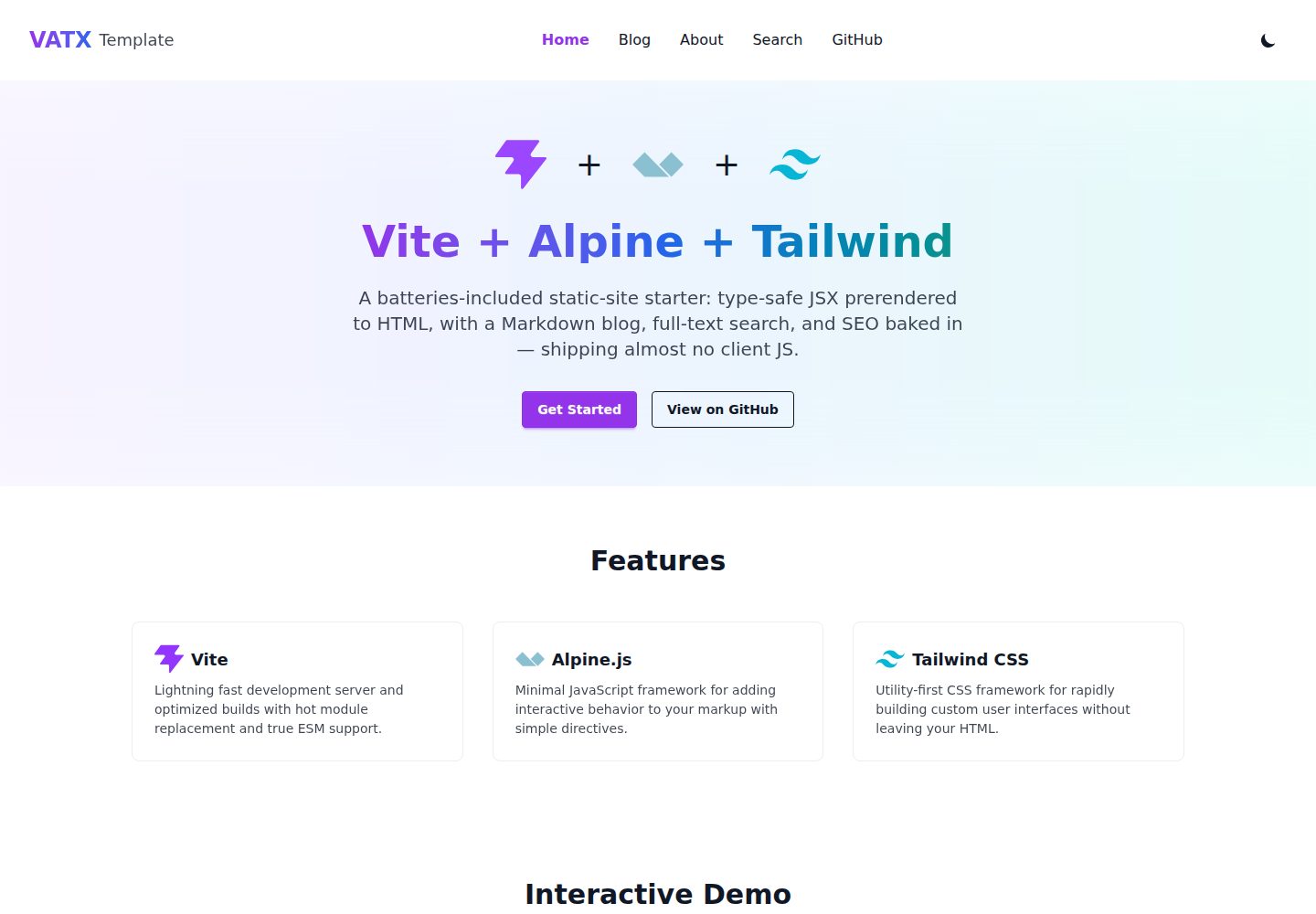
Write type-safe JSX with @kitajs/html, prerender to static HTML at build time, and hydrate interactivity at runtime with Alpine.js
ViteHTMLBlogStarter
vite-alpine-tailwind-x — Vite Blog Template
By vzsoares
A static site template based on Vite, Alpine.js, and Tailwind CSS. It uses @kitajs/html to write type-safe JSX, prerenders to static HTML at build time, and includes file-based routing, a Markdown blog, Pagefind search, and GitHub Pages deployment configuration.
Explore the design
Compare the page layouts and mobile experience. Open any screenshot for a closer look.
Desktop homepage1 / 3
Desktop captureTop of page
Actual screenshot captured by the server browser.
All pages & views 3
Screenshots show visual appearance; interactive behavior may differ.
Recorded 2026-10-16View source
What stands out
A quick read of the recorded project description.
File-based static routing based on the ROUTES table in src/config.ts, generating a separate HTML file per route, with smooth cross-page navigation using the native View Transitions API
Markdown blog generates dynamic routes at build time, with Shiki highlighting and prose styling
Full-text search over build output via Pagefind; the search page is only available in production builds
Per-route title/meta, Open Graph, and canonical generation, plus sitemap.xml, rss.xml, robots.txt, and a social card for each post
Built-in dark mode, accessibility handling, prerendered 404/500 pages, and Biome, Vitest, Playwright, and a GitHub Pages deployment workflow
Template Details
This template is a static site starter project. The entire UI is written in type-safe JSX using @kitajs/html, prerendered to static HTML at build time, and then hydrated at runtime by Alpine.js for interactivity. The README states that it includes file-based routing, a Markdown blog, full-text search powered by Pagefind, per-route SEO metadata and Open Graph, sitemap.xml, rss.xml, robots.txt, social cards, dark mode, prerendered 404/500 error pages, and a GitHub Pages automated deployment workflow. For the tech stack, the README lists Vite, Alpine.js, htmx, Tailwind CSS, JSX, TypeScript, Bun, Biome, Vitest, and Playwright; no specific version numbers are provided. During the build process, @kitajs/html runs only at build time and is not sent to the client; routing is mapped by the ROUTES table in src/config.ts to page components and output files, generating a separate static HTML file for each route. Dynamic routes such as the blog are generated at build time from data in src/content/posts.ts. The README also provides install, dev, build, and preview commands, along with configuration items to modify after using the template and steps to enable GitHub Pages.
ViteHTMLBlogStarter
Is it right for your project?
Use Cases
- Building content-focused static sites that need prerendered HTML and good SEO
- Maintaining blog posts in Markdown and wanting each post to automatically generate its own page and social card
- Needing to add local interactivity with Alpine.js without introducing a client-side UI framework
- Deploying the site to GitHub Pages for free and using the repository's built-in CI and deployment workflow
Suitable For
- Developers familiar with TypeScript, JSX, and Vite who want to build sites with static prerendering
- Content-oriented projects that need file-based routing, a Markdown blog, and static full-text search
- Users planning to host on GitHub Pages and accepting its subpath deployment approach
- Teams that want lightweight client-side interactivity with Alpine.js without introducing a full frontend framework
Getting started & customization
Use these recorded setup notes alongside the repository instructions for your chosen version.
- 1
After using the template, run bun install, then bun run dev to start the dev server, bun run build to generate dist/, and bun run preview to preview the production build
- 2
Before running end-to-end tests for the first time, run bunx playwright install chromium to install the browser
- 3
Follow the README's post-install checklist to modify the version, name, description, author, homepage, repository, and bugs fields in package.json
- 4
Update site identity information in src/config.ts, including BASE, SITE_URL, SITE name, title, description, keywords, author, and repository links
- 5
Replace public/og.png with a 1200×630 social card image, and set Source to GitHub Actions in the GitHub repository Settings → Pages
License & source material
Usage conditions & limitations
Free to use · keep license noticeThis entry covers the free version under the MIT license in the public repository; the free scope is the code of this version and does not mean that external services or third-party assets are free.
Must comply with when using
- You may use, modify, commercialize, and distribute the code of this version for free.
- When distributing copies or substantial portions of the code, retain the original author's copyright notice and the complete MIT license notice.
- The code is provided as is; warranties and limitations of liability are governed by the original license and applicable law.
Additional costs & items to verify
- Demo images, fonts, icons, and other third-party assets must be checked against their respective licenses; they cannot be judged solely by the code's MIT license.
- External services such as domains, hosting, databases, payments, or AI may incur additional charges.
- Search functionality is only available after running a production build (bun run build && bun run preview); in development mode, /search/ only shows a notice and does not provide actual search.
- When deployed to a GitHub project page, robots.txt is located under a subpath and will not be read from the domain root; if you want search engines to index the site, you need to submit the sitemap manually.
- If deploying to a platform other than GitHub Pages, you must first modify base and SITE_URL in src/config.ts.
- Before running end-to-end tests for the first time, you need to additionally run bunx playwright install chromium to install the browser.
- Each post's social card is generated at build time by @resvg/resvg-js and depends on system fonts; missing fonts may affect card rendering.
View Original Text Basis
Permission is hereby granted, free of charge
Original License Text
build`). The search UI therefore only works in the **production build** (`bun
Original README
domain/repo. (On GitHub *project* pages, `robots.txt` lives under the subpath
Original README
`.github/workflows/deploy.yml`. Deploying somewhere else? Update `base` and
Original README
> First time running e2e tests? Install the browser once:
Original README
https://github.com/vzsoares/vite-alpine-tailwind-x/blob/main/LICENSEhttps://github.com/vzsoares/vite-alpine-tailwind-x/blob/main/README.md(`@resvg/resvg-js` at build, uses system fonts).
Original README
Compiled by DeepSeek based on repository license and README ·2026-10-16. Results only cover the materials read; dependencies, images, fonts, and subsequent term changes are subject to their respective original texts.
Project checks & description sources
Template Information
- Source platforms
- GitHub
- Documentation and maintenance reference score
- More documented · 85 / 100
- Technologies
- Vite · HTML
- Website type
- Blog · Starter
How this score is calculated
Our heuristic uses license records (up to 30), a demo link (12), a preview (10), stars (15), recorded maintenance (15), description completeness (8), feature records (5) and classification data (5). It is not a code, security or performance test, or a Google score. A link does not establish tested functionality.
What to verify for this project
- Repository update recorded
- 2026-09-09
- Screenshot last checked
- 2026-10-16
A demo link is listed. Check it with your own content and viewport sizes; its presence does not confirm that forms, authentication or payments work.
The catalog identifies Vite as the primary stack. Check the actual dependency manifest and lockfile for versions and hosting requirements. These notes use recorded metadata, not a code audit or a deployment test.
Use a selection guide →How this description was prepared
AI-assisted description based on catalog records and repository material. Repository authors are not automatically the reviewers of this description.
Review declaration: codex-user-requested-batch-review-20261017 · 2026-10-16
Inspect the recorded source material
SHA-256: 6fdc454e0bb42d9e6cc52fd587dda857fca449d25d957cd5a2c18bccddeb6dae
2026-10-16T03:24:05.646Z
Source file / repository<p align="center">
<img src="./public/og.png" alt="Vite + Alpine + Tailwind" width="640" />
</p>
# ⚡ Vite + 🗻 Alpine + 🎨 Tailwind — Template


🔗 **[Live demo](https://vzsoares.github.io/vite-alpine-tailwind-x/)**
A **static-site starter** that authors its whole UI in **type-safe JSX**,
prerenders it to **static HTML at build time**, and hydrates with **Alpine.js**
— so it's batteries-included (file-based routing 🧭, a Markdown blog 📝,
full-text search 🔍, SEO + social cards 🖼️, dark mode 🌙) yet ships almost no
client JS and deploys free to **GitHub Pages**. 🚀
> Want the **lean, pure client-side** sibling — **plain HTML pages** +
> **pinecone-router** SPA, no prerender? That's
> **[vite-alpine-tailwind](https://github.com/vzsoares/vite-alpine-tailwind)**.
> This repo is the batteries-included, prerendered counterpart.
## ✨ Features
**Stack**
- ⚡️ **Vite** — lightning-fast dev server and builds (Rolldown / oxc)
- 🗻 **Alpine.js** — sprinkle-on client interactivity
- 🔁 **htmx** — bundled & typed, ready for server-driven UI (see [docs/htmx.md](docs/htmx.md))
- 🎨 **Tailwind CSS v4** — utility-first styling (+ `typography` prose + **daisyUI** components)
- ⚛️ **JSX** — type-safe HTML templating via [@kitajs/html](https://github.com/kitajs/html), XSS-scanned
- 📦 **TypeScript** · 🍞 **Bun** · 🧹 **Biome** · 🧪 **Vitest** · 🎭 **Playwright**
**What you get**
- 🏗️ **Static prerendering (SSG)** — JSX → HTML at build; zero UI-framework JS shipped
- 🧭 **File-based routing** — one static file per route, smooth native View Transitions
- 📝 **Markdown blog** — build-time dynamic routes, Shiki highlighting, `prose` styling
- 🔍 **Static search** — full-text search over the built site via [Pagefind](https://pagefind.app)
- 🔎 **SEO baked in** — per-route `<title>`/meta, Open Graph, canonical, `sitemap.xml`, `rss.xml`, `robots.txt`
- 🖼️ **Social cards** — a default `og.png` plus a generated per-post card
- 🌙 **Dark mode** — `data-theme` + `.dark`, remembers your choice
- ♿ **Accessible** — skip link, landmarks, visible focus rings
- 🧨 **404 + 500** prerendered error pages
- 🛡️ **Hardened CI** — lint/type/XSS/unit + e2e (dev **and** production build),
Dependabot, CodeQL & gitleaks, auto-deploy to GitHub Pages
## 🏁 Quick Start
```bash
# Use this template, then:
bun install
bun run dev # 👉 http://localhost:5173
bun run build # build static site into dist/
bun run preview # preview the production build
```
> First time running e2e tests? Install the browser once:
> `bunx playwright install chromium`
## 🛠️ Post-install checklist
After clicking **"Use this template"** and cloning your new repo, run through these
once before your first commit:
**Identity & metadata (one file does most of it)**
- [ ] **Version** — reset `"version"` in `package.json` to `"0.1.0"`
- [ ] **`package.json`** — update `"name"`, `"description"`, `"author"`,
`"homepage"`, `"repository.url"`, and `"bugs.url"`
- [ ] **`src/config.ts`** — this is the central identity file; update:
- `BASE` → `"/<your-repo-name>/"` (Vite base path + canonical prefix)
- `SITE_URL` → `https://<your-username>.github.io/<your-repo-name>/`
- `SITE.name`, `.headline`, `.description`, `.keywords`
- `SITE.author`, `.authorUrl` (used in the footer and RSS feed)
- `SITE.repoUrl` (used in the nav GitHub link)
**Social image**
- [ ] **`public/og.png`** — replace with your own 1200 × 630 image (used as the
default OG card; per-post cards are generated from the post title at build time)
**GitHub Pages**
- [ ] **Enable Pages** — go to **Settings → Pages → Source** and select
**"GitHub Actions"** (the deploy workflow is already wired up)
**Documentation**
- [ ] **Rewrite this README** — replace the template docs with your project's own
description, features, and instructions
## 📜 Scripts
| Command | Description |
| ------------------- | -------------------------------------------- |
| `bun run dev` | Start the Vite dev server with HMR |
| `bun run build` | Build into `dist/` + index it for search |
| `bun run preview` | Preview the production build locally |
| `bun run check` | Lint **and** format the codebase (Biome) |
| `bun run lint` | Lint without writing changes (Biome) |
| `bun run format` | Format files in place (Biome) |
| `bun run typecheck` | Type-check with `tsc --noEmit` |
| `bun run xss-scan` | Scan JSX for XSS (`@kitajs/ts-html-plugin`) |
| `bun run test` | Run unit tests once (Vitest) |
| `bun run test:watch`| Run unit tests in watch mode (Vitest) |
| `bun run test:e2e` | End-to-end browser tests vs. dev (Playwright)|
| `bun run test:e2e:preview` | E2E vs. the **production build** (preview) |
## 🗂️ Project Structure
```
/
├── public/ # Static assets copied as-is (favicon.ico, og.png, logos/)
├── src/ # Source files
│ ├── config.ts # Central site config: identity, links, routes (shared
│ │ # by the build and the components)
│ ├── render.test.ts # Unit tests asserting component HTML output
│ ├── app.ts # Alpine bootstrap (registers data, starts Alpine)
│ ├── alpine.ts # Typed Alpine.data() components (e.g. counter)
│ ├── jsx.d.ts # Opts into @kitajs/html's Alpine.js + x-on:/x-bind: types
│ ├── styles.css # Tailwind + typography + dark mode + x-cloak + view-transition
│ ├── content/posts.ts # Blog content (Markdown) → one static page per post
│ ├── components/ # Reusable JSX components (build-time HTML)
│ │ ├── layout.tsx # Shared chrome (nav + footer) wrapping each route
│ │ ├── error-page.tsx # Shared status-page layout (404 / 500)
│ │ └── nav.tsx · hero.tsx · features.tsx · demo.tsx · footer.tsx
│ ├── pages/ # One JSX component per route (the ROUTES table in
│ │ │ # config.ts maps each to an output file)
│ │ ├── home.tsx # "/" → index.html
│ │ ├── about.tsx # "/about/" → about/index.html
│ │ ├── blog.tsx # "/blog/" index + post.tsx (per-post template)
│ │ ├── search.tsx # "/search/" (Pagefind, prod build only)
│ │ └── 404.tsx · 500.tsx # status pages → 404.html / 500.html
│ └── lib/ # Framework-agnostic helpers
│ ├── utils.ts
│ ├── utils.test.ts # Example Vitest unit test
│ └── markdown.ts # Markdown → HTML (marked + Shiki, build-time)
├── e2e/ # Playwright end-to-end tests
│ ├── pages.spec.ts # Every route renders, loads assets, boots Alpine
│ ├── blog.spec.ts # Dynamic blog routes (index + each post)
│ ├── version.spec.ts # Footer shows the app version
│ ├── counter.spec.ts # Typed Alpine counter component
│ ├── routing.spec.ts # Navigation between the home and about pages
│ └── dark-mode.spec.ts # Theme toggle + persistence
├── e2e-preview/ # E2E against the production build (base path, search, OG)
│ └── build.spec.ts
├── index.html # The single shell template; every route is stamped from it
├── vite.config.ts # Vite config (Tailwind, JSX prerender plugin, Vitest)
├── playwright.config.ts # Playwright e2e configuration
├── biome.json # Biome linter & formatter config
├── tsconfig.json # TypeScript configuration (incl. JSX + ts-html-plugin)
├── tsconfig.scan.json # Emit-free config for the xss-scan CLI
├── DESIGN.md # Design system / tokens (for humans + coding agents)
├── AGENTS.md # Repo guide for AI coding agents (verify, tools, gotchas)
└── docs/htmx.md # How to use the bundled htmx / go server-side
```
## 🎨 Make it yours
- ✏️ Edit **`src/config.ts`** — site name, description, social links, and `ROUTES`.
- 🎨 Recolor the whole site via the `@theme` **brand tokens** in **`src/styles.css`**.
- 🖼️ Swap the logos in **`public/logos/`** and the **`public/og.png`** social card.
- 📝 Add posts in **`src/content/posts.ts`** (Markdown) — each becomes its own page.
- 🧩 Add pages in **`src/pages/`**, reusable bits in **`src/components/`**.
## ⚛️ JSX
The entire UI is authored as JSX components under `src/components/` and `src/pages/`, powered by
[@kitajs/html](https://github.com/kitajs/html) (full type coverage for every
HTML element/attribute). It's wired via the automatic JSX transform
(`jsxImportSource: "@kitajs/html"`) in `tsconfig.json` and `vite.config.ts`.
### Build-time prerendering
@kitajs/html renders JSX to **HTML strings**, so the app is rendered to static
HTML **at build time** rather than in the browser. The `render-jsx-app` plugin
in `vite.config.ts` renders each route's page component and injects it into the
`<!--app-->` placeholder of its HTML shell; Alpine then hydrates the static
markup at runtime.
- **Dev** loads the JSX through the server's SSR pipeline (`ssrLoadModule`).
- **Build** runs it through Vite's `runnerImport` (Node can't import `.tsx`).
The payoff: the browser receives complete HTML (great for SEO / no flash), and
**@kitajs/html is never shipped to the client** — it only runs during the build.
```tsx
// src/components/demo.tsx — a component returning an HTML string
function Counter(): JSX.Element {
return (
<div x-data="counter(0)" class="text-center">
<p x-text="count">0</p>
<button type="button" x-on:click="increment()">+</button>
</div>
);
}
```
Notes:
- **Directives:** `x-data`, `x-text`, `x-show`, ... are typed by
`@kitajs/html/alpine`. The namespaced `x-on:click` / `x-bind:class` are made
typed props by an augmentation in `src/jsx.d.ts`. The `@click` / `:class`
shorthands stay unsupported (`@` / leading `:` aren't valid JSX prop names);
the body-level `:class` for dark mode lives in `index.html`, not JSX.
- **XSS:** interpolated variables in children need kitajs's `safe` attribute
(e.g. `<span safe>{value}</span>`). `bun run xss-scan` enforces this in CI
(via `tsconfig.scan.json`, whose `noEmit` lets the CLI's validation pass).
## 🧭 Routing
Routing is **static and generated from one template** — every route is stamped
from a single `index.html` shell at build time, so each ends up its own static
HTML file (no client-side router ships to the browser).
- A `ROUTES` table in `src/config.ts` maps each route to a page component and
output file. At build the `render-jsx-app` plugin reuses the asset-injected
`index.html` as a template and emits one file per route (`generateBundle`); in
dev a middleware serves the non-home routes through the same transform.
- **Add a route** with just two edits: create `src/pages/<name>.tsx` (exporting
`Page`) and add a `ROUTES` entry — no hand-written HTML shell needed.
- Navigation is plain `<a href>`; the `Layout`/`Nav` receive the configured
`base` so links work under the GitHub Pages subpath.
- Cross-page navigation is smoothed by the native **View Transitions API**
(`@view-transition { navigation: auto; }` in `styles.css`) — a progressive
enhancement, ignored by browsers that don't support it.
`src/pages/about.tsx` is a worked example whose Alpine accordion hydrates
after navigation (covered by `e2e/routing.spec.ts`).
### Dynamic routes (build-time)
Routes whose params are known at build time (blog posts, docs, …) are generated
one static file per item. The `/blog/` demo derives its routes from data:
```ts
// src/config.ts
import { posts } from "./content/posts";
export const ROUTES = [
// ...static routes
...posts.map((post) => ({
out: `blog/${post.slug}/index.html`, // → /blog/<slug>/
page: "post", // one shared component
title: `${post.title} · ${SITE.name}`,
description: post.excerpt,
data: post, // payload passed to <Page>
})),
];
```
The plugin renders `Page({ version, base, data })` for each route, so
`src/pages/post.tsx` is a template reused for every post. Post bodies are
**Markdown** (rendered at build with `marked`, styled by
`@tailwindcss/typography`'s `prose`). Add a post by adding an entry to
`src/content/posts.ts` — it gets its own prerendered page, sitemap + RSS entry,
and `<head>` metadata automatically (see `e2e/blog.spec.ts`). Post bodies are
rendered with **Shiki** syntax highlighting (`src/lib/markdown.ts`, sync core),
and each post gets prev/next navigation.
For params known only at runtime (infinite/user-specific), prerender one shell
page and let an Alpine component read the param and `fetch()` the data instead.
## 🔎 SEO & metadata
Each route carries its own `<head>`. The `ROUTES` table (`src/config.ts`) holds
a `title` + `description` per route; the plugin stamps in `<title>`,
`description`, canonical, Open Graph, and Twitter Card tags via the `<!--head-->`
placeholder. Status pages set `robots: "noindex"`.
- **Social cards:** `public/og.png` (1200×630, project gradient) is the default
`og:image`; each blog post also gets a **generated** card with its title
(`@resvg/resvg-js` at build, uses system fonts).
- **`sitemap.xml`, `robots.txt`, and `rss.xml`** are generated at build (RSS
from the blog posts; noindex routes are excluded from the sitemap).
- **`SITE_URL`** in `src/config.ts` is the absolute origin used for canonical /
OG / sitemap URLs — update it (and `base`) when you deploy to your own
domain/repo. (On GitHub *project* pages, `robots.txt` lives under the subpath
and isn't read at the domain root; submit the sitemap manually if needed.)
Accessibility: a skip-to-content link and a `<main>` landmark wrap each page, and
a global `:focus-visible` ring (`styles.css`) keeps keyboard focus visible.
## 🔍 Search
The `/search/` route uses [Pagefind](https://pagefind.app), which indexes the
built site in a post-build step (`pagefind --site dist`, part of `bun run
build`). The search UI therefore only works in the **production build** (`bun
run build && bun run preview`) — in dev, `/search/` shows a hint instead.
## 🎨 UI components (daisyUI)
[daisyUI](https://daisyui.com) is enabled as a Tailwind plugin (`@plugin
"daisyui"` in `styles.css`). Themes switch via `data-theme` on `<body>` (wired
to the dark-mode toggle), and its `primary` is mapped to the brand color, so
`btn-primary` matches the gradient. The counter in `demo.tsx` is built with
daisyUI's `card` / `btn`; the rest of the UI stays hand-rolled Tailwind.
## 🚀 Deploy
Pushing to `main` runs the checks and deploys `dist/` to **GitHub Pages** via
`.github/workflows/deploy.yml`. Deploying somewhere else? Update `base` and
`SITE_URL` in `src/config.ts` first.
## 📚 Docs
- 🎨 **[DESIGN.md](DESIGN.md)** — design tokens & visual system
- 🤖 **[AGENTS.md](AGENTS.md)** — guide for AI coding agents (verify, tools, gotchas)
- 🔁 **[docs/htmx.md](docs/htmx.md)** — using the bundled htmx / going server-side
## 📄 License
[MIT License](LICENSE)
---
Created by [vzsoares](https://github.com/vzsoares) 💜
Explore similar templates
Compare previews and descriptions within the same stack and category.

cove
Cove is a minimal TanStack Start starter template maintained by mugnavo, integrating React, TanStack Router/Query, Tailwind CSS, shadcn/ui, Drizzle ORM with PostgreSQL, Better Auth, Vite Plus, and Nitro.
Vite · SaaS

vite-react-boilerplate
A production-ready Vite + React starter template with TypeScript, Tailwind CSS, TanStack Router/Query/Table, Storybook, React Hook Form + Zod, Vitest and Playwright testing, plus Husky/Commitizen/Commitlint commit conventions.
Vite · Starter

vital
Vital is a Vite-based React starter template using TypeScript and Tailwind CSS, with an Atomic Design component directory, path aliases and Hero Icons.
Vite · Starter

react-vite-admin
A backend management starter built on Vite and React, integrating Recoil, React Query, TypeScript, and Axios, with Ant Design-style interface screenshots. Suitable as a starting point for management-side projects, licensed under MIT, with Chinese documentation and common scripts.
Vite · Admin dashboard

typescript-react_best_practices-vite_template
A Vite + React + TypeScript starter template by CodelyTV, preconfigured with Jest and React Testing Library unit tests, Cypress end-to-end tests, ESLint and Prettier using Codely's shared configuration, GitHub Actions workflows, a Makefile, and Sass.
Vite · Starter

cloudflare-starter-kit
A Cloudflare Workers project scaffolding template maintained by kriasoft, using Vite and TypeScript, with three built-in workspaces: api, app, and edge, and preconfigured local testing, multiple environments, and a GitHub Actions deployment workflow.
Vite · Starter