Prerenders all routes via Angular SSR at build time, generating static HTML
AngularAdmin dashboard
prime.webart.work — Angular Admin dashboard Template
By WebArtWork
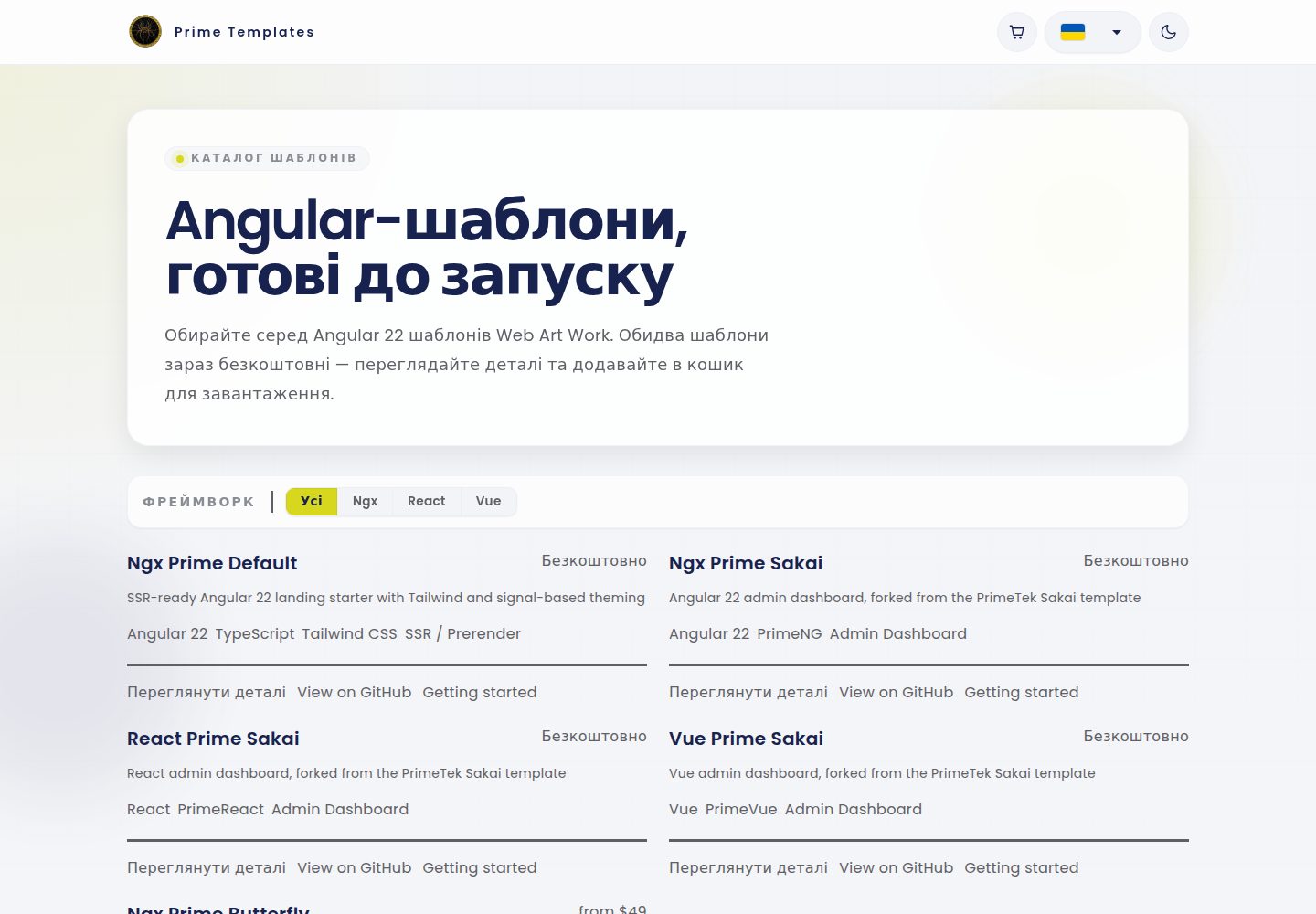
An Angular-based landing page template that generates static HTML via SSR prerendering at build time, uses TailwindCSS, and deploys to GitHub Pages.
Explore the design
Compare the page layouts and mobile experience. Open any screenshot for a closer look.
Desktop homepage1 / 2
Desktop captureTop of page
Actual screenshot captured by the server browser.
All pages & views 2
Screenshots show visual appearance; interactive behavior may differ.
Recorded 2026-10-15View source
What stands out
A quick read of the recorded project description.
Uses TailwindCSS v4, configured via .postcssrc.json
Zoneless Angular, with state exposed as signals in HTML class bindings
Includes a company information bootstrap data flow, supporting endpoint fetching and local JSON fallback
Deploys dist/app/browser to the gh-pages branch via GitHub Actions
Uses the @wawjs/ngx-translate translation stack, with Ukrainian as the default source language
Template Details
This template is an Angular starter project for static landing pages. The README explains that its core mechanism is to prerender each route into static HTML at build time via Angular SSR, making it suitable for static hosting. The project includes SSR configuration (app.config.server.ts, app.routes.server.ts), with all routes defaulting to RenderMode.Prerender. During development it runs as a normal Angular SPA; the build outputs dist/app/browser and dist/app/server, but deployment uses the browser-side prerendered artifacts.
The template also includes a bootstrap data flow for company information: at application startup, APP_INITIALIZER calls BootstrapService.initialize(), which on the server fetches data from the endpoint corresponding to the environment variables apiUrl and companyId, stores it in TransferState, and on the browser applies it first then refreshes in the background; if the endpoint is unavailable, it falls back to local data in src/data/company/company.json.
The README also provides the TailwindCSS configuration approach, usage of Material Symbols Outlined icons, a translation workflow based on @wawjs/ngx-translate (with Ukrainian as the default source language), SCSS conventions, the purpose of environment files, GitHub Actions deployment steps, and custom domain CNAME setup. The README does not provide the number of pages, specific business scenarios, or performance data.
AngularBackend
Is it right for your project?
Use Cases
- Building SEO-friendly landing pages primarily for static hosting
- Angular projects that need build-time prerendering rather than runtime server-side rendering
- Interface development using TailwindCSS and Material Symbols Outlined
- Projects that need a multilingual interface and maintain translation arrays aligned by index
- Publishing via GitHub Pages and configuring a custom domain
Suitable For
- Developers familiar with Angular who need a static landing page starter structure
- Projects that prefer build-time prerendering over runtime SSR
- Teams that need an automated GitHub Pages deployment workflow
- Multilingual projects that accept Ukrainian as the default translation source language
Getting started & customization
Use these recorded setup notes alongside the repository instructions for your chosen version.
- 1
Run npm start or ng serve for development; the default address is http://localhost:4200
- 2
Build with npm run build, which outputs dist/app/browser and dist/app/server
- 3
Optionally run node dist/app/server/server.mjs to start the SSR server, though this is usually unnecessary when prerendered HTML has already been generated
- 4
Deployment is automated by .github/workflows/deploy.yml: install dependencies, build, copy CNAME, and push to gh-pages
- 5
Custom domains are configured via CNAME; the README example is ngx.itkamianets.com, which must be replaced with your own domain
License & source material
Usage conditions & limitations
Free to use · keep license noticeThis listing covers the free version under the MIT license in the public repository; the free scope applies to that version's code and does not mean external services or third-party assets are free.
Must comply with when using
- You may use, modify, commercialize, and distribute this version's code for free.
- When distributing copies or substantial portions of the code, retain the original author's copyright notice and the full MIT license notice.
- The code is provided as is; warranties and limitations of liability are governed by the original license and applicable law.
Additional costs & items to verify
- Demo images, fonts, icons, and other third-party assets must be checked against their respective licenses; the code's MIT license alone cannot be used to judge them.
- External services such as domains, hosting, databases, payments, or AI may incur separate charges.
- The custom domain must be changed to your own; the README example uses a *.itkamianets.com subdomain, and continuing to use the example domain may prevent proper deployment.
- The server-side bootstrap data depends on external endpoints pointed to by the environment variables apiUrl and companyId; you must configure a working backend service yourself.
- Adapting the template to a real business requires using an external ChatGPT custom GPT service, which is a third-party external service dependency.
- The current @wawjs/ngx-translate package does not provide TranslatePipe; the translation implementation must use directives or TranslateService instead.
- Ukrainian is the default language and root text; other language arrays must be aligned by index with ua.json, and multilingual maintenance is constrained by this.
View Original Text Basis
Permission is hereby granted, free of charge
Original License Text
Custom domain which you should adjust to your own domain so it works properly, any subdomain of `*.itkamianets.com` in case it's not used before on our github org.
Original README
- on the server, bootstrap data is fetched from `${environment.apiUrl}/api/regionit/bootstrap/${environment.companyId}`
Original README
After cloning and installing the project, use the **Angular Default Web Art Work** Custom GPT to
Original README
- Do not use `TranslatePipe`; it is not available in the current `@wawjs/ngx-translate` package
Original README
https://github.com/WebArtWork/prime.webart.work/blob/master/LICENSEhttps://github.com/WebArtWork/prime.webart.work/blob/master/README.md- Ukrainian is the default language and root source text
Original README
Compiled by DeepSeek based on repository license and README ·2026-10-15. Results only cover the materials read; dependencies, images, fonts, and subsequent term changes are subject to their respective original texts.
Project checks & description sources
Template Information
- Source platforms
- GitHub
- Documentation and maintenance reference score
- More documented · 80 / 100
- Technologies
- Angular
- Website type
- Admin dashboard
How this score is calculated
Our heuristic uses license records (up to 30), a demo link (12), a preview (10), stars (15), recorded maintenance (15), description completeness (8), feature records (5) and classification data (5). It is not a code, security or performance test, or a Google score. A link does not establish tested functionality.
What to verify for this project
- Repository update recorded
- 2026-09-11
- Screenshot last checked
- 2026-10-15
A demo link is listed. Check it with your own content and viewport sizes; its presence does not confirm that forms, authentication or payments work.
The catalog identifies Angular as the primary stack. Check the actual dependency manifest and lockfile for versions and hosting requirements. These notes use recorded metadata, not a code audit or a deployment test.
Use a selection guide →How this description was prepared
AI-assisted description based on catalog records and repository material. Repository authors are not automatically the reviewers of this description.
Review declaration: codex-user-requested-batch-review-20261017 · 2026-10-16
Inspect the recorded source material
SHA-256: 21010683ecb87650135a876abf919229653cd74bf6a6ce85ccc074d788e2fb52
2026-10-15T13:19:35.154Z
Source file / repository# Angular Landing Template (SSR + Prerender)
Modern Angular 22 starter template for building fast landing pages with **SSR prerendering**, **TailwindCSS**, and **GitHub Pages deployment**.
This template is optimized for static landing sites where pages are rendered at **build time** for SEO and performance.
---
# Acknowledge
- Angular **22**
- **SSR prerendering** during build
- **Zoneless Angular**
- State used in HTML class bindings should be exposed as **signals**
- Prefer **Angular Signal Forms** as the primary forms approach when building new forms
- **OnPush change detection through Angular 22 defaults**
- **TailwindCSS v4**
- Use shared **theme CSS variables** from `src/styles/_theme.scss` for colors, surfaces, spacing, radius, and motion
- **GitHub Pages deployment**
- **Prettier formatting**
- Clean minimal project structure
The project builds both:
```
dist/app/browser
dist/app/server
```
But deployment uses the **browser prerendered output**, making it perfect for static hosting.
---
# Project Structure
```
src/
app/
app.component.ts
app.config.ts
app.config.server.ts
app.routes.ts
app.routes.server.ts
layouts/
pages/
assets/
environments/
i18n/
styles/
styles.scss
```
SSR configuration lives in:
```
app.config.server.ts
app.routes.server.ts
```
---
# Development
Start the development server:
```
npm start
```
or
```
ng serve
```
Application runs at [http://localhost:4200](http://localhost:4200)
Development mode runs as a normal Angular SPA.
---
# Build
Build the project:
```
npm run build
```
This generates:
```
dist/app/browser
dist/app/server
```
Pages are **prerendered at build time** using Angular SSR.
---
# Running the SSR server (optional)
After `npm run build`, the generated SSR server can be run manually:
```
node dist/app/server/server.mjs
```
For most landing pages this is **not required**, because prerendered HTML is already generated.
---
# Prerender configuration
All routes are prerendered by default:
```
src/app/app.routes.server.ts
```
```
RenderMode.Prerender
```
```ts
export const serverRoutes: ServerRoute[] = [
{
path: '**',
renderMode: RenderMode.Prerender,
},
];
```
This makes Angular generate static HTML for every route during build.
---
# Bootstrap Data
The app includes a small bootstrap data flow for company profile data.
Main files:
```text
src/app/app.config.ts
src/app/feature/bootstrap/bootstrap.service.ts
src/app/feature/bootstrap/bootstrap.interface.ts
src/app/feature/company/company.data.ts
src/app/feature/company/company.service.ts
src/data/company/company.json
src/environments/environment.prod.ts
```
How it works:
- `APP_INITIALIZER` runs `BootstrapService.initialize()` during app startup
- on the server, bootstrap data is fetched from `${environment.apiUrl}/api/regionit/bootstrap/${environment.companyId}`
- fetched data is stored in Angular `TransferState`
- on the browser, transferred data is applied immediately and then refreshed in the background
- if no remote data is available, the app falls back to `src/data/company/company.json`
- local company data is normalized into a `CompanyProfile` with SEO defaults, contact fields, structured data, and page SEO overrides
Bootstrap payload shape:
```ts
export interface BootstrapData {
company?: Partial<Company> | null;
}
```
Environment keys involved:
- `apiUrl` - API host used for bootstrap requests
- `companyId` - company identifier sent to the bootstrap endpoint
Current fallback behavior in code:
- when the API is unavailable, the app keeps rendering with local fallback company data
- when the API returns a partial company object, it updates identity fields without discarding local SEO/contact defaults
This keeps SSR and prerender safe while still allowing the app to hydrate with API data when it exists.
For future component or page-level async reads, prefer signal-based resources. Use `ngxResource()`
from `@wawjs/ngx-core` for persisted or generic async reads, especially when `StoreService` caching
is useful. Keep bootstrap initialization, migrations, and startup fallback flows as direct
imperative async code when a resource state object would make the flow less clear.
For theme preferences, keep mode, density, radius, and persistence centralized in `ThemeService`
from `@wawjs/ngx-ui`. Do not add duplicate `localStorage` or document attribute logic for theme
state in app components.
---
# TailwindCSS
Tailwind is configured via:
```
.postcssrc.json
```
Tailwind should be used as much as possible for everyday UI work.
Prefer Tailwind utilities for:
- layout
- spacing
- typography
- colors
- borders
- sizing
- responsive behavior
Use SCSS only when Tailwind is not the right tool, for example:
- component-specific complex styling
- shared design tokens and mixins
- advanced states or selectors
- small amounts of global styling
Global styles live in:
```
src/styles.scss
```
---
# Icons
This template includes **Material Symbols Outlined** and those should be used as the default icon set across the project.
Loaded in:
```
src/index.html
```
Use icons directly in HTML like this:
```html
<span class="material-symbols-outlined" aria-hidden="true">arrow_forward</span>
```
For accessible buttons, keep the icon decorative and provide a text label or `aria-label` on the button itself:
```html
<button type="button" aria-label="Open menu">
<span class="material-symbols-outlined" aria-hidden="true">menu</span>
</button>
```
---
# Translations And Languages
UI translations live in:
```text
src/i18n/<code>.json
```
Language metadata lives in:
```text
src/environments/environment.prod.ts
```
Translation bootstrap starts in:
```text
src/app/app.config.ts
```
The app uses the `@wawjs/ngx-translate` translation stack:
- `provideTranslate(...)` registers the default interface bundle from `/i18n/`
- `TranslateDirective` and `TranslateService` are the default translation primitives
- Ukrainian is the default language and root source text
- `src/i18n/ua.json` is the root source array; every other language file is an array in the same order
When adding or updating translations:
- add or update the matching `src/i18n/<code>.json` array
- update `environment.languages` when adding or renaming a supported language
- keep Ukrainian source text identical across templates, components, and `src/i18n/ua.json`
- keep every translated language array aligned by index with `src/i18n/ua.json`
- store translation text and language labels as real UTF-8 characters, not escaped or re-encoded mojibake
- remove unused source strings from every language array when they are no longer referenced anywhere in the app
Supported usage patterns:
- Use the `translate` directive for plain element text content
- Use `TranslateDirective` for text and translated attributes
- Use `[translate]="{ placeholder: 'Default source text' }"` for directive-managed translated attributes
- Use `TranslateService.translate('Default source text')()` in TypeScript when the translated value is needed inside `computed()` or composed strings
- Do not use `TranslatePipe`; it is not available in the current `@wawjs/ngx-translate` package
Examples:
```html
<span translate>Default source text</span>
<button translate [translate]="{ ariaLabel: 'Default aria label' }" type="button"></button>
```
```ts
private readonly _translateService = inject(TranslateService);
protected readonly toggleLabel = computed(() =>
this._translateService.translate('Default source text')(),
);
```
---
# SCSS Conventions
Use SCSS in a way that matches modern Angular defaults:
- Keep most styles inside the component `.scss` file.
- Use `src/styles.scss` only for truly global styles like resets, tokens, typography, and utility layers.
- Prefer CSS variables for colors, spacing, and theming that may change at runtime.
- Use SCSS features like `@use`, mixins, and partials for authoring convenience and shared design tokens.
- Avoid deep selector nesting. Keep selectors simple and local to the component.
- Avoid `::ng-deep` and `ViewEncapsulation.None` unless there is a clear integration reason.
- Prefer class bindings in templates over heavy inline style bindings.
Recommended split:
```text
src/styles.scss -> global entry point
src/app/**/**/*.scss -> component-local styles
src/styles/_theme.scss -> shared theme CSS variables
```
---
# Environments
This template includes Angular environment files and they can be used for different runtime setups such as local development and production builds.
Available files:
```text
src/environments/environment.ts
src/environments/environment.prod.ts
```
Typical use cases:
- API base URLs
- feature flags
- analytics toggles
- external service configuration
Production builds replace `environment.ts` with `environment.prod.ts` through Angular file replacements.
Keep environment files limited to public front-end configuration. Do not store secrets in them.
---
# Deployment
Deployment is handled automatically via **GitHub Actions**.
Workflow:
```
.github/workflows/deploy.yml
```
Steps:
1. Install dependencies
2. Build Angular app
3. Copy `CNAME`
4. Push build output to `gh-pages`
The deployed folder is:
```
dist/app/browser
```
---
# Domain
Custom domain which you should adjust to your own domain so it works properly, any subdomain of `*.itkamianets.com` in case it's not used before on our github org.
```
ngx.itkamianets.com
```
Configured via:
```
CNAME
```
---
# Code Style
Formatting is handled by:
- `.editorconfig`
- `.prettierrc`
Key conventions:
- **tabs**
- **single quotes**
- **100 character line width**
---
# AI Usage
If you use AI outside the IDE and it does not automatically read repository instructions, copy the
contents of `AGENTS.md` into the AI prompt/context first.
This ensures the AI follows the same project-specific rules that Codex uses inside the IDE.
---
# MCP Servers For Codex, Copilot, And Gemini
This project uses these MCP servers:
```toml
[mcp_servers.angular-cli]
command = "npx"
args = ["-y", "@angular/cli", "mcp"]
[mcp_servers.context7]
command = "npx"
args = ["-y", "@upstash/context7-mcp"]
[mcp_servers.typescript-lsp]
command = "npx"
args = ["-y", "ts-lsp-mcp", "serve", "--stdio"]
```
Use the following setup depending on the client.
## Codex
Codex supports both user-level config and repo-level config through TOML files:
- global: `~/.codex/config.toml`
- project-local: `.codex/config.toml`
Codex CLI and the Codex IDE extension share the same MCP configuration.
### Codex global config
Add this to `~/.codex/config.toml`:
```toml
[mcp_servers.angular-cli]
command = "npx"
args = ["-y", "@angular/cli", "mcp"]
[mcp_servers.context7]
command = "npx"
args = ["-y", "@upstash/context7-mcp"]
[mcp_servers.typescript-lsp]
command = "npx"
args = ["-y", "ts-lsp-mcp", "serve", "--stdio"]
```
### Codex project-local config
Create `.codex/config.toml` in the repository root and add the same block:
```toml
[mcp_servers.angular-cli]
command = "npx"
args = ["-y", "@angular/cli", "mcp"]
[mcp_servers.context7]
command = "npx"
args = ["-y", "@upstash/context7-mcp"]
[mcp_servers.typescript-lsp]
command = "npx"
args = ["-y", "ts-lsp-mcp", "serve", "--stdio"]
```
If Codex does not load project-local MCP config, mark the repo as trusted in your user config:
```toml
[projects.'\\?\C:\Users\YOUR_USER\work\itkp.ngx-default']
trust_level = "trusted"
```
### Codex CLI commands
You can add the same servers with the CLI instead of editing TOML manually:
```bash
codex mcp add angular-cli -- npx -y @angular/cli mcp
codex mcp add context7 -- npx -y @upstash/context7-mcp
codex mcp add typescript-lsp -- npx -y ts-lsp-mcp serve --stdio
```
Useful checks:
```bash
codex mcp --help
codex mcp list
```
## GitHub Copilot
For GitHub Copilot in VS Code, MCP servers are configured with `mcp.json`:
- global: your VS Code user MCP config
- project-local: `.vscode/mcp.json`
The project-local file is the easiest way to share MCP setup with everyone working in the repo.
### Copilot project-local config
Create `.vscode/mcp.json`:
```json
{
"servers": {
"angular-cli": {
"command": "npx",
"args": ["-y", "@angular/cli", "mcp"]
},
"context7": {
"command": "npx",
"args": ["-y", "@upstash/context7-mcp"]
},
"typescript-lsp": {
"command": "npx",
"args": ["-y", "ts-lsp-mcp", "serve", "--stdio"]
}
}
}
```
### Copilot global config
Open the Command Palette in VS Code and run:
```text
MCP: Open User Configuration
```
Then add the same JSON shown above.
You can also use:
```text
MCP: Add Server
```
and choose either `Workspace` or `Global`.
### Copilot notes
- On Windows, these MCP servers run as local processes through `npx`.
- After saving `mcp.json`, use `MCP: List Servers` to verify they started.
- If your team uses Copilot CLI separately, its MCP config is different and lives in `~/.copilot/mcp-config.json`.
## Gemini CLI
Gemini CLI supports both user and project scope through `settings.json`:
- global: `~/.gemini/settings.json`
- project-local: `.gemini/settings.json`
### Gemini global config
Add this to `~/.gemini/settings.json`:
```json
{
"mcpServers": {
"angular-cli": {
"command": "npx",
"args": ["-y", "@angular/cli", "mcp"]
},
"context7": {
"command": "npx",
"args": ["-y", "@upstash/context7-mcp"]
},
"typescript-lsp": {
"command": "npx",
"args": ["-y", "ts-lsp-mcp", "serve", "--stdio"]
}
}
}
```
### Gemini project-local config
Create `.gemini/settings.json` in the repo root and add the same JSON:
```json
{
"mcpServers": {
"angular-cli": {
"command": "npx",
"args": ["-y", "@angular/cli", "mcp"]
},
"context7": {
"command": "npx",
"args": ["-y", "@upstash/context7-mcp"]
},
"typescript-lsp": {
"command": "npx",
"args": ["-y", "ts-lsp-mcp", "serve", "--stdio"]
}
}
}
```
### Gemini CLI commands
Gemini CLI can write either scope directly:
```bash
gemini mcp add -s user angular-cli npx -y @angular/cli mcp
gemini mcp add -s user context7 npx -y @upstash/context7-mcp
gemini mcp add -s user typescript-lsp npx -y ts-lsp-mcp serve --stdio
```
```bash
gemini mcp add -s project angular-cli npx -y @angular/cli mcp
gemini mcp add -s project context7 npx -y @upstash/context7-mcp
gemini mcp add -s project typescript-lsp npx -y ts-lsp-mcp serve --stdio
```
Useful checks:
```bash
gemini mcp list
```
## Recommendation
For this repository:
- use `.codex/config.toml` if your team uses Codex
- use `.vscode/mcp.json` if your team uses Copilot in VS Code
- use `.gemini/settings.json` if your team uses Gemini CLI
Use global config only when you want the same MCP servers in every project.
## References
- Codex config basics: <https://developers.openai.com/codex/config-basic>
- Codex MCP docs: <https://developers.openai.com/codex/mcp>
- VS Code MCP setup: <https://code.visualstudio.com/docs/copilot/customization/mcp-servers>
- GitHub Copilot MCP overview: <https://docs.github.com/copilot/concepts/context/mcp>
- Gemini CLI MCP docs: <https://google-gemini.github.io/gemini-cli/docs/tools/mcp-server.html>
---
# NPM Scripts
Start development:
```
npm start
```
Build project:
```
npm run build
```
# Requirements
Recommended environment:
```
Node.js 20+
npm 11+
```
---
# Code structure guide
## Pages
Application pages should be created inside:
```text
src/app/pages/
```
Each page should have its own folder and its own component file.
Example:
```text
src/app/pages/home/home.component.ts
src/app/pages/about/about.component.ts
```
Generate a page component with Angular CLI:
```bash
ng generate component pages/home
```
or shorter:
```bash
ng g c pages/home
```
Pages should be lazy loaded from `src/app/app.routes.ts`.
Example route config:
```ts
import { Routes } from '@angular/router';
export const routes: Routes = [
{
path: '',
loadComponent: () => import('./pages/home/home.component').then((m) => m.HomeComponent),
},
{
path: 'about',
loadComponent: () => import('./pages/about/about.component').then((m) => m.AboutComponent),
},
];
```
---
## Feature structure for back-end connected modules
If a part of the app needs its own business logic and back-end integration, create a dedicated feature folder inside:
```text
src/app/feature/
```
Each feature should keep its own internal structure.
Example:
```text
src/app/feature/user/
src/app/feature/user/components/
src/app/feature/user/directives/
src/app/feature/user/interfaces/
src/app/feature/user/pages/
src/app/feature/user/pipes/
src/app/feature/user/services/
```
Example service location:
```text
src/app/feature/user/services/user.service.ts
```
Suggested CLI commands:
Create feature page:
```bash
ng g c feature/user/pages/user-profile
```
Create feature component:
```bash
ng g c feature/user/components/user-card
```
Create feature directive:
```bash
ng g d feature/user/directives/user-focus
```
Create feature pipe:
```bash
ng g p feature/user/pipes/user-name
```
Create feature service:
```bash
ng g s feature/user/services/user
```
Interfaces are usually created manually:
```text
src/app/feature/user/interfaces/user.interface.ts
src/app/feature/user/interfaces/user-response.interface.ts
```
For small focused features, colocated files like `feature/language/language.type.ts`,
`language.interface.ts`, `language.const.ts`, and `language.service.ts` are also valid when that
structure keeps the feature simpler.
---
## Generic shared code
Generic reusable code that is not tied to one specific feature can live directly under `src/app`.
Example shared folders:
```text
src/app/components/
src/app/directives/
src/app/interfaces/
src/app/pipes/
src/app/services/
```
Example shared pipe location:
```text
src/app/pipes/phone.pipe.ts
```
Suggested CLI commands:
Create shared component:
```bash
ng g c components/page-header
```
Create shared directive:
```bash
ng g d directives/autofocus
```
Create shared pipe:
```bash
ng g p pipes/phone
```
Create shared service:
```bash
ng g s services/api
```
Interfaces are usually created manually:
```text
src/app/interfaces/api-response.interface.ts
src/app/interfaces/select-option.interface.ts
```
---
## Development summary
Use these locations by default:
- `src/app/pages` - app-level lazy loaded pages
- `src/app/feature/<name>` - feature-specific code with back-end/business logic
- `src/app/components`, `directives`, `pipes`, `services`, `interfaces` - generic shared code
# Create a new project from this template
Clone the default repository into a new folder with your project name (replace `PROJECT_NAME` with your project name):
```bash
git clone https://github.com/WebArtWork/ngx-default.git PROJECT_NAME
cd PROJECT_NAME
npm i
npm run start
```
### What these commands do
- `git clone https://github.com/WebArtWork/ngx-default.git PROJECT_NAME`
Downloads the template repository and creates a local folder named `PROJECT_NAME`.
- `cd PROJECT_NAME`
Opens the newly created project folder.
- `npm i`
Installs all project dependencies from `package.json`.
- `npm run start`
Starts the local development server.
After that, open the local URL shown in the terminal, usually [http://localhost:4200](http://localhost:4200)
## Initialize your own git repository
If you want to start fresh instead of keeping the template git history, remove the existing `.git` folder, initialize a new repository, and create the first commit.
Example:
```bash
rm -rf .git
git init
git remote add origin https://github.com/WebArtWork/PROJECT_NAME.git
git add .
git commit -m "chore(init): bootstrap project from ngx-default template"
```
`git remote add origin ...` connects your local repository to the remote GitHub repository so future `git push` and `git pull` commands know where your main project lives.
Use a Conventional Commit message for the first commit as well. A good default is:
```text
chore(init): bootstrap project from ngx-default template
```
# Adapting The Template To A Real Business
After cloning and installing the project, use the **Angular Default Web Art Work** Custom GPT to
adapt the template to a real business:
**[Angular Default Web Art Work on ChatGPT](https://chatgpt.com/g/g-6a205f0f0f14819185cd7707523d3816-angular-default-web-art-work)**
The GPT operates in two phases:
**Phase 1 — Implementation prompt**
Provide a Google Maps place URL and the new domain. The GPT researches the business from public
sources (Maps, website, socials, reviews, directories), gathers confirmed facts, and outputs one
compact ready-to-run prompt for a coding agent. The coding agent applies branding, content, SEO,
theme, company data, and environment config in a single pass.
**Phase 2 — Page cleanup**
After Phase 1 is applied, trigger cleanup with phrases like "cleanup" or "remove unused pages".
The GPT reviews each page one at a time, suggests keep or remove based on the business type,
collects your decision, and generates a targeted removal prompt.
---
# License
MIT
Explore similar templates
Compare previews and descriptions within the same stack and category.
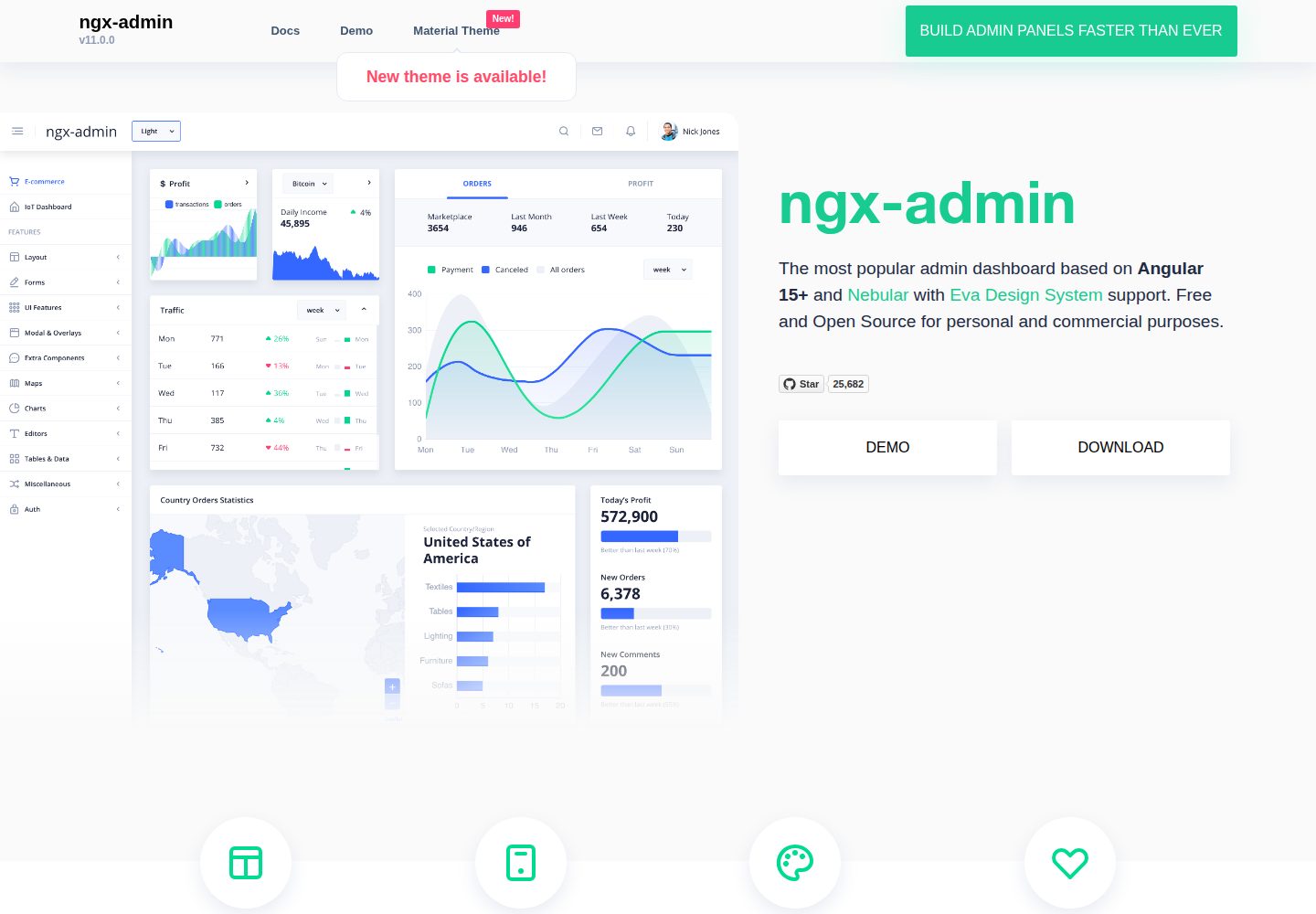
ngx-admin
ngx-admin is an Angular admin dashboard template maintained by Akveo, built on the Nebular component library and released under the MIT license.
Angular · Admin dashboard
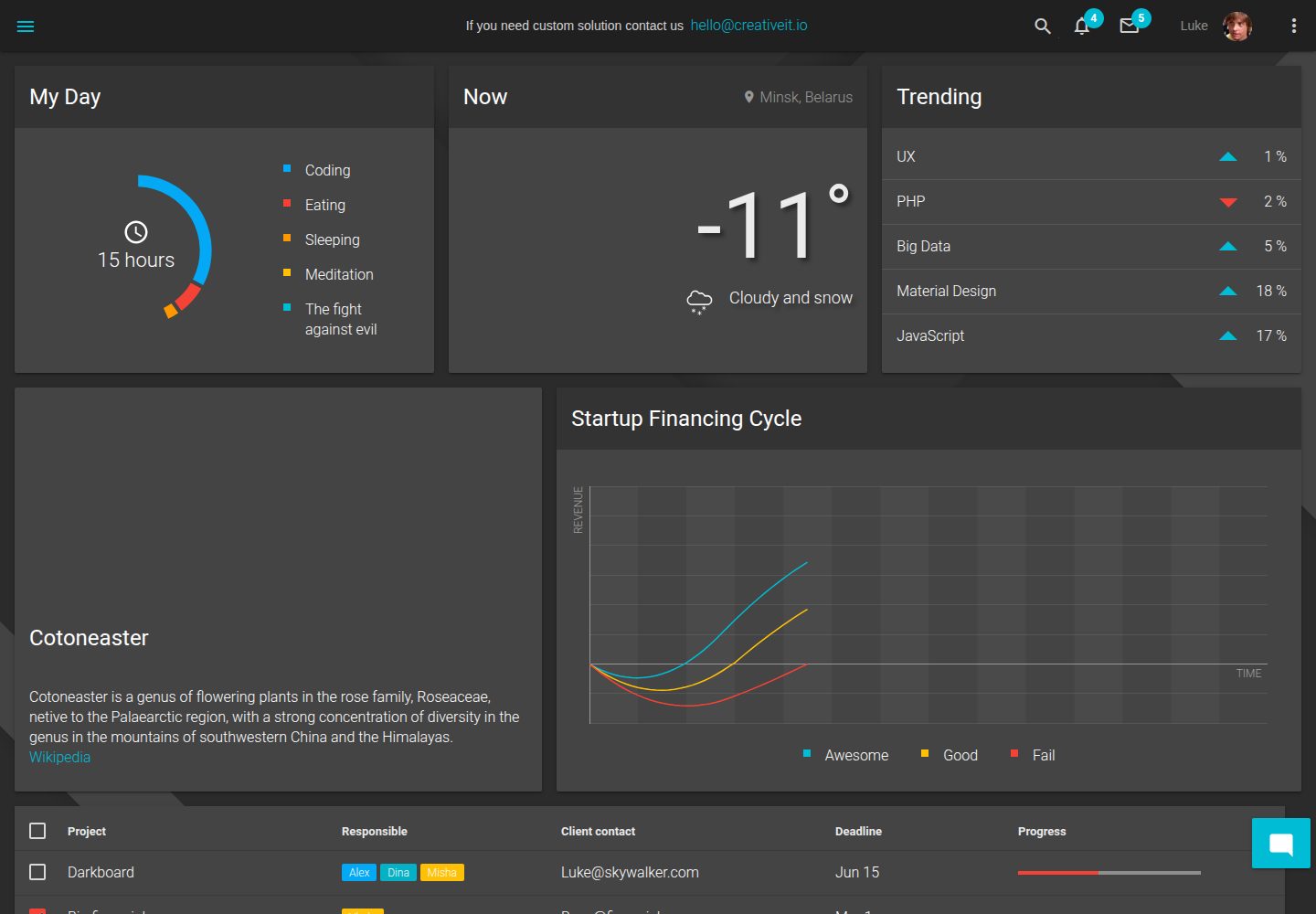
material-angular-dashboard
A dark-themed Angular admin template following Google Material Design, with dashboard pages, D3/NVD3 charts, ag-Grid tables, and a Sass/BEM theme. Released under the MIT license, it offers starter-kit, feature/backend, and feature/serverless branches.
Angular · Admin dashboard
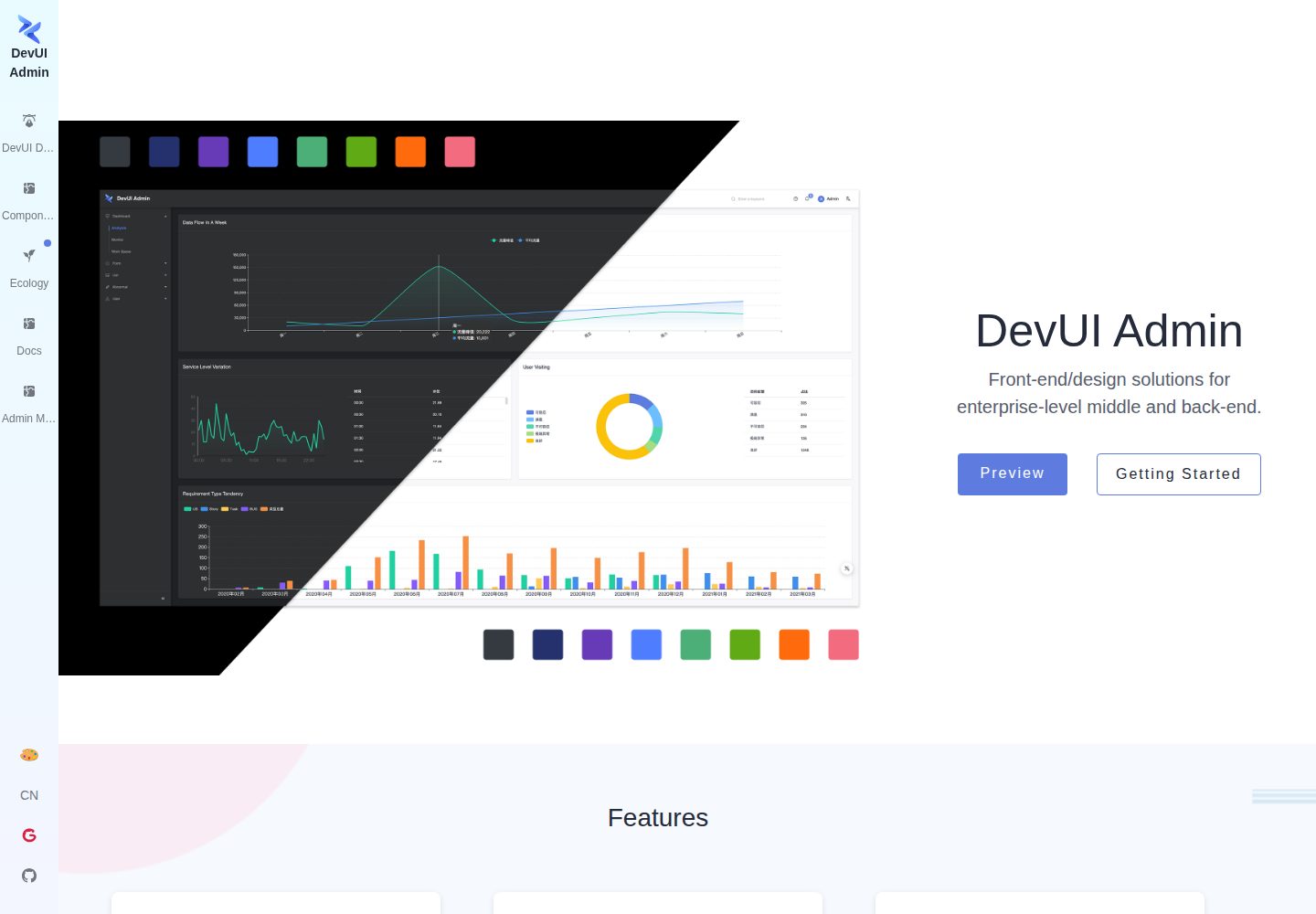
ng-devui-admin
A customizable mid-to-back-office admin template built with Angular and DevUI, featuring configurable layouts, multi-theme switching, internationalization, and local mock data debugging.
Angular · Admin dashboard
angular-material-template
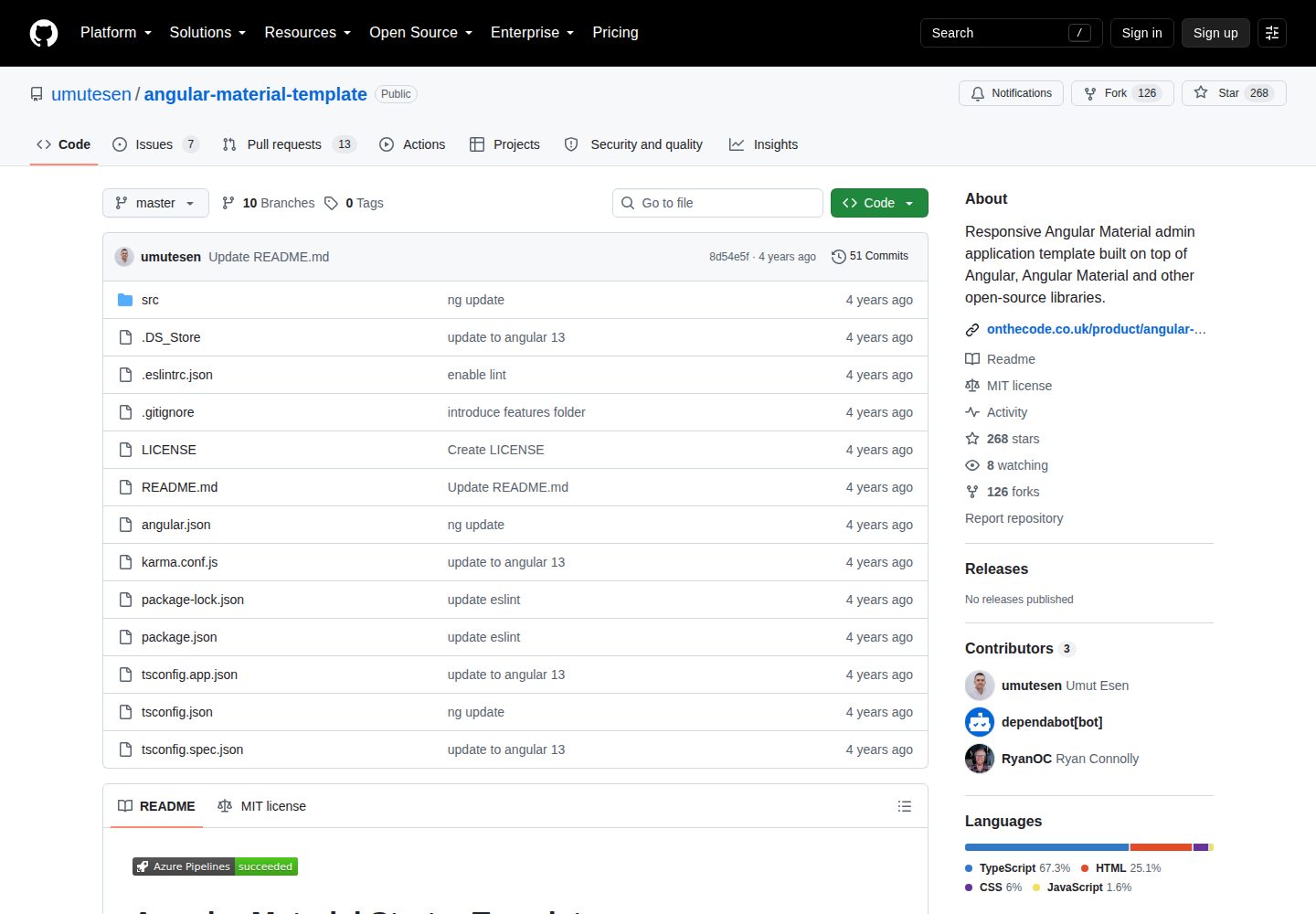
A responsive Angular Material admin template with authentication, sidebar dashboard, account area, role guards, JWT interceptor, and lazy-loaded modules, under the MIT license.
Angular · Admin dashboard
lightning-admin-angular
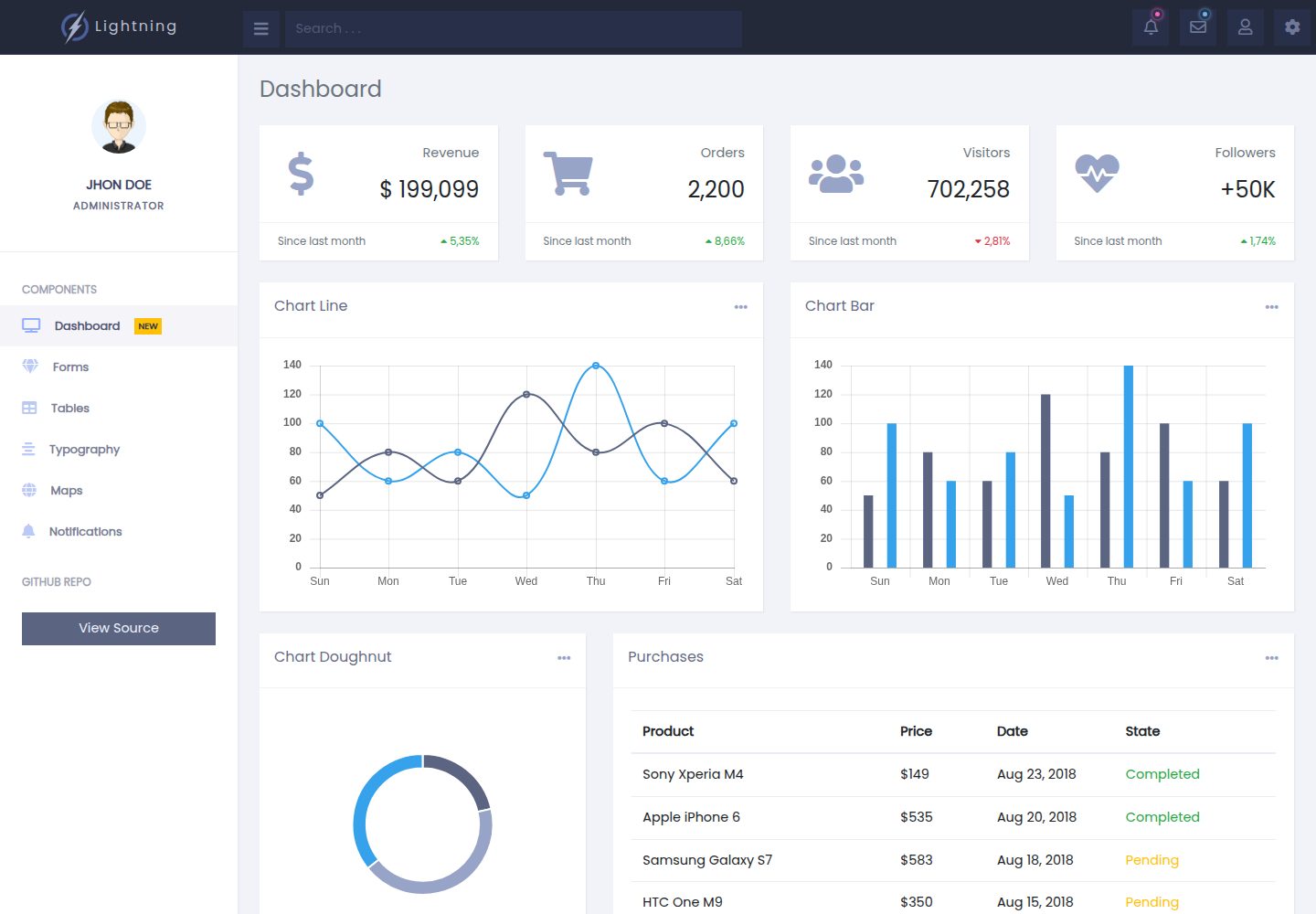
A mobile-first responsive admin template built with Angular and Bootstrap, offering data interface layouts such as dashboards.
Angular · Admin dashboard
StarAdmin-Free-Angular-Admin-Template
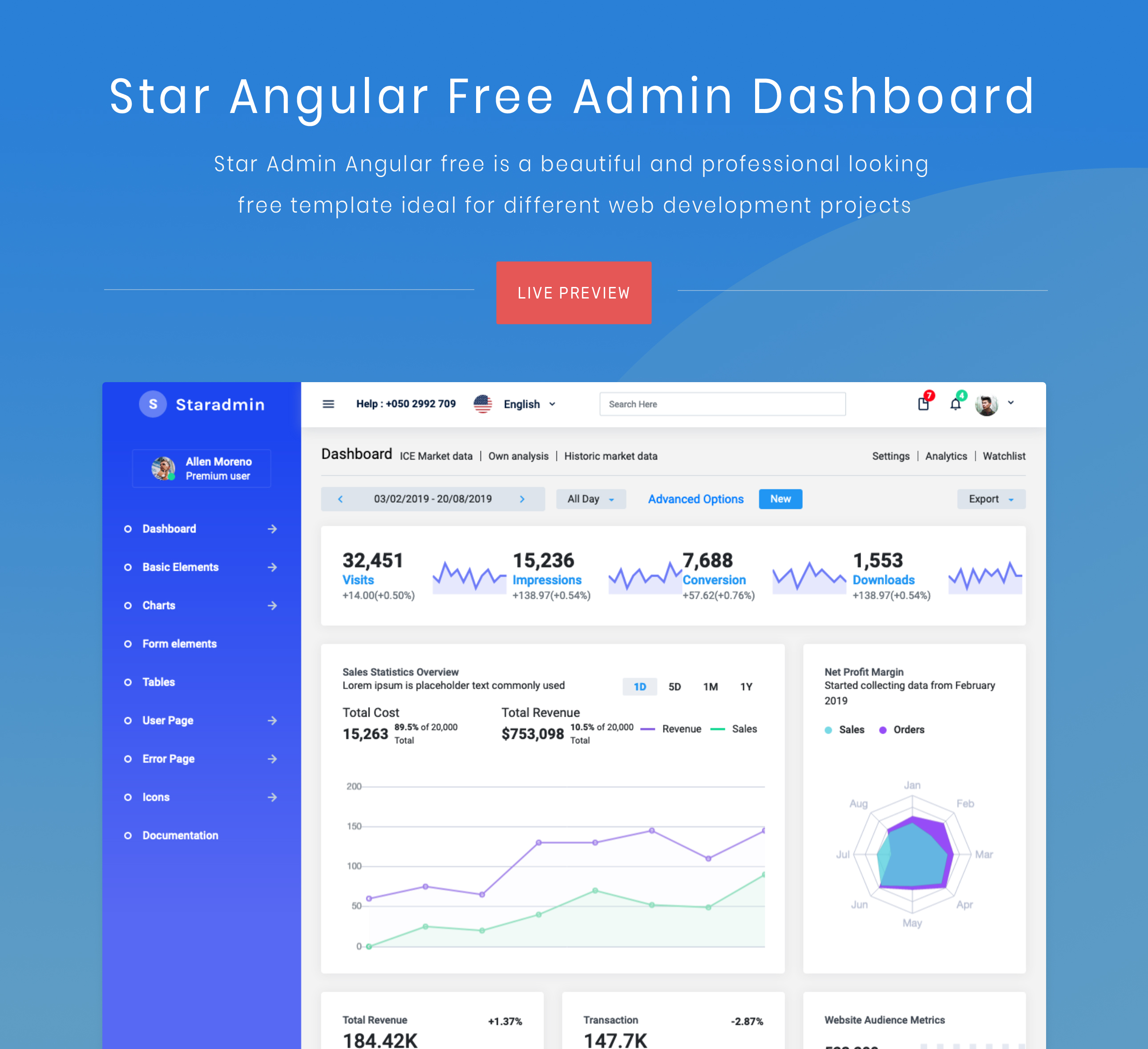
A free admin template based on Angular 7 and Bootstrap 4, maintained by BootstrapDash.
Angular · Admin dashboard