Generates static blog pages with Gatsby
GatsbyReactBlogStarter
static-blog-template — Gatsby Blog Template
By yehjxraymond
A static blog template built on Gatsby and Netlify CMS, with content managed through Git and built and deployed on Netlify.
Explore the design
Compare the page layouts and mobile experience. Open any screenshot for a closer look.
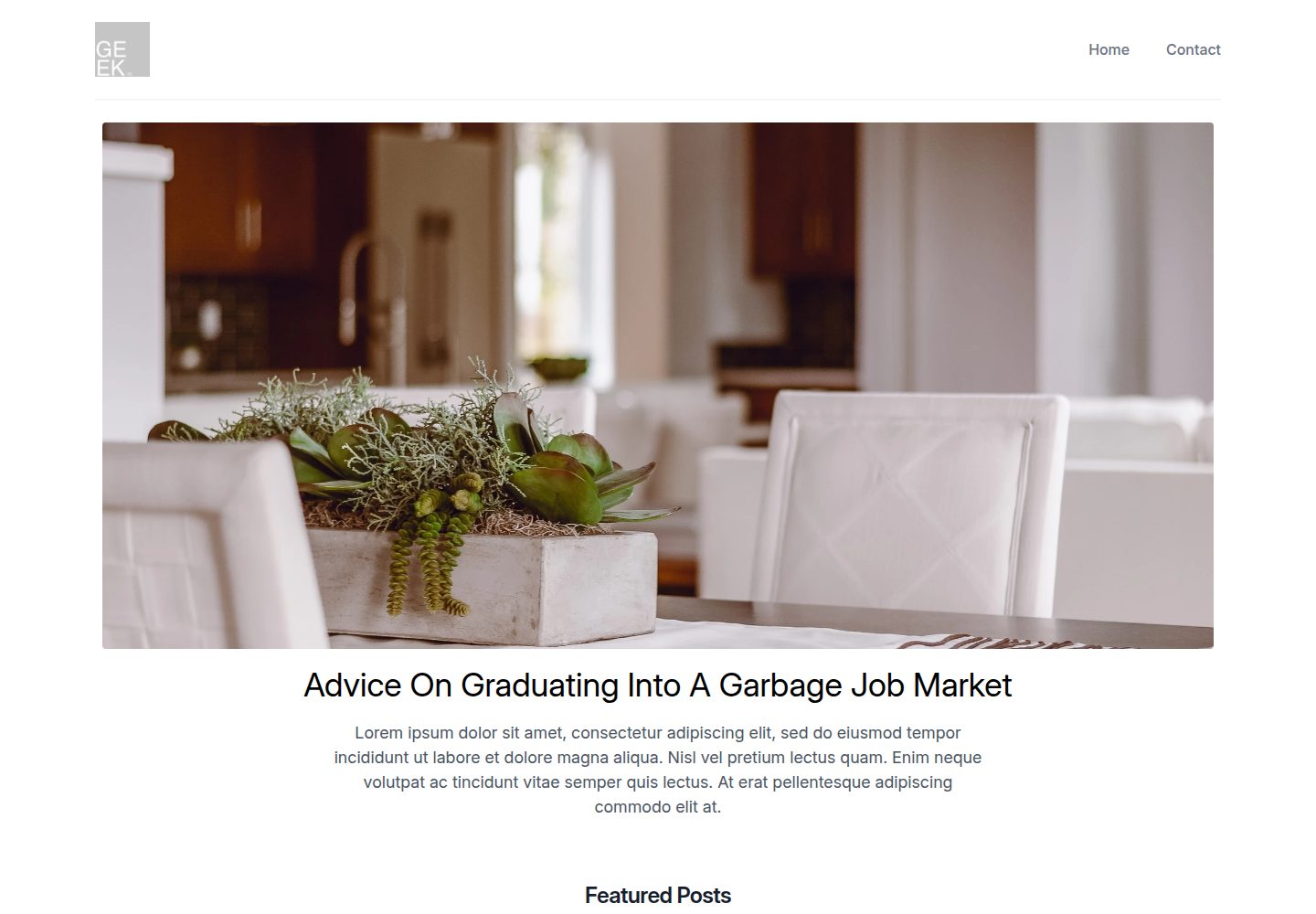
Desktop homepage1 / 2
Desktop captureTop of page
Actual screenshot captured by the server browser.
All pages & views 2
Screenshots show visual appearance; interactive behavior may differ.
Recorded 2026-09-30View source
What stands out
A quick read of the recorded project description.
Manages blog content in the browser through Netlify CMS
Uses Git as the single source of truth for content, with Netlify continuous deployment and CDN distribution
Provides a one-click Netlify deploy button to copy the repository and build automatically
Includes a built-in contact form
Provides scripts for replacing the logo and generating favicons (npm run generate-favicon)
Template Details
This is a static blog example repository built with Gatsby and using Netlify CMS to manage content. It follows the JAMstack approach: Git serves as the single source of truth for content, while Netlify handles continuous deployment and CDN distribution.
The template includes a blog post management backend (Netlify CMS), a contact form, and a one-click Netlify deploy entry point. After deployment, the Netlify Identity service must be configured to authorize users to log in to the CMS.
The TODO list in the repository README notes that menu bar highlighting, a configurable menu bar, analytics, and SEO are not yet implemented, indicating that these capabilities are incomplete in the current version.
GatsbyBlogStarter
Is it right for your project?
Use Cases
- Building a static personal blog that manages articles through a Git repository
- Blog projects that need non-technical users to edit content through a visual backend
- Blog sites that need to be deployed quickly on Netlify with automatic builds
Suitable For
- Developers familiar with Git and Netlify workflows
- Blog authors who need to combine content management with static generation
- Static site projects that use Netlify as the primary hosting platform
Getting started & customization
Use these recorded setup notes alongside the repository instructions for your chosen version.
- 1
You can use the Deploy to Netlify button in the README to copy the repository and automatically build and deploy
- 2
After deployment, configure the Identity service in Netlify to authorize users to log in to Netlify CMS
- 3
After replacing static/logo.png, run npm run generate-favicon to generate the other favicon assets
- 4
The TODO list in the README notes that menu bar highlighting, a configurable menu bar, analytics, and SEO are not yet implemented
License & source material
Usage conditions & limitations
Free to use · keep license noticeThis listing covers the free version under the MIT license in the public repository; the free scope is the code of that version and does not mean that external services or third-party assets are free.
Must comply with when using
- You are allowed to use, modify, commercially use, and distribute the code of this version for free.
- When distributing copies or substantial portions of the code, retain the original author's copyright notice and the complete MIT license notice.
- The code is provided as is; warranties and limitations of liability are governed by the original license and applicable law.
Additional costs & items to verify
- Before using the Netlify CMS backend to manage content, you must configure the Identity service on Netlify to authorize users to log in, which depends on the Netlify platform and its identity service.
- The one-click deployment process requires GitHub account authorization and creates a repository under your GitHub account; deploying with this template depends on GitHub and Netlify accounts.
- Demo images, fonts, icons, and other third-party assets must be checked against their respective licenses and cannot be judged solely by the code's MIT license.
- External services such as domains, hosting, databases, payments, or AI may incur additional charges.
View Original Text Basis
Permission is hereby granted, free of charge
Original License Text
you’ll need to set up Netlify’s Identity service to authorize users to log in to the CMS
Original README
https://github.com/yehjxraymond/static-blog-template/blob/master/LICENSEhttps://github.com/yehjxraymond/static-blog-template/blob/master/README.mdNetlify will then automatically create a repository in your GitHub account
Original README
Compiled by DeepSeek based on repository license and README ·2026-10-02. Results only cover the materials read; dependencies, images, fonts, and subsequent term changes are subject to their respective original texts.
Project checks & description sources
Template Information
- Source platforms
- GitHub
- Documentation and maintenance reference score
- Partly documented · 73 / 100
- Technologies
- Gatsby · React
- Website type
- Blog · Starter
How this score is calculated
Our heuristic uses license records (up to 30), a demo link (12), a preview (10), stars (15), recorded maintenance (15), description completeness (8), feature records (5) and classification data (5). It is not a code, security or performance test, or a Google score. A link does not establish tested functionality.
What to verify for this project
- Repository update recorded
- 2020-08-18
- Screenshot last checked
- 2026-10-02
A demo link is listed. Check it with your own content and viewport sizes; its presence does not confirm that forms, authentication or payments work.
The catalog identifies Gatsby as the primary stack. Check the actual dependency manifest and lockfile for versions and hosting requirements. These notes use recorded metadata, not a code audit or a deployment test.
Use a selection guide →How this description was prepared
AI-assisted description based on catalog records and repository material. Repository authors are not automatically the reviewers of this description.
Automatically checked against source and license rules; no manual editorial review.
Inspect the recorded source material
SHA-256: 74778a164ba52ee17efe1970ca94004a1c47aeceebb1527278b9e721d826c2da
2026-10-02T15:23:11.704Z
Source file / repository# Gatsby Blog [Demo Site](https://static-blog.netlify.app/) This repo contains an example blog that is built with Gatsby, and Netlify CMS. It follows the JAMstack architecture by using Git as a single source of truth, and Netlify for continuous deployment, and CDN distribution. ## Getting Started Netlify CMS can run in any frontend web environment, but the quickest way to try it out is by running it on a pre-configured starter site with Netlify. Use the link below to build and deploy your own copy of the repository: [Deploy to Netlify](https://app.netlify.com/start/deploy?repository=https://github.com/yehjxraymond/static-blog-template&stack=cms) After clicking that button, you’ll authenticate with GitHub and choose a repository name. Netlify will then automatically create a repository in your GitHub account with a copy of the files from the template. Next, it will build and deploy the new site on Netlify, bringing you to the site dashboard when the build is complete. Next, you’ll need to set up Netlify’s Identity service to authorize users to log in to the CMS. ## Feature - Netlify CMS to manage blog - Contact form - Lighting fast page load ## Configuration ### Generate site logo Replace the logo in `static/logo.png` and run `npm run generate-favicon` to generate the other favicon assets from that logo. ### TODO - active in menu bar - configurable menu bar - analytics - seo
Explore similar templates
Compare previews and descriptions within the same stack and category.

gatsby-starter-gcn
A Gatsby starter for building static blogs with Contentful and Netlify.
Gatsby · Blog
devblog
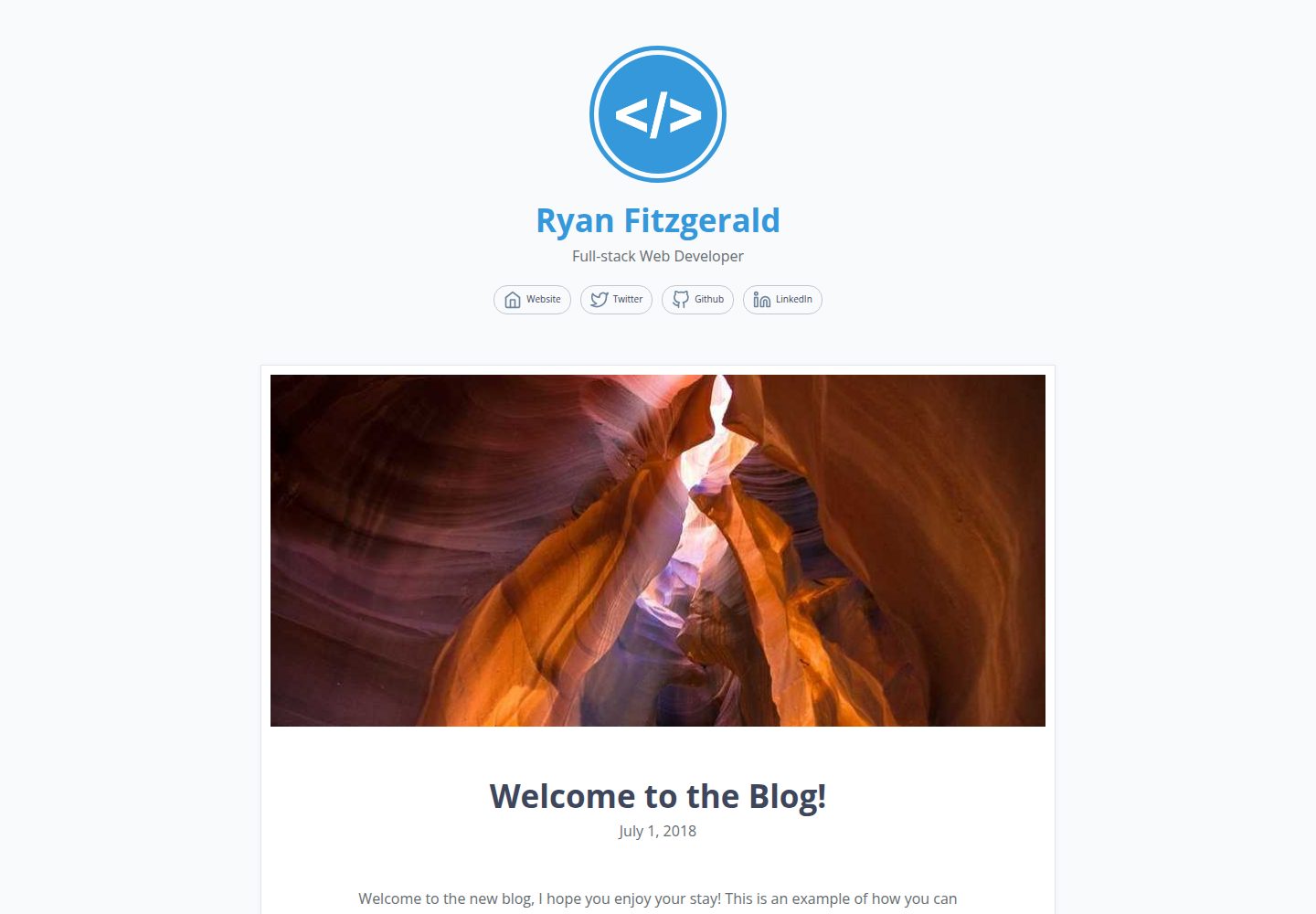
DevBlog is a lightweight, customizable personal blog template built with GatsbyJS and React. Posts are Markdown files in /src/pages, with URLs generated from folder names and frontmatter for title, date, and optional featured image.
Gatsby · Blog

gatsby-starter-morning-dew
A Gatsby and React blog starter/theme that uses Markdown or MDX for posts, supports multilingual content, dark mode, tag grouping, PWA, and Disqus comments, and is MIT licensed.
Gatsby · Blog

starter-gatsby-blog
A community-maintained Gatsby blog starter for Contentful, with a simple content model, npm run setup import, Sync API support, and gatsby-plugin-image. Suitable for quickly building a CMS-driven static blog or learning Gatsby and Headless CMS integration.
Gatsby · 社区

automatic-gatsbyjs-app-landing-page
A GatsbyJS template for iOS app landing pages, ported from Emil Baehr's Automatic App Landing Page. Configure content in site-config.js without writing HTML or CSS, upload video previews or screenshots, and deploy via Netlify or build for GitHub Pages.
Gatsby · Tool Site
gatsby-starter-cv
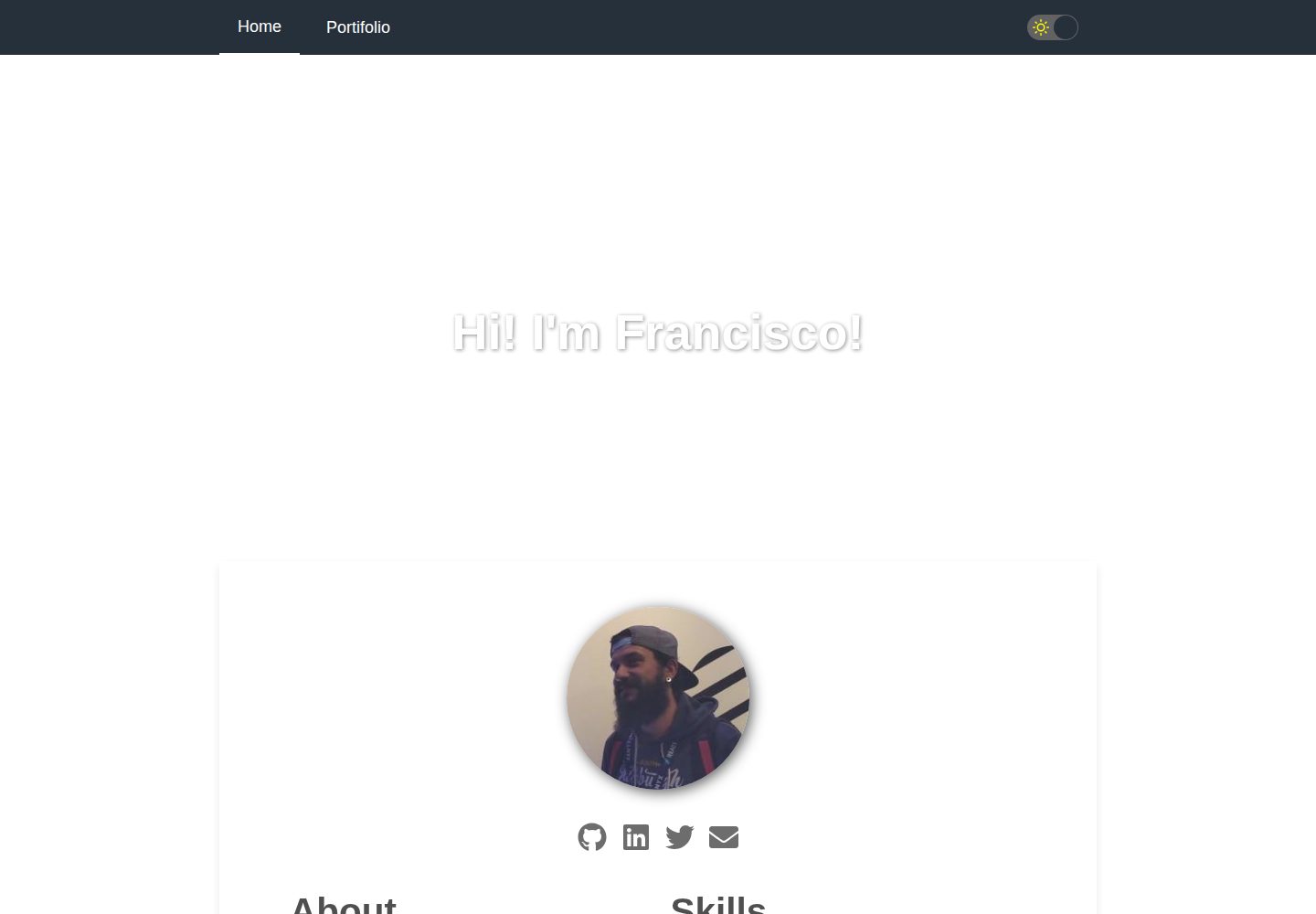
A Gatsby and React starter for building a responsive personal digital resume. It includes sections for About, Skills, Job experiences, GitHub repositories, and Portfolio, with all personal data configured in data/siteConfig.js.
Gatsby · Starter