A Hexo blog theme ported from Hux Blog, ported by Kaijun and modified by YuHsuan
HexoBlog
hexo-theme-beantech — Hexo Blog Template
By YenYuHsuan
hexo-theme-beantech is a Hexo blog theme ported from Hux Blog and modified by YuHsuan. The repository is released under the Apache-2.0 license and includes a complete example project and configuration instructions.
Explore the design
Compare the page layouts and mobile experience. Open any screenshot for a closer look.
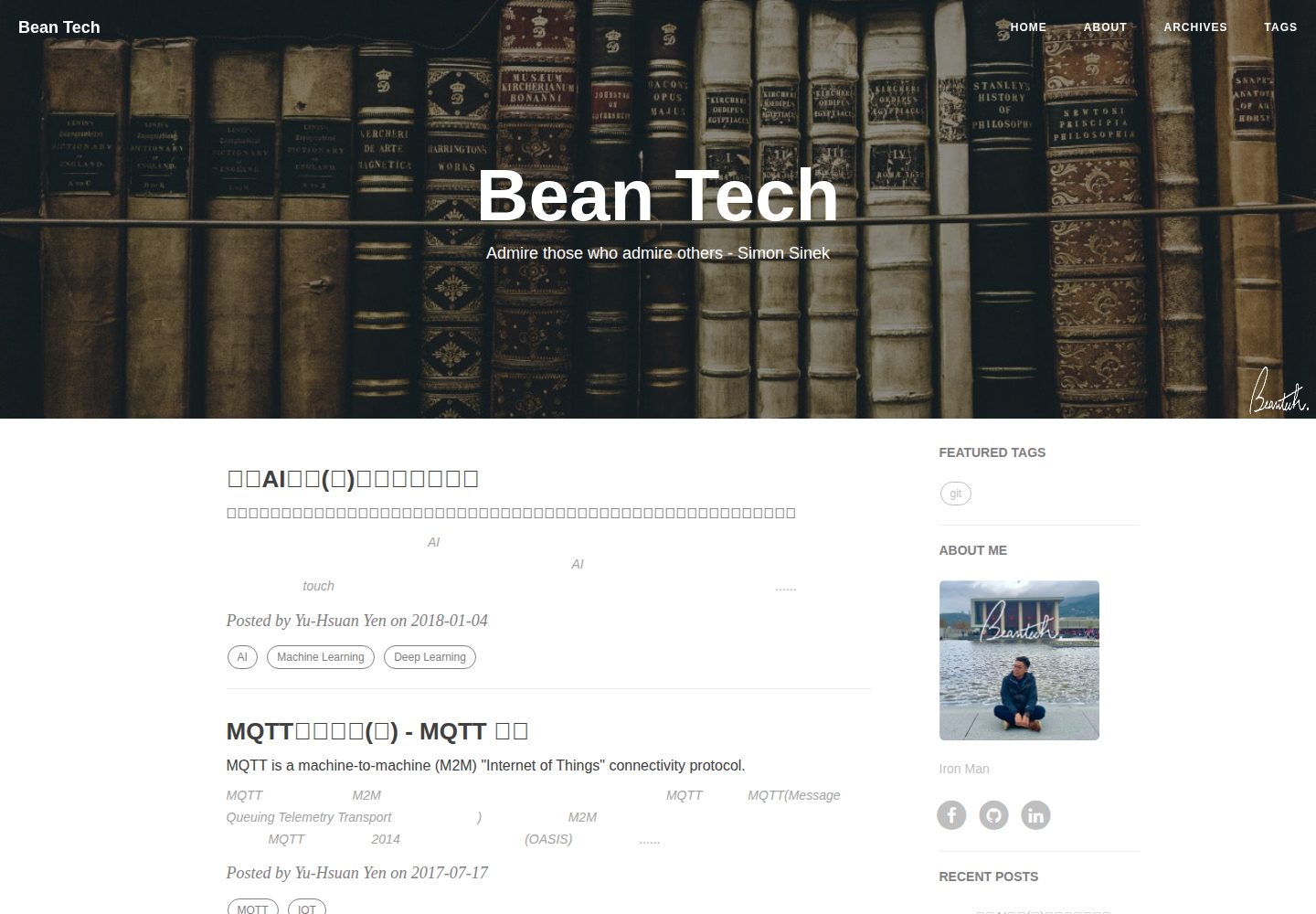
Desktop homepage1 / 3
Desktop captureTop of page
Actual screenshot captured by the server browser.
All pages & views 3
Screenshots show visual appearance; interactive behavior may differ.
Recorded 2026-10-01View source
What stands out
A quick read of the recorded project description.
The repository provides both the theme and a complete example project; after cloning, run npm install to start modifying
The sidebar can be toggled and includes built-in widgets such as featured-tags, short-about, recent-posts, friends-blog, archive, and category
Supports personalization such as a sidebar avatar and description, signature image, and back-to-top icon
Display of post tags on the home page can be controlled via the home_posts_tag switch
Uses hexo-renderer-markdown-it as the Markdown rendering engine and provides corresponding configuration options
Template Details
hexo-theme-beantech is a blog theme for Hexo, modified by YenYuHsuan based on Kaijun's port of Hux Blog. The repository contains both the theme and a ready-to-run example site. The README explains that usage centers on _config.yml: the deploy section must be replaced with the user's own Git repository and branch; the sidebar can be toggled and configured with an avatar and description; the widgets list supports components such as featured-tags, short-about, recent-posts, friends-blog, archive, and category, and new components must be added under layout/_widget; the signature image and back-to-top icon are placed in the img/signature and css/image directories respectively; and the display of post tags on the home page can be controlled via home_posts_tag. Markdown rendering uses hexo-renderer-markdown-it, with configuration options including html, xhtmlOut, breaks, linkify, typographer, and quote styles; the heading anchor icon can be adjusted in layout/post.ejs. The README does not state browser compatibility, performance metrics, or production environment validation, so users should verify dependency versions and third-party asset licenses themselves before use.
HexoBlog
Is it right for your project?
Use Cases
- Building a personal blog with Hexo and wanting a Hux Blog-style layout
- Needing to display tags, recent posts, archives, categories, and friend links together in the sidebar
- Wanting to centrally adjust the avatar, description, signature, and home page tag display via _config.yml
- Configuring markdown-it rendering parameters and heading anchor styles for a Hexo site
Suitable For
- Blog authors familiar with basic Hexo commands and _config.yml configuration
- Front-end users who want to make secondary modifications based on an existing theme and can read EJS templates and CSS
- Developers who accept use under the Apache-2.0 license and verify third-party assets themselves
Getting started & customization
Use these recorded setup notes alongside the repository instructions for your chosen version.
- 1
Clone the repository to a local directory and run npm install to install dependencies
- 2
Modify the deploy section of _config.yml, replacing it with your own Git repository address and branch
- 3
Place the avatar image in the img/ directory and set sidebar-avatar and sidebar-about-description in _config.yml
- 4
If a signature image is needed, place the image in img/signature and enable signature and specify signature-img
- 5
Common commands include hexo new post, hexo clean && hexo generate, hexo server, and hexo deploy
License & source material
Usage conditions & limitations
Free to use · keep license noticeThis entry covers the free version under the Apache-2.0 license in the public repository; the free scope is the code of this version and does not mean that external services or third-party assets are free.
Must comply with when using
- Free use, modification, commercial use, and distribution are permitted; when distributing, the Apache-2.0 license must be included.
- Modified files must prominently indicate changes and retain relevant copyright, patent, trademark, and attribution notices.
- If the original project includes a NOTICE file, applicable attribution notices must be retained when distributing derivative works.
- The license includes an applicable contributor patent grant; initiating patent litigation as described in the license terminates that patent grant, and no trademark rights are granted.
- The code is provided as is; warranties and limitations of liability are governed by the original license and applicable law.
Additional costs & items to verify
- This theme is a port of Hux Blog; when using it, attribution and thanks to the original author Huxpro and the porter Kaijun must be retained, and relevant copyright and attribution notices must not be removed.
- The theme was modified by YuHsuan based on Kaijun's port; when redistributing or modifying, information about the original author and modifier must be retained, and changes must be indicated.
- The repository address and branch in the deployment configuration must be replaced with the user's own Git repository; the example repository cannot be used directly.
- Personal images such as avatars and signatures must be prepared by the user and placed in the specified directories; the repository does not include commercially usable assets, and asset licenses must be confirmed by the user.
- Markdown rendering depends on the third-party plugin hexo-renderer-markdown-it, whose license and maintenance status are independent of this theme and should be verified before use.
- The heading anchor feature loads anchor.js via an external CDN, which is an external service dependency; the feature may fail when offline or when the CDN is unavailable.
- Demo images, fonts, icons, and other third-party assets must be checked against their respective licenses and cannot be judged solely by the code's Apache-2.0 license.
- External services such as domains, hosting, databases, payments, or AI may incur additional charges.
View Original Text Basis
no-charge, royalty-free, irrevocable copyright license
Original License Text
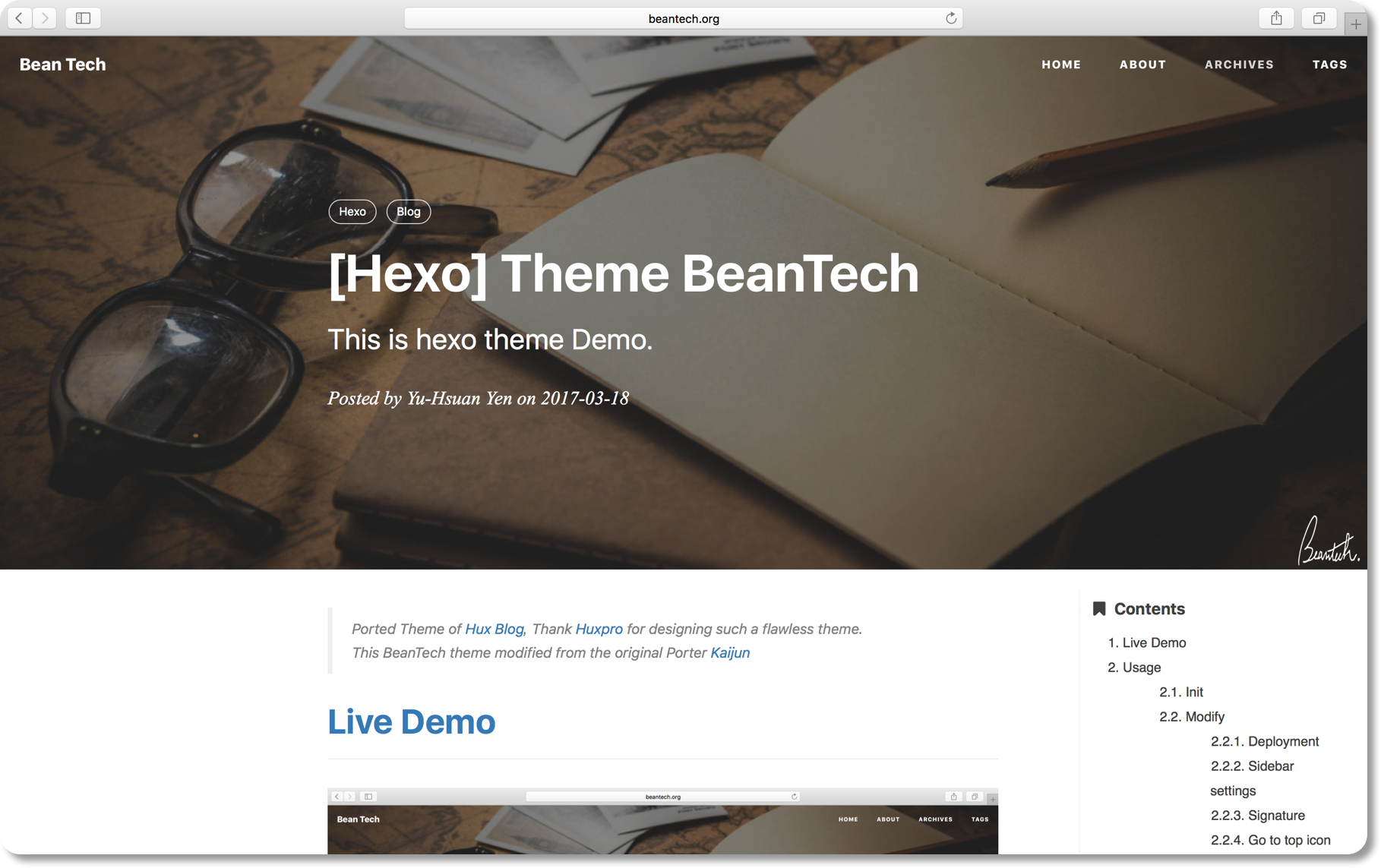
Ported Theme of [Hux Blog](https://github.com/Huxpro/huxpro.github.io), Thank [Huxpro](https://github.com/Huxpro) for designing such a flawless theme.
Original README
This BeanTech theme created by [YuHsuan](http://blog.beantech.org) modified from the original Porter [Kaijun](http://kaijun.rocks/hexo-theme-huxblog/)
Original README
Replace to your own repo!
Original README
Copy your avatar image to `<root>/img/` and modify the `_config.yml`:
Original README
My markdown render engine plugin is [hexo-renderer-markdown-it](https://github.com/celsomiranda/hexo-renderer-markdown-it).
Original README
https://github.com/YenYuHsuan/hexo-theme-beantech/blob/master/LICENSEhttps://github.com/YenYuHsuan/hexo-theme-beantech/blob/master/README.mdasync("//cdn.bootcss.com/anchor-js/1.1.1/anchor.min.js",function(){
Original README
Compiled by DeepSeek based on repository license and README ·2026-10-01. Results only cover the materials read; dependencies, images, fonts, and subsequent term changes are subject to their respective original texts.
Project checks & description sources
Template Information
- Source platforms
- GitHub
- Documentation and maintenance reference score
- More documented · 76 / 100
- Technologies
- Hexo
- Website type
- Blog
How this score is calculated
Our heuristic uses license records (up to 30), a demo link (12), a preview (10), stars (15), recorded maintenance (15), description completeness (8), feature records (5) and classification data (5). It is not a code, security or performance test, or a Google score. A link does not establish tested functionality.
What to verify for this project
- Repository update recorded
- 2024-06-17
- Screenshot last checked
- 2026-10-01
A demo link is listed. Check it with your own content and viewport sizes; its presence does not confirm that forms, authentication or payments work.
The catalog identifies Hexo as the primary stack. Check the actual dependency manifest and lockfile for versions and hosting requirements. These notes use recorded metadata, not a code audit or a deployment test.
Use a selection guide →How this description was prepared
AI-assisted description based on catalog records and repository material. Repository authors are not automatically the reviewers of this description.
Automatically checked against source and license rules; no manual editorial review.
Inspect the recorded source material
SHA-256: 93c1da8f35e473844dc8ba97702201607cc237ea51f57f3d3dfbd97bfe7ddab2
2026-10-01T03:18:03.755Z
Source file / repository> Ported Theme of [Hux Blog](https://github.com/Huxpro/huxpro.github.io), Thank [Huxpro](https://github.com/Huxpro) for designing such a flawless theme.
>
> This BeanTech theme created by [YuHsuan](http://blog.beantech.org) modified from the original Porter [Kaijun](http://kaijun.rocks/hexo-theme-huxblog/)
# [Live Demo](http://blog.beantech.org)
# Usage
I publish the whole project for your convenience, so you can just follow the instruction down below, then you can easily customiz your own blog!
Let's begin!!!
## Init
```bash
git clone https://github.com/YenYuHsuan/hexo-theme-beantech.git ./hexo-beantech
cd hexo-beantech
npm install
```
## Modify
Modify `_config.yml` file with your own info.
Especially the section:
### Deployment
Replace to your own repo!
```yml
deploy:
type: git
repo: https://github.com/<yourAccount>/<repo>
branch: <your-branch>
```
### Sidebar settings
Copy your avatar image to `<root>/img/` and modify the `_config.yml`:
```yml
sidebar: true # whether or not using Sidebar.
sidebar-about-description: "<your description>"
sidebar-avatar: img/<your avatar path>
```
and activate your personal widget you like
```yml
widgets: # here are widget you can use, you can comment out
- featured-tags
- short-about
- recent-posts
- friends-blog
- archive
- category
```
if you want to add sidebar widget, please add at `layout/_widget`.
### Signature Setup
Copy your signature image to `<root>/img/signature` and modify the `_config.yml`:
```yml
signature: true # show signature
signature-img: img/signature/<your-signature-ID>
```
### Go to top icon Setup
My icon is using iron man, you can change to your own icon at `css/image`.
### Post tag
You can decide to show post tags or not.
```yml
home_posts_tag: true
```

```yml
home_posts_tag: false
```

### Markdown render
My markdown render engine plugin is [hexo-renderer-markdown-it](https://github.com/celsomiranda/hexo-renderer-markdown-it).
```yml
# Markdown-it config
## Docs: https://github.com/celsomiranda/hexo-renderer-markdown-it/wiki
markdown:
render:
html: true
xhtmlOut: false
breaks: true
linkify: true
typographer: true
quotes: '“”‘’'
```
and if you want to change the header anchor 'ℬ', you can go to `layout/post.ejs` to change it.
```javascript
async("//cdn.bootcss.com/anchor-js/1.1.1/anchor.min.js",function(){
anchors.options = {
visible: 'hover',
placement: 'left',
icon: 'ℬ'
};
anchors.add().remove('.intro-header h1').remove('.subheading').remove('.sidebar-container h5');
})
```
## Hexo Basics
Some hexo command:
```bash
hexo new post "<post name>" # you can change post to another layout if you want
hexo clean && hexo generate # generate the static file
hexo server # run hexo in local environment
hexo deploy # hexo will push the static files automatically into the specific branch(gh-pages) of your repo!
```
# Have fun ^_^
Please [Star](https://github.com/YenYuHsuan/hexo-theme-beantech) this Project if you like it! [Follow](https://github.com/YenYuHsuan) would also be appreciated!
Peace!
Explore similar templates
Compare previews and descriptions within the same stack and category.

hexo-theme-matery
hexo-theme-matery is a Material Design, responsive Hexo blog theme with homepage carousel, waterfall post list, timeline archive, word cloud tags, radar chart categories, and an about page.
Hexo · Blog

hexo-theme-cactus
Cactus is a responsive Hexo theme for personal websites and blogs, maintained by probberechts. It offers four color schemes (dark, light, white, classic), configurable navigation, homepage post lists, project lists, social links, and copyright year ranges.
Hexo · Blog

hexo-theme-volantis
Volantis is a blog theme for Hexo, distributed as the npm package hexo-theme-volantis and enabled by setting theme to volantis in the Hexo site's _config.yml. It requires Hexo 7.3+, hexo-cli 4.3+, Node.js 22.x LTS+, and npm 10.x LTS+.
Hexo · Blog

hexo-theme-aurora
Hexo Theme Aurora is a futuristic Hexo blog theme built around aurora gradients and a magazine-style grid layout.
Hexo · Blog

hexo-theme-Claudia
Claudia is a Hexo blog theme focused on a clean look and easy configuration. It automatically follows the device's dark mode and claims a 90+ Lighthouse score.
Hexo · Blog

hexo-theme-A4
hexo-theme-A4 is a minimalist Hexo blog theme that mimics the texture of A4 paper, emphasizing simplicity, small size, and minimal configuration.
Hexo · Blog