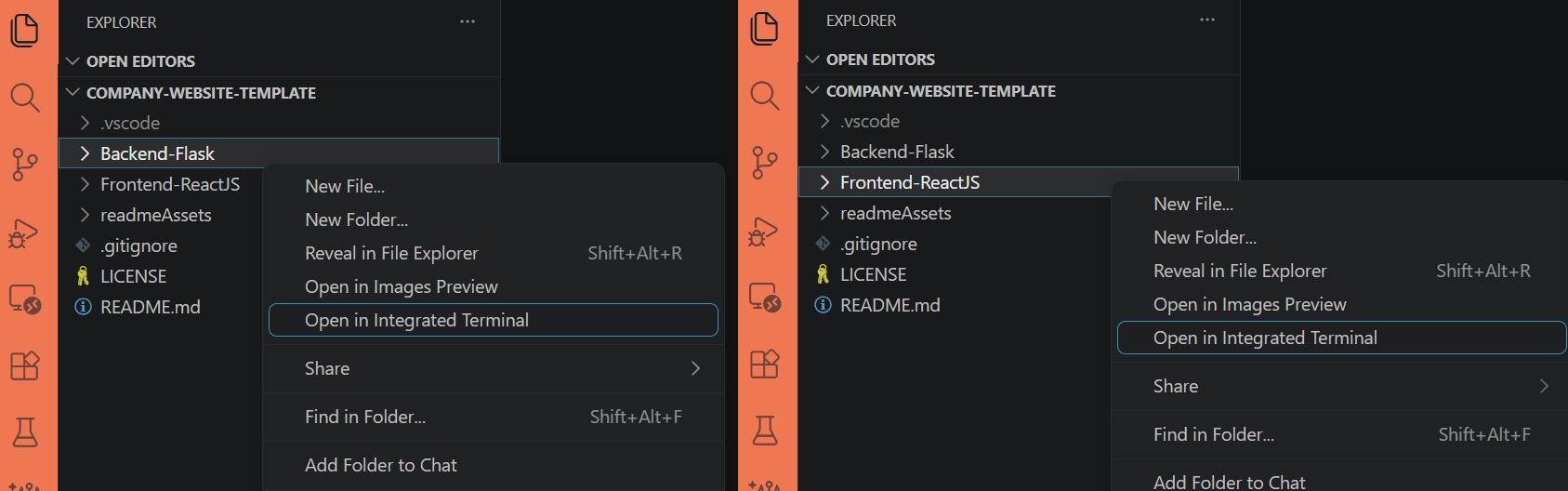
前后端分离的 monorepo 结构,Frontend-ReactJS 与 Backend-Flask 各自独立并配有单独文档
FlaskViteReact启动器
company-website-template — Flask 启动器模板
作者 bgtti
基于 Flask 与 React/Vite 的全栈公司网站模板,包含首页、服务、联系表单等页面骨架,前后端分离且附带文档。
看看你的网站会是什么样
浏览真实页面截图,比较内容排版与手机效果。点击下方缩略图切换,放大查看整页细节。
目前有 1 张原始预览,可打开完整图片查看设计细节。
截图用于了解视觉与布局,交互效果请以实际项目为准。
采集于 2026-10-02查看来源
值得关注的模板亮点
从已有项目资料中,快速了解它的特点。
内置首页、关于、服务/作品集、联系、隐私政策、法律声明与 404 页面骨架
联系表单由 Flask-Mail 负责邮件转发,Json Schema 做输入校验
使用 Flask-limiter 配合 Redis 实现请求限流
前端采用 React Router、Redux Toolkit、Axios 与 PropTypes,样式为原生 CSS 且移动优先
代码采用 Unlicense,允许包括商业用途在内的复制、修改与分发
模板详细介绍
这是一个前后端分离的公司网站启动模板,仓库内分为 Frontend-ReactJS 与 Backend-Flask 两个独立应用,并各自附带 readme 文档。前端使用 React Router 处理客户端路由、Redux Toolkit 管理状态、Axios 发起请求、PropTypes 做属性校验,样式为原生 CSS 且按移动优先方式构建。后端基于 Flask,使用 Flask-Mail 转发联系表单邮件、Json Schema 做校验、Flask-limiter 配合 Redis 实现限流。模板提供首页、关于、服务/作品集、联系、隐私政策、Impressum/法律声明以及 404 页面的基础结构与占位内容,定位是供其他 Flask + React 项目起步使用。
使用上有几点限制需要注意。联系表单的邮件发送在默认状态下被前端代码主动短路,需要按 README 指引删除 contactSubmission.js 中返回模拟成功的代码段,并配置后端 .env 中的邮件凭据后才会真正调用后端。限流依赖 Redis,需自行准备可用实例。README 明确说明这是作者个人项目的初稿,使用前应调整前后端的 .env 与配置数据,并替换占位文本与图片。
许可方面,代码采用 Unlicense,允许复制、修改、发布、销售与分发,包括商业用途;但演示图片、字体、图标等第三方素材需单独核对许可,域名、托管、数据库等外部服务也可能产生费用。
FlaskViteReact启动器
适合你的项目吗?
适用场景
- 需要一个带联系表单的公司展示型网站起点,并希望前后端代码分仓管理
- 在 Flask + React 技术栈下快速搭建多页面站点骨架,再替换为自己的内容
- 作为学习前后端分离、表单邮件转发与限流配置的参考项目
- 在已有 Redis 与邮件服务的前提下,搭建可接收表单提交的演示站点
适合人群
- 熟悉 React 与 Flask、希望自行调整配置的开发者
- 需要公司官网基础页面结构并计划二次开发的小团队或个人
- 能自行准备 Redis 与邮件发送凭据的使用者
上手与定制指南
结合仓库当前版本的说明,按下面的资料检查内容、配置与运行要求。
- 1
分别进入 Backend-Flask 与 Frontend-ReactJS 安装依赖:后端创建虚拟环境后 pip install -r requirements.txt,前端执行 npm install
- 2
在 Backend-Flask 根目录创建 .env,参照 .env.example 填写邮件凭据
- 3
后端运行 python run.py,前端运行 npm run dev
- 4
要测试邮件发送,需删除 Frontend-ReactJS/src/api/handlers/contactSubmission.js 中返回模拟成功响应的代码段,否则前端不会真正请求后端
- 5
使用前应替换占位文本与图片,并核对演示素材的许可;限流功能需要可用的 Redis 实例
授权与来源资料
使用条件与限制
免费使用 · 保留许可声明本次收录的是公开仓库中采用 Unlicense 许可的免费版本;免费范围为该版本代码,不代表外部服务或第三方素材免费。
使用时需要遵守
- 允许免费复制、修改、发布、使用、编译、销售和分发该版本代码,包括商业用途。
- 作者通过公有领域贡献声明放弃相关版权;该声明的法律效果取决于适用司法辖区。
- 代码按现状提供;担保与责任限制以原许可证及适用法律为准。
额外费用与待核对事项
- 联系表单邮件功能默认被前端代码短路,需按 README 指引删除 contactSubmission.js 中返回模拟成功的代码段,并配置后端 .env 邮件凭据后才会真正调用后端发送邮件。
- 限流功能依赖 Redis,使用前需自行准备可用的 Redis 实例,否则相关限流能力无法正常工作。
- 使用前必须调整前后端的 .env 与配置数据,并替换占位文本与图片,模板本身仅为起步骨架。
- 演示图片、字体、图标及其他第三方素材需按各自许可核对,不能仅凭代码的 Unlicense 许可判断。
- 域名、托管、数据库、支付或 AI 等外部服务可能另外收费。
查看原文依据
for any purpose, commercial or non-commercial, and by any means
许可证原文
To test the email feature, you should first enable requests from the front end's API handler.
README 原文
Redis – to be used with rate -limiter
README 原文
https://github.com/bgtti/company-website-template/blob/main/LICENSEhttps://github.com/bgtti/company-website-template/blob/main/README.mdBe certain to adapt the .env files and configuration data in both backend and front end prior to using.
README 原文
DeepSeek 根据仓库许可证和 README 整理 ·2026-10-02。结果仅覆盖已读取资料,依赖、图片、字体及后续条款变更以各自原文为准。
项目核对记录与介绍依据
模板资料
- 来源平台
- GitHub
- 资料与维护参考分
- 资料较完整 · 76 / 100
- 技术栈
- Flask · Vite · React
- 网站类型
- 启动器
这个分数如何计算
本站按许可资料(最高30分)、演示链接(12分)、预览图(10分)、Star数(15分)、记录的维护时间(15分)、描述完整度(8分)、功能记录(5分)和分类资料(5分)计算。它不是代码、安全或性能测试,也不是 Google 评分;有链接不代表已实测可用。
这个项目需要核对什么
- 记录的仓库更新时间
- 2026-06-21
- 截图检查日期
- 2026-10-02
目前没有记录演示链接。请依据仓库说明在本地评估;仅凭截图无法确认交互行为。
目录记录的主要技术栈是 Flask。请通过依赖清单和锁文件核对实际版本与托管要求。这些说明基于收录资料,不代表代码审计或部署实测。
查看具体选型方法 →介绍的制作与核对状态
介绍由 AI 辅助整理目录与仓库资料。仓库作者不等于这篇介绍的审核者。
已完成服务器许可规则与 AI 来源核对;未经过人工编辑审核。
查看当时使用的来源资料
SHA-256: 36862f400dda447889d499dfb2653e2885d1b01e307e3648a27405ccb6491709
2026-10-02T09:06:21.156Z
来源文件 / 仓库<div align="center">
<br>
<h1><b>Fullstack Company Website Template</b></h1>
<strong>Template Website and Contact Form</strong>
</div>
<br>
<table align="center" style="border-collapse:separate;">
<tr>
<td style="background: #344955; border-radius:20px; border: 5px solid transparent"><small>React JS</small></td>
<td style="background: #344955; border-radius:20px"><small>Vite</small></td>
<td style="background: #344955; border-radius:20px"><small>Redux</small></td>
<td style="background: #344955; border-radius:20px"><small>Python Flask</small></td>
<td style="background: #344955; border-radius:20px"><small>Flask Mail</small></td>
<td style="background: #344955; border-radius:20px"><small>Flask Limiter</small></td>
<td style="background: #344955; border-radius:20px"><small>Redis</small></td>
</tr>
</table>
<hr>

<hr>
Live preview: https://bgtti.github.io/company-website-template
<hr>
# Table of Contents
- [Introduction](#introduction)
- [Functionality](#functionality)
- [Tech Stack and Tools](#tech-stack-and-tools)
- [Installation](#installation)
- [Project Structure and Documentation](#project-structure-and-documentation)
- [Frontend-ReactJS](#frontend-reactjs)
- [Backend-Flask](#backend-flask)
- [readmeAssets](#readmeassets)
- [The App](#the-app)
- [About and license](#about-and-license)
<br>
# Introduction
A full-stack boilerplate project featuring homepage, contact form functionality and more. Built with **Flask** and **React.js**.
This monorepo contains separate frontend and backend apps, structured to help you kickstart a fullstack website.
The codebase is clean and modular, with a straightforward folder structure and clear documentation, making it easy to build upon and extend with your own features.
## Fuctionality
This project contains the base functionality and styling for:
- Homepage
- About page
- What We Do / Services / Portfolio page
- Contact page
- Privacy Policy page
- Impressum / Legal page
- 404 Page
## Tech Stack and Tools
**Backend:**
- Flask-Mail – contact form forwarding
- Json Schema – validation
- Flask-limiter – rate-limiter
- Redis – to be used with rate -limiter
**Frontend:**
- React Router – client-side routing
- Redux Toolkit – state management
- Axios – HTTP requests
- PropTypes – prop validation
**Styling:**
Plain CSS (no frameworks), UI built mobile-first.
# Installation
<details>
<summary>1. Clone this repository</summary>
>\
> More information on how to clone this repository [available here](https://docs.github.com/en/repositories/creating-and-managing-repositories/cloning-a-repository)
><br/>
</details>
<details>
<summary>2. Open the Back-end and Front-end terminals</summary>
>\
> If using Visual Studio Code, right-click on each folder and select **Open in Integraded Terminal**.
>
>
>
><br/>
</details>
<details>
<summary>2. Install dependencies</summary>
>\
> Create a virtual environment.
> Next, install the app dependencies for both the Back- and Front-end apps.
>
> **Backend-Flask**
> ```pwsh
>cd Backend-Flask
>python -m venv env
>.\env\Scripts\activate
>pip install -r requirements.txt
>```
> **Frontend-ReactJS**
> ```pwsh
>cd Frontend-ReactJS
>npm install
>```
><br/>
</details>
<details>
<summary>3. Create an env file</summary>
>\
> You can create a .env file in the root of the `Backend-Flask` folder, the content should be similar to that of the `.env.example` file provided. Replace the email credentials as indicated.
>
><br/>
</details>
<details>
<summary>4. Run both apps</summary>
>\
> **Backend-Flask**
> ```pwsh
>python run.py
>```
> **Frontend-ReactJS**
> ```pwsh
>npm run dev
>```
>
>
>
><br/>
</details>
<br/>
<details>
<summary>5. Enable the FE API handler</summary>
>\
>To test the email feature, you should first enable requests from the front end's API handler.
>Navigate to `Frontend-ReactJS/src/api/handlers/contactSubmission.js` and delete the following code:
> ```pwsh
>//DELETE THIS PART BELLOW (BACKEND DE-ACTIVATION)
>return Promise.resolve({
> response: true,
> message: "Message sent successfully."
>});
>//DELETE THIS PART ABOVE (SO EMAIL SENDING CAN WORK)
>```
>
>
>
><br/>
</details>
# Project Structure and Documentation
This repo contains both the front- and back-ends of the application, and each app contains its own documentation (`readme.md` files). From the root directory, apart from the `.gitignore` and `LICENSE`, you will find the following folders:
## Frontend-ReactJS
Contains the front-end part of the application.
You can see detailed information about the front-end app [in it's documentation](Frontend-ReactJS/README.md).
## Backend-Flask
Contains the back-end part of the application.
You can see detailed information about the the server and testing [in it's documentation](Backend-Flask/README.md).
## readmeAssets
Contains the images used in this readme file.
# The app
The apps contains basic website functionality and placeholder text/image thought to be used as a starter template in other Flask + React projects.
Be certain to adapt the .env files and configuration data in both backend and front end prior to using.
# About and license
This is the first draft of an app template in React/Flask.
This is a personal project completed by the author, which you are welcome to use and modify at your discretion.看看同类模板
对比同技术栈与用途的模板,找到更适合的视觉与内容结构。
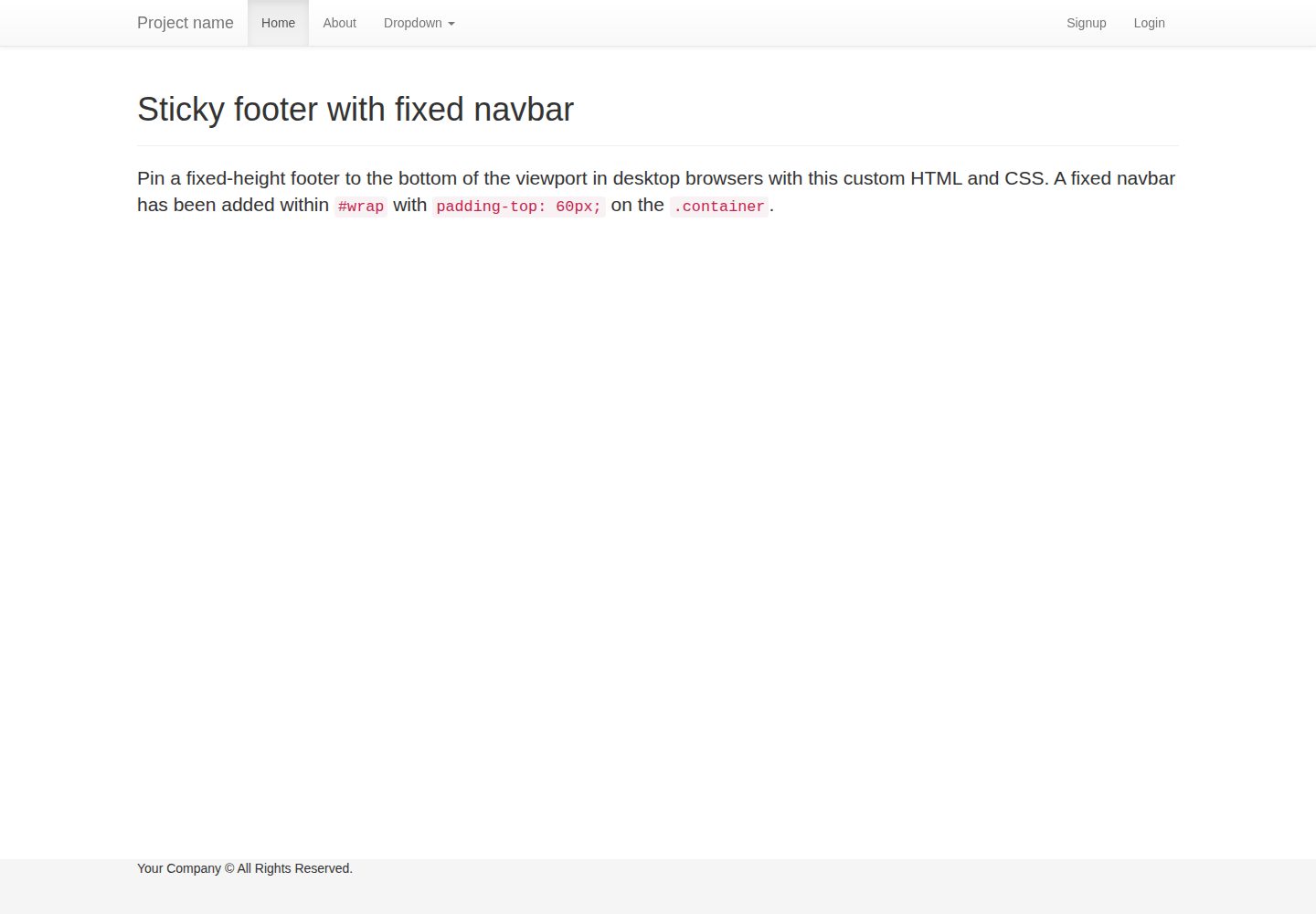
flask-boilerplate
Boilerplate template for a Python Flask application with Flask-SQLAlchemy, Flask-WTF, Fabric, Coverage, and Bo…
Flask · 启动器
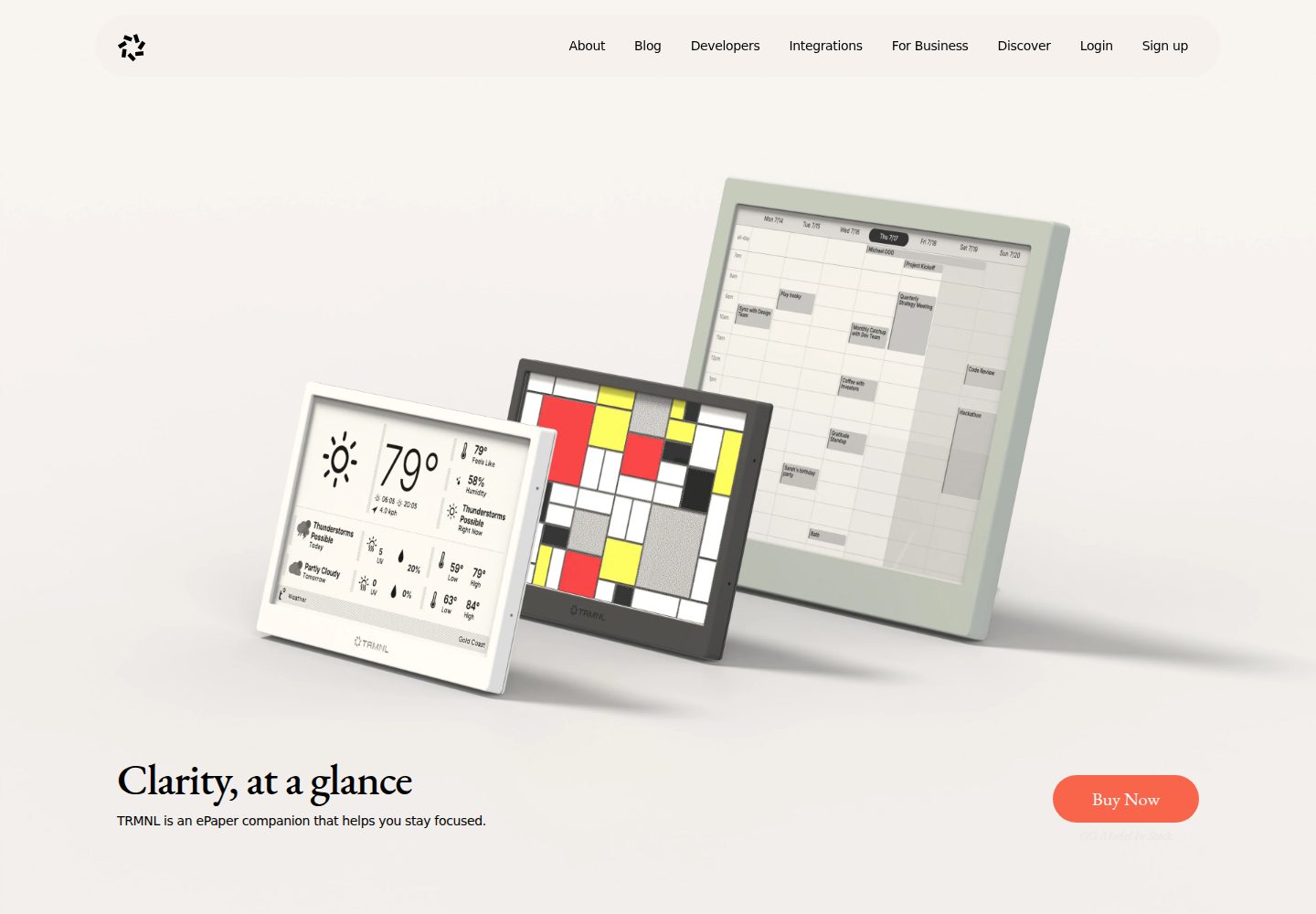
TRMNL-Boilerplate
A boilerplate template for building TRMNL e-ink display plugins. Features Flask webhooks, display optimization…
Flask · 启动器
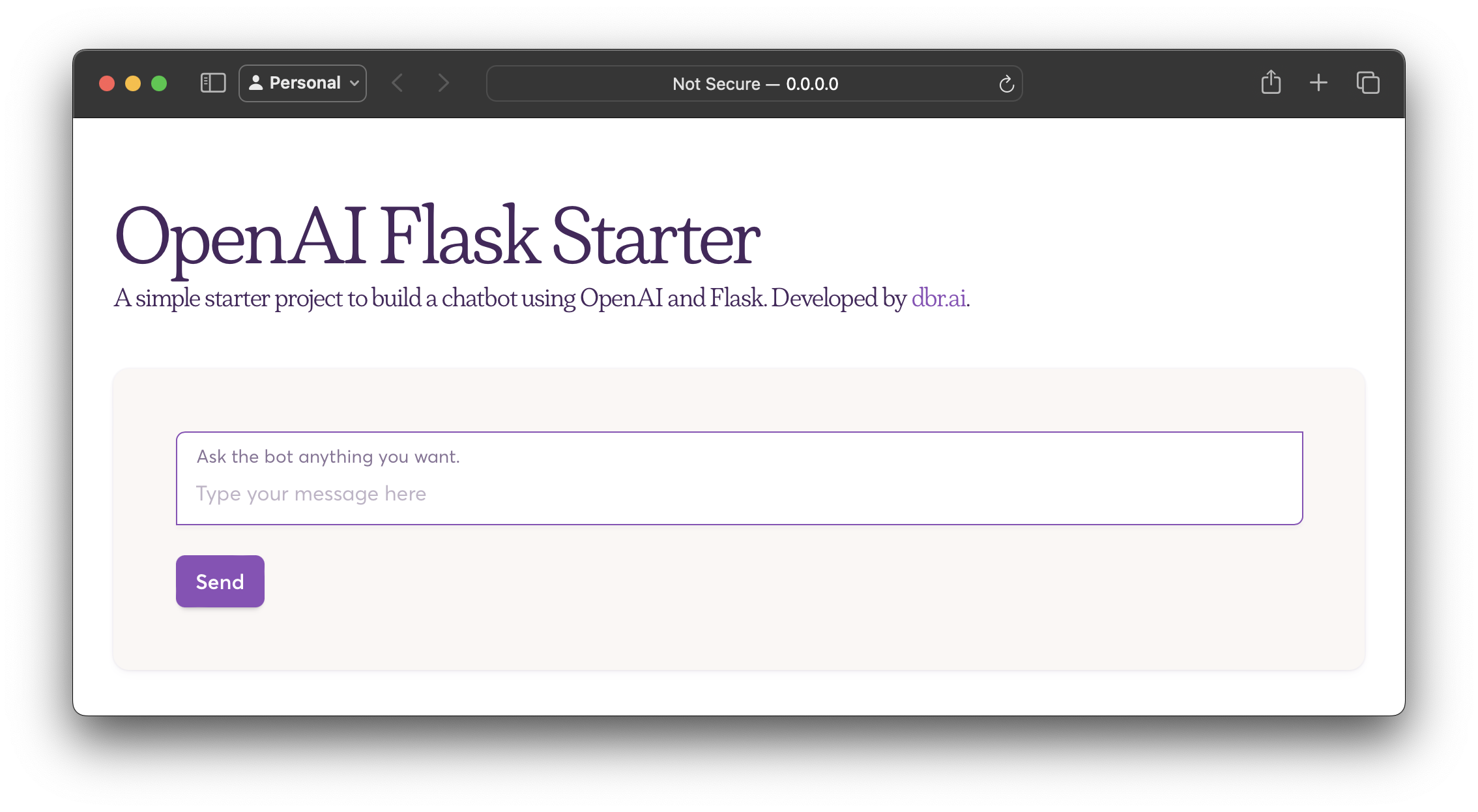
openai-flask-starter
Starter project with OpenAI + Flask and template HTML.
Flask · 启动器
app-engine-starter
A basic template for App Engine projects.
Flask · 启动器
flask-account-starter
flexible and extensible Flask boilerplate template
Flask · 启动器
Py-Flask-Starter
Kick start 🚀 any python-flask app ASAP with this template
Flask · 启动器