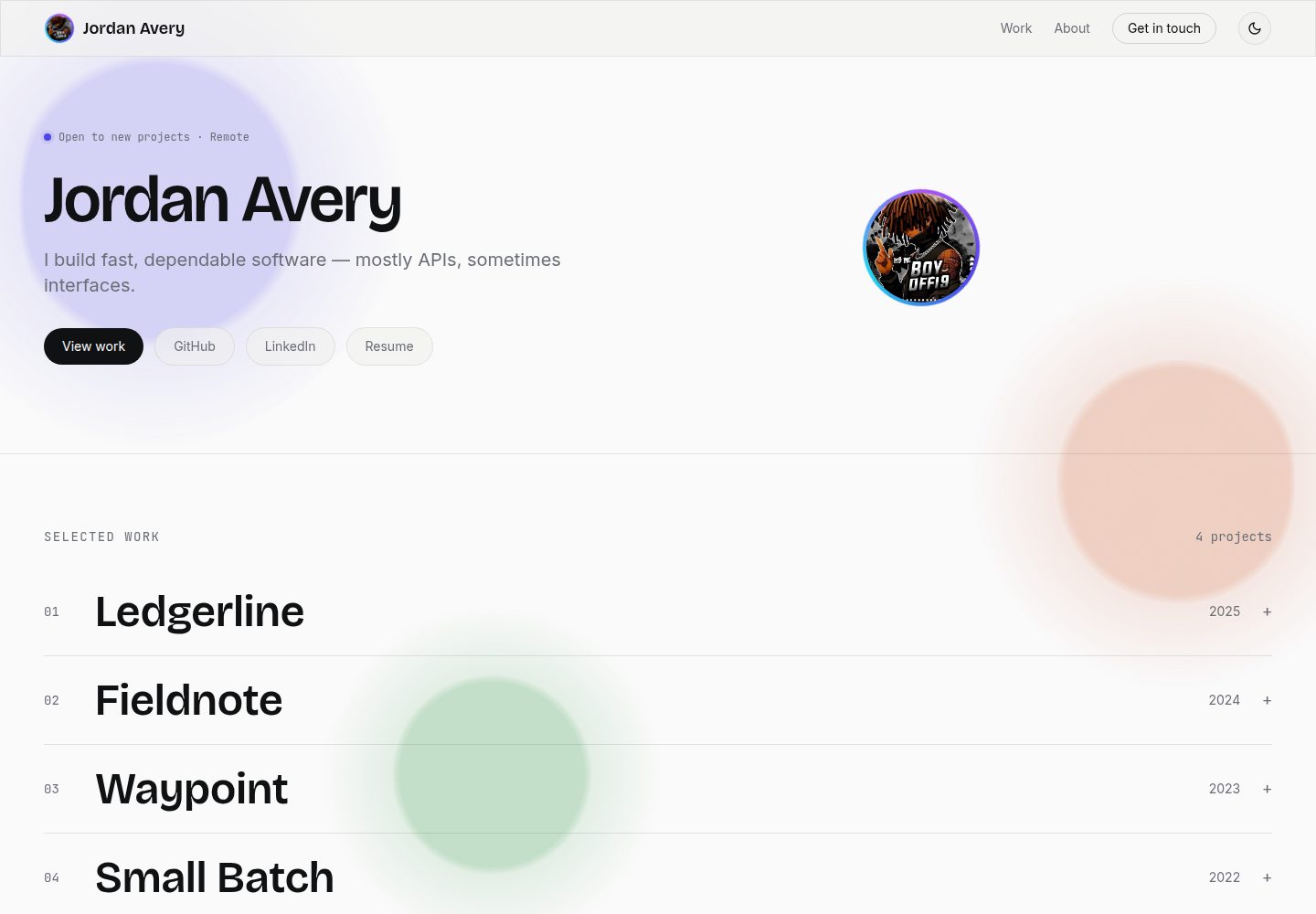
所有内容集中在 src/config/site.js,替换该文件即可完成个性化,无需修改组件代码
ViteReact作品集博客
portfolio-template (Boy-Offi9) — Vite 作品集模板
作者 Boy-Offi9
一个由单一配置文件驱动的开发者作品集模板,内容全部集中在 src/config/site.js,无需改动组件代码即可替换姓名、简介、项目、技能和链接。
看看你的网站会是什么样
浏览真实页面截图,比较内容排版与手机效果。点击下方缩略图切换,放大查看整页细节。
全部页面与视图 2
截图用于了解视觉与布局,交互效果请以实际项目为准。
采集于 2026-10-17查看来源
值得关注的模板亮点
从已有项目资料中,快速了解它的特点。
项目图片支持三级回退:自定义图片路径或 URL、GitHub 仓库社交预览卡、基于首字母和强调色的渐变占位块
头像支持自定义图片或自动生成的首字母渐变头像,与强调色联动
明暗主题切换持久化到 localStorage,首次加载遵循系统偏好,并通过内联脚本避免主题闪烁
强调色只需修改一个 RGB 三元组,即可联动按钮、悬停状态、占位渐变和液态背景
联系对话框通过 mailto: 链接提交,没有后端收集数据;README 说明可替换为 Formspree 或 EmailJS 的 fetch POST
模板详细介绍
该模板将站点内容集中到 src/config/site.js 一个文件中,包括姓名、角色、标语、简介、邮箱、链接、技能、项目列表以及强调色。项目图片支持三级回退:本地路径或完整 URL、GitHub 仓库社交预览卡(格式为 owner/name,无需 API 密钥)、以及基于项目标题首字母和强调色生成的渐变占位块;头像也采用类似的生成式回退。界面包含明暗主题切换(首次加载遵循系统偏好,选择持久化到 localStorage)、导航栏和项目展开面板的玻璃拟态效果、由强调色驱动的液态动画背景,以及各区块的滚动显现动画,且均遵循 prefers-reduced-motion。联系对话框通过 mailto: 链接提交,不涉及后端收集。构建产物为静态站点,可部署到 Vercel、Netlify、GitHub Pages 或 Cloudflare Pages。README 未提供性能指标或生产就绪程度的说明。
ViteReact作品集博客
适合你的项目吗?
适用场景
- 开发者希望快速搭建个人作品集,且不想深入组件代码进行定制
- 需要明暗主题切换和滚动显现动画的静态个人站点
- 项目展示希望自动使用 GitHub 仓库预览卡,而不手动准备截图
- 部署到 Vercel、Netlify、GitHub Pages 或 Cloudflare Pages 等静态托管平台
适合人群
- 具备 React 和 Vite 基础、愿意通过编辑配置文件来定制站点的开发者
- 需要单页作品集展示项目、技能和联系方式的个人
- 偏好静态站点部署、不要求后端表单收集的开发者
上手与定制指南
结合仓库当前版本的说明,按下面的资料检查内容、配置与运行要求。
- 1
运行 npm install 安装依赖,然后运行 npm run dev 启动开发服务器
- 2
编辑 src/config/site.js,替换示例内容为个人信息、项目、技能和链接
- 3
项目图片可通过 image 字段设置本地路径或完整 URL,或通过 repo 字段设置 owner/name 以使用 GitHub 社交预览卡;两者留空则生成渐变占位块
- 4
头像通过 avatar 字段设置本地路径或 URL,留空则生成首字母渐变头像
- 5
运行 npm run build 生成静态站点,可部署到 Vercel、Netlify、GitHub Pages 或 Cloudflare Pages
授权与来源资料
使用条件与限制
免费使用 · 保留许可声明本次收录的是公开仓库中采用 MIT 许可的免费版本;免费范围为该版本代码,不代表外部服务或第三方素材免费。
使用时需要遵守
- 允许免费使用、修改、商用和分发该版本代码。
- 分发代码副本或实质性部分时,保留原作者版权声明和完整 MIT 许可声明。
- 代码按现状提供;担保与责任限制以原许可证及适用法律为准。
额外费用与待核对事项
- README 提及 Formspree 表单服务;真实提交需配置服务端点,其使用额度与费用需单独核对。
- 演示图片、字体、图标及其他第三方素材需按各自许可核对,不能仅凭代码的 MIT 许可判断。
- 域名、托管、数据库、支付或 AI 等外部服务可能另外收费。
- 项目图片的 GitHub 预览卡依赖 GitHub 的 opengraph.githubassets.com 服务,属于外部服务;README 说明无需 API 密钥或认证。
- 若希望不依赖访客邮件客户端收集消息,README 建议改用 Formspree 或 EmailJS 等外部表单服务,需自行注册并配置。
- 默认联系对话框通过 mailto: 提交,不涉及后端收集;实际能否送达取决于访客是否配置了邮件客户端。
- README 声明 MIT 许可,可自由使用、fork 并作为自己的项目发布;署名被感谢但非必需(以随附 MIT 许可证文本为准)。
查看原文依据
Permission is hereby granted, free of charge
许可证原文
2. **`repo`** — a GitHub repo in `"owner/name"` form. Pulls that repo's
README 原文
for a `fetch` POST to a form service — [Formspree](https://formspree.io) or
README 原文
visitor's name, email, and message — there's no backend collecting anything.
README 原文
https://github.com/Boy-Offi9/portfolio-template/blob/main/LICENSEhttps://github.com/Boy-Offi9/portfolio-template/blob/main/README.mdMIT — use it, fork it, ship it as your own. Credit is appreciated but not
README 原文
DeepSeek 根据仓库许可证和 README 整理 ·2026-10-17。结果仅覆盖已读取资料,依赖、图片、字体及后续条款变更以各自原文为准。
项目核对记录与介绍依据
模板资料
- 来源平台
- GitHub
- 资料与维护参考分
- 资料较完整 · 88 / 100
- 技术栈
- Vite · React
- 网站类型
- 作品集 · 博客
这个分数如何计算
本站按许可资料(最高30分)、演示链接(12分)、预览图(10分)、Star数(15分)、记录的维护时间(15分)、描述完整度(8分)、功能记录(5分)和分类资料(5分)计算。它不是代码、安全或性能测试,也不是 Google 评分;有链接不代表已实测可用。
这个项目需要核对什么
- 记录的仓库更新时间
- 2026-08-19
- 截图检查日期
- 2026-10-17
已收录演示链接。请用你的内容与屏幕尺寸检查;有演示不代表表单、认证或支付已经可用。
目录记录的主要技术栈是 Vite。请通过依赖清单和锁文件核对实际版本与托管要求。这些说明基于收录资料,不代表代码审计或部署实测。
查看具体选型方法 →介绍的制作与核对状态
介绍由 AI 辅助整理目录与仓库资料。仓库作者不等于这篇介绍的审核者。
审核声明: codex-user-requested-batch-review-20261018 · 2026-10-18
查看当时使用的来源资料
SHA-256: 4968ecbe47c84f25299f2858b160083fb2f78000a03a38200256b44c2c40e8d7
2026-10-17T10:38:08.432Z
来源文件 / 仓库# Portfolio Template
A config-driven developer portfolio. Edit one file, get your own site — no
component code required to personalize it.
**[Live Demo](https://portfolio-template-rho-nine.vercel.app/)**
## Why this one
Most portfolio templates make you hunt through five files to change your
name. This one doesn't — everything content-wise lives in
[`src/config/site.js`](./src/config/site.js): your name, bio, projects,
skills, links, and even the accent color. Swap that file, keep the
components untouched.
No image assets are required to get a working site — projects without an
`image` field render a generated gradient block with their initials instead,
and the avatar works the same way. See "Images" below for the full fallback
chain, including automatic GitHub repo preview cards.
**Also included:** a light/dark theme toggle (persists across visits, respects
system preference on first load), glassmorphism on the nav bar and expanded
project panels, an animated liquid-blob background derived from your accent
color, and scroll-reveal animations on every section — all of it respects
`prefers-reduced-motion`.
## Quick Start
```bash
npm install
npm run dev
```
Then open `src/config/site.js` and replace the example content with yours.
### Build for Production
```bash
npm run build
```
Deploys as a static site — Vercel, Netlify, GitHub Pages, Cloudflare Pages,
all work with zero extra config.
## Customizing
### Content
Everything in `src/config/site.js`:
```js
export const site = {
name: "Your Name",
role: "Your Title",
tagline: "One line about what you do.",
bio: "A few sentences for the About section.",
accentColor: "79 70 229", // "R G B", no commas
email: "[email protected]",
links: [{ label: "GitHub", url: "https://github.com/you" }],
skills: ["TypeScript", "React", "..."],
projects: [
{
title: "Project Name",
role: "Your role on it",
year: "2025",
description: "What it does and what you built.",
tags: ["Node.js", "PostgreSQL"],
url: "https://...",
image: "", // local path or full URL, see "Images" below
repo: "", // or "yourname/project-repo" for an automatic GitHub preview
},
],
};
```
### Color
Change `accentColor` — one value, reskins the whole site (buttons, hover
states, the availability dot, project placeholder gradients). It's an RGB
triplet so it can plug into Tailwind's alpha-value opacity syntax.
```js
accentColor: "79 70 229", // indigo (default)
accentColor: "16 130 92", // green
accentColor: "190 60 40", // rust
accentColor: "190 24 93", // pink
```
The liquid background blobs, avatar/project placeholder gradients, and hover
states all derive from this one value — nothing else to touch.
### Avatar
Set `avatar` in the config to an image path or URL. Leave it `null` for a
generated initials avatar (same gradient logic as the project placeholders,
so it always matches your accent color).
### Images
Each project's picture comes from a three-tier fallback, first match wins.
Set `image`/`repo` to `""` (the default) to skip a tier — no need to comment
anything out:
1. **`image`** — a local path (`/assets/projects/name.png`) or a **full
image URL** (`https://...`), both work exactly the same way.
2. **`repo`** — a GitHub repo in `"owner/name"` form. Pulls that repo's
social-preview card straight from GitHub (`opengraph.githubassets.com`)
with no image file, API key, or auth needed. If the repo doesn't exist
or the image fails to load, it falls through to tier 3 automatically.
3. **Both empty** — a generated gradient block using the project title's
initials, tinted from your `accentColor`.
Avatars follow the same idea minus the repo tier: set `avatar` to a local
path, a full URL, or leave it `""` for a generated initials avatar. See
[`public/assets/README.md`](./public/assets/README.md) for folder
conventions and recommended image sizes.
### Theme
The toggle in the nav switches `data-theme` on `<html>` between `light` and
`dark`, persisted to `localStorage` under the key `portfolio-theme`. A small
inline script in `index.html` sets it before first paint so there's no
flash of the wrong theme on load. To change the dark-mode palette, edit the
`[data-theme="dark"]` block in `src/index.css`.
### Layout
The "numbered index" project list (`src/components/ProjectRow.jsx`) is the
signature layout choice — click a row to expand it. If you'd rather have a
card grid, that's the one component to rewrite; everything else reads from
the same `site.projects` array regardless of how you render it.
### Contact Dialog
"Get in touch" (nav) and "Send a message" (footer) both open a glass modal
(`src/components/ContactDialog.jsx`) instead of jumping straight to your
email client. Submitting it opens a `mailto:` link pre-filled with the
visitor's name, email, and message — there's no backend collecting anything.
If you'd rather capture messages without relying on the visitor's email
client being configured, swap the `handleSubmit` body in `ContactDialog.jsx`
for a `fetch` POST to a form service — [Formspree](https://formspree.io) or
[EmailJS](https://www.emailjs.com) both work with a single call and have
free tiers.
To add the dialog trigger anywhere else, wrap any label in it:
```jsx
<ContactDialog className="your-classes-here">Say hello</ContactDialog>
```
## Project Structure
```
public/
assets/
avatar/ your profile photo goes here
projects/ your project screenshots go here
src/
config/
site.js ← edit this
components/
Nav.jsx
Hero.jsx
ProjectsIndex.jsx renders the list
ProjectRow.jsx single expandable row
ProjectPlaceholder.jsx image → GitHub repo preview → gradient fallback chain
Avatar.jsx generated fallback avatar (or your image)
ThemeToggle.jsx light/dark switch
ContactDialog.jsx glass contact modal (mailto-based)
LiquidBackground.jsx animated blob background
Reveal.jsx scroll-reveal wrapper
About.jsx
Footer.jsx
hooks/
useTheme.js theme state + persistence
utils/
placeholder.js shared initials/hue helpers
App.jsx applies accentColor as a CSS variable on load
```
## Tech Stack
Vite + React + Tailwind. No backend, no database, no build step beyond
`vite build`.
## License
MIT — use it, fork it, ship it as your own. Credit is appreciated but not
required.
看看同类模板
对比同技术栈与用途的模板,找到更适合的视觉与内容结构。
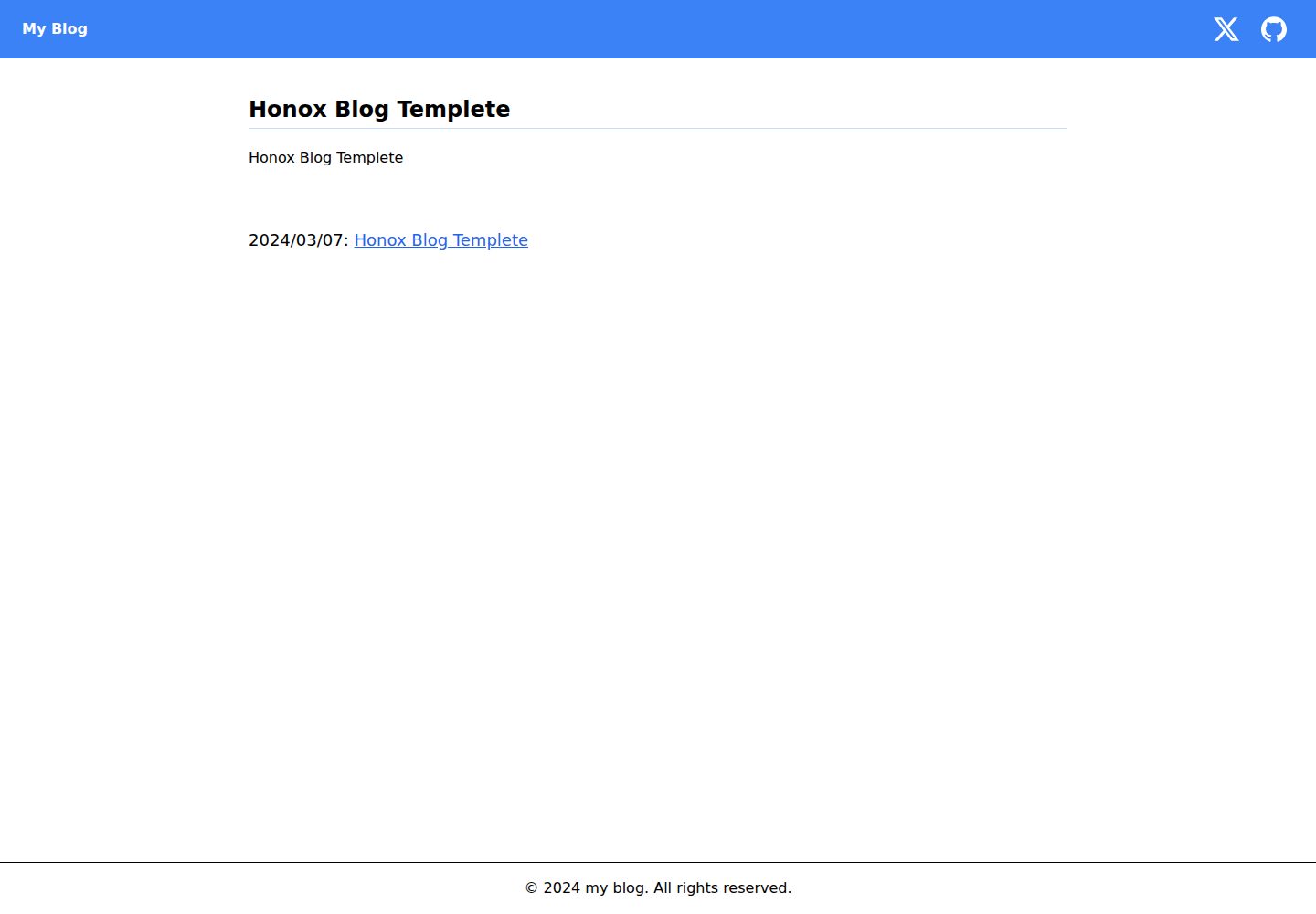
honox-blog-templete
A Template Repository for Easily Creating a Blog Site with HonoX
Vite · 博客

Resumify
Free, privacy-first resume builder — 6 ATS-friendly templates, full customization, JSON import/export. No sign…
Vite · 作品集

showlit
✨ Showlit - A modern and clean template for creating a personal website
Vite · 作品集

folium
Professional developer portfolio boilerplate (React • TypeScript • Tailwind • Vite) with simple content custom…
Vite · 作品集

kurizu-discord
A Discord themed website built using React & Vite
Vite · 作品集
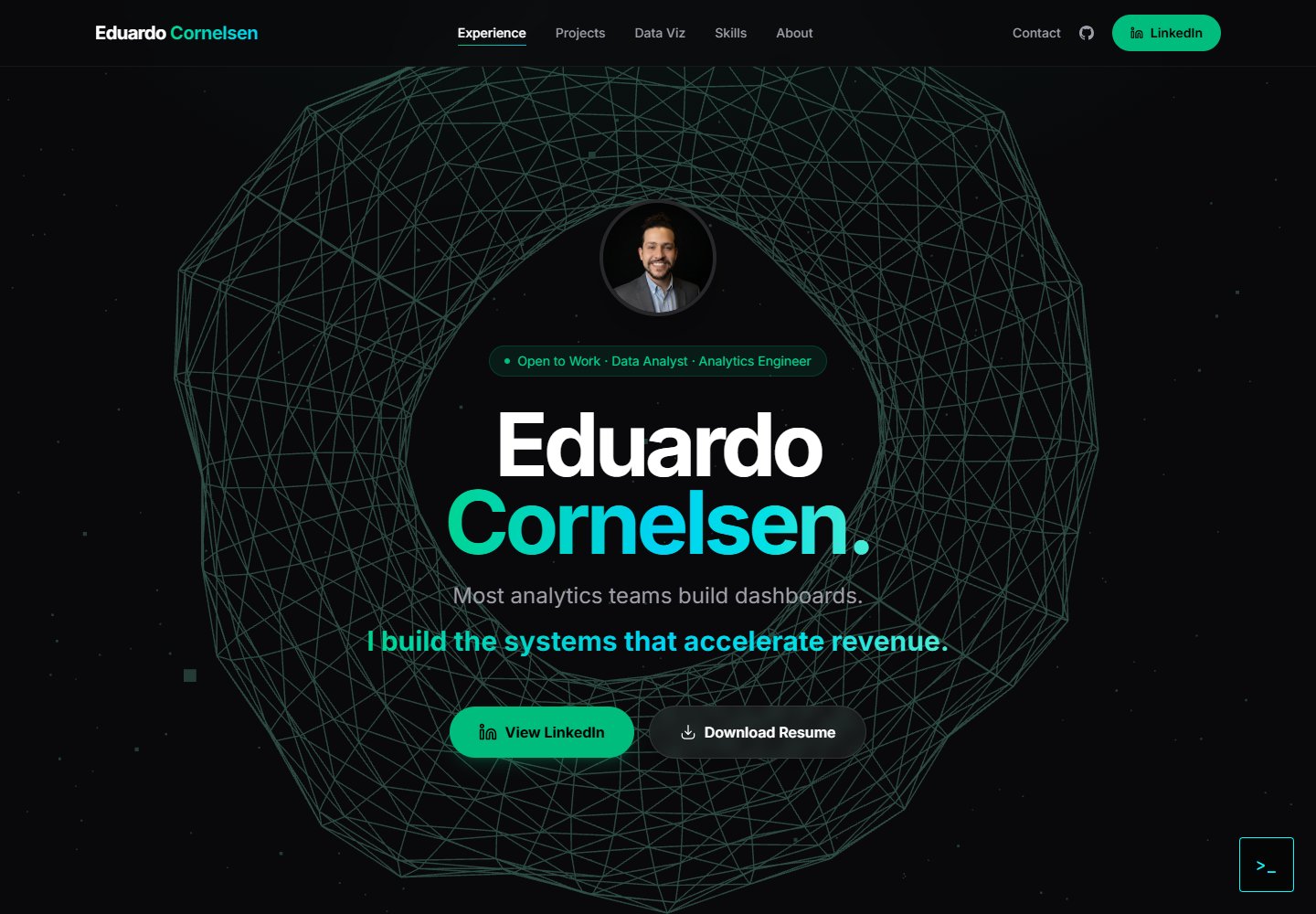
cv-educornelsen
Production portfolio with a streaming AI chatbot (Gemini + SSE), containerized via Docker, deployed to Google …
Vite · 作品集