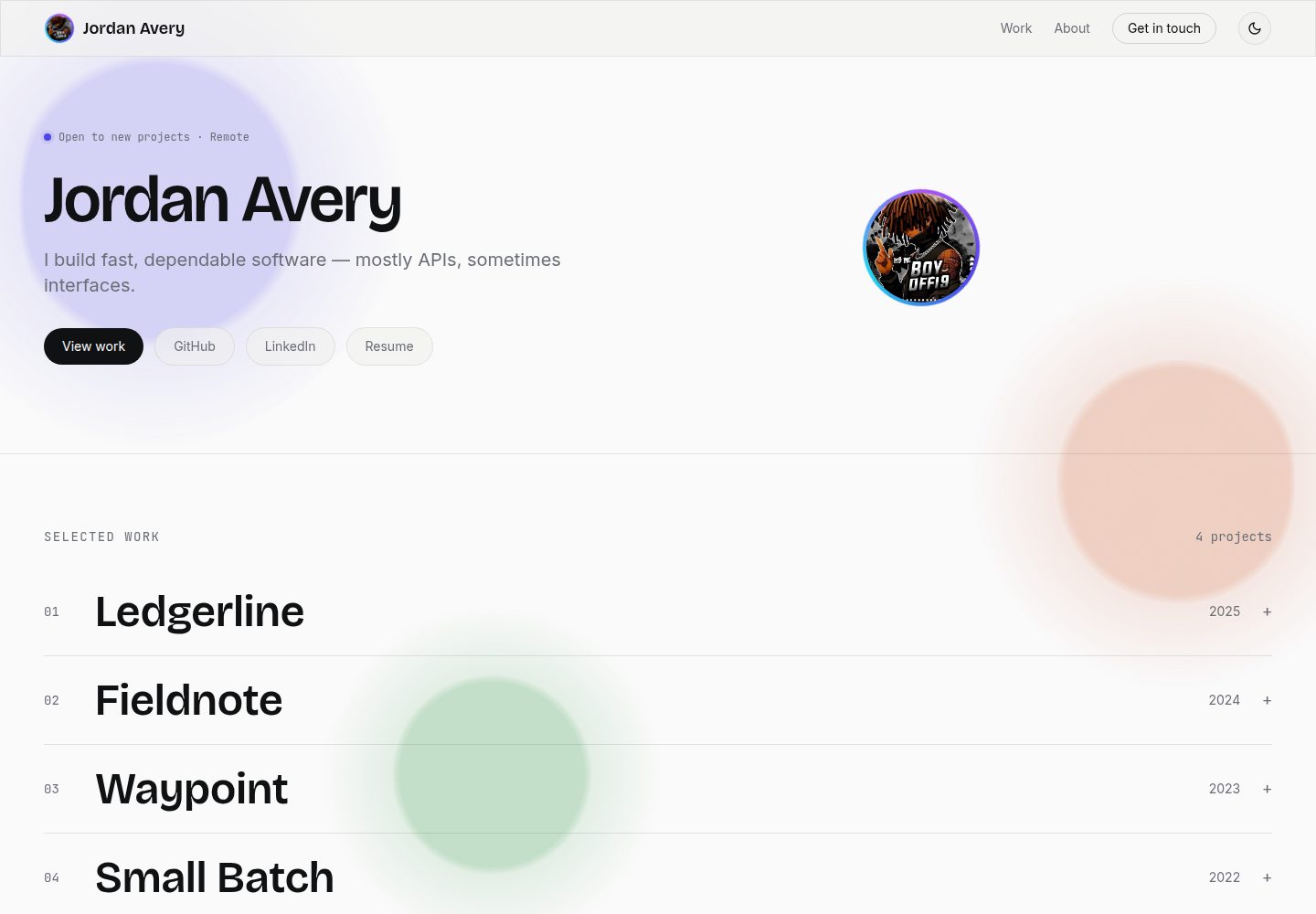
All content is centralized in src/config/site.js; replacing that file completes personalization without modifying component code
ViteReactPortfolioBlog
portfolio-template (Boy-Offi9) — Vite Portfolio Template
By Boy-Offi9
A developer portfolio template driven by a single config file, with all content centralized in src/config/site.js, so name, bio, projects, skills and links can be replaced without touching component code.
Explore the design
Compare the page layouts and mobile experience. Open any screenshot for a closer look.
Desktop homepage1 / 2
Desktop captureTop of page
Actual screenshot captured by the server browser.
All pages & views 2
Screenshots show visual appearance; interactive behavior may differ.
Recorded 2026-10-17View source
What stands out
A quick read of the recorded project description.
Project images support a three-tier fallback: a custom image path or URL, a GitHub repository social preview card, and a gradient placeholder block based on the initial letter and accent color
The avatar supports a custom image or an automatically generated initial-letter gradient avatar tied to the accent color
The light/dark theme toggle persists to localStorage, first load follows system preference, and an inline script avoids theme flicker
The accent color requires changing only one RGB triplet, which drives buttons, hover states, placeholder gradients and the liquid background
The contact dialog submits via a mailto: link with no backend data collection; the README notes it can be replaced with a Formspree or EmailJS fetch POST
Template Details
The template centralizes site content in a single file, src/config/site.js, covering name, role, tagline, bio, email, links, skills, project list and accent color. Project images support a three-tier fallback: a local path or full URL, a GitHub repository social preview card (in owner/name format, no API key required), and a gradient placeholder block generated from the project title's initial letter and the accent color; the avatar uses a similar generative fallback. The interface includes a light/dark theme toggle (first load follows system preference, and the choice persists to localStorage), glassmorphism effects on the navbar and project expansion panels, a liquid animated background driven by the accent color, and scroll-reveal animations for each section, all respecting prefers-reduced-motion. The contact dialog submits via a mailto: link and involves no backend collection. The build output is a static site that can be deployed to Vercel, Netlify, GitHub Pages or Cloudflare Pages. The README does not provide performance metrics or notes on production readiness.
ViteReactPortfolioBlog
Is it right for your project?
Use Cases
- Developers who want to quickly set up a personal portfolio without digging into component code for customization
- A static personal site that needs light/dark theme switching and scroll-reveal animations
- Project showcases that want to automatically use GitHub repository preview cards instead of manually preparing screenshots
- Deployment to static hosting platforms such as Vercel, Netlify, GitHub Pages or Cloudflare Pages
Suitable For
- Developers with basic React and Vite knowledge who are willing to customize the site by editing the config file
- Individuals who need a single-page portfolio to showcase projects, skills and contact information
- Developers who prefer static site deployment and do not require backend form collection
Getting started & customization
Use these recorded setup notes alongside the repository instructions for your chosen version.
- 1
Run npm install to install dependencies, then run npm run dev to start the development server
- 2
Edit src/config/site.js to replace the sample content with personal information, projects, skills and links
- 3
Project images can be set via the image field to a local path or full URL, or via the repo field to owner/name to use a GitHub social preview card; leaving both empty generates a gradient placeholder block
- 4
The avatar can be set via the avatar field to a local path or URL; leaving it empty generates an initial-letter gradient avatar
- 5
Run npm run build to generate a static site, which can be deployed to Vercel, Netlify, GitHub Pages or Cloudflare Pages
License & source material
Usage conditions & limitations
Free to use · keep license noticeThis listing covers the free version under the MIT license in the public repository; the free scope is that version's code and does not mean external services or third-party assets are free.
Must comply with when using
- The code of this version may be used, modified, used commercially and distributed free of charge.
- When distributing copies or substantial portions of the code, the original author's copyright notice and the full MIT license notice must retain.
- The code is provided as is; warranties and limitations of liability are governed by the original license and applicable law.
Additional costs & items to verify
- The README mentions the Formspree form service; real submission requires configuring a service endpoint, and its usage quotas and fees must be checked separately.
- Demo images, fonts, icons and other third-party assets must be checked against their respective licenses and cannot be judged solely by the code's MIT license.
- External services such as domains, hosting, databases, payments or AI may incur separate charges.
- The GitHub preview card for project images relies on GitHub's opengraph.githubassets.com service, which is an external service; the README states no API key or authentication is required.
- If you want to collect messages without relying on the visitor's email client, the README suggests switching to an external form service such as Formspree or EmailJS, which requires registering and configuring it yourself.
- The default contact dialog submits via mailto: and involves no backend collection; actual delivery depends on whether the visitor has an email client configured.
- The README declares the MIT license, allowing free use, forking and publishing as your own project; attribution is appreciated but not required (subject to the accompanying MIT license text).
View Original Text Basis
Permission is hereby granted, free of charge
Original License Text
2. **`repo`** — a GitHub repo in `"owner/name"` form. Pulls that repo's
Original README
for a `fetch` POST to a form service — [Formspree](https://formspree.io) or
Original README
visitor's name, email, and message — there's no backend collecting anything.
Original README
https://github.com/Boy-Offi9/portfolio-template/blob/main/LICENSEhttps://github.com/Boy-Offi9/portfolio-template/blob/main/README.mdMIT — use it, fork it, ship it as your own. Credit is appreciated but not
Original README
Compiled by DeepSeek based on repository license and README ·2026-10-17. Results only cover the materials read; dependencies, images, fonts, and subsequent term changes are subject to their respective original texts.
Project checks & description sources
Template Information
- Source platforms
- GitHub
- Documentation and maintenance reference score
- More documented · 88 / 100
- Technologies
- Vite · React
- Website type
- Portfolio · Blog
How this score is calculated
Our heuristic uses license records (up to 30), a demo link (12), a preview (10), stars (15), recorded maintenance (15), description completeness (8), feature records (5) and classification data (5). It is not a code, security or performance test, or a Google score. A link does not establish tested functionality.
What to verify for this project
- Repository update recorded
- 2026-08-19
- Screenshot last checked
- 2026-10-17
A demo link is listed. Check it with your own content and viewport sizes; its presence does not confirm that forms, authentication or payments work.
The catalog identifies Vite as the primary stack. Check the actual dependency manifest and lockfile for versions and hosting requirements. These notes use recorded metadata, not a code audit or a deployment test.
Use a selection guide →How this description was prepared
AI-assisted description based on catalog records and repository material. Repository authors are not automatically the reviewers of this description.
Review declaration: codex-user-requested-batch-review-20261018 · 2026-10-18
Inspect the recorded source material
SHA-256: 4968ecbe47c84f25299f2858b160083fb2f78000a03a38200256b44c2c40e8d7
2026-10-17T10:38:08.432Z
Source file / repository# Portfolio Template
A config-driven developer portfolio. Edit one file, get your own site — no
component code required to personalize it.
**[Live Demo](https://portfolio-template-rho-nine.vercel.app/)**
## Why this one
Most portfolio templates make you hunt through five files to change your
name. This one doesn't — everything content-wise lives in
[`src/config/site.js`](./src/config/site.js): your name, bio, projects,
skills, links, and even the accent color. Swap that file, keep the
components untouched.
No image assets are required to get a working site — projects without an
`image` field render a generated gradient block with their initials instead,
and the avatar works the same way. See "Images" below for the full fallback
chain, including automatic GitHub repo preview cards.
**Also included:** a light/dark theme toggle (persists across visits, respects
system preference on first load), glassmorphism on the nav bar and expanded
project panels, an animated liquid-blob background derived from your accent
color, and scroll-reveal animations on every section — all of it respects
`prefers-reduced-motion`.
## Quick Start
```bash
npm install
npm run dev
```
Then open `src/config/site.js` and replace the example content with yours.
### Build for Production
```bash
npm run build
```
Deploys as a static site — Vercel, Netlify, GitHub Pages, Cloudflare Pages,
all work with zero extra config.
## Customizing
### Content
Everything in `src/config/site.js`:
```js
export const site = {
name: "Your Name",
role: "Your Title",
tagline: "One line about what you do.",
bio: "A few sentences for the About section.",
accentColor: "79 70 229", // "R G B", no commas
email: "[email protected]",
links: [{ label: "GitHub", url: "https://github.com/you" }],
skills: ["TypeScript", "React", "..."],
projects: [
{
title: "Project Name",
role: "Your role on it",
year: "2025",
description: "What it does and what you built.",
tags: ["Node.js", "PostgreSQL"],
url: "https://...",
image: "", // local path or full URL, see "Images" below
repo: "", // or "yourname/project-repo" for an automatic GitHub preview
},
],
};
```
### Color
Change `accentColor` — one value, reskins the whole site (buttons, hover
states, the availability dot, project placeholder gradients). It's an RGB
triplet so it can plug into Tailwind's alpha-value opacity syntax.
```js
accentColor: "79 70 229", // indigo (default)
accentColor: "16 130 92", // green
accentColor: "190 60 40", // rust
accentColor: "190 24 93", // pink
```
The liquid background blobs, avatar/project placeholder gradients, and hover
states all derive from this one value — nothing else to touch.
### Avatar
Set `avatar` in the config to an image path or URL. Leave it `null` for a
generated initials avatar (same gradient logic as the project placeholders,
so it always matches your accent color).
### Images
Each project's picture comes from a three-tier fallback, first match wins.
Set `image`/`repo` to `""` (the default) to skip a tier — no need to comment
anything out:
1. **`image`** — a local path (`/assets/projects/name.png`) or a **full
image URL** (`https://...`), both work exactly the same way.
2. **`repo`** — a GitHub repo in `"owner/name"` form. Pulls that repo's
social-preview card straight from GitHub (`opengraph.githubassets.com`)
with no image file, API key, or auth needed. If the repo doesn't exist
or the image fails to load, it falls through to tier 3 automatically.
3. **Both empty** — a generated gradient block using the project title's
initials, tinted from your `accentColor`.
Avatars follow the same idea minus the repo tier: set `avatar` to a local
path, a full URL, or leave it `""` for a generated initials avatar. See
[`public/assets/README.md`](./public/assets/README.md) for folder
conventions and recommended image sizes.
### Theme
The toggle in the nav switches `data-theme` on `<html>` between `light` and
`dark`, persisted to `localStorage` under the key `portfolio-theme`. A small
inline script in `index.html` sets it before first paint so there's no
flash of the wrong theme on load. To change the dark-mode palette, edit the
`[data-theme="dark"]` block in `src/index.css`.
### Layout
The "numbered index" project list (`src/components/ProjectRow.jsx`) is the
signature layout choice — click a row to expand it. If you'd rather have a
card grid, that's the one component to rewrite; everything else reads from
the same `site.projects` array regardless of how you render it.
### Contact Dialog
"Get in touch" (nav) and "Send a message" (footer) both open a glass modal
(`src/components/ContactDialog.jsx`) instead of jumping straight to your
email client. Submitting it opens a `mailto:` link pre-filled with the
visitor's name, email, and message — there's no backend collecting anything.
If you'd rather capture messages without relying on the visitor's email
client being configured, swap the `handleSubmit` body in `ContactDialog.jsx`
for a `fetch` POST to a form service — [Formspree](https://formspree.io) or
[EmailJS](https://www.emailjs.com) both work with a single call and have
free tiers.
To add the dialog trigger anywhere else, wrap any label in it:
```jsx
<ContactDialog className="your-classes-here">Say hello</ContactDialog>
```
## Project Structure
```
public/
assets/
avatar/ your profile photo goes here
projects/ your project screenshots go here
src/
config/
site.js ← edit this
components/
Nav.jsx
Hero.jsx
ProjectsIndex.jsx renders the list
ProjectRow.jsx single expandable row
ProjectPlaceholder.jsx image → GitHub repo preview → gradient fallback chain
Avatar.jsx generated fallback avatar (or your image)
ThemeToggle.jsx light/dark switch
ContactDialog.jsx glass contact modal (mailto-based)
LiquidBackground.jsx animated blob background
Reveal.jsx scroll-reveal wrapper
About.jsx
Footer.jsx
hooks/
useTheme.js theme state + persistence
utils/
placeholder.js shared initials/hue helpers
App.jsx applies accentColor as a CSS variable on load
```
## Tech Stack
Vite + React + Tailwind. No backend, no database, no build step beyond
`vite build`.
## License
MIT — use it, fork it, ship it as your own. Credit is appreciated but not
required.
Explore similar templates
Compare previews and descriptions within the same stack and category.
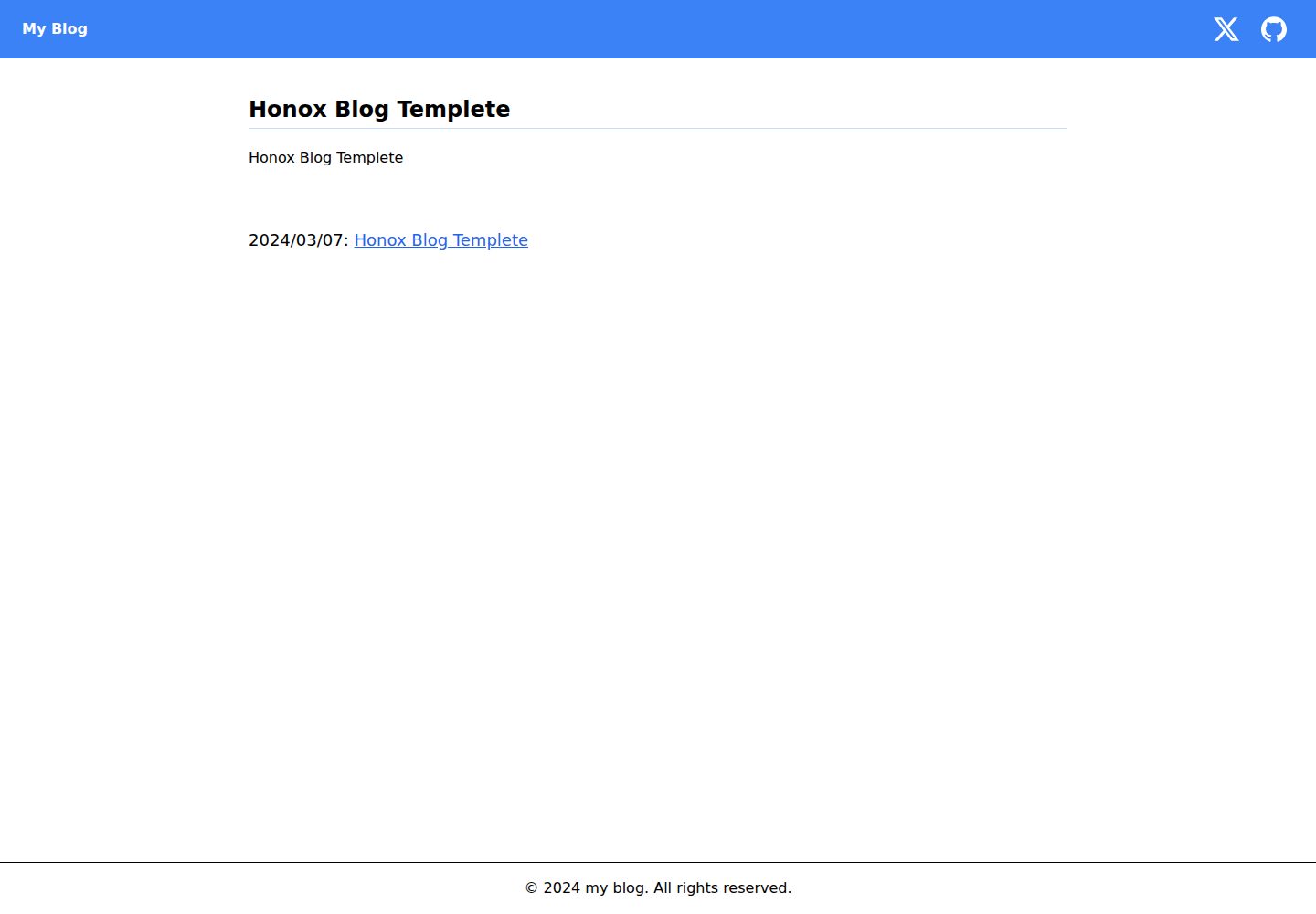
honox-blog-templete
A blog template repository built on HonoX and Vite, integrating Biome, highlight.js, and Tailwind CSS. It supports local development, production build preview, and an npm run create:post script that generates MDX articles through interactive prompts.
Vite · Blog

Resumify
Resumify is a browser-based resume builder built with React, TypeScript, and Vite.
Vite · Portfolio

showlit
Showlit is a personal website template built with React, Vite, TypeScript, Tailwind CSS, and shadcn/ui.
Vite · Portfolio

folium
A developer portfolio template built with Vite, React, TypeScript, and Tailwind CSS.
Vite · Portfolio

kurizu-discord
A personal portfolio website built with React and Vite that mimics the Discord desktop app, organizing projects, skills, and experience into customizable channels, threads, a member list, and emoji reactions.
Vite · Portfolio
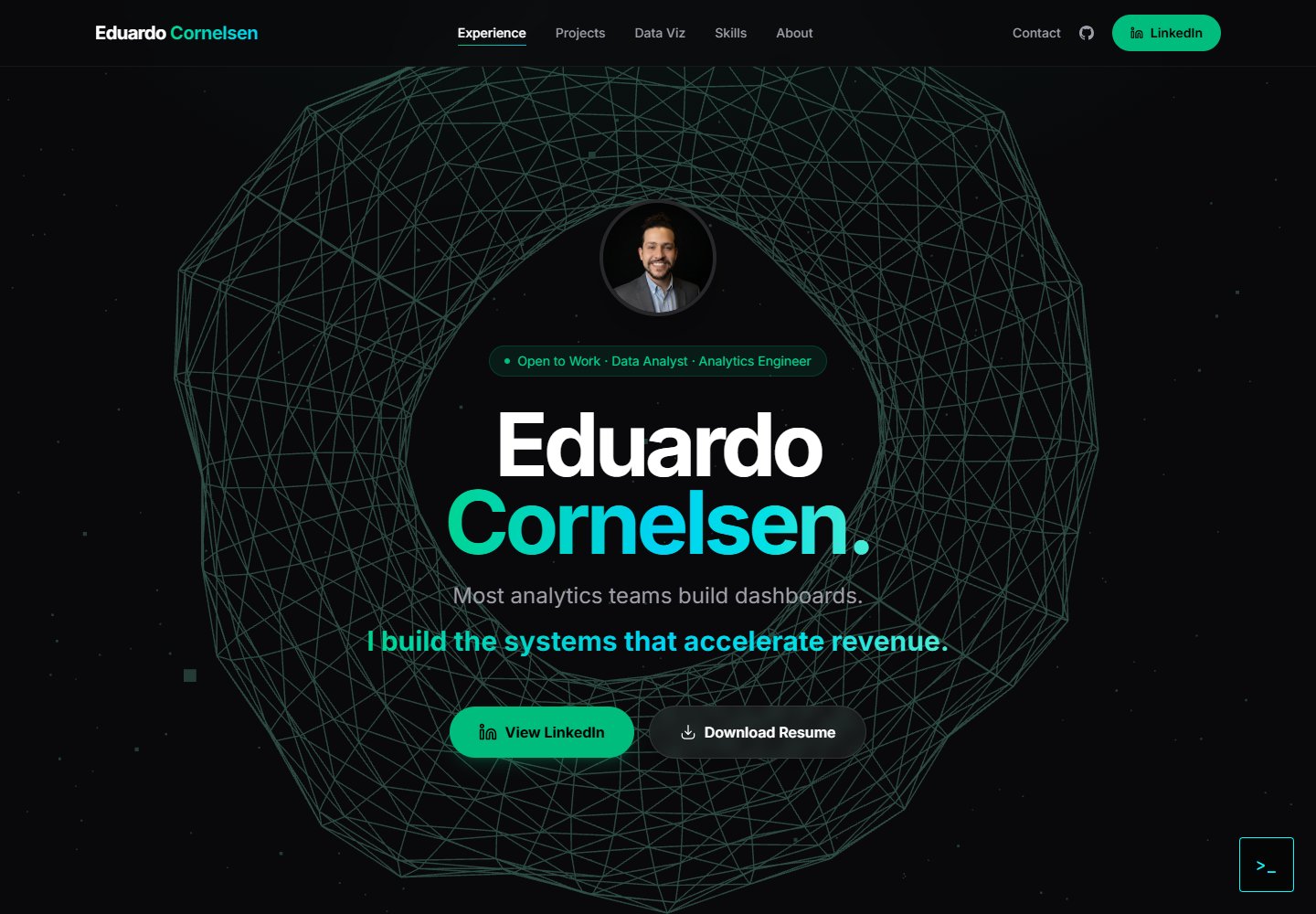
cv-educornelsen
A React + TypeScript personal portfolio template built with Vite, featuring a streaming AI chatbot powered by Google Gemini. An Express backend proxies requests to keep the API key server-side, with rate limiting, IP throttling, canary token injection, and LangFuse tracing.
Vite · Portfolio