
命令行交互式 CV:访客输入 whois、work、education、skills 等命令查看对应板块
Hugo启动器
hugo-theme-terminalcv — Hugo 启动器模板
作者 coolapso
基于 Hugo 的命令行风格 CV 主题,通过 config.yml 配置个人信息与命令,可选开启博客功能。
看看你的网站会是什么样
浏览真实页面截图,比较内容排版与手机效果。点击下方缩略图切换,放大查看整页细节。
目前有 1 张原始预览,可打开完整图片查看设计细节。
截图用于了解视觉与布局,交互效果请以实际项目为准。
采集于 2026-10-02查看来源
值得关注的模板亮点
从已有项目资料中,快速了解它的特点。
提示符与问候语高度可配置,包括前后文本、颜色、符号、分隔符与多行横幅
可选博客功能,通过 posts/ls 列出文章、cat <文件名> 阅读,支持图片与 Hugo shortcodes
支持 less 分页输出、命令自动补全、ctrl+d 中断进度条,以及 startx/exit/source/version 等额外命令
可通过 customCSS 与 static/style.css 调整背景、文字、链接、光标、行厚、辉光与字体
模板详细介绍
terminalCV 是一个 Hugo 主题,把个人简历呈现为命令行终端界面。访客通过输入命令查看不同板块:whois 显示个人信息,social 显示社交网络,work、education、skills、softskills、languages、projects、certifications、publications 分别对应工作经历、教育、技能、软技能、语言、项目、证书与出版物,misc 为自由文本。社交网络条目只需提供名称和 URL,名称可隐藏只显示链接。
主题提供自定义问候语(支持多行文本与独立颜色的横幅)、可配置的提示符(前后文本、颜色、符号、分隔符、额外文本均可单独设置),以及 startx、exit、source、version 等额外命令,其中 startx 与 exit 默认关闭,仅在提供跳转地址时启用。命令输出可通过 less 分页查看,支持全局或按命令设置,也支持命令自动补全与 ctrl+d 中断进度条。
博客功能由 params 中的 blog 键控制开关,开启后访客可用 posts 或 ls 查看文章列表,用 cat <文件名> 阅读文章,支持图片与 Hugo shortcodes(README 说明未完全测试)。外观可在 config.yml 中启用 customCSS 并编辑 static/style.css,调整背景色、文字色、链接色、光标样式与颜色、行厚、终端辉光与字体。
安装方式为将仓库克隆或作为 git submodule 放入 themes/terminalcv,复制 exampleSite/config.yml 到站点根目录后运行 hugo server。README 建议不使用 hugo new site,因为该主题结构比一般主题简单,自动生成的许多内容并不需要。
Hugo启动器
适合你的项目吗?
适用场景
- 个人求职者用终端风格页面展示简历与项目经历
- 开发者把 CV 与博客合并到同一个 Hugo 站点,用命令行方式浏览
- 希望以 ls、cat 等命令模拟文件系统来组织文章与信息的个人站点
适合人群
- 使用 Hugo 并熟悉 config.yml 配置的开发者
- 想要非传统、终端风格个人简历页面的求职者
- 需要在简历之外附带博客功能的个人站点作者
上手与定制指南
结合仓库当前版本的说明,按下面的资料检查内容、配置与运行要求。
- 1
将仓库克隆或作为 git submodule 放入 themes/terminalcv 目录
- 2
复制 exampleSite/config.yml 到站点根目录,按需修改内容与参数
- 3
README 建议不使用 hugo new site,因为该主题不需要自动生成的额外结构
- 4
本地预览运行 hugo server,构建运行 hugo
- 5
博客功能需在 params 中设置 blog: true 开启
授权与来源资料
使用条件与限制
免费使用 · 保留许可声明本次收录的是公开仓库中采用 MIT 许可的免费版本;免费范围为该版本代码,不代表外部服务或第三方素材免费。
使用时需要遵守
- 允许免费使用、修改、商用和分发该版本代码。
- 分发代码副本或实质性部分时,保留原作者版权声明和完整 MIT 许可声明。
- 代码按现状提供;担保与责任限制以原许可证及适用法律为准。
额外费用与待核对事项
- 主题依赖第三方库 jquery.terminal,该库采用独立许可证,使用前需自行核实其许可条款。
- 生成 favicon 需使用外部服务 RealFaviconGenerator,其生成资源可能附带独立许可条件。
- README 提供 Buy Me a Coffee 捐赠链接,属自愿赞助,非使用限制。
- 演示图片、字体、图标及其他第三方素材需按各自许可核对,不能仅凭代码的 MIT 许可判断。
- 域名、托管、数据库、支付或 AI 等外部服务可能另外收费。
查看原文依据
Permission is hereby granted, free of charge
许可证原文
terminalCV makes use [jcubic/jquery.terminal](https://github.com/jcubic/jquery.terminal)
README 原文
[RealFaviconGenerator](https://realfavicongenerator.net/) and put the generated files into the static your folder
README 原文
https://github.com/coolapso/hugo-theme-terminalcv/blob/main/LICENSEhttps://github.com/coolapso/hugo-theme-terminalcv/blob/main/README.mdIf you like this theme and want to support / contribute in a different way you can always:
README 原文
DeepSeek 根据仓库许可证和 README 整理 ·2026-10-02。结果仅覆盖已读取资料,依赖、图片、字体及后续条款变更以各自原文为准。
项目核对记录与介绍依据
模板资料
- 来源平台
- Hugo Themes
- 资料与维护参考分
- 资料较完整 · 79 / 100
- 技术栈
- Hugo
- 网站类型
- 启动器
这个分数如何计算
本站按许可资料(最高30分)、演示链接(12分)、预览图(10分)、Star数(15分)、记录的维护时间(15分)、描述完整度(8分)、功能记录(5分)和分类资料(5分)计算。它不是代码、安全或性能测试,也不是 Google 评分;有链接不代表已实测可用。
这个项目需要核对什么
- 记录的仓库更新时间
- 2026-06-26
- 截图检查日期
- 2026-10-02
目前没有记录演示链接。请依据仓库说明在本地评估;仅凭截图无法确认交互行为。
目录记录的主要技术栈是 Hugo。请通过依赖清单和锁文件核对实际版本与托管要求。这些说明基于收录资料,不代表代码审计或部署实测。
查看具体选型方法 →介绍的制作与核对状态
介绍由 AI 辅助整理目录与仓库资料。仓库作者不等于这篇介绍的审核者。
已完成服务器许可规则与 AI 来源核对;未经过人工编辑审核。
查看当时使用的来源资料
SHA-256: b99adee0dde0903c22a9f4b8ca4a3cd76487d3774a107bc8d21b06f0310d5e9c
2026-10-02T18:43:54.192Z
来源文件 / 仓库# terminalCV
[](https://github.com/go-semantic-release/semantic-release)
[](https://conventionalcommits.org)


# General Information
An easy to setup and (almost) fully hackable command line style CV theme with blogging capabilities
Live example at: <https://hugoterminal.coolapso.sh>
want something more fancy? checkout my online version that uses a lot of the work from this theme: <https://cv.coolapso.sh>
# Features
- Blogging:
- Toggle support, don't want blog features? just disable them!
- Toggle for \*nixlike ls output
- Support for images
- Supoort for [hugo shortcodes](https://gohugo.iocontent-management/shortcodes/) (not fully tested, but should work!)
- Custom Greeting
- Multi line text is respected
- Separate banner with different color is supported
- Customizable prompt
- Custom before & after prompt text
- Custom before & after prompt colors
- Custom prompt text
- Custom prompt text Color
- custom separator text
- custom separator color
- custom before & after symbols text
- custom before & after symbols colors
- Custom symbols
- Custom symbols color
- Custom extra text
- Custom extra text color
- Multiple sections with individual commands:
- **Whois:** General information about the individual
- **social:** shows social networks
- Any social network is supported, even the ones that don't exist! just provide a name and a URL
- The social network name can be hidden and show only the URL
- **work:** shows work experience information
- **education:** shows education information
- **sklls:** Shows skills information
- **softskills:** shows softskills information
- **languages:** Shows languages skills information
- **projects:** Shows projects information
- **certifications:** Shows certifications information
- **publications:** Shows publications information
- **misc:** Free text
- misc command can be overriden and given another name
- Title can have custom color
- Content can have custom color
- each section have multiple configuration options, see the [config.yml](config.yml) for more details
- Extra commands:
- **startx:** Shows "loading..." progress bar and redirects to another website
- Disabled by default
- only enabled if provided a location to send to
- **exit:** Shows "terminating..." progress bar and redirects to another website
- Disabled by default
- only enabled if provided a location to send to
- **source:** Shows the glider and the theme github repo URL
- Enabled by default
- Can be disabled
- **version:** Shows the website version
- Disabled by default
- only enabled if provided a version parameter
- Less, print commands and posts (if blogging is enabled) output with less
- Global, all commands use less instead of standard output
- Per command, only defined commands use less as output method
- `less <command>`, will output using less instead of standard output
- `less <post>`, will output using less instead of standard output
- Command auto completion
- Cat <post> auto completion
- progression bars can be interrupted by pressing `ctrl+d`
- Favicons
- Bootsequence:
- Option for a custom bootsequence to mimic the boot process of the terminal
- If the parameter is not set, the bootsequence is skipped.
# How to start
This theme is far more simplistic than most themes therefore running `hugo new site` creates a lot of things that are not necessary.
```
mkdir -p myterminalcv/themes
cd myterminalcv
git clone https://github.com/coolapso/hugo-theme-terminalcv themes/terminalcv
cp themes/terminalcv/exampleSite/config.yml .
hugo server
```
Now you can start personalizing it by changing the config.yml and when you are happy just build the site with `hugo`
## Recommended way
If you are using git (which you should be!) for your website and don't want to make any radical changes to the theme itself, it's recommended that you add the theme as a submodule. This way, you can easily get new updates when they are available.
```bash
git submodule add https://github.com/coolapso/hugo-theme-terminalcv.git themes/terminalcv
```
# How to configure
All the content and configuration is done through the [config.yml](config.yml).
you can just copy the existing example file and change it to your liking.
### Custom CSS
To change the default settings for the terminal interface, set the `customCSS` paramter in [config.yml](config.yml) and edit [/static/style.css](/static/style.css) to fit your style.
You can change:
+ Background Color
+ Default Text Color
+ URL Color
+ Cursor Style
+ Cursor Color
+ Line Thickness
+ Terminal Glow
+ Fonts
# Faviconss
[RealFaviconGenerator](https://realfavicongenerator.net/) and put the generated files into the static your folder
# Blog posts
blog post functionalities are enabled/disabled with the `blog` key in the params section
```yaml
params:
blog: true
```
The theme supports blog posts, site visitors can find the posts with the `posts` or `ls` commands, and can view posts with `cat <filename>` to see how it works you can read the [example post](/exampleSite/content/posts/examplepost/index.md).
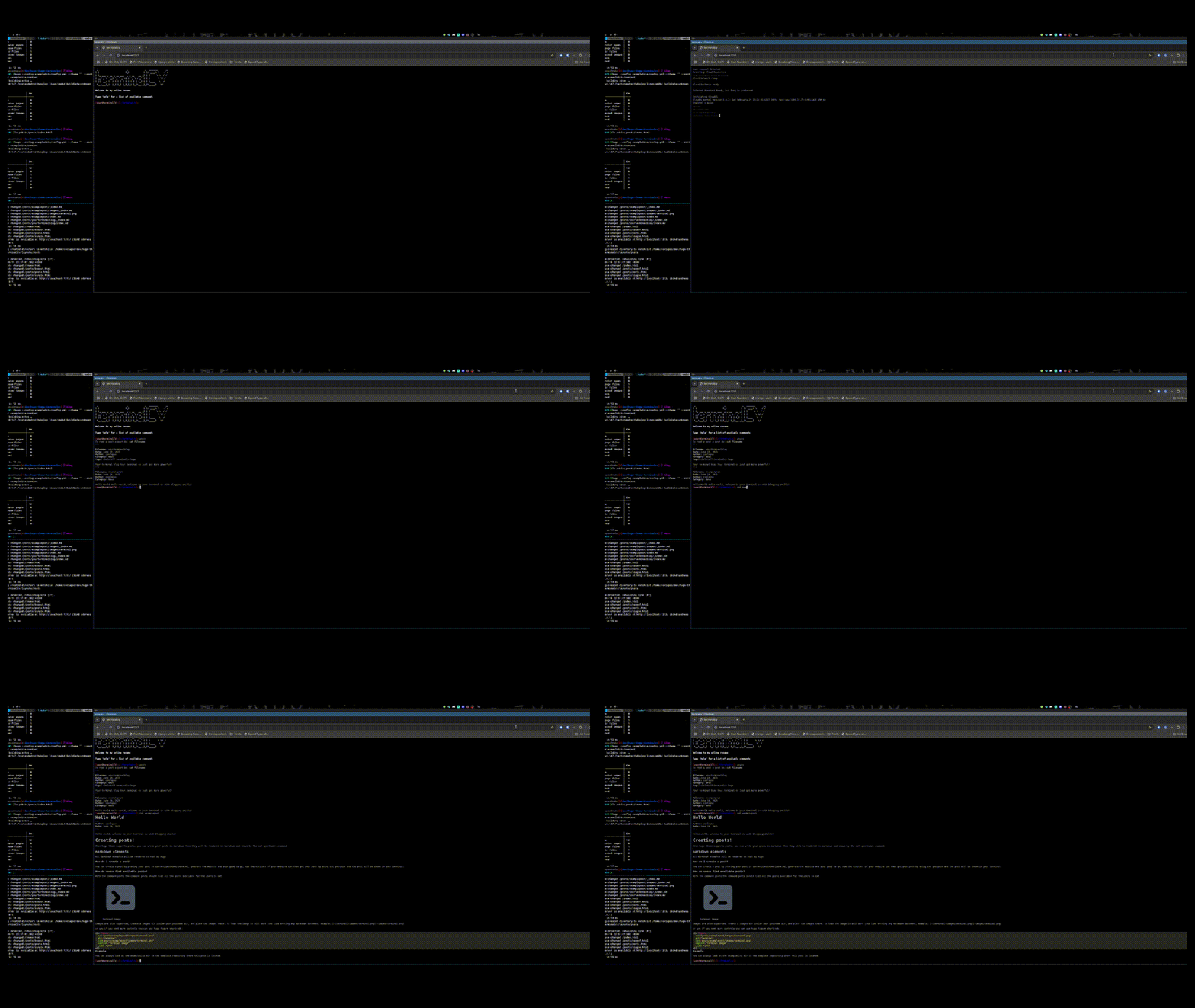
The live demo may not be making use of the blogging capabilities, but you can always see it in action like this:
> [!IMPORTANT]
> Be sure to have hugo installed before proceeding
```
git clone https://github.com/coolapso/hugo-theme-terminalcv
cd hugo-theme-terminalcv
make server
```
Now a demo will be available at <http://localhost:1313>
# Contributions
Improvements and suggestions are always welcome, feel free to open an Issue or Pull Request
If you like this theme and want to support / contribute in a different way you can always:
<a href="https://www.buymeacoffee.com/coolapso" target="_blank">
<img src="https://cdn.buymeacoffee.com/buttons/default-yellow.png" alt="Buy Me A Coffee" style="height: 51px !important;width: 217px !important;" />
</a>
# Development
If you just want to make any changes and be able to test them as you progress, or if you simply just want to test the module wihtou having to create a new hugo website you can just run
```
git clone https://github.com/coolapso/hugo-theme-terminalcv
cd hugo-theme-terminalcv
make server
```
if you don't have make, then you can just run:
```
hugo server --config exampleSite/config.yml --theme ""
```
# jcubic/Jquery.Terminal
terminalCV makes use [jcubic/jquery.terminal](https://github.com/jcubic/jquery.terminal)
# Using this theme?
Let me know and feel free to open a Pull Request and add it to this list:
| link | Description |
| --------------------- | ----------- |
| <https://coolapso.sh> | Simple CV |
看看同类模板
对比同技术栈与用途的模板,找到更适合的视觉与内容结构。

hugo-xmin
eXtremely Minimal Hugo theme: about 140 lines of code in total, including HTML and CSS (with no dependencies)
Hugo · 启动器

hugo-theme-gallery
Gallery Theme for Hugo
Hugo · 启动器

reveal-hugo
📽️ Create rich HTML-based presentations with Hugo and Reveal.js
Hugo · 启动器

anatole
Anatole is a minimalistic two-column theme for Hugo.
Hugo · 启动器

hugo-theme-diary
Moments piled up. A Hugo theme ported from SumiMakito/hexo-theme-Journal.
Hugo · 启动器

risotto
A minimalist, responsive hugo theme inspired by terminal ricing aesthetics.
Hugo · 启动器