用 Markdown 文件记录无障碍问题,YAML frontmatter 提供成功标准、严重程度、难度等元数据
Eleventy启动器
eleventy-wcag-reporter — Eleventy 启动器模板
作者 hidde
基于 Eleventy 的 WCAG 无障碍合规报告生成启动器,用 Markdown 编写问题条目并自动汇总为 HTML 报告。
看看你的网站会是什么样
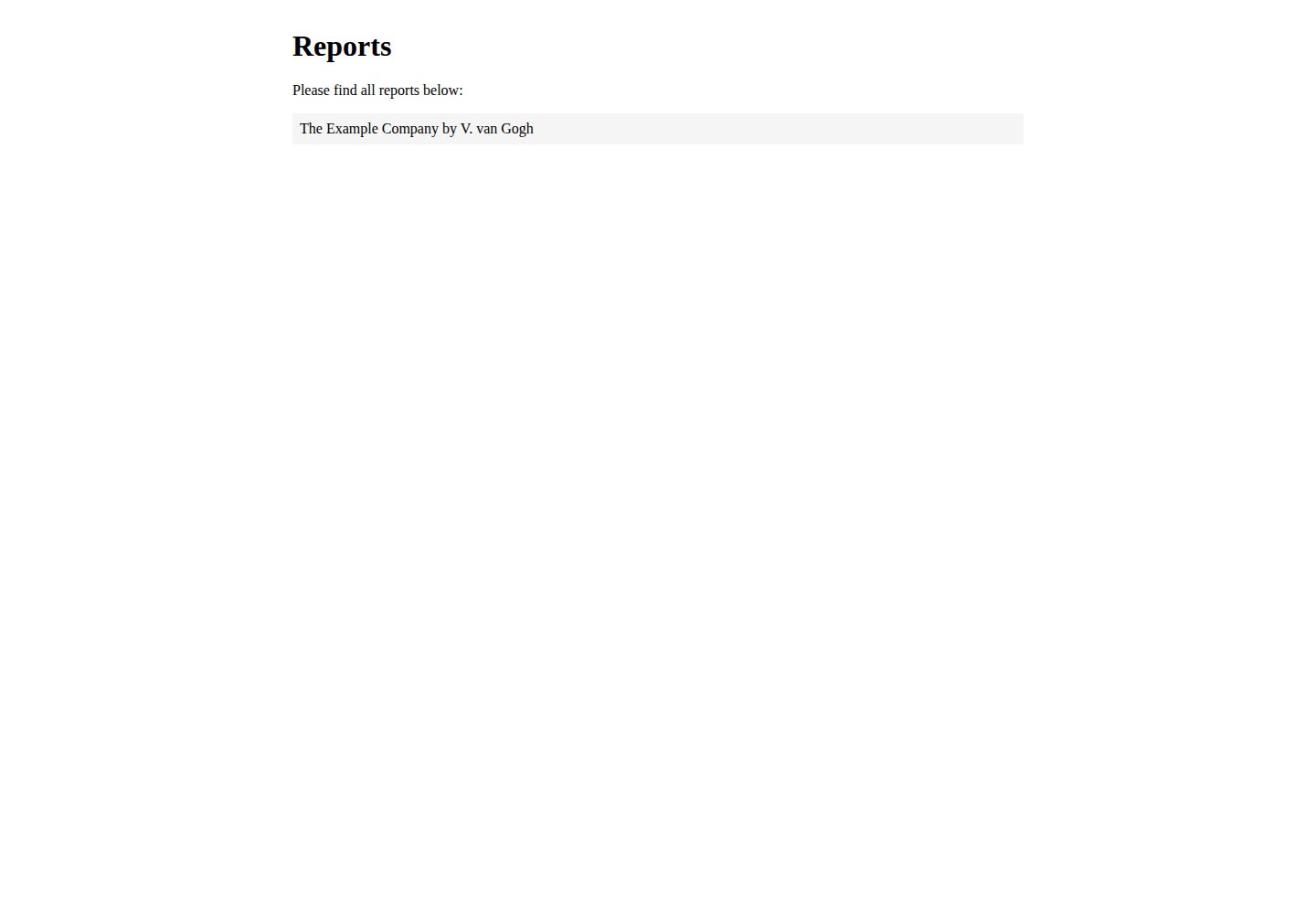
浏览真实页面截图,比较内容排版与手机效果。点击下方缩略图切换,放大查看整页细节。
全部页面与视图 2
截图用于了解视觉与布局,交互效果请以实际项目为准。
采集于 2026-09-30查看来源
值得关注的模板亮点
从已有项目资料中,快速了解它的特点。
自动生成包含评分卡和结果表格的 HTML 报告
支持巴西葡萄牙语、荷兰语、英语、芬兰语、德语和拉丁美洲西班牙语
提供指向 WCAG QuickRef 的成功标准链接过滤器
报告模板、样式、翻译和共享内容均可按项目需要调整
模板详细介绍
这是一个用于创建 WCAG 评估报告的 Eleventy 启动器。它把分散的 Markdown 问题文件与报告模板结合,最终生成一份完整的 HTML 报告。
使用方式上,每个问题以 Markdown 文件撰写,通过 YAML frontmatter 提供 sc(成功标准编号)、severity、difficulty、title、sample 等元数据;报告本身由 reports.json 组织,每个报告在 src/reports 下拥有独立文件夹,可设置语言、范围、基线、评估者等信息。项目内置了指向 WCAG QuickRef 的成功标准链接过滤器、结果表格和示例截图等短代码,帮助减少重复排版工作。
语言方面,README 列出支持巴西葡萄牙语、荷兰语、英语、芬兰语、德语和拉丁美洲西班牙语,报告界面与 WCAG 2.0/1 内容均有对应翻译。报告的外观、文案、布局和样式均可修改,相关文件位置在 README 中有说明。
限制:项目定位是生成 WCAG EM 报告,不包含自动化无障碍检测或审计功能;报告内容仍需人工撰写和判断。第三方素材(如演示图片、字体、图标)的许可需单独核对,外部托管服务可能产生费用。
Eleventy启动器
适合你的项目吗?
适用场景
- 为网站或产品编写 WCAG 2.0/2.1 合规评估报告
- 将多个无障碍问题按严重程度和难度整理成结构化文档
- 为不同客户或项目维护多份语言和范围各异的评估报告
适合人群
- 需要输出 WCAG EM 格式报告的无障碍评估人员
- 使用 Markdown 和静态站点生成器管理报告内容的团队
- 希望自定义报告模板、样式和翻译的开发者
上手与定制指南
结合仓库当前版本的说明,按下面的资料检查内容、配置与运行要求。
- 1
需先全局安装 Eleventy,再克隆项目并运行 npm install 安装依赖
- 2
使用 npm run dev 或 eleventy --serve 启动本地服务器查看报告
- 3
可通过 npm run add-report 创建新报告,或手动复制示例文件夹并注册到 reports.json
- 4
报告的语言、范围、基线、评估者等信息在 src/reports/[报告名]/index.njk 中配置
授权与来源资料
使用条件与限制
免费使用 · 保留许可声明本次收录的是公开仓库中采用 MIT 许可的免费版本;免费范围为该版本代码,不代表外部服务或第三方素材免费。
使用时需要遵守
- 允许免费使用、修改、商用和分发该版本代码。
- 分发代码副本或实质性部分时,保留原作者版权声明和完整 MIT 许可声明。
- 代码按现状提供;担保与责任限制以原许可证及适用法律为准。
额外费用与待核对事项
- 使用前需在命令行全局安装 Eleventy(npm install -g @11ty/eleventy),并运行 npm install 安装项目依赖,属于外部工具与依赖要求。
- README 建议先 fork 再 clone 项目文件,使用 GitHub 账号与仓库操作流程。
- 示例内容使用 cipsum 占位文本,需自行替换为真实内容;README 未说明演示图片、字体等第三方素材的许可,需单独核对。
- README 引用 Netlify 部署状态徽章,若采用类似托管部署可能涉及外部服务及其费用。
- README 含 Ko-fi 赞助链接,属自愿捐赠,不影响代码的免费使用。
- 演示图片、字体、图标及其他第三方素材需按各自许可核对,不能仅凭代码的 MIT 许可判断。
- 域名、托管、数据库、支付或 AI 等外部服务可能另外收费。
查看原文依据
Permission is hereby granted, free of charge
许可证原文
install [Eleventy](https://www.11ty.dev/) globally with `npm install -g @11ty/eleventy`
README 原文
Get the project files; best [fork this project](https://docs.github.com/en/github/getting-started-with-github/quickstart/fork-a-repo), then [clone](https://docs.github.com/en/[email protected]/github/creating-cloning-and-archiving-repositories/cloning-a-repository-from-github/cloning-a-repository) your copy.
README 原文
Customise the reports: add your own logo, colors, typography and content. There is [cipsum](https://cipsum.com/) everywhere.
README 原文
[](https://app.netlify.com/sites/eleventy-wcag-reporter/deploys)
README 原文
https://github.com/hidde/eleventy-wcag-reporter/blob/main/LICENSEhttps://github.com/hidde/eleventy-wcag-reporter/blob/main/README.mdLike this? <a href='https://ko-fi.com/D1D1619P3' target='_blank'>
README 原文
DeepSeek 根据仓库许可证和 README 整理 ·2026-10-01。结果仅覆盖已读取资料,依赖、图片、字体及后续条款变更以各自原文为准。
项目核对记录与介绍依据
模板资料
- 来源平台
- GitHub
- 资料与维护参考分
- 资料较完整 · 76 / 100
- 技术栈
- Eleventy
- 网站类型
- 启动器
这个分数如何计算
本站按许可资料(最高30分)、演示链接(12分)、预览图(10分)、Star数(15分)、记录的维护时间(15分)、描述完整度(8分)、功能记录(5分)和分类资料(5分)计算。它不是代码、安全或性能测试,也不是 Google 评分;有链接不代表已实测可用。
这个项目需要核对什么
- 记录的仓库更新时间
- 2023-12-18
- 截图检查日期
- 2026-10-01
已收录演示链接。请用你的内容与屏幕尺寸检查;有演示不代表表单、认证或支付已经可用。
目录记录的主要技术栈是 Eleventy。请通过依赖清单和锁文件核对实际版本与托管要求。这些说明基于收录资料,不代表代码审计或部署实测。
查看具体选型方法 →介绍的制作与核对状态
介绍由 AI 辅助整理目录与仓库资料。仓库作者不等于这篇介绍的审核者。
已完成服务器许可规则与 AI 来源核对;未经过人工编辑审核。
查看当时使用的来源资料
SHA-256: 3d005f230ed1df497158184885c72c5d1c00afecf2ef1e3fac7526208a911b9a
2026-10-01T15:06:02.689Z
来源文件 / 仓库# WCAG Reporter This repository lets you create WCAG EM Reports using [Eleventy](https://www.11ty.dev/). * Write issues as Markdown files * Create reports in English, Dutch, Brazilian Portuguese, Spanish or German * Automatically output a score card in the report * Include your boilerplate easily, so that you can focus on describing issues Eleventy is a static site generator. In this project we use it to combine all Markdown files into one HTML file that is a report. Some more context in: [Introducing an Eleventy starter project for WCAG reports](https://hiddedevries.nl/en/blog/2021-05-24-introducing-an-eleventy-starter-project-for-wcag-reports) [](https://app.netlify.com/sites/eleventy-wcag-reporter/deploys) ## Buy me a coffee Like this? <a href='https://ko-fi.com/D1D1619P3' target='_blank'><img height='35' style='display:block;border:0px;height:36px;' src='https://cdn.ko-fi.com/cdn/kofi2.png?v=3' border='0' alt='Buy Me a Coffee at ko-fi.com' /></a> ## Supported languages | Language | Code | Supports | Credits | |----------------------|---------|------------------------------|-------------------| | Brazilian Portuguese | pt-br | Report itself, WCAG 2.0/1 | @brunopulis | | Dutch | nl | Report itself, WCAG 2.0/1 | @hidde | | English | en | Report itself, WCAG 2.0/1 | @hidde | | Finnish | fi | Report itself, WCAG 2.0/1 | @eevajonnapanula | | German | de | Report itself, WCAG 2.0/1 | @mfranzke | | Latinamerican Spanish | es | Report itself, WCAG 2.0/1 | @danisaurio | Want to contribute a language? [Create an issue](https://github.com/hidde/eleventy-wcag-reporter/issues/new?assignees=&labels=i18n&template=add-language-support.md&title=Add+translation%3A+%5Blanguage%5D) (to indicate you'd like to take this on; the template has some instructions) and file a Pull Request. ## Set up 1. On the command line, install [Eleventy](https://www.11ty.dev/) globally with `npm install -g @11ty/eleventy` 3. Get the project files; best [fork this project](https://docs.github.com/en/github/getting-started-with-github/quickstart/fork-a-repo), then [clone](https://docs.github.com/en/[email protected]/github/creating-cloning-and-archiving-repositories/cloning-a-repository-from-github/cloning-a-repository) your copy. 4. When the project files are on your computer, go to folder that contains the project files 5. Run `npm install` to install all dependencies this project needs. 6. Run `npm run dev` or `eleventy --serve` to start a local server and look at the reports 7. Customise the reports: add your own logo, colors, typography and content. There is [cipsum](https://cipsum.com/) everywhere. 8. [Create a new report](#create-a-report) From now on, you'll onlly need to run that last step: `npm run dev` or `eleventy --serve`. ## Create a report ### Use the npm script You can run `npm run add-report`, which will ask for a name and duplicate the example folder with that name. ### Manually 1. Copy the demo folder and give it a unique name (for instance: “mysite”) 2. Add “mysite” into `reports.json`. This will tell 11ty to group its issues. 3. Provide meta data in `mysite/index.njk` ## Add issues 1. Add issues as Markdown files the report's folder 2. Add metadata as YAML frontmatter ### Metadata Issues accept some meta data to help create the report: | Key | Example | Description | |------|----------|------| | sc | 2.4.7 | The Success Criterion the issue falls under, numbers only, separated by dots or `none` to render as tip | | severity | Low, Medium, High | Group issues by severity (these are just strings, use what works for you or your client) | | difficulty | Low, Medium, High | Group issues by difficulty | | title | Focus style missing | Name for the issue | | sample | homepage | Refer issue back to sample ID, or `all` if not related to specific example | ## View your reports 1. After initial [setup](https://github.com/hidde/eleventy-wcag-reporter#set-up), run `eleventy --serve` to start a server, this should show you links to all your reports ## Tweak the report to your liking This tool is meant to help generate WCAG EM reports effectively. Nothing is set in stone, you can change it to your liking. This section explains where things live. | Component | Explanation | Where to change | |----------------|----------|---------------| | About this report | Explains to reader how the report was created, how to interpret, etc | `src/_shared-content/[language]/about-this-report.md` | | Executive summary | High level summary of results | `summary.md` in the root of the report's folder | | Report template | Blueprint for the report, decides order, etc | `src/_layouts/report.njk` | | Surrounding HTML | `head`, etc | `src/_layouts/base.njk` | | Translations | Strings in multiple languages, used in the templates | `src/_data/translations.json` | | Styles for the report itself | | `src/_assets/report.css` | | Scope, baseline, evaluators etc | Meta information displayed in the report | `src/reports/[your-report]/index.njk` | | Language | Language for the report, also used for pulling in the correct translations and explanations | `src/reports/[your-report]/index.njk` | ## Filters and shortcodes There are a couple of reporting-related filters available. ### Filter: link to success criterion Creates a link to a success criterion in the [WCAG QuickRef](https://www.w3.org/WAI/WCAG21/quickref/?versions=2.1), based on a WCAG SC number. The mapping from number (e.g. `1.1.1`) to slug (e.g. `non-text-content`) is done in `.src/data/sc_to_slug.json`. For instance: ``` {% 1.1.1 | sc_uri(targetWcagVersion, language) %} ``` where: * `language` is the page's language (required) * `targetWcagVersion` is the WCAG version you're evaluating against, for example `2.1` or `"2.0"` (required) displays: https://www.w3.org/WAI/WCAG21/quickref/?versions=2.1&showtechniques=248#non-text-content This can be used in a link, like so: ``` <a href="{% 1.1.1 | sc_uri(targetWcagVersion, language) %}">1.1.1</a> ``` And this content can be variable. If the SC number is in a variable called `sc`, this is how to link: ``` <a href="{% sc | sc_uri(targetWcagVersion, language) %}">{{ sc }}</a> ``` ### Shortcode: results table A table of results can be generated like this: ``` {% sc_table issueList, language, targetLevel %} ``` where: * `issueList` is an object with all issues for this report (assumes each issue has `sc` in front matter with a number, like `1.1.1`) (required) * `language` is the page's language (required) * `targetLevel` is the evaluation target, one of these options: `A`, `AA` or `AAA` (required) * `targetWcagVersion` is the WCAG version you're evaluating against, for example: `2.1` (required) ### Shortcode: sample image With the `sample_image` shortcode, you can output the URL of a screenshot for a sample. ``` {% sample_image id, reportName %} ``` You'll need to add the id of the sample (e.g. `sample-1`) and the folder name of the report (e.g. `example`). This will then output either `images/sample-1.png` (if it exists) or the URL to a default image. The default can be changed by updating `.src/reports/example/images/default-screenshot.png`.
看看同类模板
对比同技术栈与用途的模板,找到更适合的视觉与内容结构。

eleventy-base-blog
A starter repository for a blog web site using the Eleventy static site generator.
Eleventy · 博客

eleventy-garden
:seedling: A starter site for building a mind garden with eleventy
Eleventy · 启动器

eleventastic
An Eleventy Starter Kit
Eleventy · 启动器

neat-starter
Starter Template for Netlify CMS, Eleventy, Alpine JS & Tailwind CSS
Eleventy · 启动器

Eleventy-Starter-Boilerplate
🚀 Eleventy Starter is production-ready with SEO-friendly for quickly starting a blog. ⚡ Built with Eleventy, …
Eleventy · 博客

eleventy-plus-vite
A clean and fast Eleventy Starter Project with Vite
Eleventy · 启动器