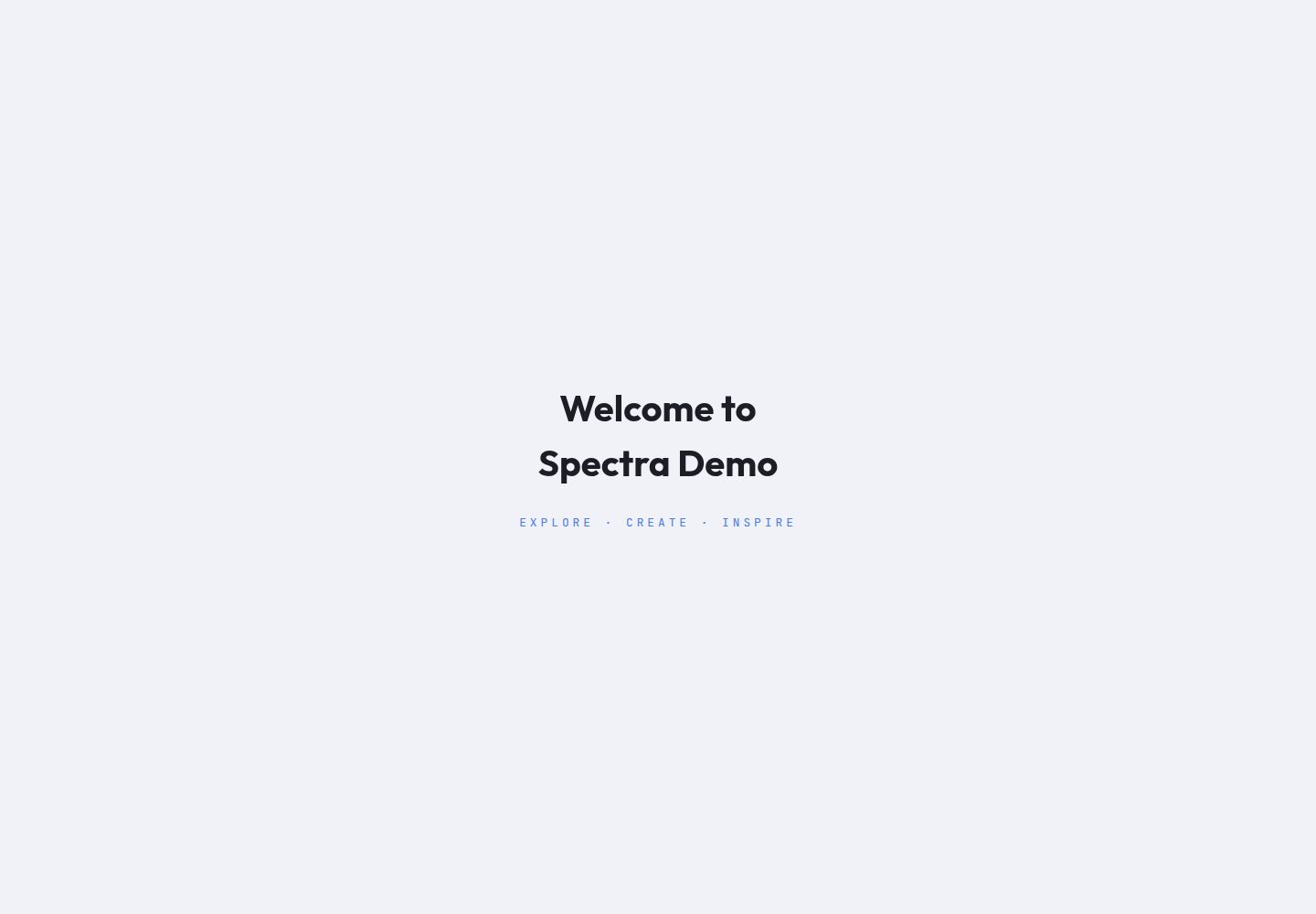
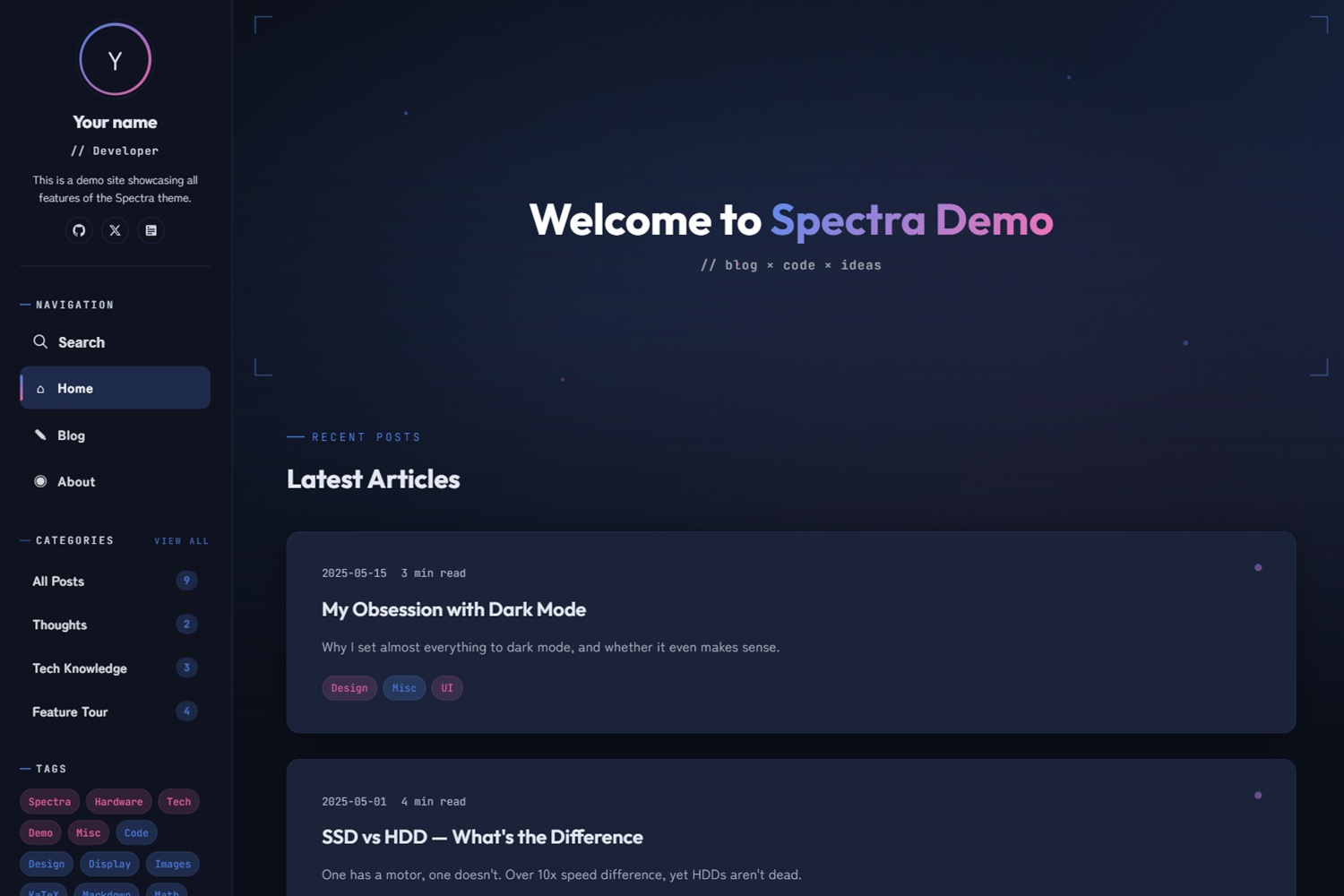
深色/浅色模式切换,封面横幅内置渐变、浮动粒子与 L 形括号装饰
Hugo启动器
hugo-theme-spectra — Hugo 启动器模板
作者 JoeYang1412
基于 Hugo 的科幻风格博客主题,提供深色/浅色模式、视差横幅与多种页面动效。
看看你的网站会是什么样
浏览真实页面截图,比较内容排版与手机效果。点击下方缩略图切换,放大查看整页细节。
全部页面与视图 3
截图用于了解视觉与布局,交互效果请以实际项目为准。
采集于 2026-10-03查看来源
值得关注的模板亮点
从已有项目资料中,快速了解它的特点。
开场动画与文章列表滚动进入动画,桌面端带鼠标光标光晕
代码块复制按钮、KaTeX 数学公式条件加载、带阅读进度条的目录
通过 i18n 支持多语言,各语言可独立配置参数、菜单与社交链接
使用 Hugo Pipes 编译 SCSS 与处理 JS,无需 npm,内置 Anime.js 与 Fuse.js
可在 hugo.toml 中覆盖颜色、字体、横幅渐变等样式变量,无需改动主题源码
模板详细介绍
Spectra 是一个 Hugo 博客主题,整体视觉偏向科幻风格,包含深色/浅色模式切换、带渐变与浮动粒子效果的封面横幅、开场动画以及滚动进入动画。主题通过 Hugo Pipes 处理 SCSS 与 JS,不依赖 npm,内置 Anime.js 与 Fuse.js。
功能层面,主题提供代码块复制按钮、KaTeX 数学公式条件加载、带阅读进度条的目录、多语言支持、桌面端鼠标光标光晕、可配置导航菜单与社交链接(内置 12 个以上平台图标),以及响应式布局。搜索功能需要将首页输出格式配置为包含 JSON。
配置集中在 hugo.toml,可调整首页文章数、卡片摘要长度、相关文章数、图片压缩质量、横幅标题与高亮文字、功能开关、分享平台、自定义 CSS/JS、颜色与字体变量、侧边栏显示项、代码高亮与目录层级、KaTeX 分隔符等。多语言站点可将 description、author、tagline、bio、banner、avatar 等参数放在各语言的 params 下,内容文件通过 .zh-tw.md、.en.md 等扩展名区分语言。
使用前需注意:主题要求 Hugo Extended v0.157.0 及以上版本;README 声明该主题在 AI(Claude Code)协助下开发,作者已审查代码但未提供生产环境验证说明;演示图片、字体、图标等第三方素材需按各自许可单独核对。
Hugo启动器
适合你的项目吗?
适用场景
- 搭建个人技术博客或笔记站点,需要科幻视觉风格与动效
- 运营多语言博客,希望按语言分别配置站点信息与导航菜单
- 撰写含数学公式、代码片段与目录导航的长文
- 在文章底部展示相关文章推荐,并按系列组织前后篇导航
适合人群
- 使用 Hugo 并愿意通过 hugo.toml 进行配置的博客作者
- 偏好深色界面、动效与科幻视觉风格的个人站点
- 需要多语言内容与侧边栏分类、标签、近期文章导航的站点
- 希望在不修改主题源码的前提下覆盖颜色与字体等样式的用户
上手与定制指南
结合仓库当前版本的说明,按下面的资料检查内容、配置与运行要求。
- 1
需要 Hugo Extended v0.157.0 或更高版本。
- 2
可通过 Git 子模块或 Hugo Module 安装主题,再复制 exampleSite 的 hugo.toml 与 content 目录。
- 3
搜索功能依赖 JSON 输出格式,需在配置中设置 home = ['HTML', 'RSS', 'JSON']。
- 4
多语言参数应放在 [languages.xx.params] 下,内容文件用 .zh-tw.md、.en.md 等扩展名区分语言。
- 5
主题在 AI(Claude Code)协助下开发,使用前建议自行检查代码;演示图片、字体、图标等第三方素材需按各自许可核对。
授权与来源资料
使用条件与限制
免费使用 · 保留许可声明本次收录的是公开仓库中采用 MIT 许可的免费版本;免费范围为该版本代码,不代表外部服务或第三方素材免费。
使用时需要遵守
- 允许免费使用、修改、商用和分发该版本代码。
- 分发代码副本或实质性部分时,保留原作者版权声明和完整 MIT 许可声明。
- 代码按现状提供;担保与责任限制以原许可证及适用法律为准。
额外费用与待核对事项
- 使用该主题需安装 Hugo Extended 0.157.0 或更高版本,普通版 Hugo 无法编译 SCSS。
- 搜索功能依赖 JSON 输出格式,必须在站点配置中将首页输出设为包含 JSON,否则搜索不可用。
- 主题由 AI(Claude Code)协助开发,作者虽已审查代码,但未提供生产环境验证或安全保证。
- 图片压缩与 WebP 转换仅对 Page Bundles 和 assets/ 目录中的图片生效,static/ 中的图片不会被处理。
- 演示图片、字体、图标及其他第三方素材需按各自许可核对,不能仅凭代码的 MIT 许可判断。
- 域名、托管、数据库、支付或 AI 等外部服务可能另外收费。
查看原文依据
Permission is hereby granted, free of charge
许可证原文
Hugo Extended v0.157.0+
README 原文
The search feature requires JSON output format
README 原文
This theme was developed with AI (Claude Code) assistance.
README 原文
https://github.com/JoeYang1412/hugo-theme-spectra/blob/main/LICENSEhttps://github.com/JoeYang1412/hugo-theme-spectra/blob/main/README.mdIt is recommended to use Page Bundles or `assets/` for cover images and inline images to benefit from automatic compression and format conversion
README 原文
DeepSeek 根据仓库许可证和 README 整理 ·2026-10-03。结果仅覆盖已读取资料,依赖、图片、字体及后续条款变更以各自原文为准。
项目核对记录与介绍依据
模板资料
- 来源平台
- Hugo Themes
- 资料与维护参考分
- 资料较完整 · 83 / 100
- 技术栈
- Hugo
- 网站类型
- 启动器
这个分数如何计算
本站按许可资料(最高30分)、演示链接(12分)、预览图(10分)、Star数(15分)、记录的维护时间(15分)、描述完整度(8分)、功能记录(5分)和分类资料(5分)计算。它不是代码、安全或性能测试,也不是 Google 评分;有链接不代表已实测可用。
这个项目需要核对什么
- 记录的仓库更新时间
- 2026-09-09
- 截图检查日期
- 2026-10-03
已收录演示链接。请用你的内容与屏幕尺寸检查;有演示不代表表单、认证或支付已经可用。
目录记录的主要技术栈是 Hugo。请通过依赖清单和锁文件核对实际版本与托管要求。这些说明基于收录资料,不代表代码审计或部署实测。
查看具体选型方法 →介绍的制作与核对状态
介绍由 AI 辅助整理目录与仓库资料。仓库作者不等于这篇介绍的审核者。
已完成服务器许可规则与 AI 来源核对;未经过人工编辑审核。
查看当时使用的来源资料
SHA-256: 71c1e173a6a3bd6c5c8e64f82caef51ce52f2af14f581178b50d10baad99de13
2026-10-03T03:15:58.275Z
来源文件 / 仓库# Spectra — Hugo Theme
A Hugo blog theme blending sci-fi aesthetics with modern UI, featuring animations, dark/light mode toggle, and more.
**[Live Demo](https://joeyang1412.github.io/hugo-theme-spectra/)**
## Table of Contents
- [Features](#features)
- [Requirements](#requirements)
- [Quick Start](#quick-start)
- [Configuration](#configuration)
- [Glossary](#glossary)
- [Basic Parameters](#basic-parameters)
- [Hugo Output Formats](#hugo-output-formats)
- [Content Limits](#content-limits)
- [Banner Customization](#banner-customization)
- [Feature Toggles](#feature-toggles)
- [Share Buttons](#share-buttons)
- [Custom CSS / JS](#custom-css--js)
- [Style Overrides](#style-overrides)
- [Sidebar Settings](#sidebar-settings)
- [Markup Settings](#markup-settings)
- [Multilingual](#multilingual)
- [Navigation Menu](#navigation-menu)
- [Social Links](#social-links)
- [Related Posts](#related-posts)
- [Post Front Matter](#post-front-matter)
- [Image Placement](#image-placement)
- [Theme Defaults](#theme-defaults)
- [License](#license)
---
## Features
- Dark/Light mode
- Cover image with built-in gradient effect, floating particles, and L-bracket decorations
- Opening animation
- Scroll entrance animations for browsing posts
- Code block copy button
- KaTeX math formula support (conditional loading)
- Table of Contents with reading progress bar
- Multilingual support (via i18n)
- Mouse cursor glow effect (desktop)
- Configurable navigation menu
- Configurable social links with 12+ built-in platform icons
- Responsive design
- SCSS compilation and JS handling via Hugo Pipes
- No npm required — uses Anime.js and Fuse.js
## Requirements
- Hugo Extended v0.157.0+
---
> **Disclaimer:** This theme was developed with AI (Claude Code) assistance. The author has reviewed all code and made every effort to ensure all features work correctly and securely. If you find any issues, feel free to submit an Issue.
---
## Quick Start
### 1. Create a New Site and Install the Theme
**Method A: Git Submodule**
```bash
hugo new site my-blog
cd my-blog
git init
git submodule add https://github.com/JoeYang1412/hugo-theme-spectra themes/hugo-theme-spectra
```
**Method B: Hugo Module**
```bash
hugo new site my-blog
cd my-blog
hugo mod init github.com/your-username/my-blog
```
Then add the following to `hugo.toml`:
```toml
[module]
[[module.imports]]
path = "github.com/JoeYang1412/hugo-theme-spectra"
```
> When using Hugo Module, you don't need `theme = '...'` — it is replaced by `[module.imports]`.
### 2. Copy the Example Configuration
**Git Submodule:**
```bash
cp themes/hugo-theme-spectra/exampleSite/hugo.toml .
cp -r themes/hugo-theme-spectra/exampleSite/content ./content
```
**Hugo Module:**
Download the `hugo.toml` and `content/` directory from the [exampleSite](https://github.com/JoeYang1412/hugo-theme-spectra/tree/main/exampleSite) on GitHub to your site root.
### 3. Edit `hugo.toml`
- Change `baseURL` to your website URL
- Update `author`, `description`, `social` under `[languages]` with your own info
- Hugo Module method: remove the `theme = 'hugo-theme-spectra'` line
### 4. Start the Preview
```bash
hugo server
```
## Configuration
The `hugo.toml` you copied comes from `exampleSite/hugo.toml`. The following sections explain each block and what you may need to modify. "Post Front Matter" refers to settings written at the top of each `.md` file and will be noted separately.
> **About theme defaults**: The theme has its own configuration file (`themes/hugo-theme-spectra/hugo.toml`) which Hugo automatically merges. You don't need to modify it. See [Theme Defaults](#theme-defaults) at the end for details.
### Glossary
Some terms can be confusing during configuration, so here are unified definitions:
| Term | Description | Corresponding Setting |
|------|-------------|----------------------|
| Homepage Banner | The large block at the top of the homepage, containing parallax background, floating particles, and title text | `banner` (background image), `showBanner` (toggle), `bannerTitle` (title) |
| Post Cover | The full-width image displayed at the top of a single post page | Front Matter `cover`, `coverImageQuality` (compression quality) |
| Card Thumbnail | The thumbnail displayed at the top of each post card in the post list (sourced from `cover`) | `cardImageQuality` (compression quality) |
| Sidebar | The fixed navigation panel on the left, containing avatar, menu, tag cloud, recent posts, etc. | `[params.sidebar]` block |
| Tags | The tag section in the sidebar — blue for regular tags, pink for popular tags | `[params.sidebar]` `tagsLimit`, `tagWarmThreshold` |
| Categories | The category section in the sidebar, automatically generated from subdirectories under `content/posts/` | `showCategories` (toggle), `categoryLimit` (max count), `categoryList` (specify displayed items) |
| Series | Groups multiple posts into a series with automatic previous/next navigation | Front Matter `series`, `showSeriesNav` (toggle) |
### Basic Parameters
> **Multilingual note**: Parameters like `description`, `author`, `tagline`, `bio`, `banner`, `avatar` should be placed under `[languages.xx.params]` so each language can have different values.
```toml
[languages.zh-tw.params]
description = 'Site description'
author = 'Your Name'
tagline = '// Developer'
bio = 'A short bio about yourself.'
banner = '/images/banner.webp' # Banner background image (optional, uses built-in gradient if not set)
avatar = '/images/avatar.webp' # Sidebar avatar (optional)
[languages.en.params]
description = 'Site description'
author = 'Your Name'
tagline = '// Developer'
bio = 'A short bio.'
```
### Hugo Output Formats
The search feature requires JSON output format:
```toml
[outputs]
home = ['HTML', 'RSS', 'JSON']
```
### Content Limits
```toml
[params]
homepagePostsLimit = 10 # Number of posts displayed on the homepage
cardSummaryLength = 150 # Post card summary character count
relatedPostsLimit = 3 # Number of related posts displayed
cardImageQuality = 80 # Card thumbnail compression quality (1-100)
coverImageQuality = 85 # Post cover image compression quality (1-100)
# contentImageQuality = 90 # Content image compression quality (1-100, requires imageOptimize = true)
```
### Banner Customization
The banner section title text can be customized. If `bannerTitle` / `bannerHighlight` are not set, the site `title` will be used as the default:
```toml
[params]
bannerTitle = 'My' # First part of the title
bannerHighlight = 'Tech Notes' # Highlighted part of the title (gradient color)
```
### Feature Toggles
All features are enabled by default. Set the value to `false` to disable:
```toml
[params]
enableLoadingAnimation = true # Page loading animation
enableMouseGlow = true # Mouse cursor glow effect (desktop only)
showBanner = true # Homepage banner section
showReadingProgress = true # Reading progress bar at the top of post pages
enableLightbox = true # Click to enlarge images
showScrollTop = true # Scroll to top button
enableSearch = true # Search feature (using Fuse.js)
showRelatedPosts = true # Related posts recommendation at the bottom of posts
showSeriesNav = true # Series post previous/next navigation
enableCodeCopy = true # Code block copy button
enableScrollAnimation = true # Scroll entrance animations
```
### Share Buttons
Social share buttons on post pages. You can specify which platforms to display:
```toml
[params]
sharePlatforms = ['twitter', 'facebook', 'linkedin'] # Share platforms
```
### Custom CSS / JS
To load additional styles or scripts, use the following parameters (place files in your site's `static/` directory):
```toml
[params]
customCSS = ['css/custom.css']
customJS = ['js/custom.js']
```
### Style Overrides
Customize colors, fonts, and banner gradient styles without modifying the theme source code:
```toml
[params.style]
colorAccent = '#4a7de0' # Primary color (tech blue)
colorAccentWarm = '#e8609e' # Warm accent (pink)
colorAccentSoft = '#a78bfa' # Soft accent (purple)
fontDisplay = "'Outfit', sans-serif" # Heading font
fontBody = "'Zen Maru Gothic', 'Noto Sans TC', sans-serif" # Body font
fontMono = "'JetBrains Mono', monospace" # Code font
bannerImageText = '#fff' # Banner title text color
# bannerImageSubtitle = 'rgba(255, 255, 255, 0.8)' # Banner subtitle color
bannerImageGradient = 'linear-gradient(135deg, #4a7de0, #e8609e)' # Banner gradient (when no background image)
bannerImageGradientFill = 'transparent' # Banner gradient fill
```
To load custom Google Fonts, override the default font URL with `googleFontsURL`:
```toml
[params]
googleFontsURL = 'https://fonts.googleapis.com/css2?family=Your+Font&display=swap'
```
### Sidebar Settings
```toml
[params.sidebar]
showAllPosts = true # Show all posts link
showCategories = true # Show categories section
showTags = true # Show tags
showRecent = true # Show recent posts
categoryLimit = 5 # Maximum number of categories displayed
tagsLimit = 20 # Number of tags in the tag cloud
recentLimit = 5 # Number of recent posts displayed
# tagWarmThreshold = 3 # Tags with >= this many posts are displayed in pink (auto-calculated if not set)
```
### Markup Settings
Settings related to code highlighting, table of contents levels, and KaTeX math formulas:
```toml
[markup]
[markup.highlight]
guessSyntax = true
noClasses = false
lineNos = false
lineNumbersInTable = true
[markup.tableOfContents]
startLevel = 2
endLevel = 4
[markup.goldmark.renderer]
unsafe = true
[markup.goldmark.extensions.passthrough]
enable = true
[markup.goldmark.extensions.passthrough.delimiters]
block = [['$$', '$$']]
inline = [['$', '$']]
```
### Multilingual
The theme supports full multilingual configuration. Each language can have independent parameters, menus, and social links.
Content files are distinguished by language using filename extensions:
- Traditional Chinese: `my-post.zh-tw.md`
- English: `my-post.en.md`
Configure languages in `hugo.toml`:
```toml
defaultContentLanguage = 'en'
[languages]
[languages.zh-tw]
languageCode = 'zh-tw'
languageName = '繁體中文'
weight = 1
title = 'My Blog'
[languages.zh-tw.params]
description = 'Site description'
author = 'Your Name'
tagline = '// Developer'
bio = 'About me'
[[languages.zh-tw.menus.main]]
name = "Home"
pageRef = "/"
weight = 1
pre = "⌂"
[[languages.zh-tw.params.social]]
name = "GitHub"
url = "https://github.com/your-account"
[languages.en]
languageCode = 'en'
languageName = 'English'
weight = 2
title = 'My Blog'
[languages.en.params]
description = 'Site description'
author = 'Your Name'
tagline = '// Developer'
bio = 'About me'
[[languages.en.menus.main]]
name = "Home"
pageRef = "/"
weight = 1
pre = "⌂"
[[languages.en.params.social]]
name = "GitHub"
url = "https://github.com/your-account"
```
`weight` determines the display order in the language selector. For a complete bilingual configuration example, see `exampleSite/hugo.toml`.
### Navigation Menu
The navigation menu displayed in the sidebar. For multilingual sites, place it under `[[languages.xx.menus.main]]` so each language can have different menu names:
```toml
[[languages.zh-tw.menus.main]]
name = "Home"
pageRef = "/"
weight = 1
pre = "⌂" # Icon displayed before the name
[[languages.zh-tw.menus.main]]
name = "Posts"
pageRef = "/posts"
weight = 2
pre = "✎"
[[languages.zh-tw.menus.main]]
name = "About"
pageRef = "/about"
weight = 5
pre = "◉"
```
| Field | Description |
|-------|-------------|
| `name` | Menu display name |
| `pageRef` | Corresponding page path (prefer `pageRef` over `url` — Hugo automatically handles multilingual paths) |
| `weight` | Sort weight — lower numbers appear first |
| `pre` | Icon before the name — accepts any text or HTML entity |
### Social Links
Social link icons displayed at the bottom of the sidebar. For multilingual sites, place them under `[[languages.xx.params.social]]`:
```toml
[[languages.zh-tw.params.social]]
name = "GitHub"
url = "https://github.com/your-account"
[[languages.zh-tw.params.social]]
name = "Twitter"
url = "https://x.com/your-account"
[[languages.zh-tw.params.social]]
name = "Email"
url = "mailto:[email protected]"
[[languages.zh-tw.params.social]]
name = "RSS"
url = "/index.xml"
```
Built-in icon support for the following platforms (`name` is case-insensitive):
| `name` Value | `url` Example | Notes |
|-------------|---------------|-------|
| `GitHub` | `https://github.com/your-account` | |
| `Twitter` / `X` | `https://x.com/your-account` | Both work, same icon displayed |
| `HackMD` | `https://hackmd.io/@your-account` | |
| `LinkedIn` | `https://linkedin.com/in/your-account` | |
| `Email` | `mailto:[email protected]` | URL uses `mailto:` format |
| `RSS` | `/index.xml` | |
| `Mastodon` | `https://mastodon.social/@your-account` | |
| `YouTube` | `https://youtube.com/@your-channel` | |
| `Instagram` | `https://instagram.com/your-account` | |
| `Facebook` | `https://facebook.com/your-account` | |
| `Discord` | `https://discord.gg/your-invite` | |
| `Threads` | `https://threads.net/@your-account` | |
Names not in the above list will display a generic link icon.
### Related Posts
Related post recommendations at the bottom of posts are based on tag and date similarity:
```toml
[related]
includeNewer = true
threshold = 50
toLower = true
[[related.indices]]
name = "tags"
weight = 80 # Tag match has the highest weight
[[related.indices]]
name = "date"
weight = 10
pattern = "2006" # Same year gives a small bonus
```
### Post Front Matter
> The following settings are written at the top of each post's `.md` file, not in `hugo.toml`.
Each post's Markdown file should include the following metadata at the top:
```yaml
---
title: "Post Title"
date: 2025-01-01
draft: false
tags: [tag1, tag2]
series: [series-name] # Series classification (optional, posts in the same series show previous/next navigation)
math: false # Set to true to enable KaTeX math formulas in this post
cover: "/images/my.webp" # Cover image URL (optional, WebP format recommended, < 200KB)
toc: true # Show table of contents
description: "Post summary" # Used for card summary
---
```
| Field | Type | Default | Description |
|-------|------|---------|-------------|
| `title` | string | (required) | Post title |
| `date` | date | (required) | Publication date, used for sorting |
| `draft` | bool | `false` | When set to `true`, only visible in `hugo server -D` mode |
| `tags` | array | `[]` | Tags, displayed in the sidebar tag cloud |
| `series` | array | `[]` | Series posts — posts in the same series automatically generate previous/next navigation |
| `math` | bool | `false` | Enable KaTeX (only enable when needed to avoid loading extra resources) |
| `cover` | string | `""` | Cover image path |
| `toc` | bool | `true` | Show table of contents on the right side of the post (fixed on desktop, collapsed at the top on mobile) |
| `description` | string | `""` | Post summary |
### Image Placement
The theme supports three image placement methods, differing in whether Hugo's image processing (compression, WebP conversion) is available:
| Location | Image Processing | Best For | Example Path |
|----------|-----------------|----------|-------------|
| Same directory as the post | Yes | Post-specific cover images, inline images | `content/posts/my-post/cover.webp` |
| `assets/images/` | Yes | Images shared across multiple posts | `assets/images/shared-banner.webp` |
| `static/images/` | No | Static images that don't need processing (e.g., favicon) | `static/images/logo.svg` |
**Notes:**
- Compression quality parameters like `cardImageQuality`, `coverImageQuality`, `contentImageQuality` only apply to images in Page Bundles and `assets/`
- Images in `static/` are output as-is without any processing
- It is recommended to use Page Bundles or `assets/` for cover images and inline images to benefit from automatic compression and format conversion
**Page Bundle Example Structure:**
```
content/posts/my-post/
├── index.zh-tw.md
├── index.en.md
├── cover.webp # Cover image
└── screenshot.png # Inline image
```
Reference in Front Matter:
```yaml
cover: "cover.webp"
```
Reference in Markdown content:
```markdown

```
## Theme Defaults
The theme comes with its own configuration file (`themes/hugo-theme-spectra/hugo.toml`) which Hugo automatically merges with your site configuration — **you don't need to modify it**. To override a value, simply set the same key in your `hugo.toml`.
The following are the complete default values provided by the theme:
```toml
[params]
math = false # Global KaTeX toggle (set to true or enable in Front Matter when needed)
share = true # Post share buttons
imageOptimize = true # Enable image compression and WebP conversion
bannerSubtitle = '// blog × code × ideas' # Banner subtitle text
# Feature toggles (all default to true, set to false to disable)
# enableLoadingAnimation / enableMouseGlow / showBanner
# showReadingProgress / enableLightbox / showScrollTop
# enableSearch / showRelatedPosts / showSeriesNav
# enableCodeCopy / enableScrollAnimation
[outputs]
home = ['HTML', 'RSS', 'JSON'] # JSON required for search feature
[pagination]
pagerSize = 10
[taxonomies]
tag = 'tags'
series = 'series'
[related]
includeNewer = true
threshold = 50
toLower = true
[[related.indices]]
name = "tags"
weight = 80
[[related.indices]]
name = "date"
weight = 10
pattern = "2006"
```
## License
[MIT](LICENSE)
看看同类模板
对比同技术栈与用途的模板,找到更适合的视觉与内容结构。

hugo-xmin
eXtremely Minimal Hugo theme: about 140 lines of code in total, including HTML and CSS (with no dependencies)
Hugo · 启动器

hugo-theme-gallery
Gallery Theme for Hugo
Hugo · 启动器

reveal-hugo
📽️ Create rich HTML-based presentations with Hugo and Reveal.js
Hugo · 启动器

anatole
Anatole is a minimalistic two-column theme for Hugo.
Hugo · 启动器

hugo-theme-diary
Moments piled up. A Hugo theme ported from SumiMakito/hexo-theme-Journal.
Hugo · 启动器

risotto
A minimalist, responsive hugo theme inspired by terminal ricing aesthetics.
Hugo · 启动器