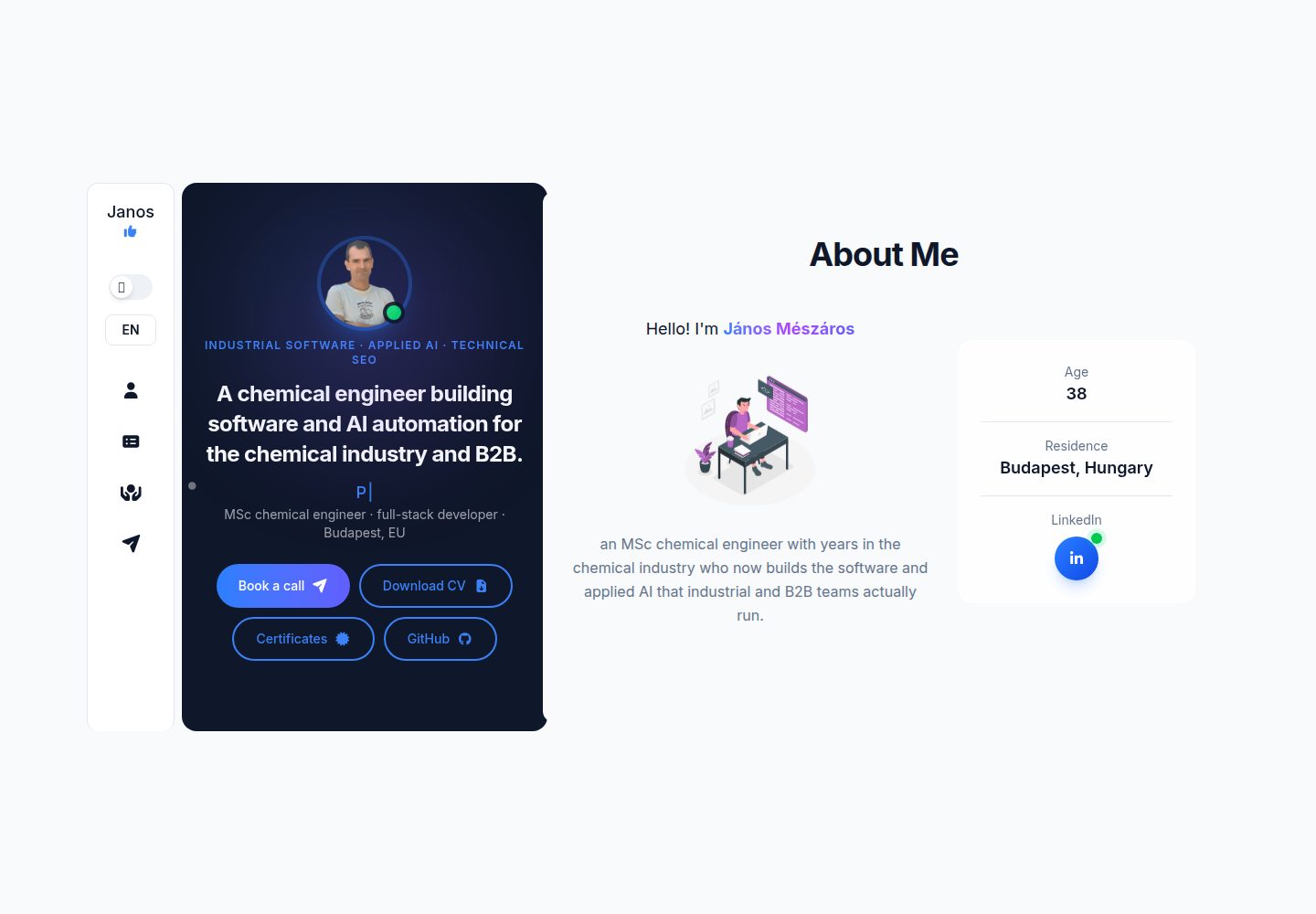
由 Vite 生成、React 构建、Tailwind CSS 设计,并通过 Netlify 部署
ViteReact作品集
myDevPortfolio — Vite 作品集模板
作者 monooleate
myDevPortfolio 是一个面向 Web 开发者与软件工程师的作品集站点模板,用 Vite 生成、React 构建、Tailwind CSS 设计,并通过 Netlify 部署。README 说明了个人信息、简历、项目、证书、SEO 与联系表单等板块的配置方式。
看看你的网站会是什么样
浏览真实页面截图,比较内容排版与手机效果。点击下方缩略图切换,放大查看整页细节。
全部页面与视图 3
截图用于了解视觉与布局,交互效果请以实际项目为准。
采集于 2026-10-15查看来源
值得关注的模板亮点
从已有项目资料中,快速了解它的特点。
提供三种布局,Tailwind 配置中基础 xl 断点改为 1180px
个人信息集中在 personalConfig.js,站点配置集中在 dataConfig.js
主题通过 CSS 变量实现,基础模式为 light 与 dark,不使用 Tailwind 的 :dark 特性
包含 About Me、Resume、Projects、Certifications、SEO 与 Contact 板块
证书在基础模板中以模态框呈现,由 Intro 区域的按钮触发
模板详细介绍
myDevPortfolio 是一个开发者作品集模板,README 将其定位为展示 Web 开发者或软件工程师的技能、项目与经历。站点由 Vite 生成,使用 React 库,采用 Tailwind CSS 设计,并由 Netlify 部署。
模板提供三种布局,并在 Tailwind 配置中把基础 xl 断点改为 1180px。个人信息集中在 personalConfig.js 中配置,包括教育经历(educationDetails)、工作经历(experienceDetails)、技能(skills)、招聘自荐文案(hireMeText)、关于我摘要(aboutMeText)、打字机效果配置(introSecDetails)与已获证书(certificates)。站点级配置放在 dataConfig.js,其中 lineParticles 选项会影响 Intro 组件。Tailwind 中为不同主题准备了颜色变量,基础模式为 light 与 dark;模板不使用 Tailwind 的 :dark 特性,而是用可为每个主题单独定义的 CSS 变量,因此 dark 本身就是一个主题,可在不改动 Tailwind 类的情况下定义多种主题。
内容板块方面,About Me 用于自我介绍与开发者经历背景;Resume 包含教育、经历与技能三类通用简历元素,技能示例涵盖前端(HTML、CSS、JavaScript、React)、后端(Node.js、Express.js、MongoDB、SQL)、微软技术(VBA、Office Script、Power Automate)、工具与平台(Git、GitHub)以及其他(敏捷方法、问题解决、分析能力)。Projects 展示项目标题、描述、所用技术、在线项目或仓库链接,以及截图或演示(如有)。Certifications 列出相关证书,基础模板中证书是一个模态框,点击 Intro 区域按钮时弹出。SEO 使用 React Helmet 根据所在位置修改 header,需要调整 SEO 组件中的静态描述与基于域名的 URL。Contact 提供联系表单。
README 未说明具体依赖版本、构建与本地开发命令、项目数据结构、无障碍支持、浏览器兼容性、性能表现或生产环境部署细节,也未提供除 Netlify 之外的部署方式说明。
ViteReact作品集
适合你的项目吗?
适用场景
- 为 Web 开发者或软件工程师搭建个人作品集站点
- 集中展示教育背景、工作经历、技能、项目与证书
- 通过 React Helmet 按页面位置调整 SEO 元信息
- 使用联系表单接收访客留言
适合人群
- 希望以模板快速起步的 Web 开发者
- 需要展示技能、项目与经历的软件工程师
- 使用 React 与 Tailwind CSS 技术栈的开发者
- 计划将站点部署到 Netlify 的用户
上手与定制指南
结合仓库当前版本的说明,按下面的资料检查内容、配置与运行要求。
- 1
在 personalConfig.js 中修改 educationDetails、experienceDetails、skills、hireMeText、aboutMeText、introSecDetails 与 certificates 等对象以配置个人信息
- 2
在 dataConfig.js 中进行站点配置,lineParticles 选项会影响 Intro 组件
- 3
在 Tailwind 中调整各主题的颜色变量;模板使用 CSS 变量而非 Tailwind 的 :dark 特性
- 4
在 SEO 组件中修改静态描述,并按域名调整 URL
- 5
README 未提供本地开发、构建命令及具体部署步骤,需参考仓库其他资料
授权与来源资料
使用条件与限制
免费使用 · 保留许可声明本次收录的是公开仓库中采用 MIT 许可的免费版本;免费范围为该版本代码,不代表外部服务或第三方素材免费。
使用时需要遵守
- 允许免费使用、修改、商用和分发该版本代码。
- 分发代码副本或实质性部分时,保留原作者版权声明和完整 MIT 许可声明。
- 代码按现状提供;担保与责任限制以原许可证及适用法律为准。
额外费用与待核对事项
- 演示图片、字体、图标及其他第三方素材需按各自许可核对,不能仅凭代码的 MIT 许可判断。
- 域名、托管、数据库、支付或 AI 等外部服务可能另外收费。
查看原文依据
https://github.com/monooleate/myDevPortfolio/blob/main/LICENSEhttps://github.com/monooleate/myDevPortfolio/blob/main/README.mdPermission is hereby granted, free of charge
许可证原文
DeepSeek 根据仓库许可证和 README 整理 ·2026-10-15。结果仅覆盖已读取资料,依赖、图片、字体及后续条款变更以各自原文为准。
项目核对记录与介绍依据
模板资料
- 来源平台
- GitHub
- 资料与维护参考分
- 资料较完整 · 88 / 100
- 技术栈
- Vite · React
- 网站类型
- 作品集
这个分数如何计算
本站按许可资料(最高30分)、演示链接(12分)、预览图(10分)、Star数(15分)、记录的维护时间(15分)、描述完整度(8分)、功能记录(5分)和分类资料(5分)计算。它不是代码、安全或性能测试,也不是 Google 评分;有链接不代表已实测可用。
这个项目需要核对什么
- 记录的仓库更新时间
- 2026-08-10
- 截图检查日期
- 2026-10-15
已收录演示链接。请用你的内容与屏幕尺寸检查;有演示不代表表单、认证或支付已经可用。
目录记录的主要技术栈是 Vite。请通过依赖清单和锁文件核对实际版本与托管要求。这些说明基于收录资料,不代表代码审计或部署实测。
查看具体选型方法 →介绍的制作与核对状态
介绍由 AI 辅助整理目录与仓库资料。仓库作者不等于这篇介绍的审核者。
审核声明: codex-user-requested-batch-review-20261015 · 2026-10-15
查看当时使用的来源资料
SHA-256: 928564af9e7cf74048936ceaa31273c8e6b07d0bd811044ab685cf03a64a8075
2026-10-15T04:44:19.930Z
来源文件 / 仓库# Developer Portfolio Site This template is designed to showcase skills, projects, and experience as a web developer and/or software engineer. You can use it as template. Please contribute to make it better! This portfolio site is built using the following technologies: Site genereated by **Vite**, uses **React** library, designed by **Tailwind CSS**, deployed by **Netlify**. ## Table of Contents 1. [Layout](#layout) 2. [Configuration](#configuration) 3. [About Me](#about-me) 4. [Resume](#resume) 5. [Projects](#projects) 6. [Certifications](#certifications) 7. [SEO](#seo) 8. [Contact](#contact) ## Layout The template has three different layout. In tailwind config the basic xl breakpoint was modified to 1180px. ## Configuration Personalisation : For configuration of personal information you should modify the objects in personalConfig.js file. - Education: educationDetails - Experience: experienceDetails - Competencies: skills - Self-advertising: hireMeText - About-me Summary: aboutMeText - TypeWriter configuration: introSecDetails - Acquired certificates: certificates Lookout :For site configuration us the dataConfig.js file. - You can modify the lineParticles option which has effect on the 'Intro' component. :Tailwind - There are color variables for different themes. Those variables can be changed to make the color set better. The basic modes are: **light** and **dark**. - Template does not use Tailwind's ':dark' feature instead it uses CSS variables which can be unique for every themes. So the **dark** is a theme. With this method you can define various themes without touching the Tailwind classes. ## About Me In this section, you can introduce yourself and provide a brief background about your journey to a developer. You will highlight your passion for coding, problem-solving abilities, and unique perspective in tackling technical challenges. ## Resume This section contains general CV elements. ### I. Education In this section, you can list educational background, including: - Degree(s) obtained - Institution(s) attended - Graduation year(s) ### II. Experience Here, I will provide an overview of my professional experience. This will include: - Job Title - Company Name - Duration - Responsibilities and achievements ### III. Skills Here, you can list the various technical skills you have acquired over the years. This can include: - Front-end development: HTML, CSS, JavaScript, React - Back-end development: Node.js, Express.js, MongoDB, SQL - Microsoft Technologies: VBA, Office Script, Power Automate - Tools and Platforms: Git, GitHub - Others: Agile methodologies, problem-solving, analytical skills ## Projects This section will showcase the projects you have worked on. Each project will include: - Project Title - Description - Technologies Used - Link to the live project or repository - Screenshots or demo (if available) ## Certifications Here, you will list any relevant certifications have earned, such as: - Web Development Bootcamps - Online Courses (Coursera, Udemy, etc.) - Microsoft Certifications - Any other relevant certifications In the base template the certificate is a modal which jump up when click on a button in the Intro section. ## SEO Using React Helmet for changing <header> depends on the given location. Should be changed: - In SEO component the static description. - The url based on domain - for dedicated portfolio site simply add SEO component and configure accordingly of the nature of the portfolio ## Contact I provide my contact form to get in touch. Thank you for visiting my portfolio site! Stay tuned as I continue to update and enhance it with my latest projects and achievements.
看看同类模板
对比同技术栈与用途的模板,找到更适合的视觉与内容结构。

Resumify
Free, privacy-first resume builder — 6 ATS-friendly templates, full customization, JSON import/export. No sign…
Vite · 作品集

showlit
✨ Showlit - A modern and clean template for creating a personal website
Vite · 作品集

folium
Professional developer portfolio boilerplate (React • TypeScript • Tailwind • Vite) with simple content custom…
Vite · 作品集

kurizu-discord
A Discord themed website built using React & Vite
Vite · 作品集
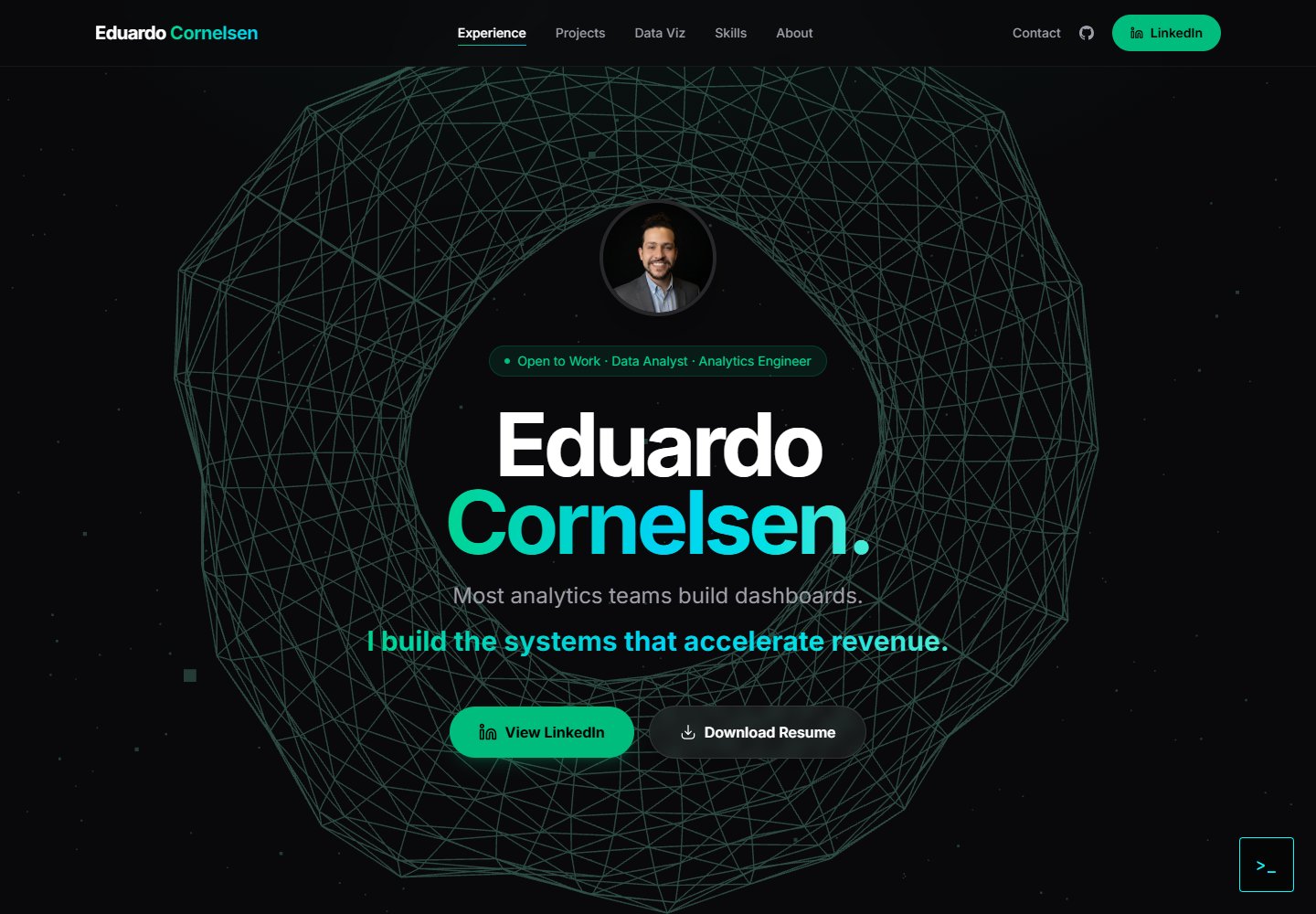
cv-educornelsen
Production portfolio with a streaming AI chatbot (Gemini + SSE), containerized via Docker, deployed to Google …
Vite · 作品集

about-me-personal-portfolio-website-template
Simple Personal Website Template, built with bootstrap and vite js project.
Vite · 作品集