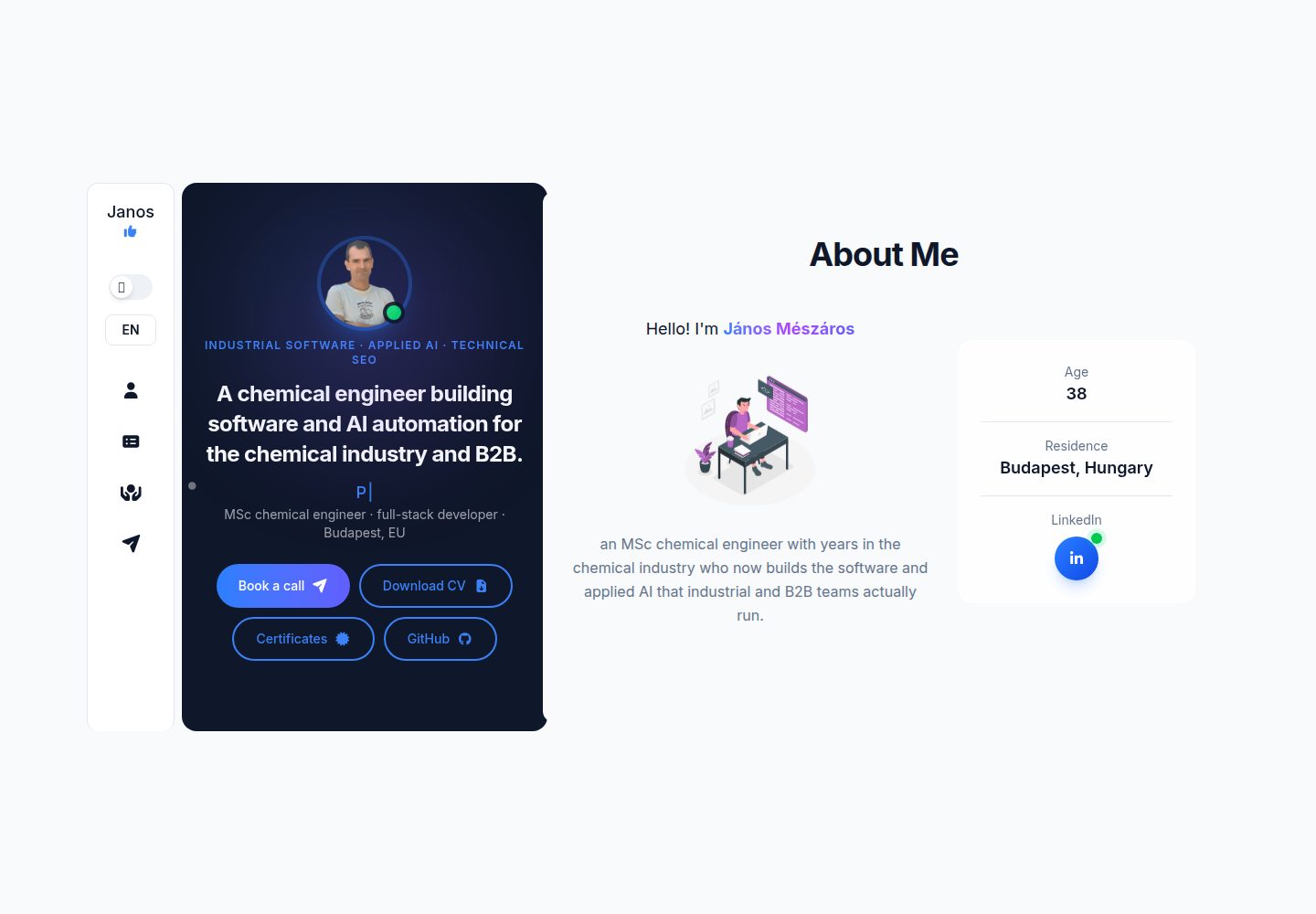
Generated with Vite, built with React, designed with Tailwind CSS, and deployed via Netlify
ViteReactPortfolio
myDevPortfolio — Vite Portfolio Template
By monooleate
myDevPortfolio is a portfolio site template for web developers and software engineers, generated with Vite, built with React, designed with Tailwind CSS, and deployed via Netlify. The README explains how to configure sections such as personal information, resume, projects, certifications, SEO, and the contact form.
Explore the design
Compare the page layouts and mobile experience. Open any screenshot for a closer look.
Desktop homepage1 / 3
Desktop captureTop of page
Actual screenshot captured by the server browser.
All pages & views 3
Screenshots show visual appearance; interactive behavior may differ.
Recorded 2026-10-15View source
What stands out
A quick read of the recorded project description.
Provides three layouts, and the base xl breakpoint is changed to 1180px in the Tailwind configuration
Personal information is centralized in personalConfig.js, and site configuration is centralized in dataConfig.js
Themes are implemented through CSS variables, with light and dark as the base modes, without using Tailwind's :dark feature
Includes About Me, Resume, Projects, Certifications, SEO, and Contact sections
In the base template, certifications are presented as a modal triggered by a button in the Intro area
Template Details
myDevPortfolio is a developer portfolio template, and the README positions it as a way to showcase the skills, projects, and experience of a web developer or software engineer. The site is generated with Vite, uses the React library, is designed with Tailwind CSS, and is deployed by Netlify.
The template provides three layouts and changes the base xl breakpoint to 1180px in the Tailwind configuration. Personal information is configured centrally in personalConfig.js, including education details (educationDetails), work experience (experienceDetails), skills (skills), hiring pitch text (hireMeText), about me summary (aboutMeText), typewriter effect configuration (introSecDetails), and earned certifications (certificates). Site-level configuration is placed in dataConfig.js, where the lineParticles option affects the Intro component. Color variables for different themes are prepared in Tailwind, with light and dark as the base modes; the template does not use Tailwind's :dark feature, but instead uses CSS variables that can be defined separately for each theme, so dark is itself a theme, and multiple themes can be defined without changing Tailwind classes.
For content sections, About Me is used for self-introduction and background on the developer's experience; Resume contains three general resume elements: education, experience, and skills. Skill examples cover frontend (HTML, CSS, JavaScript, React), backend (Node.js, Express.js, MongoDB, SQL), Microsoft technologies (VBA, Office Script, Power Automate), tools and platforms (Git, GitHub), and other areas (agile methods, problem solving, analytical ability). Projects displays project titles, descriptions, technologies used, links to live projects or repositories, and screenshots or demos if available. Certifications lists relevant certificates; in the base template, certifications are a modal that appears when a button in the Intro area is clicked. SEO uses React Helmet to modify the header based on location, and the static description and domain-based URL in the SEO component need to be adjusted. Contact provides a contact form.
The README does not describe specific dependency versions, build and local development commands, project data structure, accessibility support, browser compatibility, performance, or production deployment details, nor does it provide deployment methods other than Netlify.
ViteReactPortfolio
Is it right for your project?
Use Cases
- Build a personal portfolio site for a web developer or software engineer
- Centrally display education background, work experience, skills, projects, and certifications
- Adjust SEO metadata by page location through React Helmet
- Use a contact form to receive visitor messages
Suitable For
- Web developers who want to get started quickly with a template
- Software engineers who need to showcase skills, projects, and experience
- Developers using a React and Tailwind CSS technology stack
- Users planning to deploy the site to Netlify
Getting started & customization
Use these recorded setup notes alongside the repository instructions for your chosen version.
- 1
Modify objects such as educationDetails, experienceDetails, skills, hireMeText, aboutMeText, introSecDetails, and certificates in personalConfig.js to configure personal information
- 2
Perform site configuration in dataConfig.js; the lineParticles option affects the Intro component
- 3
Adjust the color variables for each theme in Tailwind; the template uses CSS variables rather than Tailwind's :dark feature
- 4
Modify the static description in the SEO component and adjust the URL according to the domain
- 5
The README does not provide local development, build commands, or specific deployment steps; refer to other repository materials
License & source material
Usage conditions & limitations
Free to use · keep license noticeThis entry covers the free version under the MIT license in the public repository; the free scope is the code of that version and does not mean that external services or third-party assets are free.
Must comply with when using
- The code of this version may be used, modified, used commercially, and distributed for free.
- When distributing copies or substantial portions of the code, retain the original author's copyright notice and the complete MIT license notice.
- The code is provided as is; warranties and limitations of liability are governed by the original license and applicable law.
Additional costs & items to verify
- Demo images, fonts, icons, and other third-party assets must be checked against their respective licenses and cannot be judged solely by the code's MIT license.
- External services such as domains, hosting, databases, payments, or AI may incur separate charges.
View Original Text Basis
https://github.com/monooleate/myDevPortfolio/blob/main/LICENSEhttps://github.com/monooleate/myDevPortfolio/blob/main/README.mdPermission is hereby granted, free of charge
Original License Text
Compiled by DeepSeek based on repository license and README ·2026-10-15. Results only cover the materials read; dependencies, images, fonts, and subsequent term changes are subject to their respective original texts.
Project checks & description sources
Template Information
- Source platforms
- GitHub
- Documentation and maintenance reference score
- More documented · 88 / 100
- Technologies
- Vite · React
- Website type
- Portfolio
How this score is calculated
Our heuristic uses license records (up to 30), a demo link (12), a preview (10), stars (15), recorded maintenance (15), description completeness (8), feature records (5) and classification data (5). It is not a code, security or performance test, or a Google score. A link does not establish tested functionality.
What to verify for this project
- Repository update recorded
- 2026-08-10
- Screenshot last checked
- 2026-10-15
A demo link is listed. Check it with your own content and viewport sizes; its presence does not confirm that forms, authentication or payments work.
The catalog identifies Vite as the primary stack. Check the actual dependency manifest and lockfile for versions and hosting requirements. These notes use recorded metadata, not a code audit or a deployment test.
Use a selection guide →How this description was prepared
AI-assisted description based on catalog records and repository material. Repository authors are not automatically the reviewers of this description.
Review declaration: codex-user-requested-batch-review-20261015 · 2026-10-15
Inspect the recorded source material
SHA-256: 928564af9e7cf74048936ceaa31273c8e6b07d0bd811044ab685cf03a64a8075
2026-10-15T04:44:19.930Z
Source file / repository# Developer Portfolio Site This template is designed to showcase skills, projects, and experience as a web developer and/or software engineer. You can use it as template. Please contribute to make it better! This portfolio site is built using the following technologies: Site genereated by **Vite**, uses **React** library, designed by **Tailwind CSS**, deployed by **Netlify**. ## Table of Contents 1. [Layout](#layout) 2. [Configuration](#configuration) 3. [About Me](#about-me) 4. [Resume](#resume) 5. [Projects](#projects) 6. [Certifications](#certifications) 7. [SEO](#seo) 8. [Contact](#contact) ## Layout The template has three different layout. In tailwind config the basic xl breakpoint was modified to 1180px. ## Configuration Personalisation : For configuration of personal information you should modify the objects in personalConfig.js file. - Education: educationDetails - Experience: experienceDetails - Competencies: skills - Self-advertising: hireMeText - About-me Summary: aboutMeText - TypeWriter configuration: introSecDetails - Acquired certificates: certificates Lookout :For site configuration us the dataConfig.js file. - You can modify the lineParticles option which has effect on the 'Intro' component. :Tailwind - There are color variables for different themes. Those variables can be changed to make the color set better. The basic modes are: **light** and **dark**. - Template does not use Tailwind's ':dark' feature instead it uses CSS variables which can be unique for every themes. So the **dark** is a theme. With this method you can define various themes without touching the Tailwind classes. ## About Me In this section, you can introduce yourself and provide a brief background about your journey to a developer. You will highlight your passion for coding, problem-solving abilities, and unique perspective in tackling technical challenges. ## Resume This section contains general CV elements. ### I. Education In this section, you can list educational background, including: - Degree(s) obtained - Institution(s) attended - Graduation year(s) ### II. Experience Here, I will provide an overview of my professional experience. This will include: - Job Title - Company Name - Duration - Responsibilities and achievements ### III. Skills Here, you can list the various technical skills you have acquired over the years. This can include: - Front-end development: HTML, CSS, JavaScript, React - Back-end development: Node.js, Express.js, MongoDB, SQL - Microsoft Technologies: VBA, Office Script, Power Automate - Tools and Platforms: Git, GitHub - Others: Agile methodologies, problem-solving, analytical skills ## Projects This section will showcase the projects you have worked on. Each project will include: - Project Title - Description - Technologies Used - Link to the live project or repository - Screenshots or demo (if available) ## Certifications Here, you will list any relevant certifications have earned, such as: - Web Development Bootcamps - Online Courses (Coursera, Udemy, etc.) - Microsoft Certifications - Any other relevant certifications In the base template the certificate is a modal which jump up when click on a button in the Intro section. ## SEO Using React Helmet for changing <header> depends on the given location. Should be changed: - In SEO component the static description. - The url based on domain - for dedicated portfolio site simply add SEO component and configure accordingly of the nature of the portfolio ## Contact I provide my contact form to get in touch. Thank you for visiting my portfolio site! Stay tuned as I continue to update and enhance it with my latest projects and achievements.
Explore similar templates
Compare previews and descriptions within the same stack and category.

Resumify
Resumify is a browser-based resume builder built with React, TypeScript, and Vite.
Vite · Portfolio

showlit
Showlit is a personal website template built with React, Vite, TypeScript, Tailwind CSS, and shadcn/ui.
Vite · Portfolio

folium
A developer portfolio template built with Vite, React, TypeScript, and Tailwind CSS.
Vite · Portfolio

kurizu-discord
A personal portfolio website built with React and Vite that mimics the Discord desktop app, organizing projects, skills, and experience into customizable channels, threads, a member list, and emoji reactions.
Vite · Portfolio
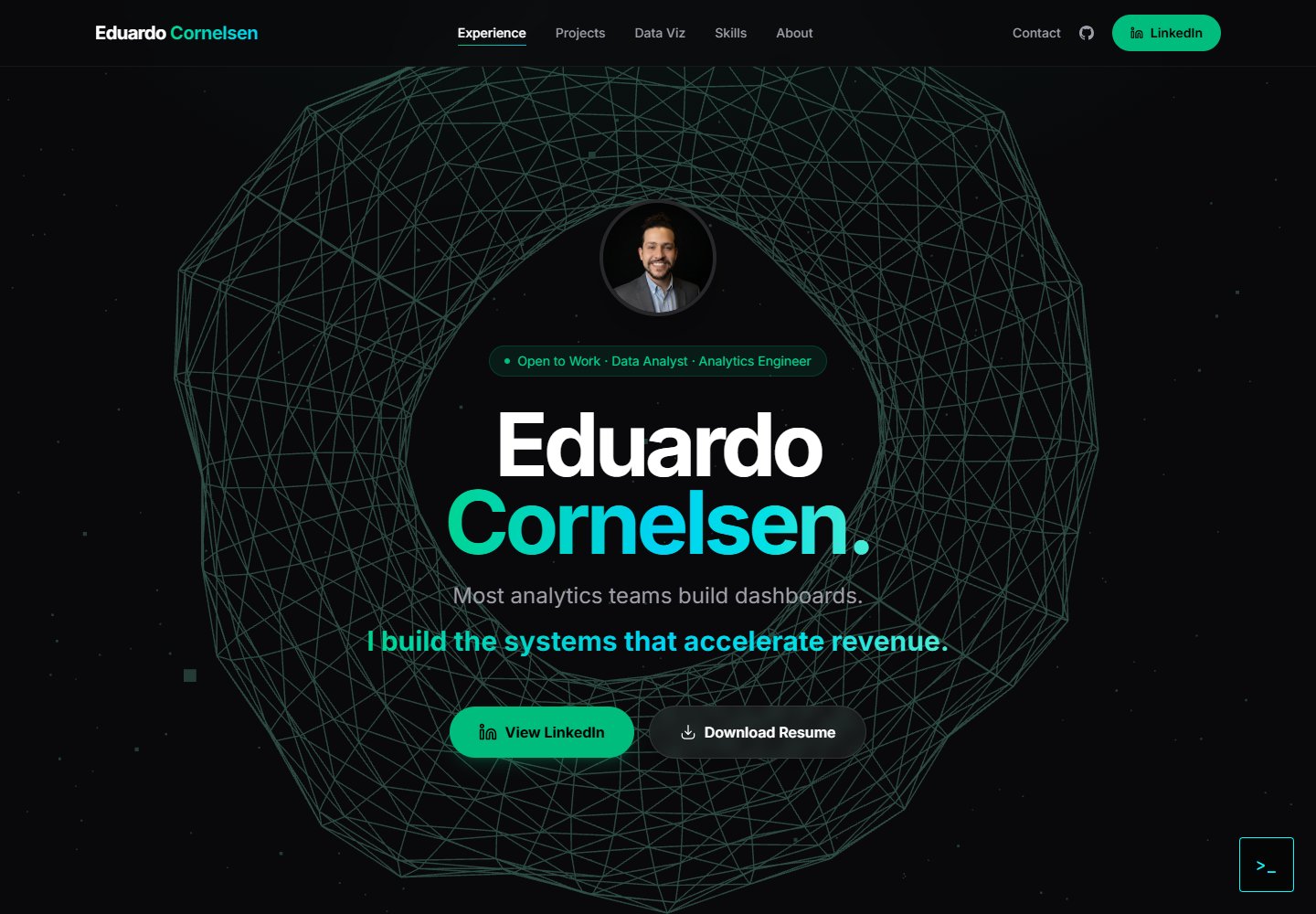
cv-educornelsen
A React + TypeScript personal portfolio template built with Vite, featuring a streaming AI chatbot powered by Google Gemini. An Express backend proxies requests to keep the API key server-side, with rate limiting, IP throttling, canary token injection, and LangFuse tracing.
Vite · Portfolio

about-me-personal-portfolio-website-template
AboutMe is a free personal website template built with Bootstrap and Vite, released under the MIT license. It provides a single-page index.html with organized src directories for images, JavaScript, and SCSS, along with npm scripts for development and build.
Vite · Portfolio