组件化结构:src/_components 下每个组件包含 .template.njk、可选 transformer 与 styles.css,通过 component 短代码调用
Eleventy启动器
twenty-ninety — Eleventy 启动器模板
作者 seancdavis
Twenty Ninety 是一个基于 Eleventy 的组件化启动器,集成 Gulp、PostCSS、Tailwind CSS、Webpack 与 Netlify 部署配置,采用 MIT 许可。
看看你的网站会是什么样
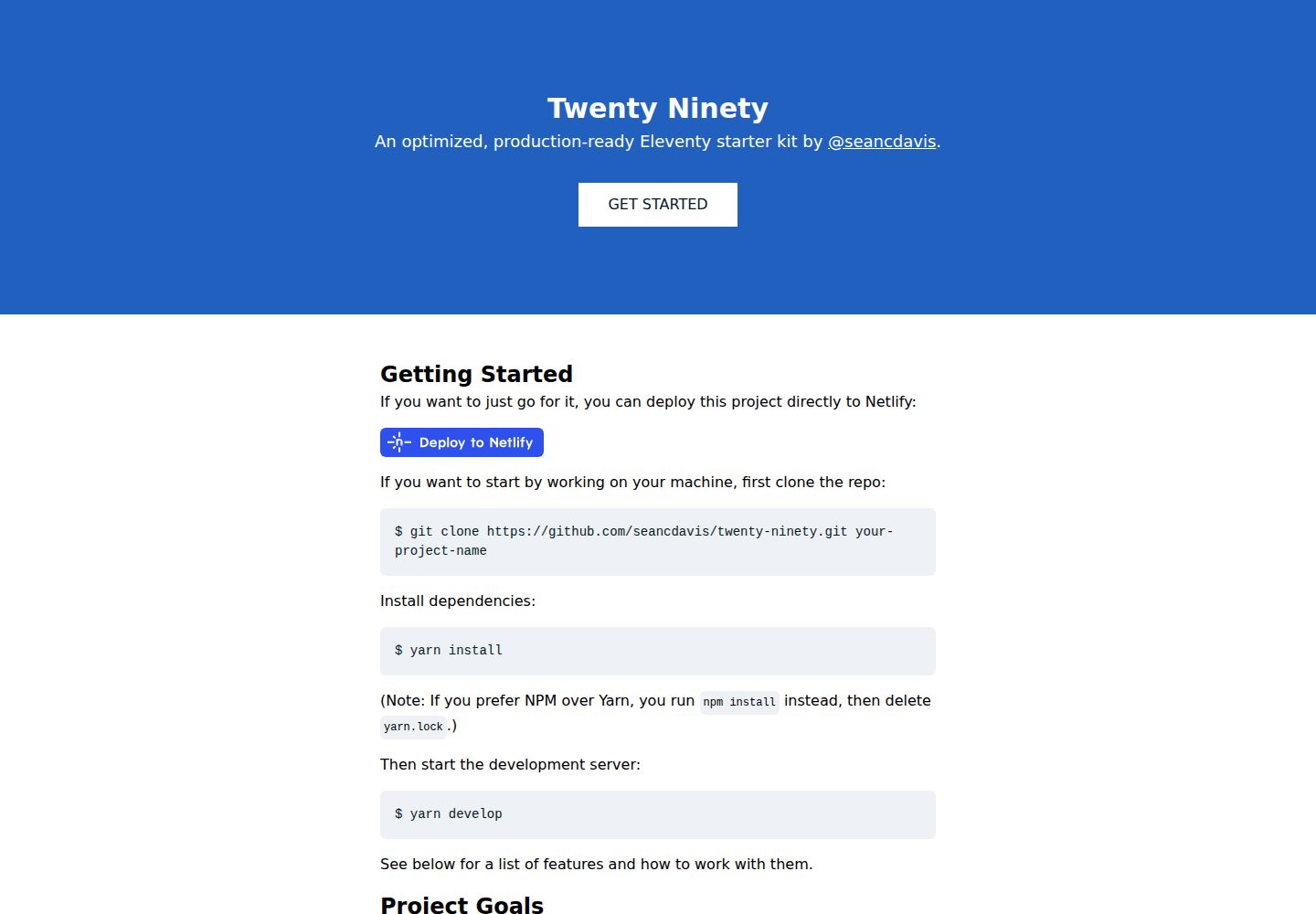
浏览真实页面截图,比较内容排版与手机效果。点击下方缩略图切换,放大查看整页细节。
全部页面与视图 2
截图用于了解视觉与布局,交互效果请以实际项目为准。
采集于 2026-09-30查看来源
值得关注的模板亮点
从已有项目资料中,快速了解它的特点。
Gulp 统一任务流:整合 Eleventy、PostCSS、Webpack,提供 develop 与 build 命令
Eleventy utils 自动加载:utils 目录下的 .js 文件会被 .eleventy.js 作为插件运行
Netlify 预设:netlify.toml 配置构建插件,含构建前运行 Jest 测试的本地插件
Markdown 短代码:可在 Nunjucks 等模板中渲染 Markdown,并支持 Highlight.js 语法高亮
MIT 许可:允许免费使用、修改、商用与分发,需保留版权与许可声明
模板详细介绍
Twenty Ninety 是 seancdavis 维护的 Eleventy 启动器,定位为组件化、约定优先的静态站点基础。它把 Eleventy 的模板处理与 Gulp 任务流结合,统一管理 CSS、JavaScript 等资源的构建,并预设了 Netlify 部署配置。项目使用 MIT 许可,仓库提供桌面端与手机端首页截图,演示站点为 seancdavis.com/twenty-ninety。
功能层面,它包含 Eleventy 配置抽象(eleventy.config.js)、可自动加载的 utils 插件目录、基于 Nunjucks 的组件系统(含 transformer 与样式文件)、Markdown 短代码、图片组件、Google Analytics 加载脚本以及 Jest 测试。CSS 走 PostCSS 与 Tailwind CSS,JavaScript 走 Webpack 并暴露 App 对象。Netlify 侧提供 netlify.toml 与构建插件,其中包含在构建前运行测试的本地插件。
限制方面,README 明确组件目前仅支持 .njk 模板;图片组件与 Imgix 深度绑定且断点等设定非常固定;JavaScript 推荐只使用单一 bundle;字体、分析等外部依赖需自行配置环境变量。项目最后更新于 2020 年,长期目标是把这套约定打包成可升级的包,但当前仍以启动器形式提供。
Eleventy启动器
适合你的项目吗?
适用场景
- 快速搭建基于 Eleventy 的静态网站,并沿用作者约定的组件与构建流程
- 需要将 CSS 与 JavaScript 构建统一交给 Gulp 管理的项目
- 计划部署到 Netlify,并希望直接使用其构建插件与部署按钮
- 在 Eleventy 模板中嵌入 Markdown 内容并需要语法高亮
- 希望用 Jest 对服务端与客户端 JavaScript 做测试的站点
适合人群
- 熟悉 Eleventy 并接受较强约定的开发者
- 需要组件化模板与统一资源构建流程的静态站点项目
- 以 Netlify 为主要部署平台的使用者
- 愿意按 MIT 许可保留版权与许可声明的个人或团队
上手与定制指南
结合仓库当前版本的说明,按下面的资料检查内容、配置与运行要求。
- 1
克隆仓库后运行 yarn install(或 npm install 并删除 yarn.lock)安装依赖
- 2
运行 yarn develop 启动开发服务器,yarn build 生成静态文件
- 3
可直接使用 README 中的 Deploy to Netlify 按钮部署到 Netlify
- 4
环境变量参考 .envrc-sample,Google Analytics 需要 ELEVENTY_ENV、GOOGLE_ANALYTICS_ID 与 ANALYTICS_APP_NAME
- 5
演示图片、字体、图标等第三方素材需按各自许可单独核对,外部服务可能另行收费
授权与来源资料
使用条件与限制
免费使用 · 保留许可声明本次收录的是公开仓库中采用 MIT 许可的免费版本;免费范围为该版本代码,不代表外部服务或第三方素材免费。
使用时需要遵守
- 允许免费使用、修改、商用和分发该版本代码。
- 分发代码副本或实质性部分时,保留原作者版权声明和完整 MIT 许可声明。
- 代码按现状提供;担保与责任限制以原许可证及适用法律为准。
额外费用与待核对事项
- 图片组件依赖 Imgix 外部服务,需自行注册 Imgix 账号并可能产生费用;不使用 Imgix 时需移除或替换该组件。
- 使用 Google Analytics 需配置 GOOGLE_ANALYTICS_ID、ANALYTICS_APP_NAME 等环境变量,并受 Google 服务条款约束。
- 部署流程预设为 Netlify,使用其构建插件与部署按钮需 Netlify 账号,超出免费额度可能产生费用。
- 组件系统目前仅支持 .njk 模板,其他模板语言无法直接用于组件。
- 当前 Webpack 配置建议只使用单一 JavaScript bundle,多入口打包需自行调整配置。
- 组件自带的 styles.css 不会自动作用域隔离,可能造成全局样式冲突。
- 演示图片、字体、图标及其他第三方素材需按各自许可核对,不能仅凭代码的 MIT 许可判断。
- 域名、托管、数据库、支付或 AI 等外部服务可能另外收费。
查看原文依据
Permission is hereby granted, free of charge
许可证原文
It is designed to work with [Imgix](https://www.imgix.com).
README 原文
If you stick with Google, it expects the following conditions to be true with environment variables:
README 原文
This project is built to be deployed with [Netlify](https://netlify.com).
README 原文
(At this time, only `.njk` components are supported.)
README 原文
However, it is recommended that with the current Webpack config, you only use a single bundle.
README 原文
https://github.com/seancdavis/twenty-ninety/blob/main/LICENSEhttps://github.com/seancdavis/twenty-ninety/blob/main/README.mdNote that these styles are not automatically scoped.
README 原文
DeepSeek 根据仓库许可证和 README 整理 ·2026-10-01。结果仅覆盖已读取资料,依赖、图片、字体及后续条款变更以各自原文为准。
项目核对记录与介绍依据
模板资料
- 来源平台
- GitHub
- 资料与维护参考分
- 资料一般 · 72 / 100
- 技术栈
- Eleventy
- 网站类型
- 启动器
这个分数如何计算
本站按许可资料(最高30分)、演示链接(12分)、预览图(10分)、Star数(15分)、记录的维护时间(15分)、描述完整度(8分)、功能记录(5分)和分类资料(5分)计算。它不是代码、安全或性能测试,也不是 Google 评分;有链接不代表已实测可用。
这个项目需要核对什么
- 记录的仓库更新时间
- 2020-09-13
- 截图检查日期
- 2026-10-01
已收录演示链接。请用你的内容与屏幕尺寸检查;有演示不代表表单、认证或支付已经可用。
目录记录的主要技术栈是 Eleventy。请通过依赖清单和锁文件核对实际版本与托管要求。这些说明基于收录资料,不代表代码审计或部署实测。
查看具体选型方法 →介绍的制作与核对状态
介绍由 AI 辅助整理目录与仓库资料。仓库作者不等于这篇介绍的审核者。
已完成服务器许可规则与 AI 来源核对;未经过人工编辑审核。
查看当时使用的来源资料
SHA-256: 3c5d4b1d0d951212414a1fd3d7ddda62d43a6b2ca2777f6bf15571bf55f90c03
2026-10-01T15:09:54.306Z
来源文件 / 仓库# Twenty Ninety [](https://app.netlify.com/sites/twenty-ninety/deploys)
Twenty Ninety is a component-based [Eleventy](https://www.11ty.dev/) starter kit. It comes with lots of opinions, all designed to help you build websites faster (and have fun doing it)!
## Getting Started
If you want to just go for it, you can deploy this project directly to Netlify:
[](https://app.netlify.com/start/deploy?repository=https://github.com/seancdavis/twenty-ninety)
If you want to start by working on your machine, first clone the repo:
$ git clone https://github.com/seancdavis/twenty-ninety.git your-project-name
Install dependencies:
$ yarn install
(Note: If you prefer NPM over Yarn, you run `npm install` instead, then delete `yarn.lock`.)
Then start the development server:
$ yarn develop
See below for a list of features and how to work with them.
## Project Goals
Eleventy is a wonderful static site generator. It's quick. It gets out of the way. It lets you work how you want to work. While that's fun and flexible, [it's not efficient](https://cobwwweb.com/increase-developer-efficiency-by-establishing-conventions).
This project exists to provide a foundation on which we can build websites consistently and efficiently over time.
As a starter kit, the benefits you derive from this setup exist only in what is provided here, at this time. That's limiting in a way, as you lose the benefit of any progress made here along the way.
Therefore, the longer-term goal with this project is to offer it as a package so you can get the benefits of updates made to the system, without losing the ability to opt-out of the (strong) opinions made here.
## Features
There is a lot going on above what Eleventy offers out of the box. Here are those features. If you have questions, feel free to [open an issue](https://github.com/seancdavis/twenty-ninety/issues/new) or [start a conversation on Twitter](https://twitter.com/seancdavis29).
Here's a list:
- [Gulp](#gulp)
- [Eleventy](#eleventy)
- [CSS](#css)
- [JavaScript](#javascript)
- [Netlify](#netlify)
- [Testing](#testing)
- [Environment Variables](#environment-variables)
- [Fonts](#fonts)
- [Components](#components)
- [Images](#images)
- [Markdown](#markdown)
- [Google Analytics](#google-analytics)
- [SEO](#seo)
- [Yarn](#yarn)
### Gulp
Eleventy offers a command to process templated files and output HTML code. Most websites require more processing, particularly with assets like CSS and JavaScript. That can make for disparate processes.
In this project, [Gulp](https://gulpjs.com/) plays the role of managing those processes together so you only have to worry about a few simple commands. The configuration can be found in `gulpfile.js`.
For convenience, all tasks are exported and can be like so:
$ yarn gulp [task]
To see a list of tasks, run:
$ yarn gulp --tasks
But, in general, if you're following the conventions for CSS and JS, you _should_ only need to worry about `develop` (starts a dev server) and `build` (builds static files). Both of these commands have been added to `package.json`, so that you can skip the `gulp` portion and just run:
$ yarn develop
$ yarn build
### Eleventy
The HTML processing uses [Eleventy](https://www.11ty.dev/), which I hope isn't surprising, as this is currently an Eleventy starter kit!
Anything you can do with Eleventy, you can do here, too. But if you use what we have here out of the box, there are a few items to note ...
#### Eleventy Config
Eleventy's config goes into `.eleventy.js`. That file typically exports an object representing [the config values that have been adjusted](https://www.11ty.dev/docs/config/). In this case, those items have been abstracted to `eleventy.config.js`, as they are used elsewhere in the project.
Note that some defaults have changed. The two most notable are that the build directory is `dist` and the templating engine for markdown files is nunjucks, rather than liquid.
#### Eleventy Utils
When the config file begins to perform many tasks it can quickly get unwieldy. Therefore, this starter offers the benefit of Eleventy utils. Any `.js` file dropped in to the `utils` directory that isn't prefixed with an underscore or suffixed with `.spec.js` will get picked up and run as a plugin by `.eleventy.js`.
Each plugin (utility) requires a **single named export** as `default`. Check out `utils/shortcodes/markdown.js` as an example. It exports the following:
```js
exports.default = (eleventyConfig) => {
eleventyConfig.addPairedShortcode("markdown", (input) => exports.renderMarkdown(input))
}
```
That looks just like some code that would typically be dropped into `.eleventy.js`, and that's the point. This provides a means of modularizing the plugins you provide to Eleventy.
There are a few (cool) custom shortcodes that ship with this project. They are listed near the end of the features.
### CSS
CSS is ready to go by default. It is configured to use [PostCSS](https://postcss.org/) (via a Gulp plugin), and also makes use of [Tailwind CSS](https://tailwindcss.com/).
PostCSS plugins can be added or removed from `postcss.config.js`, and Tailwind configuration can be adjusted in or removed from `tailwind.config.js`.
Any `.css` files in `src/_assets/css` will get picked up by the Gulp task and processed through PostCSS. The default is `main.css`.
The file is loaded in the `<head>` of the head of the default layout (`src/_includes/layout/head.njk`).
### JavaScript
JavaScript is built using [Webpack](https://webpack.js.org/) (via a Gulp plugin). The webpack config can be found at `webpack.config.js`.
The Gulp plugin will pick up any `.js` file in `src/_assets/js` and move it to `dist/assets/js/...`.
However, it is recommended that with the current Webpack config, you only use a single bundle. It is designed to make the global code available through an `App` object. Notice that if you start up the dev server (`yarn develop`), you can open up your console and run the following:
```js
console.log(App)
// => Module {default: {…}, __esModule: true, Symbol(Symbol.toStringTag): "Module"}
console.log(App.default)
// => {}
```
That's because that's the default export from `main.js`:
```js
export default {}
```
The main JavaScript bundle is loaded onto the page from the foot include (`src/_includes/layout/foot.njk`).
#### JavaScript Utilities
The project is also setup for injecting global utilities. The only one included by default is the _scan links_ utility (`src/_assets/js/utils/scan-links.js`). When the page is read, the link scanner looks through all anchor tags. If it determines the `href` value is to an external URL, it will add `target="_blank"` and `rel="noopener"` attributes to the tag.
If you'd like to remove this functionality, delete the file and remove the import line from `main.js`. Or, if you want to adjust the attributes that are added, you can edit the `scan-links.js` file.
### Netlify
This project is built to be deployed with [Netlify](https://netlify.com). There's even a button above to do it with just a couple clicks!
Some base configuration lives in `netlify.toml`, while others you may want to configure through the Netlify UI.
The project also brings a handful of [build plugins](https://docs.netlify.com/configure-builds/build-plugins/). Many of these are added to improve performance or accessibility in production. There's also a local plugin for running tests prior to running the build. You can see the list of plugins used in `netlify.toml`. Most are well-documented in their README files.
### Testing
[Jest](https://jestjs.io/) is used for testing both server-side and client-side JavaScript code. The convention in this project is to append test files with `.spec.js`.
The tests can be run with:
$ yarn test
There is a local Netlify build plugin that runs these tests automatically before the build on Netlify. You can remove the plugin if you don't want it to run.
### Environment Variables
I prefer [direnv](https://direnv.net/) for managing environment variables, but you can use whatever you'd prefer. A list of environment variables can be found in `.envrc-sample`.
### Fonts
Fonts are included by default in `src/_assets/css/global/fonts.css`.
If you use either local or [Google Fonts](https://fonts.google.com/), the Netlify build plugin `netlify-plugin-subfont` will process the fonts and create subfont versions of those files, increasing performance in production.
### Components
Components are one of the coolest features of this project. They are included as an Eleventy utility, but there's some magic that happens behind the scenes.
Components each get their own directory inside `src/_components`. We'll use the button as an example here.
There must be at least one file in the directory: `[name].template.njk`. (At this time, only `.njk` components are supported.) Therefore, a button component must include a `button.template.njk` file.
It gets rendered on the page using a `component` shortcode. For example:
```njk
{% component "button", url = "/", label = "Click Me!", theme = "blue" %}
```
The first argument tells the shortcode which component to render (`button`), while the rest are sent as variables to the component.
But sometimes you want to transform those properties (variables) before rendering and don't want to have to do that in a view file. That's where transformers come in. If you create a file at `[name].transformer.js` (e.g. `button.transformer.js`), the properties will get passed through the default export, which should return the transformed components. For example, the button transformer sets a default `theme` property if it is missing. That way we can safely use the `theme` variable in the template.
Lastly, if you want to bring custom styles, you can add a `[name].styles.css` file to the directory and it will get picked up automatically by `main.css`. Note that these styles are not automatically scoped.
### Images
`image` is another component (`src/_components/image`). It is designed to work with [Imgix](https://www.imgix.com). It is, at this time, _extremely_ opinionated, even down to the breakpoints. It is undergoing a transformation, as I work with the Imgix team to develop a more flexible solution. You're welcome to dig through the transformer to see how it works. Or you can remove and add your own.
### Markdown
Markdown is [supported as a templating language with Eleventy](https://www.11ty.dev/docs/languages/markdown/). However, it can't be rendered in other templates. To remedy that problem, this project brings a `markdown` shortcode to render markdown within other template files. For example, in a nunjucks file, you could write the following:
```njk
<div>
{% markdown %}
## This is a heading
{% endmarkdown %}
</div>
```
And voila! The markdown will be rendered!
This feature uses [markdown-it](https://github.com/markdown-it/markdown-it) and can be found in `utils/shortcodes/markdown.js`. It also supports syntax highlighting via [Highlight.js](https://highlightjs.org/), bringing in the GitHub theme by default.
### Google Analytics
Google Analytics are loaded in a script included by `main.js` (`src/_assets/js/lib/analytics.js`). This makes use of the [analytics library](https://www.npmjs.com/package/analytics). You may swap out Google for other plugins, or take a different approach to loading analytics on your site.
If you stick with Google, it expects the following conditions to be true with environment variables:
- `ELEVENTY_ENV` to be missing or set to production.
- `GOOGLE_ANALYTICS_ID` to be set as the ID for the GA account.
- `ANALYTICS_APP_NAME` to be set as the name of your project (this is arbitrary, but should be adjusted).
### SEO
SEO is another component offered out of the box. It provides a means of writing SEO meta tags to the page based on page-specific data, with sensible defaults.
The defaults can be set in `src/_data/seo_defaults.json`.
The component gets loaded in the head (`src/_includes/layout/head.njk`). Notice that it sends the `title`, `image`, and `description`, but optionally allows for overrides by using the `seo` property.
This means that pages using this head include can override with the following structure:
```md
---
title: "Page Title"
description: "Page Description"
image: "/page-image.jpg"
seo:
title: "SEO Override Title"
description: "SEO Override Description"
image: "/seo-override-image.jpg"
og:
title: "OpenGraph Override Title"
description: "OpenGraph Override Description"
image: "/og-override-image.jpg"
type: webpage
twitter:
title: "Twitter Override Title"
description: "Twitter Override Description"
image: "/twitter-override-image.jpg"
card: summary
---
...
```
Here are items of note:
- Twitter first falls back to OpenGraph, then to the overrides, then to the page, then to the global defaults.
- OpenGraph falls back to the overrides, then to the page, then to the global defaults.
- It expects images to be local, as it prepends the base url to the image path.
### Yarn v NPM
I prefer [Yarn](https://yarnpkg.com/) over the more traditional NPM as a dependency manager. If you prefer NPM, it's easy enough to switch over. Simply run `npm install` and then delete `yarn.lock`. You should see a `package-lock.json` file appear in the project root, which means you're good to go! There's an NPM alternative to any yarn command mentioned here.
## Contributing
If you'd like what you see here but have found a bug or would like to add a feature, super! And thank you very much for your support and contribution. To do so, have at it. Fork the repository and create a PR with your proposed change.
If you have an idea or found a bug, but can't or don't want to work it, feel free to [create an issue](https://github.com/seancdavis/twenty-ninety/issues/new).
If you'd like to chat about the project, the best way to start the conversation is with [a message on Twitter](https://twitter.com/seancdavis29).
看看同类模板
对比同技术栈与用途的模板,找到更适合的视觉与内容结构。

eleventy-base-blog
A starter repository for a blog web site using the Eleventy static site generator.
Eleventy · 博客

eleventy-garden
:seedling: A starter site for building a mind garden with eleventy
Eleventy · 启动器

eleventastic
An Eleventy Starter Kit
Eleventy · 启动器

neat-starter
Starter Template for Netlify CMS, Eleventy, Alpine JS & Tailwind CSS
Eleventy · 启动器

Eleventy-Starter-Boilerplate
🚀 Eleventy Starter is production-ready with SEO-friendly for quickly starting a blog. ⚡ Built with Eleventy, …
Eleventy · 博客

eleventy-plus-vite
A clean and fast Eleventy Starter Project with Vite
Eleventy · 启动器