移植自 Hux Blog、经 BeanTech 修改的 Hexo 博客主题,附带完整站点工程
Hexo博客
hexo-theme-new_BeanTech_theme — Hexo 博客模板
作者 sherlockblaze
基于 Hux Blog 二次修改的 Hexo 博客主题,由 BeanTech 主题移植而来,集成 Valine 评论与 Travis-CI 自动部署。
看看你的网站会是什么样
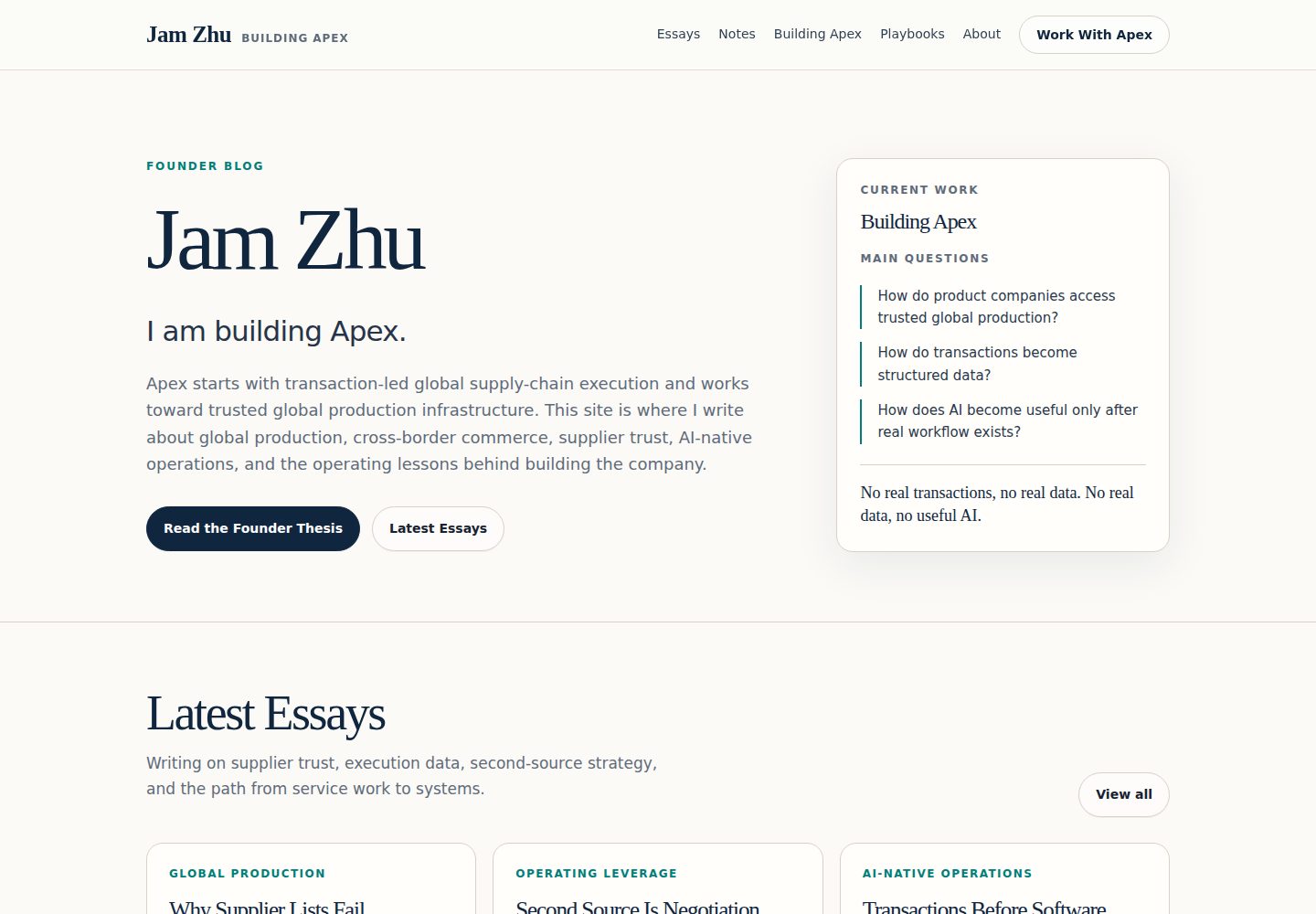
浏览真实页面截图,比较内容排版与手机效果。点击下方缩略图切换,放大查看整页细节。
全部页面与视图 3
截图用于了解视觉与布局,交互效果请以实际项目为准。
采集于 2026-10-02查看来源
值得关注的模板亮点
从已有项目资料中,快速了解它的特点。
顶栏使用随机背景图,可在配置中改回固定图片
集成 Valine 评论系统
提供 Travis-CI 配置,推送文章后自动构建部署
侧边栏支持 featured-tags、short-about、recent-posts、friends-blog、archive、category 等小部件
部署配置可同时写入 GitHub 与 Coding.net 仓库
模板详细介绍
这是 SherlockBlaze 在其个人博客中使用的 Hexo 主题,代码源自 YuHsuan 的 BeanTech 主题,而 BeanTech 又移植自 Huxpro 的 Hux Blog。仓库同时包含主题与一份可直接运行的 Hexo 站点工程,方便按 README 的步骤克隆后直接修改配置使用。
相对上游版本,该主题做了几处调整:顶栏背景改为随机图片(可自行改回固定图片);集成 Valine 评论系统,作者认为它在中国境内访问更顺畅;加入 Travis-CI 配置,用于在推送文章后自动构建并部署站点;未集成打赏功能,README 建议需要该功能的用户参考 hexo-theme-huweihuang;同时更新了部分旧的 npm 模块。
主题提供侧边栏开关、关于描述与头像、签名图片、返回顶部图标,以及 featured-tags、short-about、recent-posts、friends-blog、archive、category 等可勾选的小部件,新增小部件需放在 layout/_widget 目录。部署配置支持同时推送到 GitHub 与 Coding.net,仓库中使用 __GITHUB_TOKEN__、__CODING_TOKEN__ 这类占位变量,需在 Travis-CI 中配置为环境变量。README 提醒 travis-ci.org 免费而 travis-ci.com 收费,并建议同时使用两个平台时先在 Coding 上绑定域名。
需要注意:仓库最后更新于 2019 年,README 中的部署示例仍指向已停止服务的 git.dev.tencent.com,相关平台与命令需自行核对现状。
Hexo博客
适合你的项目吗?
适用场景
- 使用 Hexo 搭建个人技术博客并希望直接复用现成主题
- 需要 Valine 评论、侧边栏小部件与签名图片等博客常见元素
- 希望通过 Travis-CI 在推送文章后自动部署静态站点
- 需要同时部署到 GitHub 与 Coding.net 两个仓库
适合人群
- 熟悉 Hexo 基本命令与 _config.yml 配置的博客作者
- 接受在 Travis-CI 中配置 Token 环境变量的用户
- 希望以 Hux Blog 风格展示文章列表与侧边栏的站点
- 能自行核对 2019 年后平台与依赖变化的维护者
上手与定制指南
结合仓库当前版本的说明,按下面的资料检查内容、配置与运行要求。
- 1
克隆仓库后执行 npm install;若计划完全交给 Travis-CI 部署,可跳过该步
- 2
在 _config.yml 的 deploy 段填入自己的仓库地址与分支,Token 建议通过 Travis-CI 环境变量传入
- 3
头像放入 <root>/img/,签名图片放入 <root>/img/signature,并在 _config.yml 中设置 sidebar-avatar、signature-img 等字段
- 4
返回顶部图标位于 css/image,可替换为自己的图片
- 5
新增侧边栏小部件需在 layout/_widget 目录中添加
授权与来源资料
使用条件与限制
免费使用 · 保留许可声明本次收录的是公开仓库中采用 Apache-2.0 许可的免费版本;免费范围为该版本代码,不代表外部服务或第三方素材免费。
使用时需要遵守
- 允许免费使用、修改、商用和分发;分发时需随附 Apache-2.0 许可证。
- 修改过的文件需显著标明改动,并保留相关版权、专利、商标及归属声明。
- 若原项目附有 NOTICE 文件,分发衍生作品时需保留其中适用的归属声明。
- 许可包含适用的贡献者专利授权;发起许可所述专利诉讼会终止该专利授权,且不授予商标使用权。
- 代码按现状提供;担保与责任限制以原许可证及适用法律为准。
额外费用与待核对事项
- README 明确说明 travis-ci.org 免费而 travis-ci.com 收费;若使用 travis-ci.com 的自动部署功能需付费,免费方案仅限 travis-ci.org。
- 自动部署依赖在 Travis-CI 中配置 GitHub/Coding.net Token 等环境变量,需自行注册并获取相应平台的访问令牌。
- README 建议中国用户同时使用 Coding.net 与 GitHub 两个平台部署,涉及额外的第三方托管服务账号。
- 评论功能依赖第三方 Valine 评论服务,需自行配置该外部服务后方可使用。
- 演示图片、字体、图标及其他第三方素材需按各自许可核对,不能仅凭代码的 Apache-2.0 许可判断。
- 域名、托管、数据库、支付或 AI 等外部服务可能另外收费。
查看原文依据
no-charge, royalty-free, irrevocable copyright license
许可证原文
***travis-ci.org*** is free, but ***travis-ci.com*** is not.
README 原文
you'll see some variable named like `__GITHU_TOKEN__` and so on, they're the environment variables I configured in Travis-CI
README 原文
If you are in China, use both of coding and github is better.
README 原文
https://github.com/sherlockblaze/hexo-theme-new_BeanTech_theme/blob/master/LICENSEhttps://github.com/sherlockblaze/hexo-theme-new_BeanTech_theme/blob/master/README.mdI integrated the [valine](https://valine.js.org) comment system into it.
README 原文
DeepSeek 根据仓库许可证和 README 整理 ·2026-10-02。结果仅覆盖已读取资料,依赖、图片、字体及后续条款变更以各自原文为准。
项目核对记录与介绍依据
模板资料
- 来源平台
- GitHub
- 资料与维护参考分
- 资料一般 · 68 / 100
- 技术栈
- Hexo
- 网站类型
- 博客
这个分数如何计算
本站按许可资料(最高30分)、演示链接(12分)、预览图(10分)、Star数(15分)、记录的维护时间(15分)、描述完整度(8分)、功能记录(5分)和分类资料(5分)计算。它不是代码、安全或性能测试,也不是 Google 评分;有链接不代表已实测可用。
这个项目需要核对什么
- 记录的仓库更新时间
- 2019-01-25
- 截图检查日期
- 2026-10-02
已收录演示链接。请用你的内容与屏幕尺寸检查;有演示不代表表单、认证或支付已经可用。
目录记录的主要技术栈是 Hexo。请通过依赖清单和锁文件核对实际版本与托管要求。这些说明基于收录资料,不代表代码审计或部署实测。
查看具体选型方法 →介绍的制作与核对状态
介绍由 AI 辅助整理目录与仓库资料。仓库作者不等于这篇介绍的审核者。
已完成服务器许可规则与 AI 来源核对;未经过人工编辑审核。
查看当时使用的来源资料
SHA-256: 3cd3d37eb22fb4fccd794d2f9cf9402d51c4d58dac3d40062c355d529e6cbb3e
2026-10-02T15:05:33.428Z
来源文件 / 仓库> Ported Theme of [SherlockBlaze's Blog](https://sherlockblaze.com), Thank [Huxpro](https://github.com/Huxpro) for designing such a flawless theme.
> This BeanTech theme created by [YuHsuan](http://beantech.org) modified from the original Porter [Kaijun](http://kaijun.rocks/hexo-theme-huxblog/)
# what is the difference?
- First, I put random picture as the background of topbar, if you don't like it, you can set it back.
- Second, I think leancould comments is better in China, so I integrated the [valine](https://valine.js.org) comment system into it.
- Third, I also integrated the [Travis-CI](http://travis-ci.org) into it, so you can just write post, and push it to your repo, and the Travis-CI will deploy your website automatically. About the travis-ci configuration, see [here](./.travis.yml)
- Fourth, I didn't integrated the reward function into it, because I thinking I write for nothing, just share my knowledge, but if you want it, maybe learn from another version: [hexo-theme-huweihuang](https://github.com/huweihuang/hexo-theme-huweihuang.git)
- Fifth, better read more doc about [Travis-CI](http://travis-ci.org) and [Coding](https://coding.net) if you need. Here are some of the documents I looked at when I encountered problems: [Travis Start](https://docs.travis-ci.com/user/tutorial/), [Coding.net Domain Connect](https://coding.net/help/doc/pages/domain.html). If you wanna use both Github and Coding, better bind the domain name to the project on the coding first, then github. It's difficult.
- Sixth, update some old npm modules.
# Attention
you'll see some variable named like `__GITHU_TOKEN__` and so on, they're the environment variables I configured in Travis-CI, so if you want to use Travis-CI, you maybe do it like what I did, it's keep your variables more secret, more safe, especially your Github Token and Coding.net Token. If you don't know how to get one, try this [passage](https://console.bluemix.net/docs/services/ghededicated/index.html#gheded_getting_started), and coding.net is similar with it, try figure it out by yourself.
And if you have any question about all of it, try to leave a comments on this [page](https://sherlockblaze.com/about/), I'll reply you as soon as possible. Thanks.
# Note
***travis-ci.org*** is free, but ***travis-ci.com*** is not.
***When you get a Token of github or coding.net, better save it to your device or notebook, because they only show up at the first time they generated. Or you just need do it again.***
# [Live Demo](https://sherlockblaze.com)
# Usage
I publish the whole project for your convenience, so you can just follow the instruction down below, then you can easily customiz your own blog!
Let's begin!!!
## Init
```bash
git clone https://github.com/sherlockblaze/hexo-theme-new_BeanTech_theme.git
cd hexo-theme-new_BeanTech_theme
npm install # actually, you don't need run this command if you plan to deploy the website on Travis-CI
```
## Modify
Modify `_config.yml` file with your own info.
Especially the section:
### Deployment
Replace to your own repo!
> If you are in China, use both of coding and github is better. And of course you can choose any one you love.
```yml
deploy:
type: git
repository:
github: https://[email protected]/<yourAccount>/<repo>
coding: https://<yourAccount>:[email protected]/<yourAccount>/<repo>
branch: <your-branch>
```
### Sidebar settings
Copy your avatar image to `<root>/img/` and modify the `_config.yml`:
```yml
sidebar: true # whether or not using Sidebar.
sidebar-about-description: "<your description>"
sidebar-avatar: img/<your avatar path>
```
and activate your personal widget you like
```yml
widgets: # here are widget you can use, you can comment out
- featured-tags
- short-about
- recent-posts
- friends-blog
- archive
- category
```
if you want to add sidebar widget, please add at `layout/_widget`.
### Signature Setup
Copy your signature image to `<root>/img/signature` and modify the `_config.yml`:
```yml
signature: true # show signature
signature-img: img/signature/<your-signature-ID>
```
### Go to top icon Setup
My icon is using iron man, you can change to your own icon at `css/image`.
> Icon man is the best, so i keep it.
## Hexo Basics
New Article:
```bash
hexo new post "<post name>" # you can change post to another layout if you want
```
Some hexo command(**And if you use travis-ci, you don't need to run those command every time by yourself.**):
```bash
hexo clean && hexo generate # generate the static file
hexo deploy # hexo will push the static files automatically into the specific branch(gh-pages) of your repo!
```
If you wanna see your blog at local first, use this command.
```bash
hexo server # run hexo in local environment
```
# Have fun ^_^
Please [Star](https://github.com/sherlockblaze/hexo-theme-new_BeanTech_theme.git) this Project if you like it! [Follow](https://github.com/sherlockblaze) would also be appreciated!
Peace!
看看同类模板
对比同技术栈与用途的模板,找到更适合的视觉与内容结构。

hexo-theme-matery
A beautiful hexo blog theme with material design and responsive design.一个基于材料设计和响应式设计而成的全面、美观的Hexo主题。
Hexo · 博客

hexo-theme-cactus
:cactus: A responsive, clean and simple theme for Hexo.
Hexo · 博客

hexo-theme-volantis
A Wonderful Theme for Hexo.
Hexo · 博客

hexo-theme-aurora
Hexo Theme Aurora 是一款以极光色彩和渐变 UI 为核心的 Hexo 博客主题,整体走未来感路线。 它的首页采用杂志式网格布局,文章列表与精选区域层次分明,视觉上更接近个人媒体站点而非传统博客。
Hexo · 博客

hexo-theme-Claudia
Claudia 是一款为 Hexo 设计的博客主题,主打简洁外观与易配置。 它支持自动跟随设备深色模式,并在 README 中宣称拥有 90+ 的 Lighthouse 评分,适合追求轻量与性能的博客作者。
Hexo · 博客

hexo-theme-A4
A hexo theme that looks like an A4 paper.(一个类A4纸张质感的hexo博客主题。 )
Hexo · 博客