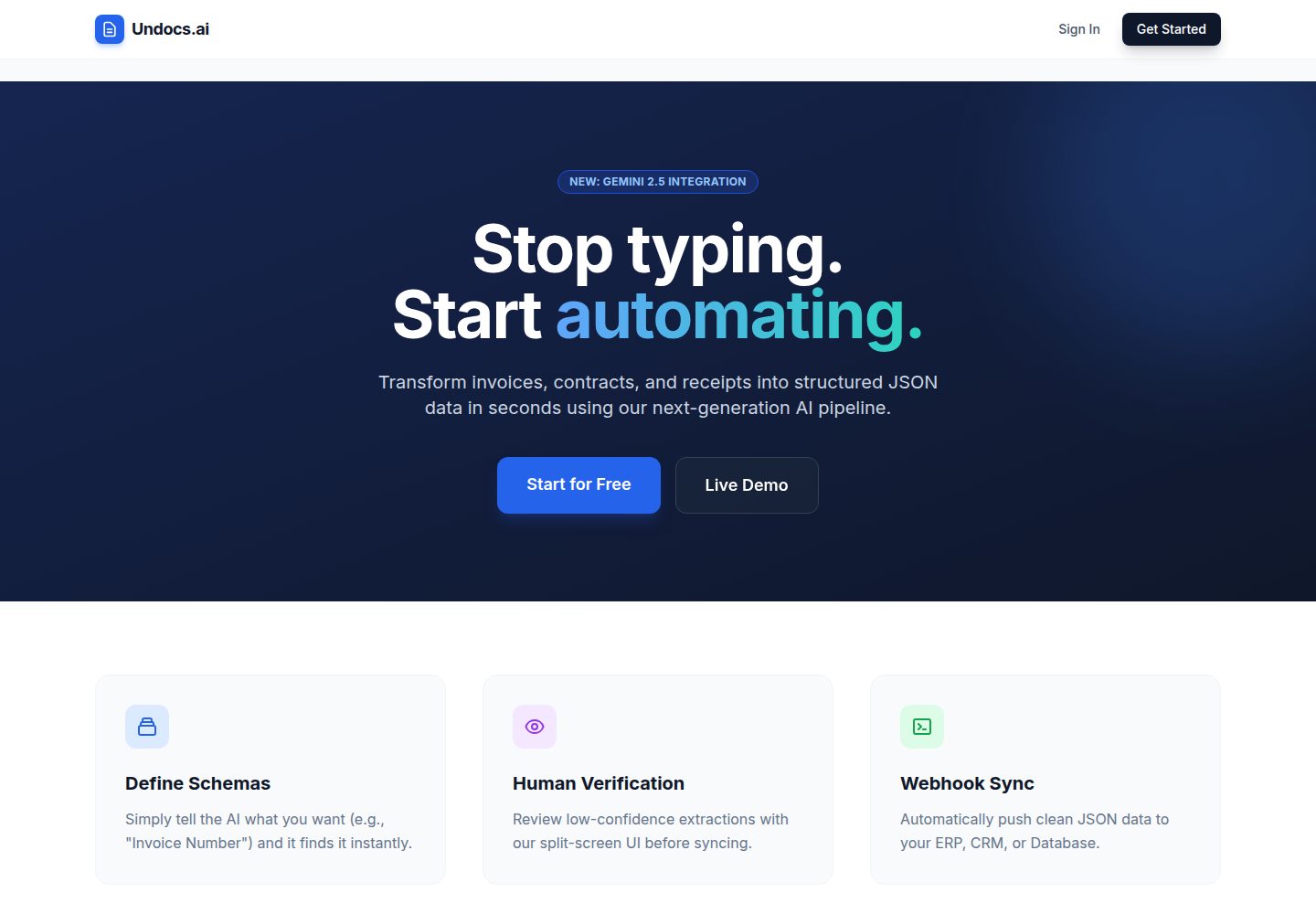
使用 Google Gemini 2.5 Flash 多模态模型从 PDF、图片中提取数据,支持嵌套 JSON Schema 与日期、数字、布尔类型约束
Flask文档SaaS启动器
undocs-saas — Flask 文档模板
作者 vladyslawwww
Undocs.ai 是一个基于 Flask 的文档数据提取 SaaS 模板,使用 Gemini 2.5 Flash 从 PDF 和图片中按 JSON Schema 提取结构化数据,包含多租户工作区、角色权限、Stripe 订阅与 API 接入。
看看你的网站会是什么样
浏览真实页面截图,比较内容排版与手机效果。点击下方缩略图切换,放大查看整页细节。
全部页面与视图 2
截图用于了解视觉与布局,交互效果请以实际项目为准。
采集于 2026-10-15查看来源
值得关注的模板亮点
从已有项目资料中,快速了解它的特点。
多租户工作区模型,支持邀请码加入与 Owner、Admin、Verifier、Watcher 四种角色权限
提供 POST /api/ingest 接口,以 X-API-Key 认证提交文件与 schema_name,结果通过 Webhook 回传
Stripe Checkout 与 Webhook 处理订阅和账单,Resend 发送 6 位邮箱 OTP 完成账户激活
文档存于 Cloudflare R2 私有桶,通过预签名 URL 访问;后台任务由 Upstash QStash 队列处理并自动重试
API Key 以 SHA-256 哈希校验、AES-256 加密存储以支持界面回显,用量按页计数限制试用
模板详细介绍
Undocs.ai 是一个面向文档数据提取的 SaaS 平台模板,README 将其定位为生产级应用。它通过 Google Gemini 2.5 Flash 多模态模型从 PDF 与图片中提取数据,用户可定义 JSON Schema(支持数组、对象等嵌套结构及日期、数字、布尔类型),并通过 API 提交文档、由 Webhook 回传结果。平台采用多租户工作区模型,支持邀请码加入与 Owner、Admin、Verifier、Watcher 四种角色;订阅与账单通过 Stripe Checkout 与 Webhook 处理,账户激活使用 Resend 发送的 6 位邮箱 OTP。
架构上,README 描述 v2.0 使用 Upstash QStash 做后台任务队列与重试,文档存储在 Cloudflare R2 私有桶并通过预签名 URL 访问,数据库为 Supabase 上的 PostgreSQL,应用部署在 Render,README 提到使用单 worker Gunicorn 与懒加载以适配 512MB 内存。API Key 以 SHA-256 哈希校验、AES-256 加密存储以支持界面回显;用量按页计数(PyMuPDF)并基于身份限制试用。
本地运行需要自行配置 .env 中的数据库、Gemini、R2、QStash、Stripe 与 Resend 凭据,README 提供了克隆、安装依赖、运行 python app.py 以及用 Stripe CLI 转发 Webhook 的步骤。README 未说明测试套件、CI 流水线细节、速率限制、数据保留策略或生产环境的具体部署配置,这些方面需自行评估。
Flask文档SaaS启动器
适合你的项目吗?
适用场景
- 需要从发票、表单等 PDF 或图片中批量提取结构化字段,并希望用 JSON Schema 约束输出格式的团队
- 希望以 API 方式把文档提取能力接入自有脚本或 ERP 系统,并通过 Webhook 接收结果的开发者
- 需要多成员协作、按角色分配查看与校对权限的文档处理团队
- 希望基于现成 Flask 代码搭建带订阅计费与试用限制的文档处理 SaaS 的开发者
适合人群
- 熟悉 Python 与 Flask、能自行配置 Supabase、Cloudflare R2、Upstash、Stripe、Resend 及 Gemini API 的开发者
- 需要文档数据提取与人工校对流程(Human-in-the-loop)的中小团队
- 希望以 API 集成方式将文档提取嵌入现有业务流程的技术团队
上手与定制指南
结合仓库当前版本的说明,按下面的资料检查内容、配置与运行要求。
- 1
克隆仓库后创建虚拟环境并执行 pip install -r requirements.txt 安装依赖
- 2
根据 .env.example 创建 .env,填写 SECRET_KEY、DATABASE_URL、BASE_URL、ENV、GEMINI_API_KEY、R2、QSTASH、Stripe 与 Resend 相关凭据
- 3
运行 python app.py,应用默认在 http://127.0.0.1:5000 访问
- 4
本地测试支付状态更新需执行 stripe login 与 stripe listen --forward-to localhost:5000/hooks/stripe
- 5
README 未提供数据库迁移的具体执行命令,也未说明测试套件与 CI 流水线的运行方式
授权与来源资料
使用条件与限制
免费使用 · 保留许可声明本次收录的是公开仓库中采用 MIT 许可的免费版本;免费范围为该版本代码,不代表外部服务或第三方素材免费。
使用时需要遵守
- 允许免费使用、修改、商用和分发该版本代码。
- 分发代码副本或实质性部分时,保留原作者版权声明和完整 MIT 许可声明。
- 代码按现状提供;担保与责任限制以原许可证及适用法律为准。
额外费用与待核对事项
- 演示图片、字体、图标及其他第三方素材需按各自许可核对,不能仅凭代码的 MIT 许可判断。
- 域名、托管、数据库、支付或 AI 等外部服务可能另外收费。
- 在线演示的 Sandbox 层级仅提供 10 次免费 AI 提取;超出后需使用付费工作区。
- 工作区为付费模式:用户可创建多个付费工作区,或通过邀请码加入已有工作区;试用后为无限 Pro 工作区(需订阅)。
- 订阅与账单依赖 Stripe 支付服务,需自行配置 Stripe 账户与密钥。
- 账户激活依赖 Resend 发送的邮箱 OTP,需要配置 Resend 服务与 API Key。
- AI 提取功能需要自行申请并配置 Google AI Studio 的 GEMINI_API_KEY。
- 文档存储依赖 Cloudflare R2 服务,需自行提供 R2 端点、访问密钥与存储桶。
- 后台任务队列依赖 Upstash QStash 服务,需自行配置 QStash 的 URL、令牌与签名密钥。
- 数据库依赖 Supabase 上的 PostgreSQL,需自行提供 DATABASE_URL 连接字符串。
- 邮件发送依赖 Resend API,需自行配置 RESEND_API_KEY 与发件地址。
查看原文依据
Permission is hereby granted, free of charge
许可证原文
*Try the Sandbox Tier: 10 free AI extractions, no credit card required.*
README 原文
* **Workspace Model:** Users can create multiple paid workspaces or join existing ones via invite codes. Identity-based "Sandbox" trial followed by unlimited Pro workspaces.
README 原文
* **Stripe Subscriptions:** Async payment processing using Webhooks (Checkout Sessions & lifecycle management).
README 原文
* **OTP Verification:** Email-based 6-digit Time-based One-Time Password (TOTP) for account activation.
README 原文
GEMINI_API_KEY=your-api-key
README 原文
R2_ENDPOINT_URL=https://<id>.r2.cloudflarestorage.com
README 原文
QSTASH_URL=...
README 原文
DATABASE_URL=your-supabase-connection-string
README 原文
https://github.com/vladyslawwww/undocs-saas/blob/develop/LICENSEhttps://github.com/vladyslawwww/undocs-saas/blob/develop/README.mdRESEND_API_KEY=re_...
README 原文
DeepSeek 根据仓库许可证和 README 整理 ·2026-10-15。结果仅覆盖已读取资料,依赖、图片、字体及后续条款变更以各自原文为准。
项目核对记录与介绍依据
模板资料
- 来源平台
- GitHub
- 资料与维护参考分
- 资料较完整 · 85 / 100
- 技术栈
- Flask
- 网站类型
- 文档 · SaaS · 启动器
这个分数如何计算
本站按许可资料(最高30分)、演示链接(12分)、预览图(10分)、Star数(15分)、记录的维护时间(15分)、描述完整度(8分)、功能记录(5分)和分类资料(5分)计算。它不是代码、安全或性能测试,也不是 Google 评分;有链接不代表已实测可用。
这个项目需要核对什么
- 记录的仓库更新时间
- 2026-04-07
- 截图检查日期
- 2026-10-15
已收录演示链接。请用你的内容与屏幕尺寸检查;有演示不代表表单、认证或支付已经可用。
目录记录的主要技术栈是 Flask。请通过依赖清单和锁文件核对实际版本与托管要求。这些说明基于收录资料,不代表代码审计或部署实测。
查看具体选型方法 →介绍的制作与核对状态
介绍由 AI 辅助整理目录与仓库资料。仓库作者不等于这篇介绍的审核者。
审核声明: codex-user-requested-batch-review-20261017 · 2026-10-16
查看当时使用的来源资料
SHA-256: e4255c8bd703e0986c83a9454c0b8b66194b0b20492526f76af2b2ddd8bc6f6c
2026-10-15T18:30:12.461Z
来源文件 / 仓库# Undocs.ai - Intelligent Document Processing Platform
<p align="center">
<!-- Core Stack -->
<img src="https://img.shields.io/badge/Python-3.12-3776AB?style=for-the-badge&logo=python&logoColor=white" alt="Python">
<img src="https://img.shields.io/badge/Flask-000000?style=for-the-badge&logo=flask&logoColor=white" alt="Flask">
<img src="https://img.shields.io/badge/Tailwind_CSS-38B2AC?style=for-the-badge&logo=tailwind-css&logoColor=white" alt="Tailwind">
<br>
<!-- Infrastructure -->
<img src="https://img.shields.io/badge/PostgreSQL-Supabase-3ECF8E?style=for-the-badge&logo=supabase&logoColor=white" alt="PostgreSQL">
<img src="https://img.shields.io/badge/Cloudflare_R2-F38020?style=for-the-badge&logo=cloudflare&logoColor=white" alt="Cloudflare">
<img src="https://img.shields.io/badge/Upstash_QStash-00E9A3?style=for-the-badge&logo=upstash&logoColor=white" alt="Upstash">
<img src="https://img.shields.io/badge/Render-46E3B7?style=for-the-badge&logo=render&logoColor=white" alt="Render">
<br>
<!-- Services -->
<img src="https://img.shields.io/badge/Gemini_2.5_Flash-8E75B2?style=for-the-badge&logo=google&logoColor=white" alt="Gemini AI">
<img src="https://img.shields.io/badge/Stripe_Live-626CD9?style=for-the-badge&logo=Stripe&logoColor=white" alt="Stripe">
<img src="https://img.shields.io/badge/Resend_API-000000?style=for-the-badge&logo=resend&logoColor=white" alt="Resend">
<br>
<!-- Standards -->
<img src="https://img.shields.io/github/license/vladyslawwww/undocs-saas?style=for-the-badge&color=blue" alt="License">
</p>
<p align="center">
<img src="./assets/hero.png" alt="Undocs Dashboard" width="100%">
</p>
**Undocs.ai** is a production-grade SaaS platform for automating data extraction from documents (PDFs, Images) using Multimodal AI. Optimized for a $0-overhead serverless architecture, it features a complete "Human-in-the-loop" workflow, enabling users to define JSON schemas, ingest via API, and sync results via Webhooks.
## 🚀 Live Demo
**[Launch Undocs.ai](https://undocs-ai.onrender.com/)**
*Try the Sandbox Tier: 10 free AI extractions, no credit card required.*
## 🎬 See it in action (30s Demo)
<p align="center">
<video src="https://github.com/user-attachments/assets/1e1ade6a-0751-4e42-a003-f838c023cf8a" autoplay loop muted playsinline width="100%"></video>
</p>
## 🏗️ v2.0 Architecture Highlights
The platform was recently refactored from a v1.0 prototype to a robust, scalable v2.0 architecture:
* **Serverless Queue (Upstash QStash):** Decoupled background processing. AI jobs are handled via regional EU-central endpoints with automatic retries.
* **Zero-Egress Storage (Cloudflare R2):** S3-compatible private storage for user documents, preventing unauthorized access via pre-signed URLs.
* **Usage Metering:** Strict page-level counting (PyMuPDF) and identity-based trial enforcement to prevent abuse.
* **Encrypted Secrets:** API Keys are SHA-256 hashed for verification and AES-256 encrypted for secure UI "Reveal."
* **Memory Optimized:** Lazy-loading and single-worker Gunicorn configuration to run reliably on Render's 512MB RAM tier.
## 🚀 Key Features
### 🧠 AI & Data Extraction
* **Gemini 2.5 Flash Integration:** Uses Google's multimodal model for high-accuracy vision extraction.
* **JSON Schema Engine:** Supports complex nested schemas (Arrays, Objects) and strictly enforces data types (Date, Number, Boolean).
* **Schema Sanitizer:** Automatically injects descriptions into schemas to optimize AI prompting.
<table align="center">
<tr>
<td align="center">
<img src="./assets/user-dashboard.png" width="100%" />
<br>
<em>Every Document Workflow in a Single Dashboard</em>
</td>
</tr>
</table>
### 🏢 Multi-Tenant SaaS Architecture
* **Workspace Model:** Users can create multiple paid workspaces or join existing ones via invite codes. Identity-based "Sandbox" trial followed by unlimited Pro workspaces.
* **Role-Based Access Control (RBAC):**
* 👑 **Owner:** Full control, billing management, deletion.
* 🛡️ **Admin:** Manage schemas and users.
* ✍️ **Verifier:** Correct data and process queue.
* 👀 **Watcher:** View-only access.
* **Stripe Subscriptions:** Async payment processing using Webhooks (Checkout Sessions & lifecycle management).
<table align="center">
<tr>
<td align="center">
<img src="./assets/workspace-settings.png" width="100%" />
<br>
<em>Invite Team Members & Set Roles</em>
</td>
<td align="center">
<img src="./assets/join-workspace.png" width="100%" />
<br>
<em>Join Workspaces via Invite Codes</em>
</td>
<td align="center">
<img src="./assets/workspace-view.png" width="100%" />
<br>
<em>See Document Queue & Define Schemas</em>
</td>
</tr>
</table>
### 🔒 Security & Auth
* **Secure Authentication:** Email/Password with Hash (Werkzeug) and session management.
* **OTP Verification:** Email-based 6-digit Time-based One-Time Password (TOTP) for account activation.
* **Project Isolation:** Strict database filtering ensures users only access data within their assigned scope.
<table align="center">
<tr>
<td align="center">
<img src="./assets/email-verification.png" width="100%" />
<br>
<em>Verify Your E-mail</em>
</td>
</table>
### 🎨 Modern UI/UX
* **Responsive Design:** Fully mobile-compatible dashboard and verification tools (Tailwind CSS).
* **Split-Screen Verifier:** Auto-switching UI that renders Form Inputs for simple data and a Monaco-style JSON Editor for complex nested data.
* **Visual Schema Builder:** No-code interface for defining data structures.
<table align="center">
<tr>
<td align="center">
<img src="./assets/welcome-screen.png" width="100%" />
<br>
<em>Welcome to Undocs.ai...</em>
</td>
</tr>
</table>
## 🛠️ Tech Stack
- **Backend:** Python 3.12, Flask, SQLAlchemy, Flask-Migrate (Alembic)
- **Database:** PostgreSQL (Supabase) with Transaction Pooling
- **Storage:** Cloudflare R2 (S3-Compatible)
- **Queue/Crons:** Upstash QStash
- **AI:** Google Generative AI (google-genai SDK)
- **Payments:** Stripe API (Checkout & Billing Portal)
- **Email:** Resend API (Transactional OTP)
## 📂 System Architecture
The following diagram illustrates the event-driven, serverless-first architecture of Undocs.ai v2.0:
```mermaid
graph LR
subgraph User_Zone [Client Interface]
U[Web Browser]
API[External API Client]
end
subgraph Core_App [Render - Flask Application]
F[Flask Web Server]
W[Internal AI Webhook]
end
subgraph Storage_Layer [Data Persistence]
DB[(Supabase - Postgres)]
R2[Cloudflare R2 - S3 Storage]
end
subgraph Async_Processing [Serverless Queue]
QS[Upstash QStash]
end
subgraph External_Providers [Cloud Services]
G[Google Gemini 2.5 Flash]
S[Stripe Payments]
RS[Resend Email]
end
%% Flow: Ingestion
U -->|UI Management| F
API -->|POST /api/ingest| F
F -->|1. Store Metadata| DB
F -->|2. Upload File| R2
F -->|3. Trigger Job| QS
%% Flow: Async Loop
QS -->|4. HTTP Callback| W
W -->|5. Fetch Bytes| R2
W -->|6. Vision Extraction| G
G -->|7. JSON Result| W
W -->|8. Update Status| DB
W -->|9. Webhook Out| API
%% Flow: Auth/Billing
F --- S
F --- RS
```
## 📂 Project Architecture
```text
undocs-saas/
├── .github/workflows/ # CI/CD Pipelines
├── assets/ # Demo media & UI Showcase
├── demo_scripts/ # API sender/receiver webhooks for E2E testing
├── instance/ # SQLite Database (GitIgnored)
├── routes/ # Flask Blueprints (API & Frontend Routing)
├── services/ # Core business logic (Gemini AI & Email integrations)
├── static/ # CSS (Tailwind) & JS (Alpine)
├── templates/ # Jinja2 HTML Views
├── tools/ # Utility & testing scripts
├── app.py # Application factory & entry point
├── requirements.txt # Dependencies
└── .env.example # Environment variables template
```
## ⚙️ Installation & Local Setup
### 1. Clone & Env
```bash
git clone https://github.com/vladyslawwww/undocs-saas
cd undocs-saas
python -m venv .venv
source .venv/bin/activate # Windows: .venv\Scripts\activate
pip install -r requirements.txt
```
### 2. Configuration
Create a `.env` file based on `.env.example`:
```ini
# --- CORE ---
SECRET_KEY=generate-a-random-string
DATABASE_URL=your-supabase-connection-string
BASE_URL=https://your-app-name.koyeb.app
ENV=development/production
# --- AI (Google AI Studio) ---
GEMINI_API_KEY=your-api-key
# --- STORAGE (Cloudflare R2) ---
R2_ENDPOINT_URL=https://<id>.r2.cloudflarestorage.com
R2_ACCESS_KEY=...
R2_SECRET_KEY=...
R2_BUCKET_NAME=undocs-storage
# --- QUEUE (Upstash QStash) ---
QSTASH_URL=...
QSTASH_TOKEN=...
QSTASH_CURRENT_SIGNING_KEY=...
QSTASH_NEXT_SIGNING_KEY=...
# --- PAYMENTS (Stripe) ---
STRIPE_PUBLISHABLE_KEY=pk_test_...
STRIPE_SECRET_KEY=sk_test_...
STRIPE_WEBHOOK_SECRET=whsec_...
# --- EMAIL (Resend) ---
RESEND_API_KEY=re_...
[email protected]
```
### 3. Run Application
```bash
python app.py
```
Access the app at `http://127.0.0.1:5000`.
### 4. Process Payments (Local)
To make the "Pending Payment" status update to "Active", run the Stripe CLI:
```bash
stripe login
stripe listen --forward-to localhost:5000/hooks/stripe
```
---
### `requirements.txt`
```text
alembic==1.18.4
annotated-types==0.7.0
anyio==4.13.0
blinker==1.9.0
boto3==1.42.83
botocore==1.42.83
certifi==2026.2.25
cffi==2.0.0
charset-normalizer==3.4.7
click==8.3.2
colorama==0.4.6
cryptography==46.0.6
distro==1.9.0
Flask==3.1.3
Flask-Login==0.6.3
Flask-Migrate==4.1.0
Flask-SQLAlchemy==3.1.1
google-auth==2.49.1
google-genai==1.70.0
greenlet==3.3.2
gunicorn==25.3.0
h11==0.16.0
httpcore==1.0.9
httpx==0.28.1
idna==3.11
itsdangerous==2.2.0
Jinja2==3.1.6
jmespath==1.1.0
Mako==1.3.10
MarkupSafe==3.0.3
packaging==26.0
psycopg2-binary==2.9.11
pyasn1==0.6.3
pyasn1_modules==0.4.2
pycparser==3.0
pydantic==2.12.5
pydantic_core==2.41.5
PyJWT==2.12.1
PyMuPDF==1.27.2.2
python-dateutil==2.9.0.post0
python-dotenv==1.2.2
qstash==3.4.0
requests==2.33.1
resend==2.27.0
s3transfer==0.16.0
six==1.17.0
sniffio==1.3.1
SQLAlchemy==2.0.49
stripe==15.0.1
tenacity==9.1.4
typing-inspection==0.4.2
typing_extensions==4.15.0
urllib3==2.6.3
websockets==16.0
Werkzeug==3.1.8
```
## 📖 API Documentation
The platform exposes an ingestion endpoint for scripts/ERPs to push documents.
### Ingest Document
**POST** `/api/ingest`
**Headers:**
* `X-API-Key`: `(Get this from Workspace Settings)`
**Body (Multipart/Form-Data):**
* `file`: The PDF or Image file.
* `schema_name`: The exact name of the schema to use.
**Example (Python):**
```python
import requests
url = "http://localhost:5000/api/ingest"
headers = {"X-API-Key": "your-uuid-key"}
files = {"file": open("invoice.pdf", "rb")}
data = {"schema_name": "Invoice v1"}
response = requests.post(url, headers=headers, files=files, data=data)
print(response.json())
```
## ⚖️ License
Academic Project - MIT License.
看看同类模板
对比同技术栈与用途的模板,找到更适合的视觉与内容结构。
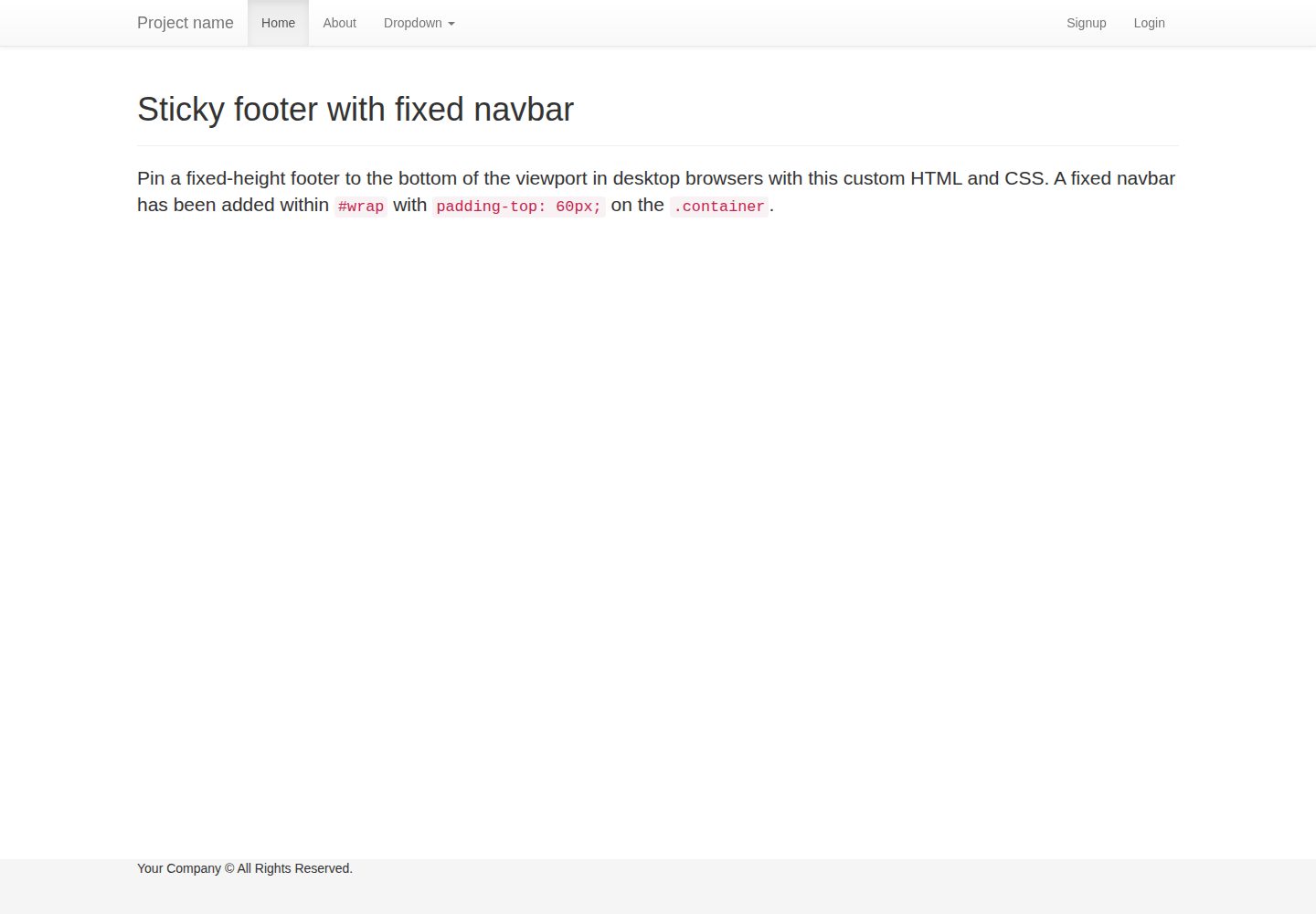
flask-boilerplate
Boilerplate template for a Python Flask application with Flask-SQLAlchemy, Flask-WTF, Fabric, Coverage, and Bo…
Flask · 启动器
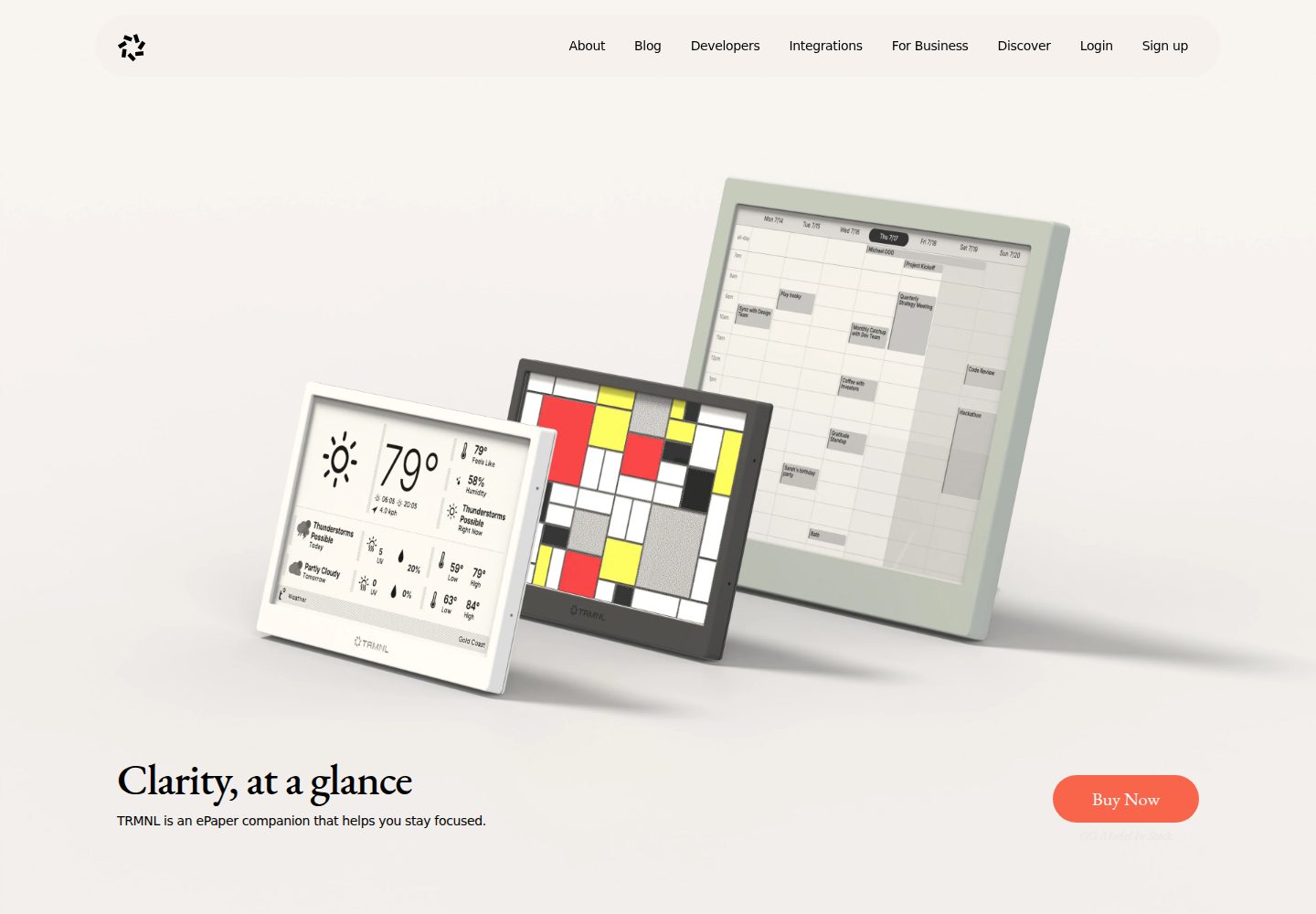
TRMNL-Boilerplate
A boilerplate template for building TRMNL e-ink display plugins. Features Flask webhooks, display optimization…
Flask · 启动器
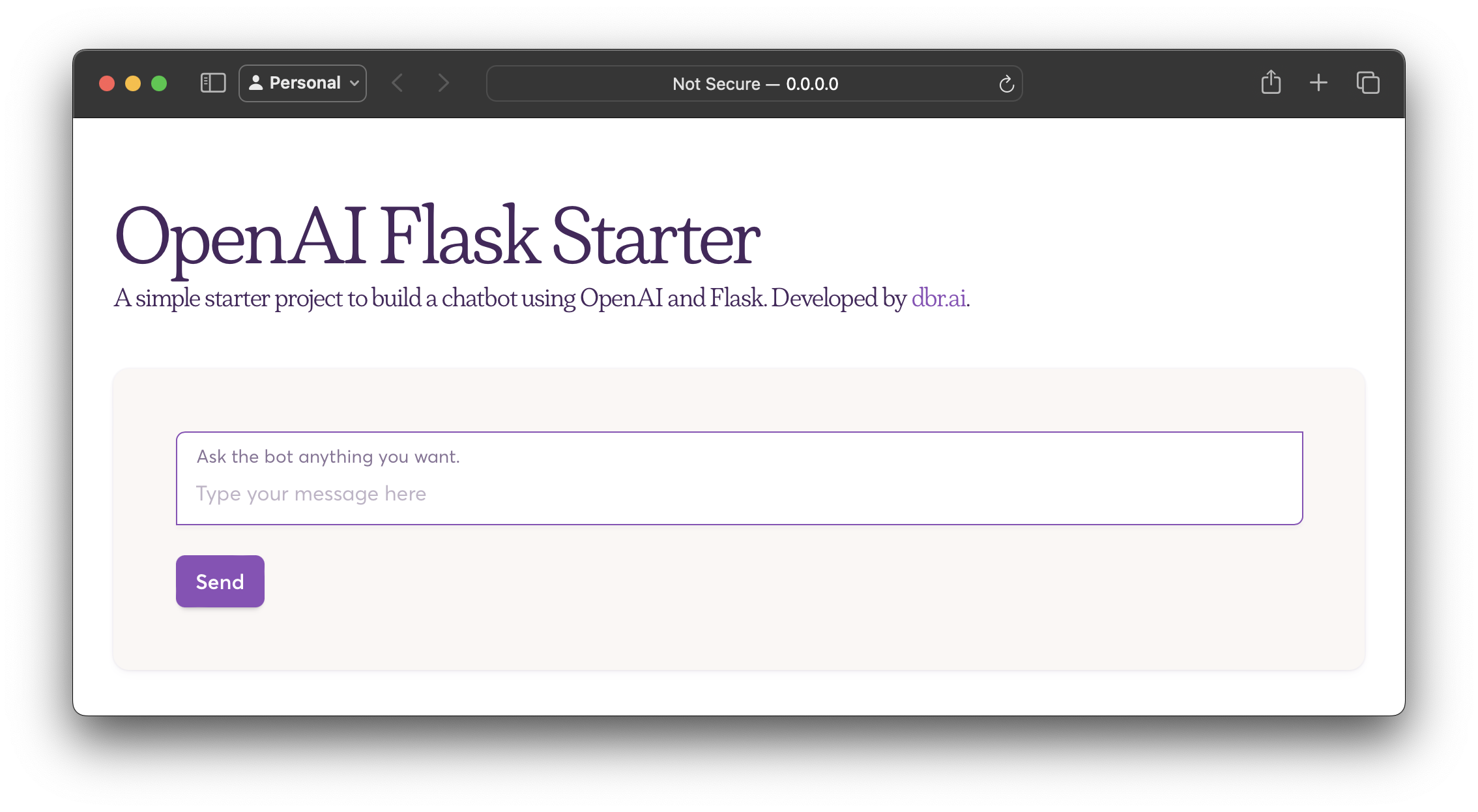
openai-flask-starter
Starter project with OpenAI + Flask and template HTML.
Flask · 启动器
app-engine-starter
A basic template for App Engine projects.
Flask · 启动器
flask-account-starter
flexible and extensible Flask boilerplate template
Flask · 启动器
Py-Flask-Starter
Kick start 🚀 any python-flask app ASAP with this template
Flask · 启动器