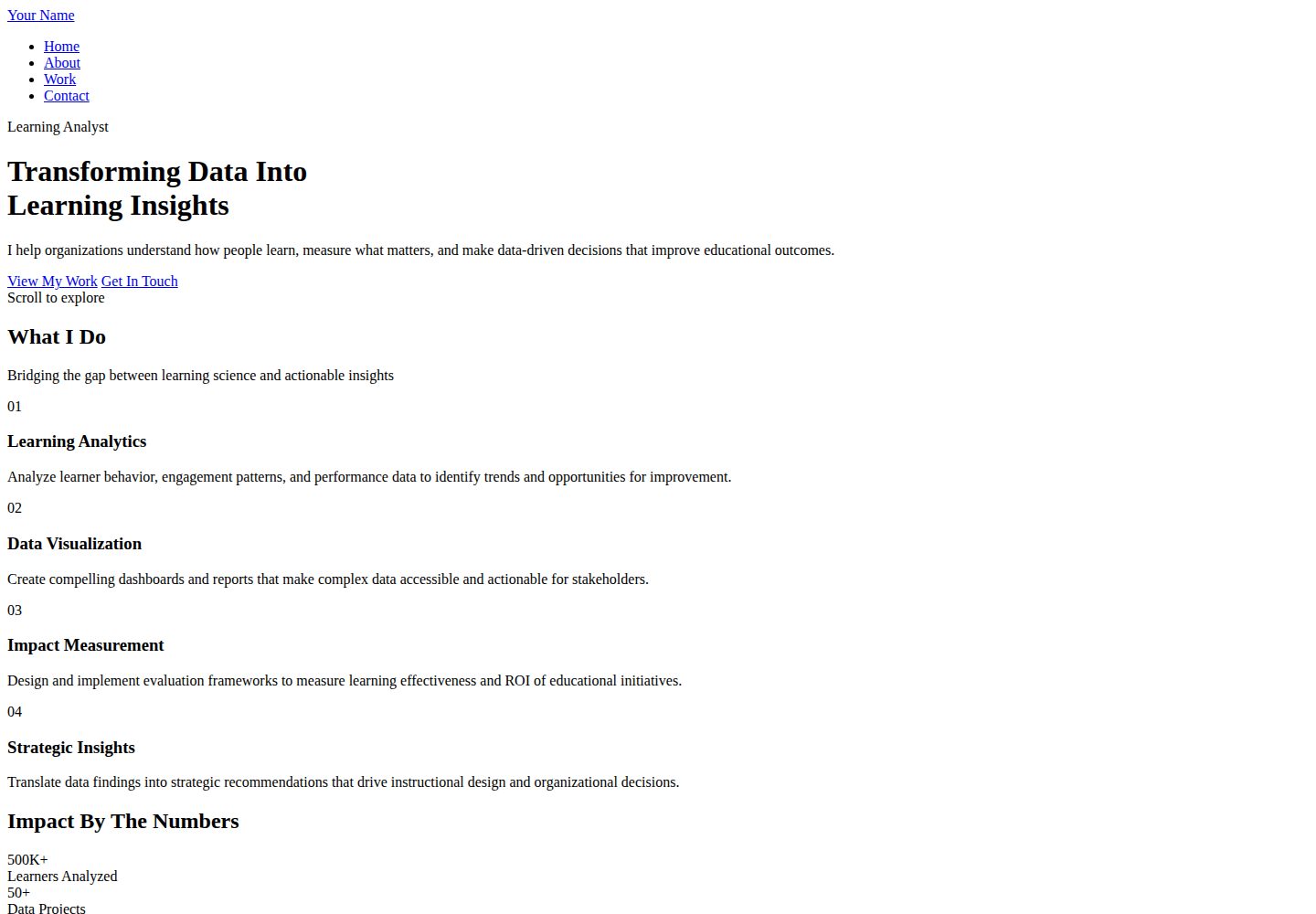
纯 HTML/CSS 实现,不依赖 JavaScript,页面结构清晰易读
HTML作品集企业官网
personalwebsite6 — HTML 作品集模板
作者 zarifazak25
面向学习分析师与教育数据从业者的极简作品集模板,纯 HTML/CSS 实现,含首页、关于、作品与联系四个页面,用背景摄影与低饱和配色呈现数据项目与影响指标。
看看你的网站会是什么样
浏览真实页面截图,比较内容排版与手机效果。点击下方缩略图切换,放大查看整页细节。
全部页面与视图 3
截图用于了解视觉与布局,交互效果请以实际项目为准。
采集于 2026-10-02查看来源
值得关注的模板亮点
从已有项目资料中,快速了解它的特点。
包含首页、关于、作品、联系四个页面,覆盖个人作品集常见内容
作品页以挑战、方案、影响、标签四个维度组织项目卡片
使用 Space Indigo、Dusty Grape、Lilac Ash、Almond Silk、Parchment 五色低饱和配色
标题与正文分别使用 Poppins 与 Inter 字体,通过 Google Fonts 加载
提供桌面端与移动端响应式布局
模板详细介绍
这是一套面向学习分析师与教育领域数据从业者的个人作品集模板,仓库为 zarifazak25/personalwebsite6,采用纯 HTML/CSS 编写,不依赖 JavaScript。页面结构包含 index.html 首页、about.html 关于页、work.html 作品页和 contact.html 联系页,另有 styles.css 统一控制样式。首页以带背景摄影的 hero 区展示个人价值主张与精选作品,作品页按挑战、方案、影响、标签四个维度组织项目卡片,适合呈现分析过程与可量化结果。
视觉上使用 Space Indigo、Dusty Grape、Lilac Ash、Almond Silk、Parchment 五色组成的低饱和配色,标题与正文分别采用 Poppins 与 Inter 字体,字体通过 Google Fonts 加载。模板内置响应式布局,桌面端与移动端均有对应呈现。
使用前需要自行替换占位文字与图片:README 说明背景图需准备约 1920x1080 的图片并放入 images 目录,再在 styles.css 中修改对应 background-image 的 URL;联系表单需要接入 Formspree 等后端服务并填写表单端点,否则无法真实提交。演示中的图片、字体、图标等第三方素材需按各自许可单独核对,代码本身的 MIT 许可不覆盖这些素材。
HTML作品集企业官网
适合你的项目吗?
适用场景
- 学习分析师整理个人项目与量化影响,作为求职或合作展示页
- 教育数据研究者呈现分析过程、方法与成果
- 教学设计师或评估专员展示数据驱动的设计决策
- 教育科技从业者搭建个人分析能力介绍页面
适合人群
- 学习分析师与教育数据科学从业者
- 研究分析师与项目评估人员
- 需要展示数据项目与影响指标的个人用户
- 偏好纯 HTML/CSS、不引入 JavaScript 的静态站点搭建者
上手与定制指南
结合仓库当前版本的说明,按下面的资料检查内容、配置与运行要求。
- 1
替换所有页面中的占位姓名、价值主张、关于信息与联系信息
- 2
准备约 1920x1080 的背景图片放入 images 目录,并在 styles.css 中更新对应 background-image 的 URL
- 3
联系表单需接入 Formspree 等服务并填写表单端点,否则无法真实提交
- 4
可部署到 GitHub Pages,个人站点或项目站点均可
- 5
演示图片、字体、图标等第三方素材需按各自许可单独核对
授权与来源资料
使用条件与限制
免费使用 · 保留许可声明本次收录的是公开仓库中采用 MIT 许可的免费版本;免费范围为该版本代码,不代表外部服务或第三方素材免费。
使用时需要遵守
- 允许免费使用、修改、商用和分发该版本代码。
- 分发代码副本或实质性部分时,保留原作者版权声明和完整 MIT 许可声明。
- 代码按现状提供;担保与责任限制以原许可证及适用法律为准。
额外费用与待核对事项
- 联系表单需接入 Formspree 等第三方后端服务并填写表单端点,否则无法真实提交,属于外部服务依赖。
- 字体通过 Google Fonts 外部加载,离线或受限网络环境下可能无法正常显示,需自行处理或替换。
- README 建议使用 Unsplash 等第三方图片,这些素材的许可需单独核对,MIT 代码许可不覆盖。
- README 提及 Formspree 表单服务;真实提交需配置服务端点,其使用额度与费用需单独核对。
- 演示图片、字体、图标及其他第三方素材需按各自许可核对,不能仅凭代码的 MIT 许可判断。
- 域名、托管、数据库、支付或 AI 等外部服务可能另外收费。
查看原文依据
Permission is hereby granted, free of charge
许可证原文
The contact form needs a backend service:
README 原文
Both fonts are loaded from Google Fonts for optimal performance and accessibility.
README 原文
https://github.com/zarifazak25/personalwebsite6/blob/main/LICENSEhttps://github.com/zarifazak25/personalwebsite6/blob/main/README.mdUnsplash.com has great free professional photos
README 原文
DeepSeek 根据仓库许可证和 README 整理 ·2026-10-02。结果仅覆盖已读取资料,依赖、图片、字体及后续条款变更以各自原文为准。
项目核对记录与介绍依据
模板资料
- 来源平台
- GitHub
- 资料与维护参考分
- 资料较完整 · 88 / 100
- 技术栈
- HTML
- 网站类型
- 作品集 · 企业官网
这个分数如何计算
本站按许可资料(最高30分)、演示链接(12分)、预览图(10分)、Star数(15分)、记录的维护时间(15分)、描述完整度(8分)、功能记录(5分)和分类资料(5分)计算。它不是代码、安全或性能测试,也不是 Google 评分;有链接不代表已实测可用。
这个项目需要核对什么
- 记录的仓库更新时间
- 2025-11-25
- 截图检查日期
- 2026-10-02
已收录演示链接。请用你的内容与屏幕尺寸检查;有演示不代表表单、认证或支付已经可用。
目录记录的主要技术栈是 HTML。请通过依赖清单和锁文件核对实际版本与托管要求。这些说明基于收录资料,不代表代码审计或部署实测。
查看具体选型方法 →介绍的制作与核对状态
介绍由 AI 辅助整理目录与仓库资料。仓库作者不等于这篇介绍的审核者。
已完成服务器许可规则与 AI 来源核对;未经过人工编辑审核。
查看当时使用的来源资料
SHA-256: 242ac25fd23a6e4de79942d105544ffff32befce17d8d1b6058cd00019a7022b
2026-10-02T15:33:09.823Z
来源文件 / 仓库# 📊 Learning Analyst Portfolio
A modern, minimalist portfolio website designed specifically for learning analysts and data professionals in education. Features elegant typography, background photography, and a focus on clarity and impact.
## ✨ Key Features
- 🎨 **Minimal & Modern Design** - Clean, professional aesthetic that highlights your work
- 📸 **Background Photography** - Dramatic photo backgrounds with elegant overlays
- 🎯 **Purpose-Built** - Specifically designed for learning analytics professionals
- 📊 **Data-Focused** - Showcase your analytics projects and impact metrics
- 📱 **Fully Responsive** - Perfect on all devices
- ⚡ **HTML & CSS Only** - No JavaScript required, pure simplicity
- 🎨 **Sophisticated Color Palette** - Professional yet artistic color scheme
## 🎨 Color Palette
This template uses a sophisticated, professional color scheme:
- **Space Indigo (#22223b)** - Primary dark for text and backgrounds
- **Dusty Grape (#4a4e69)** - Secondary text and elements
- **Lilac Ash (#9a8c98)** - Mid-tone accents and highlights
- **Almond Silk (#c9ada7)** - Light accents and CTAs
- **Parchment (#f2e9e4)** - Lightest background color
## 🔤 Typography
Modern, accessible, web-safe fonts:
- **Poppins** - Headlines and display text (modern, bold)
- **Inter** - Body text (highly readable, professional)
Both fonts are loaded from Google Fonts for optimal performance and accessibility.
## 📁 File Structure
```
analyst-portfolio/
├── index.html # Home page with hero and featured work
├── about.html # Expertise, approach, and background
├── work.html # Detailed project case studies
├── contact.html # Contact form and services
├── styles.css # Complete styling
└── README.md # This file
```
## 🚀 Quick Start
### 1. Customize Content
**Update All Pages:**
- Replace "Your Name" throughout all files
- Update hero section with your value proposition
- Fill in About page with your expertise and background
- Add your actual projects to Work page
- Update contact information
**Add Background Photos:**
The template uses placeholder backgrounds. To add real photos:
1. Prepare your images (recommended: 1920x1080px)
2. Save them in an `images` folder
3. Update CSS background-image URLs:
```css
/* In styles.css, find these lines: */
.hero-bg {
background-image: linear-gradient(...), url('images/hero-photo.jpg');
}
.header-bg {
background-image: linear-gradient(...), url('images/header-photo.jpg');
}
.cta-bg, .stats-bg {
background-image: linear-gradient(...), url('images/cta-photo.jpg');
}
```
**Photo Tips:**
- Use high-quality, professional images
- Images with depth/layers work well
- Darker images work better with text overlays
- Unsplash.com has great free professional photos
### 2. Customize Projects (Work Page)
Each project card includes:
- **Challenge** - The problem you were solving
- **Solution** - Your analytical approach
- **Impact** - Measurable results and outcomes
- **Tags** - Tools and methodologies used
Update the `work.html` file with your actual projects, metrics, and achievements.
### 3. Personalize Colors (Optional)
Edit `styles.css` (lines 8-12):
```css
:root {
--space-indigo: #22223b;
--dusty-grape: #4a4e69;
--lilac-ash: #9a8c98;
--almond-silk: #c9ada7;
--parchment: #f2e9e4;
}
```
## 🌐 Deploying to GitHub Pages
### Personal Site (username.github.io)
1. Create repository: `your-username.github.io`
2. Upload all files including images folder
3. Site automatically available at: `https://your-username.github.io`
### Project Site
1. Create any repository (e.g., `portfolio`)
2. Upload files
3. Settings → Pages → Select main branch
4. Site at: `https://your-username.github.io/portfolio`
## 📧 Making Contact Form Work
The contact form needs a backend service:
### Formspree (Recommended)
1. Sign up at [formspree.io](https://formspree.io)
2. Create new form
3. In `contact.html`, update form tag:
```html
<form class="contact-form" action="https://formspree.io/f/YOUR_FORM_ID" method="POST">
```
## 💡 Tips for Learning Analysts
### Showcasing Your Work
**Be Specific with Metrics:**
- Number of learners analyzed
- Percentage improvements achieved
- Cost savings or ROI demonstrated
- Completion rate increases
- Time saved for stakeholders
**Show Your Process:**
- What data sources you used
- Analytical methods applied
- Tools and technologies employed
- How insights led to action
**Communicate Impact:**
- Focus on outcomes, not just outputs
- Connect analysis to real-world results
- Show before/after comparisons
- Include stakeholder testimonials when possible
### Project Descriptions
For each project in `work.html`, ensure you include:
1. **Context** - Organization type, scale, challenge
2. **Your Role** - What you specifically did
3. **Methodology** - Analytical approach and tools
4. **Deliverables** - Dashboards, reports, recommendations
5. **Impact** - Quantifiable results and decisions influenced
### Building Credibility
**Technical Skills Section:**
- List specific tools (Python, R, Tableau, SQL, etc.)
- Mention statistical methods you're proficient in
- Include certifications or training
- Show breadth and depth of expertise
**Professional Background:**
- Years of experience
- Types of organizations you've worked with
- Academic credentials
- Publications or presentations
## 🎯 Perfect For
- **Learning Analysts** - Showcase data analysis and insights
- **Educational Data Scientists** - Demonstrate technical expertise
- **Research Analysts** - Present program evaluations
- **Assessment Specialists** - Display psychometric work
- **Instructional Designers** - Show data-driven design decisions
- **EdTech Professionals** - Highlight analytics capabilities
## 🛠️ Technologies Used
- **HTML5** - Semantic markup
- **CSS3** - Modern styling with Grid, Flexbox, CSS Variables
- **Google Fonts** - Poppins & Inter
- **No JavaScript** - Pure HTML/CSS for maximum simplicity and accessibility
## 📱 Browser Support
✅ Chrome/Edge (latest)
✅ Firefox (latest)
✅ Safari (latest)
✅ Mobile browsers
## 🎨 Design Philosophy
This template embodies:
- **Clarity** - Information is easy to find and understand
- **Minimalism** - No unnecessary elements, focus on content
- **Professionalism** - Sophisticated design that builds credibility
- **Impact** - Design supports rather than overshadows your work
## 🔧 Customization Ideas
### Adding a Blog Section
Create `blog.html`:
```html
<!-- Use similar structure to work.html -->
<!-- Replace project cards with blog post previews -->
```
### Adding Resume/CV Download
In About page:
```html
<a href="your-resume.pdf" class="btn btn-primary" download>Download Resume</a>
```
### Adding Publications Section
In About page, after Timeline:
```html
<section class="publications">
<h2>Publications & Presentations</h2>
<!-- List your papers, conference talks, etc. -->
</section>
```
### Changing Background Photos by Section
You can use different photos for different pages/sections:
```css
.page-header {
background-image: url('images/about-bg.jpg');
}
.cta {
background-image: url('images/contact-bg.jpg');
}
```
## 📚 Recommended Tools for Learning Analysts
If you're building your portfolio, consider showcasing expertise in:
**Programming & Analysis:**
- Python (pandas, scikit-learn, matplotlib, seaborn)
- R (tidyverse, ggplot2, caret)
- SQL
- Statistical analysis
**Visualization:**
- Tableau
- Power BI
- matplotlib/seaborn
- D3.js
**Learning Analytics Platforms:**
- LMS data (Canvas, Moodle, Blackboard)
- xAPI/SCORM
- Google Analytics
- Custom dashboards
## 🤝 Contributing
Improvements welcome! Feel free to:
- Fork this repository
- Create enhancements
- Submit pull requests
## 📄 License
Free to use for personal and commercial projects. Attribution appreciated but not required.
## ⭐ Show Your Support
If you use this template:
- Star this repository
- Share with fellow analysts
- Tag your live site!
## 💬 Questions?
Open an issue or reach out to the community for help.
---
**Built for learning analysts who let data tell the story** 📊
*Transform data into insights that drive impact* ✨
看看同类模板
对比同技术栈与用途的模板,找到更适合的视觉与内容结构。

simplefolio
⚡️ A minimal portfolio template for Developers
HTML · 作品集

mazer
Free and Open-source Bootstrap 5 Admin Dashboard Template and Landing Page
HTML · 后台

Freelancer
Freelancer 是 Start Bootstrap 出品的单页作品集模板,专为自由职业者、设计师和小型工作室设计。 页面结构清晰,包含多个内容区块、响应式作品集网格,每个作品项目配有模态窗口展示详情。
HTML · 作品集

Resume
Resume 是 Start Bootstrap 推出的简历与 CV 主题,基于 Bootstrap 构建,采用固定侧边栏加内容区块的结构。
HTML · 作品集

Creative
Creative 是 Start Bootstrap 团队维护的一款单页营销模板,定位明确:为创意机构或产品服务提供一个以作品展示和行动号召为核心的落地页。
HTML · 企业官网

startbootstrap-agency
Agency 是 Start Bootstrap 维护的单页代理商作品集主题,基于 Bootstrap 构建,MIT 许可。
HTML · 企业官网