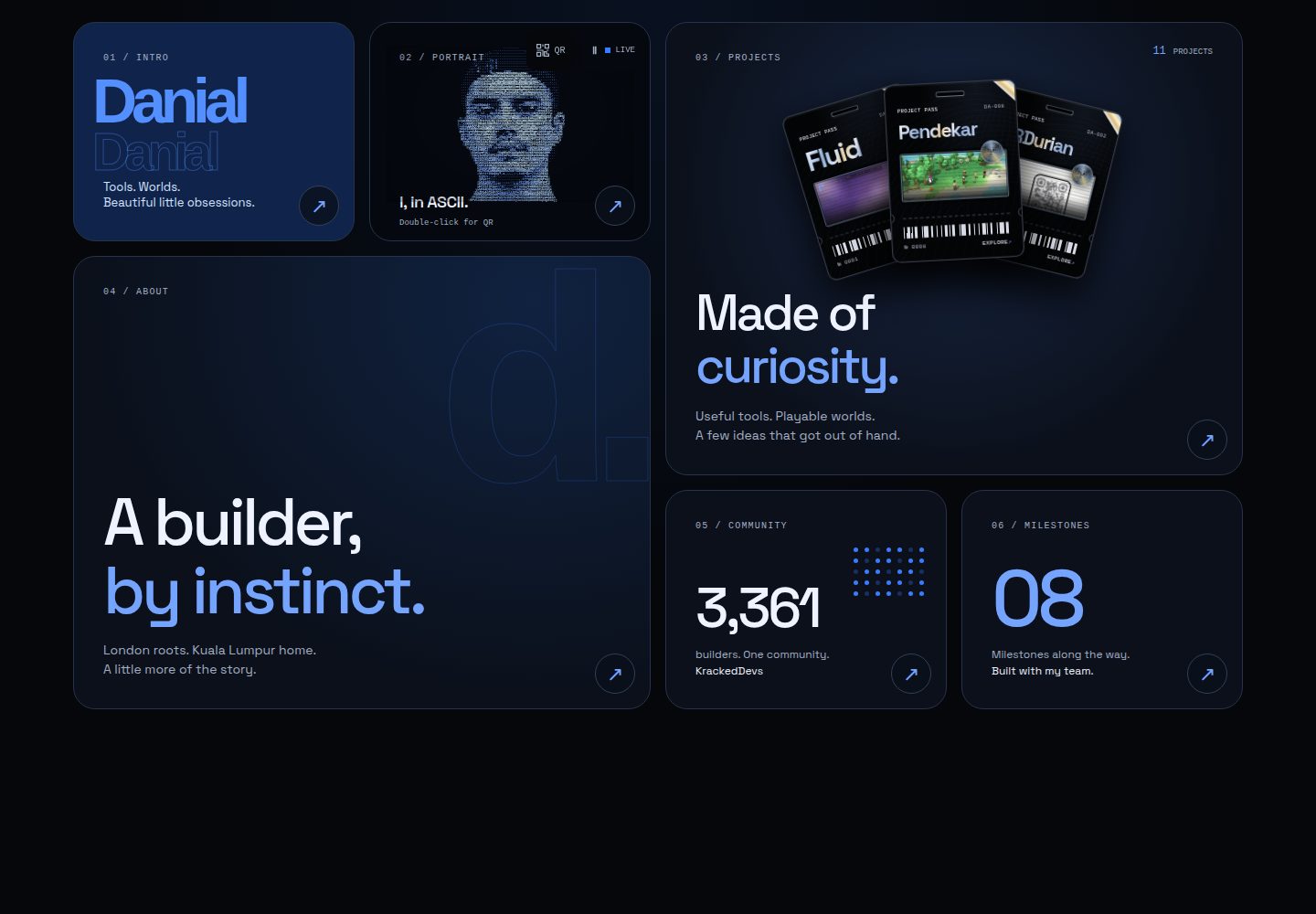
Projects are displayed in a hexagonal honeycomb layout, with the central hexagon as the entry point to the profile
ViteReactPortfolio
honeycomb — Vite Portfolio Template
By enonforetsam
Honeycomb is a personal portfolio template built around a hexagonal honeycomb structure: projects are distributed as hexagons on a generative wallpaper, and clicking one opens a detail panel with screenshots, a problem description and the tech stack.
Explore the design
Compare the page layouts and mobile experience. Open any screenshot for a closer look.
Desktop homepage1 / 2
Desktop captureTop of page
Actual screenshot captured by the server browser.
All pages & views 2
Screenshots show visual appearance; interactive behavior may differ.
Recorded 2026-10-18View source
What stands out
A quick read of the recorded project description.
Project details use a native <dialog> with screenshots, the problem, the tech stack and links
Supports #project/<id> deep links and previous/next navigation
Provides an accessible list view, with layout tests covering 1 to 32 hexagons
Static prerendering outputs HTML and JSON-LD, including a sitemap and robots
Includes a built-in Windows 95-style Nostalgia OS easter egg with a guestbook and counter
Template Details
Honeycomb is a portfolio template built on React and Vite whose core idea is to present personal projects as hexagons arranged in a honeycomb. The central hexagon represents the author; clicking it opens a reader with three tabs: About, Now and Work with me. Each project hexagon opens a native <dialog> detail panel showing screenshots, the problem the project solves, the tech stack and links, and it supports #project/<id> deep links, previous/next switching and a fallback display when a screenshot is missing. The page also provides an accessible list view; the desktop layout uses two columns, while on mobile the introduction, contact details and projects stack. The background is a dynamic wallpaper generated by Fluid that can be paused/played and switched at random, and it respects reduced-motion settings. The template includes static prerendering, outputting real HTML before JavaScript runs, and generates JSON-LD for Person, WebSite and SoftwareApplication, along with a sitemap and robots. The README also mentions a hidden Windows 95 desktop (Nostalgia OS) located in src/os/, with a boot screen, draggable windows, a guestbook and a counter based on Cloudflare D1 + KV, reachable via a separate subdomain. All project and profile content is edited in a single file, src/data/experiments.js.
ViteReactPortfolio
Is it right for your project?
Use Cases
- Individual developers or designers showcasing multiple projects
- Needing to organize a portfolio in a visual, non-traditional grid
- Wanting a portfolio with static prerendering and search engine structured data
- Wanting to add an interactive nostalgic easter egg page to a portfolio
Suitable For
- Developers with multiple projects to showcase
- Personal sites that prefer a hexagonal honeycomb visual style
- Users deploying static sites with Cloudflare Workers
- Creators who want a portfolio with deep links and an accessible list view
Getting started & customization
Use these recorded setup notes alongside the repository instructions for your chosen version.
- 1
After cloning the repository, run npm i, copy src/data/experiments.example.js to src/data/experiments.js and edit the projects and profile
- 2
Set shot and now.logo to null until the images are ready
- 3
Run node scripts/shots.mjs to generate project screenshots, and npm run build to generate dist/ with the content inlined into index.html
- 4
Deployment uses a Cloudflare Worker with static assets; edit the route in wrangler.jsonc, then run npx wrangler deploy
- 5
The Nostalgia OS guestbook requires a D1 database and a KV namespace configured in wrangler.jsonc; without them the portfolio works but the guestbook has no content
License & source material
Usage conditions & limitations
Free to use · keep license noticeThis listing covers the free version in the public repository, released under the MIT license; the free scope is that version's code and does not mean external services or third-party assets are free.
Must comply with when using
- The code of this version may be used, modified, used commercially and distributed free of charge.
- When distributing copies or substantial portions of the code, the original author's copyright notice and the full MIT license notice must be retained.
- The code is provided as is; warranties and limitations of liability are governed by the original license and applicable law.
Additional costs & items to verify
- Demo images, fonts, icons and other third-party assets must be checked against their respective licenses; the code's MIT license alone is not sufficient to judge them.
- External services such as domains, hosting, databases, payments or AI may incur separate charges.
- The guestbook and counter of the Nostalgia OS easter egg (src/os/) depend on Cloudflare D1 + KV services and must be configured by the user.
- The automated deployment GitHub Action requires the CLOUDFLARE_API_TOKEN and CLOUDFLARE_ACCOUNT_ID repository secrets to be configured.
- The guestbook requires a D1 database and a KV namespace declared in wrangler.jsonc; without them the portfolio is usable but the guestbook has no content.
- The deployment target is a Cloudflare Worker with static assets, and the route in wrangler.jsonc must be edited first.
- The wallpaper engine is the third-party package fluid-bg (MIT); the README does not document the licensing of other assets such as images individually, so they must be verified before use.
View Original Text Basis
Permission is hereby granted, free of charge
Original License Text
`src/os/` is a Windows 95 desktop: boot screen, draggable windows, a guestbook and
Original README
`CLOUDFLARE_API_TOKEN` and `CLOUDFLARE_ACCOUNT_ID` as repo secrets. The guestbook
Original README
needs a D1 database and a KV namespace named in `wrangler.jsonc`; without them the
Original README
Cloudflare Worker with static assets. Edit the routes in `wrangler.jsonc`, then:
Original README
https://github.com/enonforetsam/honeycomb/blob/main/LICENSEhttps://github.com/enonforetsam/honeycomb/blob/main/README.mdMIT © Danial Alias. The wallpaper engine is [fluid-bg](https://www.npmjs.com/package/fluid-bg) (MIT).
Original README
Compiled by DeepSeek based on repository license and README ·2026-10-19. Results only cover the materials read; dependencies, images, fonts, and subsequent term changes are subject to their respective original texts.
Project checks & description sources
Template Information
- Source platforms
- GitHub
- Documentation and maintenance reference score
- More documented · 85 / 100
- Technologies
- Vite · React
- Website type
- Portfolio
How this score is calculated
Our heuristic uses license records (up to 30), a demo link (12), a preview (10), stars (15), recorded maintenance (15), description completeness (8), feature records (5) and classification data (5). It is not a code, security or performance test, or a Google score. A link does not establish tested functionality.
What to verify for this project
- Repository update recorded
- 2026-09-07
- Screenshot last checked
- 2026-10-19
A demo link is listed. Check it with your own content and viewport sizes; its presence does not confirm that forms, authentication or payments work.
The catalog identifies Vite as the primary stack. Check the actual dependency manifest and lockfile for versions and hosting requirements. These notes use recorded metadata, not a code audit or a deployment test.
Use a selection guide →How this description was prepared
AI-assisted description based on catalog records and repository material. Repository authors are not automatically the reviewers of this description.
Review declaration: codex-user-requested-batch-review-20261021 · 2026-10-21
Inspect the recorded source material
SHA-256: 33c8c22dfe40c988aef335f64f6ff61e8d0a7f9fce085856ccd842cd26fc4f16
2026-10-19T00:21:38.337Z
Source file / repository<div align="center"> # Honeycomb A portfolio that is a honeycomb: your projects as hexagons on a live generative wallpaper, each opening a sheet with a screenshot, the problem it solves and the stack. The centre hex is you. There is a Windows 95 desktop hidden in it. [](LICENSE) [](https://themasterofnone.xyz) [](https://nostalgia.themasterofnone.xyz) [Live example](https://themasterofnone.xyz) · [Nostalgia OS](https://nostalgia.themasterofnone.xyz) · Wallpaper by [Fluid](https://github.com/enonforetsam/fluid) </div> ## Make it yours in ten minutes ```sh git clone https://github.com/enonforetsam/honeycomb my-site cd my-site && npm i cp src/data/experiments.example.js src/data/experiments.js npm run dev ``` Edit one file. `src/data/experiments.js` holds your projects (name, one line, blurb, problem, stack, link, accent) and your profile (headline, bio, timeline, socials). Set `shot` and `now.logo` to `null` until your images are ready. Everything on the page renders from it, including the static HTML and the JSON-LD that search engines and link previews read. ```sh node scripts/shots.mjs # screenshots of your live projects for the sheets npm run build # dist/, with your words baked into index.html npm run lint && npm test ``` ## What you get - A responsive honeycomb around your profile, plus an accessible list view. Desktop uses two columns; phones stack the introduction, contact and projects. Layout tests cover one to 32 tiles. - Project sheets: a native `<dialog>` with screenshot, problem, stack and links (Esc, backdrop and the × all close it; cmd-click still opens the site). Each project has a shareable `#project/<id>` link, previous/next controls, and a fallback when a screenshot is unavailable. - The centre hex opens into a reader with three tabs: About, Now, Work with me - A live [Fluid](https://befluid.xyz) wallpaper you can shuffle, painted over a CSS gradient so the first frame is never black. Pause/play controls, reduced motion, background-tab pausing and reading-mode pausing keep it considerate. - Static prerender: real HTML before JavaScript, Person + WebSite + SoftwareApplication JSON-LD, sitemap and robots - No text under 12px on any screen, 44px targets, visible focus rings, reduced motion respected - Regression checks for tile geometry, deep links and content integrity, run before deployments. Browser failure fixtures live at `tests/browser.html`. ## Nostalgia OS `src/os/` is a Windows 95 desktop: boot screen, draggable windows, a guestbook and a hit counter on Cloudflare D1 + KV. `worker.js` serves it on its own host (`nostalgia.<your-domain>`) and the portfolio on the apex; open `os.html` locally. ## Structure | file | role | |------|------| | `src/data/experiments.js` | the only file you must edit | | `src/components/HexGrid.jsx` | the comb, the landing words, the fit | | `src/components/ProjectSheet.jsx` | the per-project dialog | | `src/components/BuilderCenterHex.jsx` + `ProfileDialog.jsx` + `AboutPanel.jsx` | the centre hex and its native dialog reader | | `src/components/FluidArt.jsx` | the wallpaper | | `src/landing.css` | the words, the sheet, the copy floor | | `vite.config.js` | the prerender plugin (static HTML + JSON-LD from your data) | | `worker.js` | Cloudflare Worker: host routing, security headers, guestbook API | ## Deploy Cloudflare Worker with static assets. Edit the routes in `wrangler.jsonc`, then: ```sh npm run build && npx wrangler deploy --env staging npm run build && npx wrangler deploy ``` The GitHub Action runs lint, tests and a build before deploying on push to `main` with `CLOUDFLARE_API_TOKEN` and `CLOUDFLARE_ACCOUNT_ID` as repo secrets. The guestbook needs a D1 database and a KV namespace named in `wrangler.jsonc`; without them the portfolio works and the OS guestbook shows nothing. ## Contributing Bugs and ideas welcome; see [CONTRIBUTING.md](CONTRIBUTING.md). ## License MIT © Danial Alias. The wallpaper engine is [fluid-bg](https://www.npmjs.com/package/fluid-bg) (MIT).
Explore similar templates
Compare previews and descriptions within the same stack and category.

Resumify
Resumify is a browser-based resume builder built with React, TypeScript, and Vite.
Vite · Portfolio

showlit
Showlit is a personal website template built with React, Vite, TypeScript, Tailwind CSS, and shadcn/ui.
Vite · Portfolio

folium
A developer portfolio template built with Vite, React, TypeScript, and Tailwind CSS.
Vite · Portfolio

kurizu-discord
A personal portfolio website built with React and Vite that mimics the Discord desktop app, organizing projects, skills, and experience into customizable channels, threads, a member list, and emoji reactions.
Vite · Portfolio
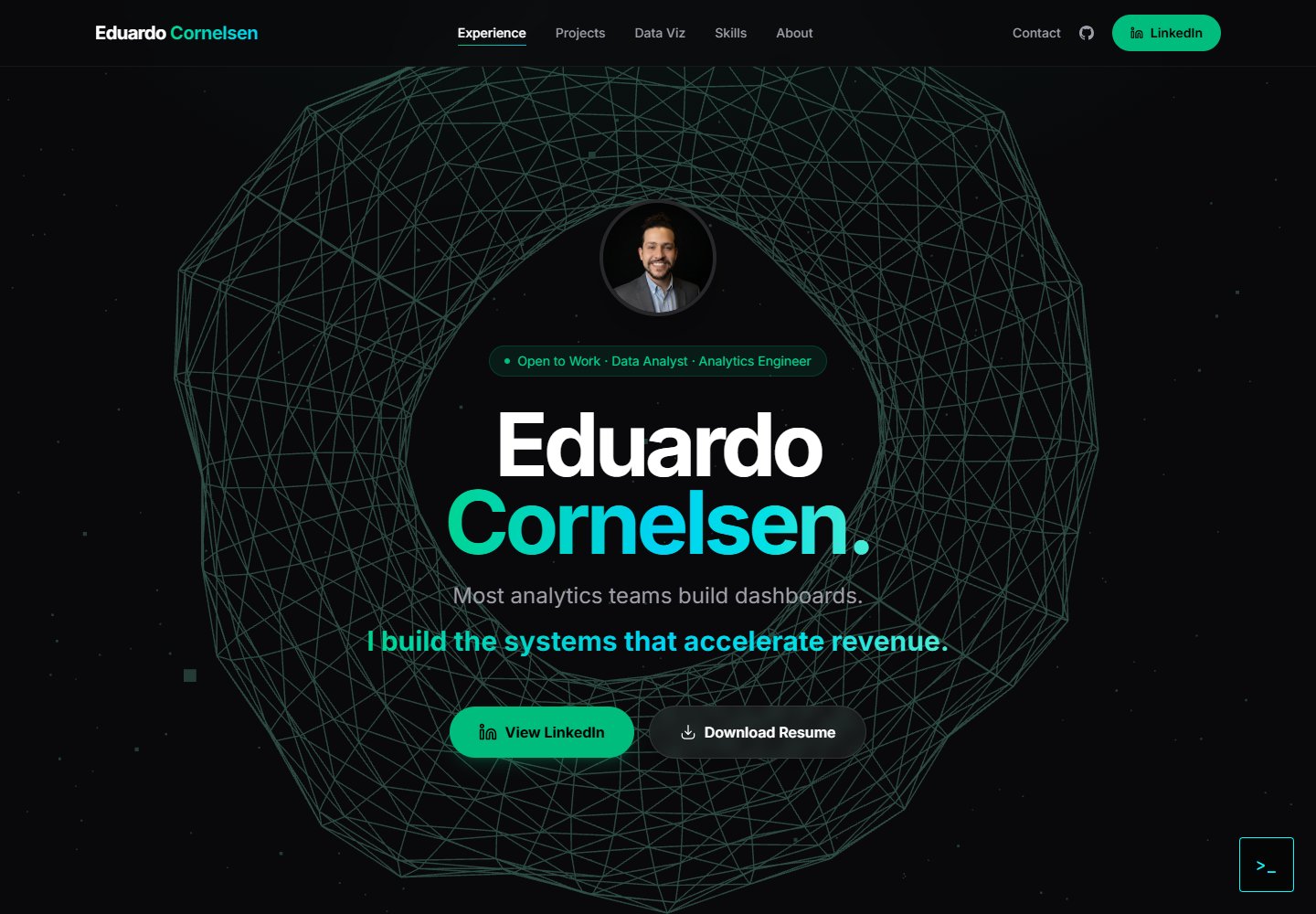
cv-educornelsen
A React + TypeScript personal portfolio template built with Vite, featuring a streaming AI chatbot powered by Google Gemini. An Express backend proxies requests to keep the API key server-side, with rate limiting, IP throttling, canary token injection, and LangFuse tracing.
Vite · Portfolio

about-me-personal-portfolio-website-template
AboutMe is a free personal website template built with Bootstrap and Vite, released under the MIT license. It provides a single-page index.html with organized src directories for images, JavaScript, and SCSS, along with npm scripts for development and build.
Vite · Portfolio