Integrates Vue 3, Vite, and TypeScript, providing the starter's basic structure
VueViteStarter
i-go-to-home-by-bus — Vue Starter Template
By lkflkf99
A Vue 3 and Vite starter template that integrates TypeScript, Pinia, TailwindCSS, auto-imports, internationalization, and test configuration, suitable as a starting point for new Vue projects.
Explore the design
Compare the page layouts and mobile experience. Open any screenshot for a closer look.
Desktop homepage1 / 2
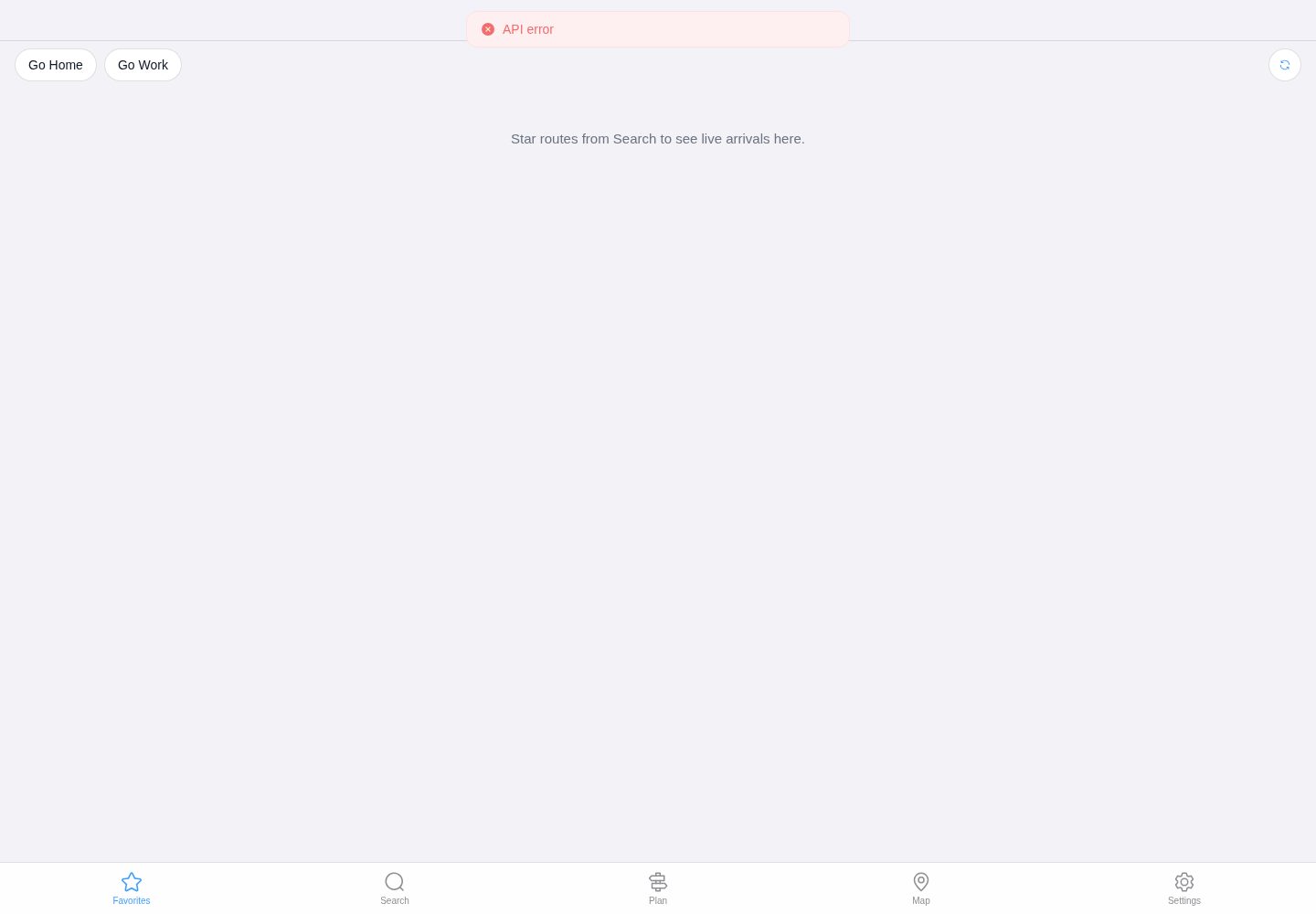
Desktop captureTop of page
Actual screenshot captured by the server browser.
All pages & views 2
Screenshots show visual appearance; interactive behavior may differ.
Recorded 2026-10-07View source
What stands out
A quick read of the recorded project description.
Built-in Pinia state management, TailwindCSS, and HeadlessUI
Supports component and API auto-imports, reducing manual imports
Includes light/dark theme switching, icon components, and I18n internationalization configuration
Provides Vitest unit tests, Cypress end-to-end tests, and GitHub Actions CI/CD configuration
Comes with axios request wrapper examples and Netlify deployment instructions
Template Details
This template is a Vue 3 + Vite starter for quickly setting up new Vue projects. The repository uses the MIT license, and the README states that it includes component and API auto-imports, Pinia state management, TailwindCSS and HeadlessUI styling, light/dark theme switching, icon components, TypeScript, ESLint/Prettier, Vitest unit tests and Cypress end-to-end tests, GitHub Actions CI/CD, Netlify deployment, as well as I18n internationalization and axios request wrappers.
For usage, the README requires Node version 14 or higher, installing dependencies with yarn and running the development server, and also provides commands for unit tests, end-to-end tests, and builds. The template also gives recommended IDE configuration for VSCode + Volar, and two Netlify deployment paths (automatic deployment via GitHub Actions or direct repository sync deployment).
Note that the preview section in the README is marked as WIP and does not provide a complete feature demonstration. The template's styling and themes, HTTP requests, internationalization, icons, and auto-import configurations are given as code examples, and actual use requires adjustment according to the project.
VueViteStarter
Is it right for your project?
Use Cases
- As a starting template for new Vue 3 projects to quickly set up a development environment
- Front-end projects that need a combination of TypeScript, Pinia, and TailwindCSS
- Vue applications that want common configurations such as auto-imports, internationalization, and theme switching
- Vue projects that need basic unit test and end-to-end test configuration
Suitable For
- Front-end developers familiar with Vue 3 and Vite
- Teams that need to quickly start Vue projects with a built-in common toolchain
- Developers who want to reference auto-import, internationalization, and test configurations
Getting started & customization
Use these recorded setup notes alongside the repository instructions for your chosen version.
- 1
The README requires Node version 14 or higher
- 2
Install dependencies with yarn and start the development server with yarn dev
- 3
Use yarn test:unit for unit tests and yarn test:e2e for end-to-end tests
- 4
Use yarn build for building and yarn start for production start
- 5
VSCode + Volar is recommended, with Vetur disabled
License & source material
Usage conditions & limitations
Free to use · keep license noticeThis entry covers the free version under the MIT license in a public repository; the free scope is the code of this version and does not mean external services or third-party assets are free.
Must comply with when using
- Free use, modification, commercial use, and distribution of this version's code are allowed.
- When distributing copies or substantial portions of the code, retain the original author's copyright notice and the full MIT license notice.
- The code is provided as is; warranties and liability limitations are governed by the original license and applicable law.
Additional costs & items to verify
- Demo images, fonts, icons, and other third-party assets must be checked against their respective licenses and cannot be judged solely by the code's MIT license.
- External services such as domains, hosting, databases, payments, or AI may incur additional charges.
- Using this template requires Node.js version 14 or higher; environments below this version cannot install and start the project as described in the README.
- The automatic deployment process depends on a Netlify account and project, requiring creating a Netlify site and configuring related credentials, which is an external service dependency.
- When using GitHub Actions for automatic deployment, credentials such as the site API ID must be obtained from the Netlify backend, involving external platform account configuration.
- Automatic deployment requires generating a personal access token in Netlify, which is an external service account and key requirement.
- Automatic deployment requires generating a GitHub personal access token, involving account permissions and key management.
View Original Text Basis
Permission is hereby granted, free of charge
Original License Text
> This template requires Node version >=14
Original README
- Create new Netlify project and add your repository to it
Original README
- Inside Netlify dashboard, go to site settings and copy `API ID` inside Site Information menu (save it on notepad or anything else)
Original README
- Click your profile -> open `user settings` -> Applications -> Click `New access token` -> genereate -> and copy the token
Original README
https://github.com/lkflkf99/i-go-to-home-by-bus/blob/main/LICENSEhttps://github.com/lkflkf99/i-go-to-home-by-bus/blob/main/README.md- Go to Github profile settings -> Developer Settings -> Personal access token -> Generate new token -> copy it
Original README
Compiled by DeepSeek based on repository license and README ·2026-10-07. Results only cover the materials read; dependencies, images, fonts, and subsequent term changes are subject to their respective original texts.
Project checks & description sources
Template Information
- Source platforms
- GitHub
- Documentation and maintenance reference score
- More documented · 85 / 100
- Technologies
- Vue · Vite
- Website type
- Starter
How this score is calculated
Our heuristic uses license records (up to 30), a demo link (12), a preview (10), stars (15), recorded maintenance (15), description completeness (8), feature records (5) and classification data (5). It is not a code, security or performance test, or a Google score. A link does not establish tested functionality.
What to verify for this project
- Repository update recorded
- 2026-10-07
- Screenshot last checked
- 2026-10-07
A demo link is listed. Check it with your own content and viewport sizes; its presence does not confirm that forms, authentication or payments work.
The catalog identifies Vue as the primary stack. Check the actual dependency manifest and lockfile for versions and hosting requirements. These notes use recorded metadata, not a code audit or a deployment test.
Use a selection guide →How this description was prepared
AI-assisted description based on catalog records and repository material. Repository authors are not automatically the reviewers of this description.
Review declaration: [email protected] · 2026-10-07
Inspect the recorded source material
SHA-256: de37c3e9e0b384470b6ae3ac665b2ab340358f14907dcee06c1ac640040e2dc8
2026-10-07T04:35:38.427Z
Source file / repository# Vue 3 Vite Starter
A Vue 3 starter template or boilerplate for your new Vue projects using Vite.
<br>
## Features
- [x] ⚡️ [Vue 3](https://github.com/vuejs/vue-next), [Vite 2](https://github.com/vitejs/vite), and [yarn](https://yarnpkg.com/)
- [x] 📦 [Components auto importing (unplugin-vue-components)](https://github.com/antfu/unplugin-vue-components)
- [x] 🍍 [State Management via Pinia](https://pinia.esm.dev/)
- [x] 🎨 [TailwindCSS](https://tailwindcss.com/) and [HeadlessUI](https://headlessui.dev/)
- [x] 🌙 Switch Theme (light and dark)
- [x] 😃 [Icon Pack Component (unplugin-icons)](https://github.com/antfu/unocss/tree/main/packages/preset-icons)
- [x] 🔥 Use the [new `<script setup>` syntax](https://github.com/vuejs/rfcs/pull/227)
- [x] 📥 [APIs auto importing (unplugin-auto-import)](https://github.com/antfu/unplugin-auto-import)
- [x] 🗂️ [Vue Composition Collection (Vueuse)](https://vueuse.org/)
- [x] 🦾 [TypeScript](https://www.typescriptlang.org/)
- [x] Code Styling with Eslint and Prettier
- [x] ⚙️ Unit Testing with [Vitest](https://github.com/vitest-dev/vitest) and E2E Testing with [Cypress](https://cypress.io/)
- [x] 🚀 CI/CD with [GitHub Actions](https://github.com/features/actions)
- [x] ☁️ Deploy on Netlify, zero-config
- [x] 🌍 Internationalization with I18n
- [x] 📡 Http request with [axios](https://axios-http.com/)
<br>
## Preview
WIP
## Quick Start
> This template requires Node version >=14
- Clone this project to local `https://github.com/RSurya99/vue3-vite-starter.git`
- Install all dependencies `yarn install`
- Start development server `yarn dev` and open `http://localhost:3000` in your browser
- Unit test using `yarn test:unit` and E2E test using`yarn test:e2e`
- Build the project using `yarn build` and use `yarn start` to start production server
## Recommended IDE Setup
[VSCode](https://code.visualstudio.com/) + [Volar](https://marketplace.visualstudio.com/items?itemName=johnsoncodehk.volar) (and disable Vetur) + [TypeScript Vue Plugin (Volar)](https://marketplace.visualstudio.com/items?itemName=johnsoncodehk.vscode-typescript-vue-plugin).
## Deploy on Netlify
There are 2 way to upload to netlify within this project. You can use CI/CD for auto deploy, or deploy it directly to netlify
### Using Github Actions to Deploy
- Create new Netlify project and add your repository to it
- Inside Netlify dashboard, go to site settings and copy `API ID` inside Site Information menu (save it on notepad or anything else)
- Click your profile -> open `user settings` -> Applications -> Click `New access token` -> genereate -> and copy the token
- Go to Github profile settings -> Developer Settings -> Personal access token -> Generate new token -> copy it
- Then, go to your github project repository -> Settings -> Secrets -> Actions -> and add 3 new repository secret
1. NETLIFY_AUTH_TOKEN = YOUR_NETLIFY_PERSONAL_ACCESS_TOKEN
2. NETLIFY_SITE_ID = YOUR_NETLIFY_PROJECT_API_ID
3. PERSONAL_TOKEN = YOUR_GITHUB_ACCESS_TOKEN
- Save it, and try to push new commit to your repository (the CI/CD scripts will automatically run, and if there's no error in testing, it will automatically deploy your project to netlify)
### Direct Deploy in Netlify
- Go to Netlify dashboard and create new project
- Sync it with your repo and wait a minute for netlify to auto-deploy the project
<br>
## Notes
### Styles
You can find Tailwindcss import in :
```bash
/path/to/assets/css/vendor.css
```
For custom styles, you can add it in :
```bash
/path/to/assets/sass/app.css
```
### Theme Changer
We are using Vueuse to toggle DarkMode, you can find it in :
```bash
/src/composables/dark.ts
```
How to use :
```vue
<script setup lang="ts">
import { toggleDark } from '@/composables'
</script>
<template>
<div>
<button @click="toggleDark()">Toggle Theme</button>
</div>
</template>
```
### HTTP Request (Axios)
We use axios for HTTP request, because it's more easy to use then javascript `fetch()` method.
To use this you need to create a service and then you can call it in store or component
Example use :
`services/ApiService.ts`
```ts
import axios from 'axios'
const instance = axios.create({
baseURL: 'https://jsonplaceholder.typicode.com',
timeout: 10000,
headers: {
'Access-Control-Allow-Origin': '*',
},
})
export default {
apiGetAllUsers() {
return instance.get('/users')
},
}
```
call `apiGetAllUsers` in store
`stores/User.ts`
```ts
import { defineStore } from 'pinia'
import ApiService from '@/services/ApiService'
import { User } from '../types'
export const useUserStore = defineStore({
id: 'user',
state: () => ({
users: [] as User[],
}),
actions: {
getAllUser() {
return ApiService.apiGetAllUsers()
.then((response) => {
this.users = response.data
})
.catch((error) => {
throw error
})
},
},
})
```
### Internationalization
Internationalization is a plugin that allows you to switch between languages. this lib in :
```bash
/path/to/modules/i18n.ts
```
To use this plugin, is quite easy, you just need to add new translation on locales (if you want to add another language just create a new file), and then you can import it and use it in component like this:
`locales/en.yml`
```yml
app:
title: Vue 3 Vite Starter
```
`App.vue`
```vue
<script setup lang="ts">
const { t } = useI18n()
</script>
<template>
<h1>{{ t('app.title') }}</h1>
</template>
```
here are the config in `vite.config.js`
```ts
import VueI18n from '@intlify/vite-plugin-vue-i18n'
export default defineConfig({
plugins: [
vue(),
AutoImport({
imports: [
'vue',
// add vue-i18n for auto importing
'vue-i18n',
],
dts: 'src/auto-imports.d.ts',
eslintrc: {
enabled: true, // Default `false`
},
}),
// vue i18n config here
// https://github.com/intlify/bundle-tools/tree/main/packages/vite-plugin-vue-i18n
VueI18n({
runtimeOnly: true,
compositionOnly: true,
include: [path.resolve(__dirname, 'locales/**')],
}),
],
resolve: {
alias: {
'@': fileURLToPath(new URL('./src', import.meta.url)),
},
},
})
```
### Icons
This project is using unplugin-icons with unplugin-vue-components for auto importing
You can see collection icon list in : https://icones.js.org/
In this project, prefix is configured to "Icon", here are example use of it :
```vue
<IconProviderIconName />
<IconMdiChevronDown />
<IconLogoGoogleIcon />
```
you can see the config of this in `vite.config.js`
```ts
export default defineConfig({
plugins: [
vue(),
Components({
resolvers: [
IconsResolver({
prefix: 'Icon',
}),
],
directoryAsNamespace: true,
dts: 'src/components.d.ts',
}),
Icons(),
],
})
```
### API Auto Importing
We use `unplugin-auto-import` for API auto importing, you can also use this to import API in package. Here are the example of configuration :
```ts
AutoImport({
// targets to transform
include: [
/\.[tj]sx?$/, // .ts, .tsx, .js, .jsx
/\.vue$/,
/\.vue\?vue/, // .vue
/\.md$/, // .md
],
// global imports to register
imports: [
// presets
'vue',
'vue-router',
// custom
{
'@vueuse/core': [
// named imports
'useMouse', // import { useMouse } from '@vueuse/core',
// alias
['useFetch', 'useMyFetch'], // import { useFetch as useMyFetch } from '@vueuse/core',
],
'[package-name]': [
'[import-names]',
// alias
['[from]', '[alias]'],
],
},
],
// Generate corresponding .eslintrc-auto-import.json file.
// eslint globals Docs - https://eslint.org/docs/user-guide/configuring/language-options#specifying-globals
eslintrc: {
enabled: false, // Default `false`
filepath: './.eslintrc-auto-import.json', // Default `./.eslintrc-auto-import.json`
globalsPropValue: true, // Default `true`, (true | false | 'readonly' | 'readable' | 'writable' | 'writeable')
},
// custom resolvers
// see https://github.com/antfu/unplugin-auto-import/pull/23/
resolvers: [
/* ... */
],
})
```
## License
This project is licensed under the MIT license, Copyright (c) 2022 Rafli Surya Pratama. For more information see the [LICENSE](./LICENSE) file.
Explore similar templates
Compare previews and descriptions within the same stack and category.

vitesse
Vitesse is an opinionated Vite + Vue 3 starter template maintained by antfu-collective, offering file-based routing, component and API auto-import, Pinia, UnoCSS, PWA, i18n, Markdown, vite-ssg, TypeScript, Vitest, and Cypress.
Vue · Starter

vitesse-webext
vitesse-webext is a Vite-powered WebExtension starter template using Vue 3 and TypeScript, with built-in popup, options, and content script examples. It targets Chrome and Firefox, integrates webextension-polyfill, webext-bridge, UnoCSS, VueUse, and unplugin tools, and supports hot reload during development.
Vue · Starter

laravel-vue-spa
A Laravel + Vue SPA starter kit for quickly building a decoupled web application skeleton. It includes login, registration, email verification, and password reset flows, uses JWT for authentication, and integrates Laravel Socialite with GitHub as an example provider.
Vue · Starter

vue3-h5-template
A mobile H5 starter template built on Vue3, Vite, and Vant4, with TypeScript by default and JavaScript and i18n branches.
Vue · Starter

tov-template
tov-template is an MIT-licensed Vite + Vue 3 + TypeScript starter maintained by dishait. It bundles file-based routing, layouts, Mock, auto-imports, UnoCSS, Pinia, vue-request, Vitest, i18n, dark mode, Dockerfile, and engineering scripts.
Vue · Starter

shadcn-vue-landing-page
A Vue + Shadcn-Vue + TypeScript + Tailwind landing page template with sections like Navbar, Hero, Pricing, FAQ, Team, and Contact, plus dark mode and responsive layout.
Vue · Corporate Website