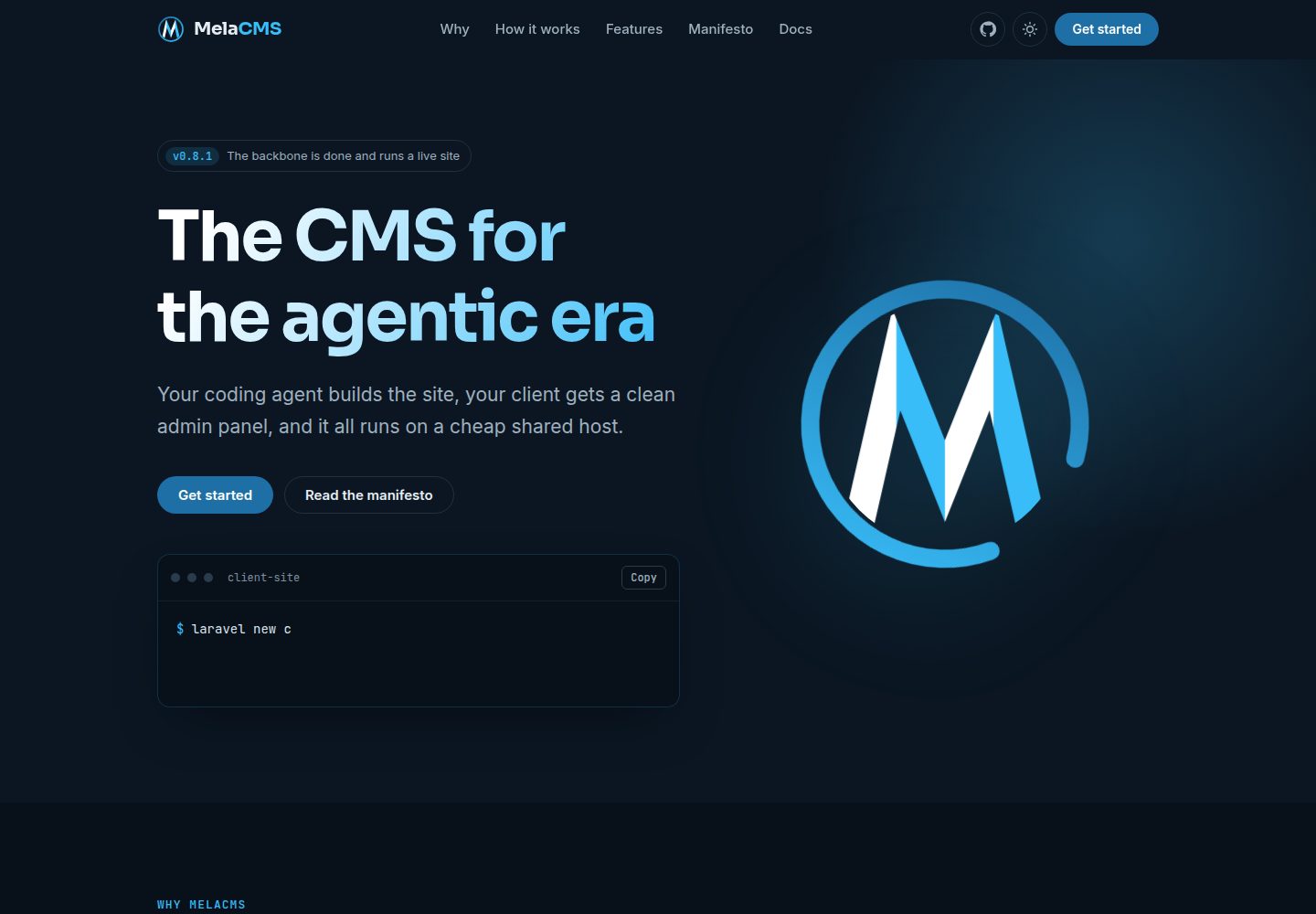
Site content exists as code in the site repository; models, migrations, admin interfaces and views can be read and tested by coding agents
LaravelWordPressAdmin dashboard
mela-cms — Laravel Admin dashboard Template
By melasistema
MelaCMS is a Laravel package for freelancers and studios to build client websites with the help of coding agents, and it includes a Filament-based client admin panel.
Explore the design
Compare the page layouts and mobile experience. Open any screenshot for a closer look.
Desktop homepage1 / 2
Desktop captureTop of page
Actual screenshot captured by the server browser.
All pages & views 2
Screenshots show visual appearance; interactive behavior may differ.
Recorded 2026-10-16View source
What stands out
A quick read of the recorded project description.
The installer writes AGENTS.md and CLAUDE.md, and the core ships with coding-agent guidance from migrations to tests
Filament 5-based admin panel with pages, media library, languages, settings and users, with roles super-admin, admin, editor
Built-in multilingual support: translated content and URLs, language switcher, hreflang, default language changeable at any time
Built-in media and SEO: WebP sizes generated on upload, per-page titles and share tags, /sitemap.xml
Installation includes CI, conventional commits, versioning, changelog and SSH deployment to shared hosting
Template Details
MelaCMS is a Laravel package aimed at freelancers and studios who write websites for clients using coding agents while still needing to deliver a clean admin panel to the client. Each website is an ordinary Laravel application that pulls in the package via Composer; running php artisan mela:install adds the admin panel, roles and a super-admin account, GitHub workflows for testing/releasing/deploying, and documentation files for coding agents. The README states that site content exists as code in the site repository, and that models, migrations, admin interfaces and views can all be read, modified and tested by agents.
On features, the README lists: site as code; prepared for coding agents (the installer writes AGENTS.md and CLAUDE.md, and the core ships with guidance from migrations to tests); a client-comprehensible panel (pages, media library, languages, settings and users, with roles super-admin, admin, editor); built-in multilingual support (translated content and URLs, language switcher, hreflang, default language changeable at any time); built-in media and SEO (WebP sizes generated on upload, per-page titles and share tags, /sitemap.xml); a separate index table per content type, translations and the main record in the same row, template fields without migrations; deliverable from the first commit (CI, conventional commits, versioning, changelog and SSH deployment to shared hosting, core updates with one command).
Limitations and status: the README explicitly states that MelaCMS is at an early stage (0.x) and has been used on one live site; before 1.0, minor versions may contain breaking changes, which the changelog will describe. Installation requires PHP 8.4 (with intl and GD or Imagick), Laravel 13, and Node 24 for building site assets. The README warns that the server PHP version must be pinned in composer.json before the site's first push. Updates must be run locally on the development branch with php artisan mela:update, and should not be run on the server. The README provides no performance data, production-readiness claims, or integrations with unmentioned tools.
LaravelWordPressAdmin panel
Is it right for your project?
Use Cases
- Freelancers or studios building small client websites with coding agents and needing to deliver an admin panel to the client
- Client sites that need multilingual content and URLs, a language switcher and hreflang
- Deploying on shared hosting while keeping site content and logic in the code repository rather than in database rows or third-party plugins
- Defining separate entities for site content (a separate index table per content type) and involving coding agents in development and testing
Suitable For
- Freelancers who write client websites with coding agents and also need to deliver a clean admin panel
- Studios that need a unified admin panel and deployment process for multiple client sites
- Developers familiar with Laravel and Composer who accept that breaking changes may occur during the 0.x phase
- Small client websites that need built-in multilingual support, media handling and basic SEO (sitemap, share tags)
Getting started & customization
Use these recorded setup notes alongside the repository instructions for your chosen version.
- 1
Environment requirements: PHP 8.4 (with intl and GD or Imagick), Laravel 13, and Node 24 for building site assets
- 2
Installation steps: laravel new client-site && cd client-site, then composer require melasistema/mela-cms and php artisan mela:install, after which visit /admin to log in
- 3
The server PHP version must be pinned in composer.json before the site's first push; the installation guide explains how and why Dependabot needs it
- 4
Updates are run locally on the development branch with php artisan mela:update; the README explicitly says not to update on the server
- 5
MelaCMS is at an early 0.x stage; before 1.0, minor versions may contain breaking changes, as detailed in the changelog
License & source material
Usage conditions & limitations
Free to use · keep license noticeThis entry covers the free version under the MIT license in the public repository; the free scope is that version's code and does not mean external services or third-party assets are free.
Must comply with when using
- You may use, modify, commercialize and distribute this version's code for free.
- When distributing copies or substantial portions of the code, retain the original author's copyright notice and the full MIT license notice.
- The code is provided as is; warranties and limitations of liability are governed by the original license and applicable law.
Additional costs & items to verify
- Demo images, fonts, icons and other third-party assets must be checked against their own licenses; the code's MIT license alone does not determine this.
- External services such as domains, hosting, databases, payments or AI may incur separate charges.
- The project is at an early 0.x stage; before 1.0, minor versions may contain breaking changes, so consult the changelog before upgrading.
- Runtime requirements: PHP 8.4 (with intl and GD or Imagick), Laravel 13, and Node 24 for building site assets.
- The server PHP version must be pinned in composer.json before the site's first push, otherwise Dependabot will not work properly.
- Updates must be run locally on the development branch with php artisan mela:update, and explicitly should not be run on the server.
- The path repository method is for local development only and must not be used for a real site.
- The MelaCMS name and logo are trademarks, and use is subject to the trademark terms on the brand page.
View Original Text Basis
Permission is hereby granted, free of charge
Original License Text
> MelaCMS is at an early stage (`0.x`) and in use on a live site. While the version is below `1.0`, a minor version can contain a breaking change; the [changelog](CHANGELOG.md) says when.
Original README
Requires PHP 8.4 with `intl` and GD or Imagick, Laravel 13, and Node 24 for the site's asset build.
Original README
> Before the site's first push, pin the PHP version of your server in `composer.json`. The [installation guide](https://docs.mela-cms.melasistema.com/v1/guide/setup) shows how, and why Dependabot needs it.
Original README
It requires the newest release, applies it, and prints the commit message to release the site with. Never update on the server. [How updates work →](https://docs.mela-cms.melasistema.com/v1/guide/updating)
Original README
Composer symlinks `vendor/melasistema/mela-cms` to the clone, so an edit in the package is live in the app at `http://localhost:8000/admin`. The sandbox is disposable: delete it and create it again whenever you want a clean install. A path repository is for development only and never belongs in a real site.
Original README
https://github.com/melasistema/mela-cms/blob/master/LICENSEhttps://github.com/melasistema/mela-cms/blob/master/README.mdMelaCMS is open source under the [MIT License](LICENSE): free to use, modify and self-host. The MelaCMS name and logo are trademarks, see the [brand page](https://docs.mela-cms.melasistema.com/brand#trademark).
Original README
Compiled by DeepSeek based on repository license and README ·2026-10-16. Results only cover the materials read; dependencies, images, fonts, and subsequent term changes are subject to their respective original texts.
Project checks & description sources
Template Information
- Source platforms
- GitHub
- Documentation and maintenance reference score
- More documented · 88 / 100
- Technologies
- Laravel · WordPress
- Website type
- Admin dashboard
How this score is calculated
Our heuristic uses license records (up to 30), a demo link (12), a preview (10), stars (15), recorded maintenance (15), description completeness (8), feature records (5) and classification data (5). It is not a code, security or performance test, or a Google score. A link does not establish tested functionality.
What to verify for this project
- Repository update recorded
- 2026-10-16
- Screenshot last checked
- 2026-10-16
A demo link is listed. Check it with your own content and viewport sizes; its presence does not confirm that forms, authentication or payments work.
The catalog identifies Laravel as the primary stack. Check the actual dependency manifest and lockfile for versions and hosting requirements. These notes use recorded metadata, not a code audit or a deployment test.
Use a selection guide →How this description was prepared
AI-assisted description based on catalog records and repository material. Repository authors are not automatically the reviewers of this description.
Review declaration: codex-user-requested-batch-review-20261017 · 2026-10-16
Inspect the recorded source material
SHA-256: e381b15dd0c1eed97a2ebb4c74614e2b703033dd1fd52735b807f977c476e1e3
2026-10-16T15:09:39.944Z
Source file / repository<p align="center">
<a href="https://docs.mela-cms.melasistema.com">
<picture>
<source media="(prefers-color-scheme: dark)" srcset=".github/art/logo-dark.svg">
<img src=".github/art/logo.svg" alt="MelaCMS" width="112" height="112">
</picture>
</a>
</p>
<h1 align="center">MelaCMS</h1>
<p align="center">
<strong>The CMS for the agentic era.</strong><br>
Your coding agent builds the site, your client gets a clean admin panel, and it all runs on a cheap shared host.
</p>
<p align="center">
<a href="https://github.com/melasistema/mela-cms/actions/workflows/release.yml"><img src="https://img.shields.io/github/actions/workflow/status/melasistema/mela-cms/release.yml?branch=master&label=CI" alt="CI"></a>
<a href="https://github.com/melasistema/mela-cms/releases"><img src="https://img.shields.io/github/v/release/melasistema/mela-cms?color=1D6FA5" alt="Latest release"></a>
<a href="https://docs.mela-cms.melasistema.com"><img src="https://img.shields.io/badge/docs-docs.mela--cms.melasistema.com-1D6FA5" alt="Documentation"></a>
<img src="https://img.shields.io/badge/PHP-8.4-4A5B6A?logo=php&logoColor=white" alt="PHP 8.4">
<img src="https://img.shields.io/badge/Laravel-13-4A5B6A?logo=laravel&logoColor=white" alt="Laravel 13">
<img src="https://img.shields.io/badge/Filament-5-4A5B6A" alt="Filament 5">
<a href="LICENSE"><img src="https://img.shields.io/badge/license-MIT-1D6FA5" alt="License: MIT"></a>
</p>
<p align="center">
<a href="https://docs.mela-cms.melasistema.com/v1/guide/introduction"><strong>Documentation</strong></a> ·
<a href="https://docs.mela-cms.melasistema.com/manifesto">Manifesto</a> ·
<a href="https://docs.mela-cms.melasistema.com/vision">Vision</a> ·
<a href="CHANGELOG.md">Changelog</a>
</p>
---
MelaCMS is a Laravel package for freelancers and studios who write client websites with coding agents and still need to hand the client a clean admin panel.
Each website is a normal Laravel app that requires it. One command adds the admin panel, the roles and a super-admin account, the GitHub workflows that test, release and deploy the site, and the instructions for the coding agents that work on it.
> [!NOTE]
> MelaCMS is at an early stage (`0.x`) and in use on a live site. While the version is below `1.0`, a minor version can contain a breaking change; the [changelog](CHANGELOG.md) says when.
## Why
WordPress was the fastest way to deliver a small website. With a coding agent it is the slowest: the site lives in database rows and third-party plugins that an agent cannot read, change or test.
MelaCMS keeps what made WordPress win (an admin panel for the client, cheap hosting, one developer per site) and turns everything else into code. [Read the manifesto →](https://docs.mela-cms.melasistema.com/manifesto)
## Features
- **The site is code.** Models, migrations, admin screens and views live in the site's repository, where an agent can work on them and tests can cover them.
- **Built for coding agents.** The installer writes the rules of MelaCMS into `AGENTS.md` and `CLAUDE.md`, and the core ships a tested guide that takes an agent from the migration to the test.
- **A panel your client understands.** Pages, a media library, languages, settings and users in a Filament 5 admin panel, with roles for super-admins, admins and editors.
- **Languages built in.** Translated content and addresses, a language switcher, `hreflang`, and a default language that can change at any time.
- **Media and SEO built in.** WebP image sizes at upload, title and share tags per page, and `/sitemap.xml`.
- **Flexible and fast.** Each kind of content has its own indexed table, translations sit in the same row, and a template field needs no migration.
- **Shipping from the first commit.** CI, conventional commits, versions, changelog and an SSH deploy to shared hosting come with the install. Core updates take one command.
## Quick start
Requires PHP 8.4 with `intl` and GD or Imagick, Laravel 13, and Node 24 for the site's asset build.
```bash
laravel new client-site && cd client-site
composer require melasistema/mela-cms
php artisan mela:install
```
Open `/admin` and log in with the account you just created.
> [!IMPORTANT]
> Before the site's first push, pin the PHP version of your server in `composer.json`. The [installation guide](https://docs.mela-cms.melasistema.com/v1/guide/setup) shows how, and why Dependabot needs it.
## Documentation
The full documentation is at **[docs.mela-cms.melasistema.com](https://docs.mela-cms.melasistema.com)**.
| Getting started | Building a site | Shipping and reference |
| :--- | :--- | :--- |
| [What is MelaCMS?](https://docs.mela-cms.melasistema.com/v1/guide/introduction) | [Admin panel and users](https://docs.mela-cms.melasistema.com/v1/building/admin-panel) | [Releasing and deploying](https://docs.mela-cms.melasistema.com/v1/guide/deploying) |
| [Installation](https://docs.mela-cms.melasistema.com/v1/guide/setup) | [Languages](https://docs.mela-cms.melasistema.com/v1/building/languages) | [Updating the core](https://docs.mela-cms.melasistema.com/v1/guide/updating) |
| [For WordPress developers](https://docs.mela-cms.melasistema.com/v1/guide/coming-from-wordpress) | [Settings](https://docs.mela-cms.melasistema.com/v1/building/settings) | [Configuration](https://docs.mela-cms.melasistema.com/v1/reference/configuration) |
| [Working with coding agents](https://docs.mela-cms.melasistema.com/v1/guide/agents) | [Pages](https://docs.mela-cms.melasistema.com/v1/building/pages) | [Commands](https://docs.mela-cms.melasistema.com/v1/reference/commands) |
| | [Your own content](https://docs.mela-cms.melasistema.com/v1/building/entities) | |
| | [Media](https://docs.mela-cms.melasistema.com/v1/building/media) | |
| | [SEO](https://docs.mela-cms.melasistema.com/v1/building/seo) | |
A coding agent working on a site reads [`docs/entity.md`](docs/entity.md) from `vendor/`: the tested recipe for a complete entity, from the migration to the test.
## Updating
On your machine, in the site, on the `development` branch:
```bash
php artisan mela:update
```
It requires the newest release, applies it, and prints the commit message to release the site with. Never update on the server. [How updates work →](https://docs.mela-cms.melasistema.com/v1/guide/updating)
## Contributing
Changes are welcome as pull requests to `master`.
```bash
git clone https://github.com/melasistema/mela-cms && cd mela-cms
composer install
```
| Task | Command |
| :--- | :--- |
| Run the tests | `composer test` |
| Check formatting (what CI runs) | `composer lint` |
| Fix formatting | `composer format` |
The tests run inside a throwaway Laravel app provided by [Orchestra Testbench](https://packages.tools/testbench), on in-memory SQLite. No `.env` or database server is needed.
### Trying a change in a real app
The package has no `artisan` and no pages of its own. To click through the admin while you work, require your clone into a throwaway Laravel app next to it, through a Composer path repository:
```bash
cd .. && laravel new mela-cms-sandbox && cd mela-cms-sandbox
composer config repositories.mela-cms path ../mela-cms
composer require melasistema/mela-cms:@dev
php artisan mela:install
npm install
composer run dev
```
Composer symlinks `vendor/melasistema/mela-cms` to the clone, so an edit in the package is live in the app at `http://localhost:8000/admin`. The sandbox is disposable: delete it and create it again whenever you want a clean install. A path repository is for development only and never belongs in a real site.
### How a change gets in
`master` is protected, for maintainers too: it changes only through a pull request whose checks pass. There is no `development` branch.
1. Fork the repository and create a branch from `master`, named after the work: `feat/media-library`, `fix/login-redirect`.
2. Open a pull request to `master`. Every push runs the formatting check, the tests (SQLite and MySQL, PHP 8.4 and 8.5, highest and lowest dependencies) and a check on the pull request title. All of them must pass before it can be merged.
3. Give the pull request a conventional-commit title, such as `feat: add the media library`. Pull requests are squash-merged, so the title becomes the commit on `master` and the line in the changelog. The commits inside the branch can be named freely.
4. Keep one feature or one fix per pull request, so each gets its own line in the changelog.
5. Add a test for new behaviour, and update the documentation when behaviour a site developer relies on changes.
The title type decides what is released:
| Title | Effect |
| :--- | :--- |
| `feat: ...` | New minor version, listed in the changelog |
| `fix: ...` | New patch version, listed in the changelog |
| `feat!: ...`, `fix!: ...` | Breaking change |
| `docs:`, `test:`, `refactor:`, `ci:`, `chore:` | No release |
A change to a template copied into sites (`stubs/`) is a `feat` or a `fix`, even for a workflow file: sites receive it only through a release.
### How releases are made
Nobody tags a release by hand. After each merge to `master`, release-please opens or updates a single release PR that collects the `feat` and `fix` changes since the last version and proposes the next one. Merging that PR creates the `vX.Y.Z` tag and the GitHub Release.
Versions follow [semantic versioning](https://semver.org). While the package is below `1.0`, a breaking change raises the minor version.
## License
MelaCMS is open source under the [MIT License](LICENSE): free to use, modify and self-host. The MelaCMS name and logo are trademarks, see the [brand page](https://docs.mela-cms.melasistema.com/brand#trademark).
© 2026 Luca Visciola (Melasistema)
Explore similar templates
Compare previews and descriptions within the same stack and category.

coreui-free-laravel-admin-template
A free MIT-licensed Laravel admin template using CoreUI Bootstrap styles, with a sample login account and management examples for users, menus, roles, media, BREAD, and email templates.
Laravel · Admin dashboard

sneat-bootstrap-html-laravel-admin-template-free
Sneat Free is a Laravel admin template with a Bootstrap 5 frontend, MIT-licensed, offering a dashboard, multiple layouts, authentication pages, forms, and tables.
Laravel · Admin dashboard
laqul
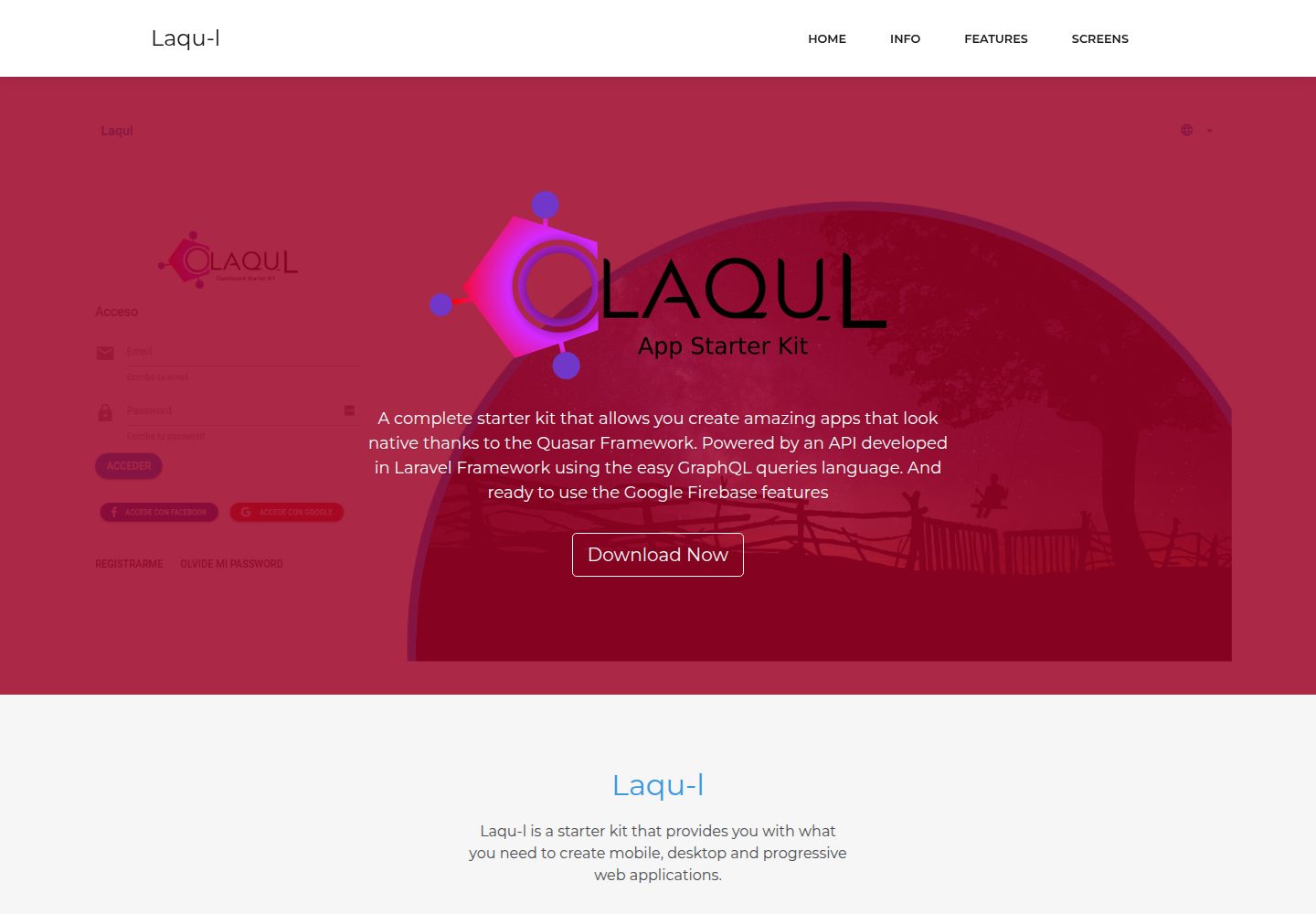
Laqul is an MIT-licensed Laravel + GraphQL + Quasar full-stack starter kit for backend/admin projects. It separates a Laravel GraphQL API, a Quasar dashboard client buildable as SPA, PWA, desktop, or mobile app, and a client-backend PHP relay for OAUTH2 credentials.
Laravel · Admin dashboard
laravel9-inertiajs-reactjs-starter
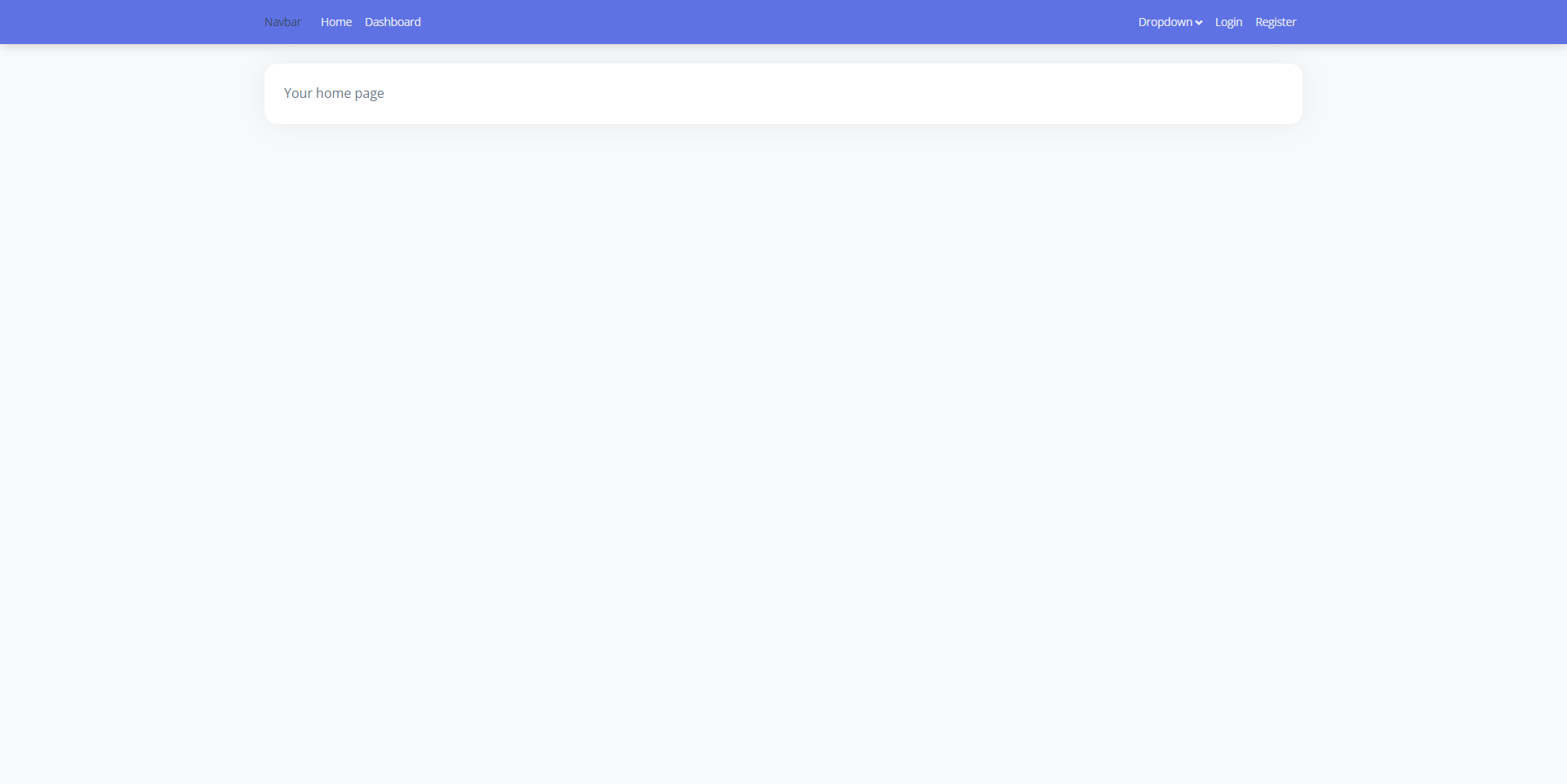
A Laravel 9 + Inertia.js + React admin starter with Guest, Base, and Auth layouts, login, registration, Google login, user management, and profile pages, styled with Bootstrap 5 and Argon Dashboard 2. Activity Log and Roles and Permissions are not yet implemented.
Laravel · Admin dashboard
TailAdmin-Laravel-Starter-Kit
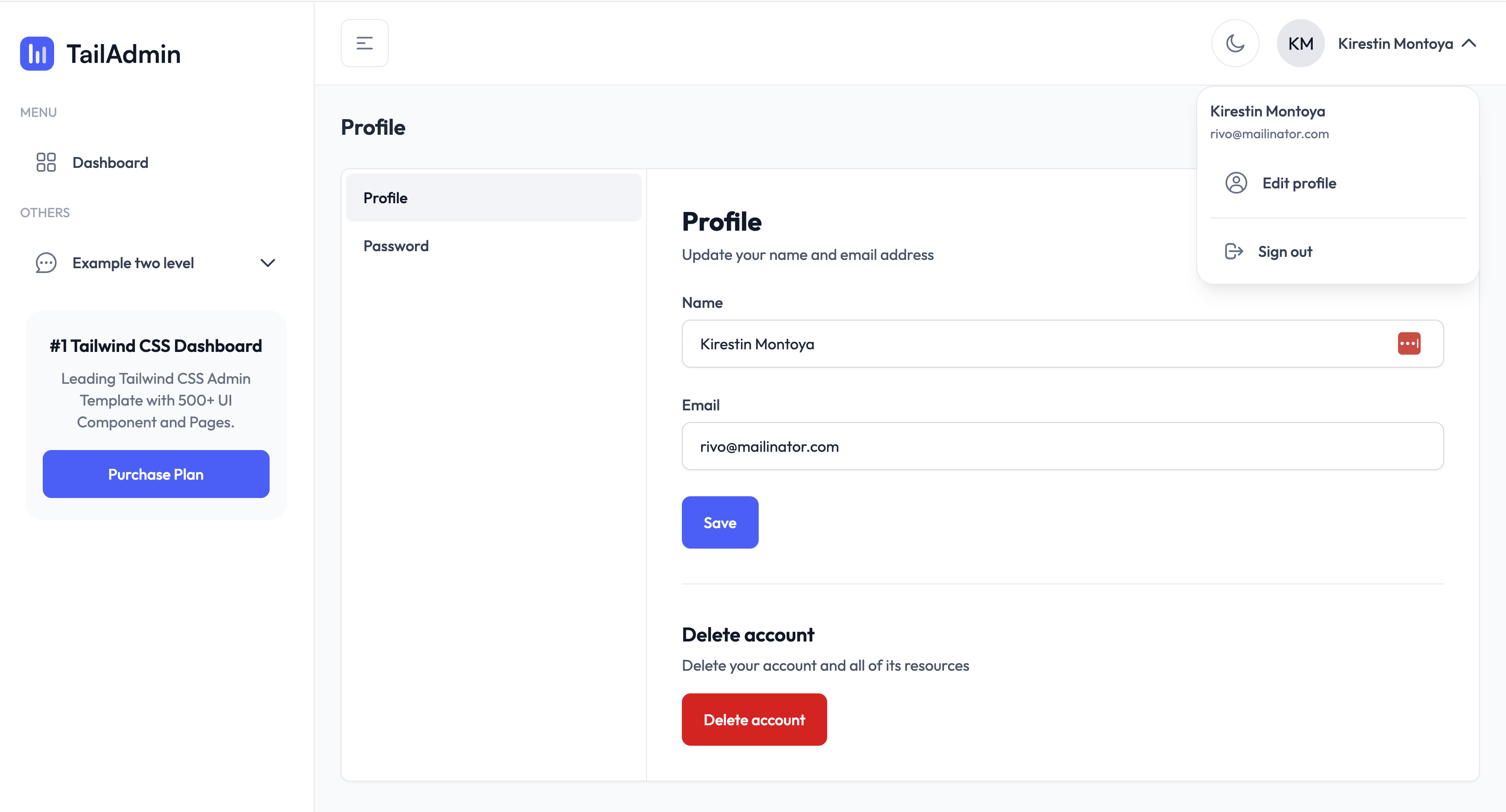
A Laravel admin starter maintained by LaravelDaily that merges LaravelDaily/starter-kit with TailAdmin Laravel free dashboard components.
Laravel · Admin dashboard
laravel-sentinel-crud-starter
A Laravel admin starter project that combines Cartalyst Sentinel authentication with user, role, and permission management, plus an Artisan command-driven CRUD generator. It includes user, role, permission assignment, and dashboard pages, a Datatables Bundle, and optional Gentelella Dashboard styling.
Laravel · Admin dashboard