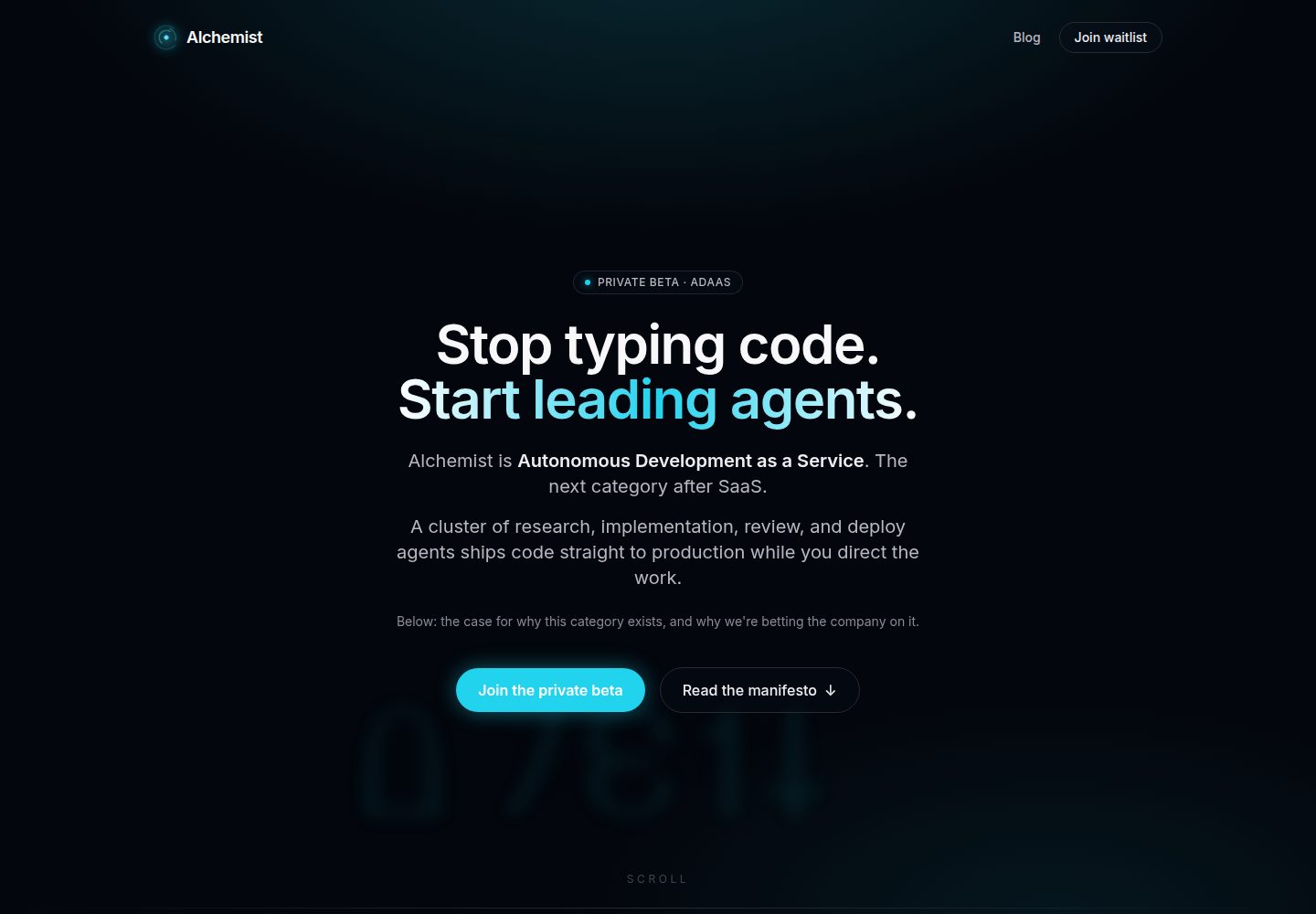
Deno 2 + Hono 4 的 API 层,使用 Zod 做请求校验并统一类型化错误处理
SvelteSaaS启动器
alchemist-template — Svelte SaaS模板
作者 chipp-ai
基于 Deno、Hono、Svelte 5 与 PostgreSQL 的 SaaS 启动模板,内置认证、计费、RBAC、事件与邮件队列,并附带面向 AI 代理的 CLAUDE.md。
看看你的网站会是什么样
浏览真实页面截图,比较内容排版与手机效果。点击下方缩略图切换,放大查看整页细节。
全部页面与视图 3
截图用于了解视觉与布局,交互效果请以实际项目为准。
采集于 2026-09-30查看来源
值得关注的模板亮点
从已有项目资料中,快速了解它的特点。
Svelte 5(runes)+ Vite 的 SPA,采用哈希路由与带 401 处理的类型化 fetch 封装
PostgreSQL 通过 Kysely 访问,迁移为 db/migrations/ 下的普通 SQL 文件并在启动时自动应用
内置邮箱 OTP、会话 Cookie、JWT API 令牌与 Arctic OAuth,并提供仅本地可用的 dev-login 通道
Stripe 订阅、客户门户与产品目录,支持一次性购买和月付/年付及组织级权益校验
Postgres 持久化事件总线与邮件 outbox:事务内发布、退避重试、死信重放、签名 webhook
模板详细介绍
Alchemist Template 是一个 SaaS 启动模板,仓库为 chipp-ai/alchemist-template,采用 MIT 许可。它同时是 Alchemist AI 平台上每个客户项目的种子仓库,其约定被用于训练自主代理,因此模板的目录结构与文档都围绕“让 AI 代理能读懂并扩展”来组织。
技术栈为 Deno 2 + Hono 4 提供 API(Zod 请求校验、类型化错误处理),Svelte 5(runes)+ Vite 构建 SPA(哈希路由、类型化 fetch 封装),PostgreSQL 通过 Kysely 访问并使用 CamelCasePlugin,Redis 负责会话与缓存。数据库迁移是 db/migrations/ 下的普通 SQL 文件,启动时按 NNN_description.sql 顺序自动应用。
开箱包含的能力:邮箱 OTP 登录、会话 Cookie、API 令牌 JWT、基于 Arctic 的 OAuth;组织、成员、角色与邀请构成的 RBAC;Stripe 订阅、客户门户以及一次性购买/月付年付的产品目录与组织级权益(requireEntitlement);基于 nodemailer 的 SMTP 邮件与持久化 outbox(enqueueEmail、defineJob 定时任务,支持退避重试与幂等键);Postgres 内的持久化发布订阅(publishEvent、FOR UPDATE SKIP LOCKED 消费、死信与重放、签名入站与出站 webhook);结构化日志(开发可读、生产 NDJSON)。
设计系统由单个 design.json 驱动,通过 CSS token 影响所有组件,附带九套预设、Google Fonts 目录、WCAG 对比度检查,以及 /#/design 组件展示页。开发环境提供 dev-login 逃生通道,无需 SMTP 即可登录;/api/dev/* 在生产环境返回 404,开发登录按钮也不会进入生产构建。测试不使用数据库 mock,直接连接真实 Postgres,路由与服务测试分开(test:fast)。部署侧提供 Dockerfile、docker-compose 与 /health 端点。
限制与注意:模板本身刻意保持通用,克隆后需要改写 CLAUDE.md、web/index.html 标题、src/config/brand.ts 品牌信息,并按需添加迁移、路由、服务与页面。演示中的图片、字体、图标等第三方素材需单独核对其许可;域名、托管、数据库、支付与 AI 等外部服务可能另行收费。
SvelteSaaS启动器
适合你的项目吗?
适用场景
- 作为新 SaaS 产品的起点,在其上构建自有领域功能
- 需要邮箱 OTP、OAuth、组织与角色权限的账号体系搭建
- 需要 Stripe 订阅、一次性购买与组织级权益控制的计费场景
- 需要可靠后台任务:定时邮件、事件驱动通知与 webhook 分发
- 希望让 Claude Code、Cursor 等 AI 代理按既有约定扩展代码库的项目
适合人群
- 准备从零搭建 SaaS 并希望自带认证、计费与团队权限的开发者
- 使用 AI 代理辅助开发、重视 CLAUDE.md 与可预测目录结构的团队
- 需要 Deno、Hono、Svelte 与 PostgreSQL 组合的技术选型者
- 需要自托管部署(Dockerfile、docker-compose、Kubernetes 兼容镜像)的项目
上手与定制指南
结合仓库当前版本的说明,按下面的资料检查内容、配置与运行要求。
- 1
克隆仓库后运行 ./scripts/setup.sh,它会检查 Deno 与 Docker、安装 SPA 依赖、用 docker-compose 启动 Postgres 与 Redis 并执行迁移
- 2
用 ./scripts/dev.sh --api-port 8000 --port 5173 同时启动 API 与 Vite;浏览器请访问 Vite 的 :5173,直接访问 :8000 会导致非 API 路由 404
- 3
开发环境没有 SMTP,登录页会显示 Dev login 按钮,也可用 curl 调用 POST /api/dev/login 获取会话 Cookie
- 4
克隆后需改写 CLAUDE.md 的项目名与描述、更新 web/index.html 的 title 与 meta、把品牌信息集中到 src/config/brand.ts
- 5
自托管需准备 PostgreSQL、Redis 及 .env.example 中的变量(数据库与 Redis 地址、会话密钥、Stripe、OAuth、SMTP),/health 可用于存活探针
授权与来源资料
使用条件与限制
免费使用 · 保留许可声明本次收录的是公开仓库中采用 MIT 许可的免费版本;免费范围为该版本代码,不代表外部服务或第三方素材免费。
使用时需要遵守
- 允许免费使用、修改、商用和分发该版本代码。
- 分发代码副本或实质性部分时,保留原作者版权声明和完整 MIT 许可声明。
- 代码按现状提供;担保与责任限制以原许可证及适用法律为准。
额外费用与待核对事项
- 该模板同时是 Alchemist AI 平台客户项目的种子仓库;若使用该平台的自动部署与代理能力,需依赖其外部平台服务。
- 自主错误修复、任务编排与代理看板等能力不在本模板内,需另行使用 chipp-ai/dispatch 项目。
- 自托管运行需自行准备 PostgreSQL、Redis,并配置 Stripe、OAuth、SMTP 等外部服务凭据,这些服务可能产生额外费用。
- 开发环境无 SMTP,邮箱 OTP 验证码无法送达收件箱,只能使用 dev-login 通道登录,该通道仅限本地开发。
- /api/dev/* 路由与开发登录按钮在生产环境不可用,仅限本地开发使用。
- 演示图片、字体、图标及其他第三方素材需按各自许可核对,不能仅凭代码的 MIT 许可判断。
- 域名、托管、数据库、支付或 AI 等外部服务可能另外收费。
查看原文依据
Permission is hereby granted, free of charge
许可证原文
It is also the seed repo every customer project on the [Alchemist AI](https://adaas.dev) platform is cloned from.
README 原文
If you also want autonomous error remediation, mission orchestration, and a kanban for agent work on top of this template, see [chipp-ai/dispatch](https://github.com/chipp-ai/dispatch).
README 原文
Environment variables from `.env.example` (database URL, Redis URL, session secret, Stripe keys, OAuth credentials, SMTP config).
README 原文
There's no SMTP harness in dev, so OTP codes never reach an inbox. Use the dev-login escape hatch instead:
README 原文
https://github.com/chipp-ai/alchemist-template/blob/staging/LICENSEhttps://github.com/chipp-ai/alchemist-template/blob/staging/README.mdThe `/api/dev/*` routes 404 when `NODE_ENV=production`, and the dev-login button is stripped from production SPA builds -- both surfaces are local-only by construction.
README 原文
DeepSeek 根据仓库许可证和 README 整理 ·2026-10-02。结果仅覆盖已读取资料,依赖、图片、字体及后续条款变更以各自原文为准。
项目核对记录与介绍依据
模板资料
- 来源平台
- GitHub
- 资料与维护参考分
- 资料较完整 · 88 / 100
- 技术栈
- Svelte
- 网站类型
- SaaS · 启动器
这个分数如何计算
本站按许可资料(最高30分)、演示链接(12分)、预览图(10分)、Star数(15分)、记录的维护时间(15分)、描述完整度(8分)、功能记录(5分)和分类资料(5分)计算。它不是代码、安全或性能测试,也不是 Google 评分;有链接不代表已实测可用。
这个项目需要核对什么
- 记录的仓库更新时间
- 2026-09-29
- 截图检查日期
- 2026-10-02
已收录演示链接。请用你的内容与屏幕尺寸检查;有演示不代表表单、认证或支付已经可用。
目录记录的主要技术栈是 Svelte。请通过依赖清单和锁文件核对实际版本与托管要求。这些说明基于收录资料,不代表代码审计或部署实测。
查看具体选型方法 →介绍的制作与核对状态
介绍由 AI 辅助整理目录与仓库资料。仓库作者不等于这篇介绍的审核者。
已完成服务器许可规则与 AI 来源核对;未经过人工编辑审核。
查看当时使用的来源资料
SHA-256: b34abf9ba41eb3786749754a698326633a3cb5381836d3159a6303b3a1b92073
2026-10-02T14:21:30.874Z
来源文件 / 仓库<div align="center">
<picture>
<source media="(prefers-color-scheme: dark)" srcset="docs/logo-dark.svg">
<img src="docs/logo-light.svg" alt="Alchemist Template" width="520">
</picture>
<p><strong>A production-grade SaaS template, built so AI agents can extend it without breaking it.</strong></p>
<p>
<a href="#quick-start">Quick Start</a> •
<a href="#whats-in-the-box">What's in the Box</a> •
<a href="#architecture">Architecture</a> •
<a href="#customizing-for-your-product">Customizing</a> •
<a href="#working-with-ai-agents">Agents</a> •
<a href="#license">License</a>
</p>
</div>
---
Alchemist Template is a SaaS starter built on Deno 2, Hono 4, Svelte 5, and PostgreSQL. It ships with auth, billing, RBAC, structured logging, and an idiomatic Kysely + services layout, plus a `CLAUDE.md` authored so AI agents (Claude Code, Cursor, or the [Alchemist AI](https://adaas.dev) platform itself) can navigate and extend it without fighting the conventions. Fork it as the starting point for any new product.
It is also the seed repo every customer project on the [Alchemist AI](https://adaas.dev) platform is cloned from. The conventions here are the ones autonomous agents are trained against -- using this template means agents work with you, not around you.
## What's in the box
- **API** -- Deno 2 + Hono 4 with Zod request validation and typed error handling.
- **SPA** -- Svelte 5 (runes) + Vite, hash-based router, typed fetch wrapper.
- **Design system** -- one `design.json` (fonts, palette, shape, type scale, density) drives every component through CSS tokens. Nine researched presets, a curated Google Fonts catalog, WCAG contrast checks, and a `/#/design` sheet that renders every shipped component with live controls. Customising the look is the first step of every project.
- **Database** -- PostgreSQL via Kysely with `CamelCasePlugin` (camelCase in TS, snake_case in SQL). Migrations are plain SQL files in `db/migrations/`, auto-applied on startup.
- **Cache + sessions** -- Redis, with helpers for rate limits and key-scoped invalidation.
- **Auth** -- Email OTP login, session cookies, JWT for API tokens, OAuth providers via Arctic 2. Includes a documented dev-login escape hatch so local + agent testing works without an SMTP inbox.
- **Billing** -- Stripe 17. Plan-tier subscriptions, customer portal, AND a built-in product catalog: sell one-time purchases or monthly/yearly subscriptions with automatic Stripe product/price creation, webhook fulfillment, and org-level entitlements (`requireEntitlement`).
- **Email** -- SMTP via nodemailer with environment-driven configuration, plus a durable outbox: `enqueueEmail()` for event-driven mail (retried with backoff, idempotency keys, transactional with your state change) and cron-scheduled jobs (`defineJob` + `createScheduledJob`, IANA timezones) for digests and reminders. Verifiable in dev via `POST /api/dev/jobs/tick` and `GET /api/dev/outbox`.
- **Events** -- Durable pub/sub in Postgres: `publishEvent` inside the transaction that made the change, handlers declared in `src/events/handlers.ts`, a consumer with `FOR UPDATE SKIP LOCKED` claims, exponential backoff, dead letters and replay, a Redis nudge for latency, a signed `POST /api/events/inbox`, and signed outbound webhooks per organization.
- **RBAC + teams** -- Organizations, members, roles, invites. Wired through the auth middleware and routes.
- **Logging** -- Structured logger (pretty in dev, NDJSON in production), ready for Loki / Datadog / any aggregator.
- **Tests** -- Routes + services split (`test:fast` runs just those). No DB mocks -- tests hit a real Postgres instance.
- **Container-ready** -- Dockerfile + docker-compose for the dev stack; k8s-compatible image for any cluster.
- **`CLAUDE.md`** -- Authored for AI agents. They read it on session 1 and immediately know your conventions, dev login, gotchas.
## Architecture
```
Browser
|
v
Svelte 5 SPA (web/)
| hash-based routing, runes stores, typed fetch
v
Hono 4 API (src/api/routes/ -> src/services/)
| Zod-validated, session + JWT auth, structured errors
v
PostgreSQL (Kysely, NNN_*.sql migrations auto-applied)
+
Redis (sessions, cache, rate limits)
+
Stripe (subscriptions, credits, customer portal)
```
**Stack:** Deno 2, Hono 4, Svelte 5 (runes), Vite, Kysely 0.27, PostgreSQL, Redis, Arctic 2, Stripe 17, Zod 3, nodemailer 6.
## Quick start
### 1. Clone and bootstrap
```bash
git clone https://github.com/chipp-ai/alchemist-template.git my-app
cd my-app
./scripts/setup.sh
```
`setup.sh` checks your toolchain (Deno, Docker), installs the SPA dependencies, brings up Postgres + Redis via `docker-compose`, and runs all migrations.
### 2. Start the dev stack
```bash
./scripts/dev.sh --api-port 8000 --port 5173
```
This runs the Hono API on `:8000` and the Vite SPA on `:5173` in one terminal. Open `http://localhost:5173`.
> **Always use the Vite URL (`:5173`) in your browser**, not the API URL. Vite serves the SPA shell and proxies `/api/*` to the API. Hitting `:8000` directly will 404 everything that isn't an API route.
### 3. Log in (no SMTP needed)
There's no SMTP harness in dev, so OTP codes never reach an inbox. Use the dev-login escape hatch instead:
- **In the browser:** the Login page renders a "Dev login as ..." button below the OTP form (only visible when `import.meta.env.DEV`). It POSTs to `/api/dev/login` and sets a real session.
- **From an agent or terminal:**
```bash
curl -X POST -H 'Content-Type: application/json' \
-d '{"email":"[email protected]"}' \
http://localhost:8000/api/dev/login \
-c /tmp/jar.txt
```
Re-use the cookie jar with `-b /tmp/jar.txt` on subsequent requests.
The `/api/dev/*` routes 404 when `NODE_ENV=production`, and the dev-login button is stripped from production SPA builds -- both surfaces are local-only by construction.
## Project structure
```
src/
api/
routes/ Hono handlers (thin orchestration)
middleware/ auth, validation, error handling
services/ business logic (one file per domain)
jobs/ background runner, defineJob registry, handlers/
db/
client.ts Kysely client (CamelCasePlugin)
schema.ts table type definitions
lib/logger.ts structured logger (NDJSON in prod)
__tests__/
routes/ route integration tests
services/ service unit tests
helpers.ts test utilities (createIsolatedUser, ...)
web/
src/
design/ design.json (the look), presets, fonts catalog, tokens, apply
routes/ Svelte 5 pages (hash router); Design.svelte = the component sheet
stores/ runes-based state
lib/api.ts typed fetch wrapper with 401 handling
db/
migrations/ NNN_*.sql files, auto-applied on startup
migrate.ts migration runner
scripts/
setup.sh one-shot dev bootstrap
dev.sh run API + Vite together
CLAUDE.md project context for AI agents
```
## Customizing for your product
This template is intentionally generic. The path from clone to "your product" is:
1. **Rewrite `CLAUDE.md`.** Replace the `[Project Name]` header and `[Brief description...]` paragraph with what you're actually building. This is the file every AI agent reads first -- get it right and agents need almost no orientation. See [working with AI agents](#working-with-ai-agents) below.
2. **Update `web/index.html`.** Change the `<title>` and any meta tags.
3. **Centralize brand in `src/config/brand.ts`.** App name, logo, colors, marketing copy -- the template reads from one place so there are no string-literal leaks of "Alchemist" anywhere in your fork.
4. **Add your schema.** Create migration files in `db/migrations/` following the `NNN_description.sql` convention. The runner applies them in order on startup. Update `src/db/schema.ts` with matching TypeScript types -- the `CamelCasePlugin` handles the case conversion at the DB boundary.
5. **Add routes + services.** Drop new files into `src/api/routes/` and mount them in `src/api/index.ts`. Put the logic in `src/services/`. Keep routes thin.
6. **Add pages.** Create components in `web/src/routes/` and register them with the hash router.
The template ships with the foundation you'd otherwise build yourself: organizations, users, sessions, OAuth, OTP, Stripe customers + subscriptions, credit grants, user preferences, team invites. You shouldn't have to touch most of it -- just build your domain on top.
## Working with AI agents
This template was authored so AI agents (Claude Code, Cursor, the [Alchemist AI](https://adaas.dev) platform) can extend it without ramp-up. Two things make that work:
**`CLAUDE.md` at the root** documents the stack, layout, conventions, dev login flow, and gotchas. Claude Code auto-loads it on every session; other agents you point at the repo can be told to read it first. When you fork, update it:
- Replace the project header with your product name + a real description of what it does.
- Document anything domain-specific (e.g. "events always carry a UTC timestamp", "we never delete records -- soft-delete via `archived_at`").
- Add your testing conventions, deployment specifics, and any patterns that look wrong but are intentional.
**Predictable layout.** Routes are thin orchestration; business logic lives in services; DB types come from `src/db/schema.ts`. Agents that know the pattern can add a new feature without searching for the right file. The Alchemist AI platform's agents are trained against exactly this shape.
If you also want autonomous error remediation, mission orchestration, and a kanban for agent work on top of this template, see [chipp-ai/dispatch](https://github.com/chipp-ai/dispatch).
## Development
```bash
deno task dev # Run API with --watch
deno task check # Type-check
deno task test:fast # Route + service tests
deno task test # Full test suite
deno task fmt # Format
deno task lint # Lint
deno task db:migrate # Apply pending migrations explicitly
```
Run a single test file:
```bash
deno test --env --no-check --allow-all src/__tests__/services/my_test.ts
```
## Deployment
### Alchemist AI (autonomous)
Push to your fork's default branch. The Alchemist AI platform builds, migrates, and rolls out via its build orchestrator and rollout controller. No CI to configure -- the platform's own agents handle deploys.
### Self-host on Kubernetes
The Dockerfile produces a runtime-image suitable for any cluster. You need:
- A PostgreSQL instance (the app auto-applies migrations on boot).
- A Redis instance.
- Environment variables from `.env.example` (database URL, Redis URL, session secret, Stripe keys, OAuth credentials, SMTP config).
Mount the secrets, point at your databases, and run the image. A `/health` endpoint is exposed for liveness probes.
### Docker Compose
```bash
docker-compose up
```
For local end-to-end runs without the Vite dev server.
## Contributing
Issues and pull requests welcome. If you're using Claude Code or another AI agent to contribute, the [`CLAUDE.md`](CLAUDE.md) in the repo root has the project context they'll need.
## License
[MIT](LICENSE)
看看同类模板
对比同技术栈与用途的模板,找到更适合的视觉与内容结构。

CMSaasStarter
A modern SaaS template/boilerplate built with SvelteKit, Tailwind, and Supabase. Includes marketing page, blog…
Svelte · 后台
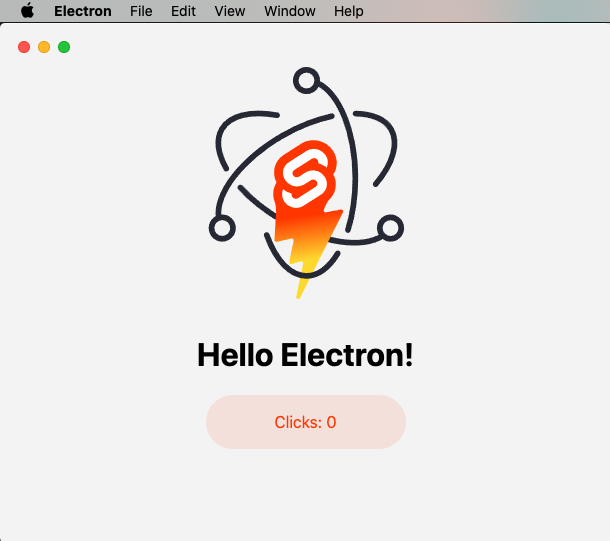
sveltekit-electron
Minimal Sveltekit + Electron starter template.
Svelte · 启动器
tauri-sveltekit
A minimal Tauri & SvelteKit starter template
Svelte · 启动器
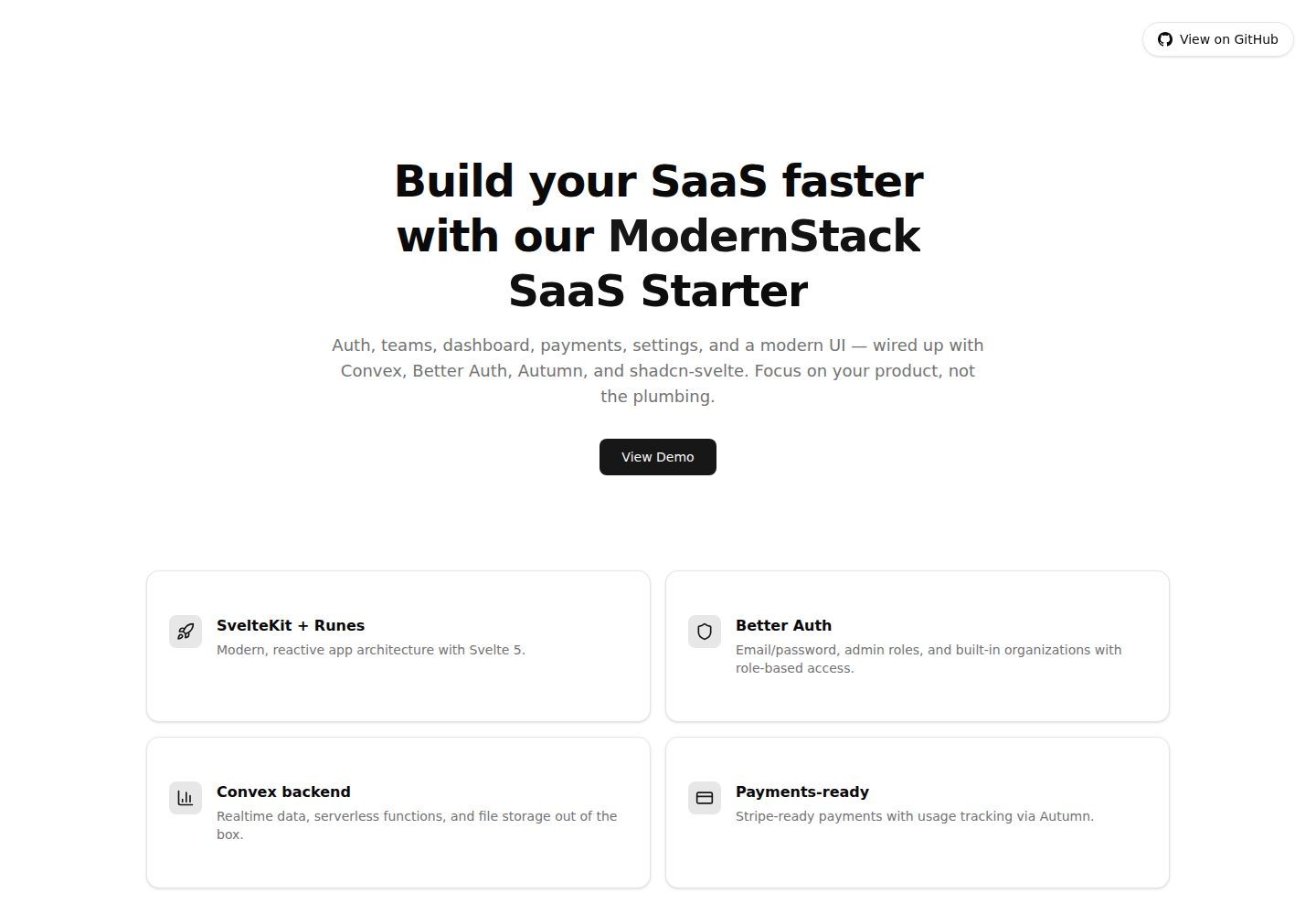
modernstack-saas
A modern SaaS template/boilerplate built with SvelteKit, Convex, Better Auth, and shadcn-svelte. Includes subs…
Svelte · 后台

sveltekit-mdsvex-blog-template
MDsveX blog starter template built with Sveltekit & Tailwind
Svelte · 作品集
sveltekit-shadcn-blog-starter
Production-ready SvelteKit blog starter featuring shadcn-svelte UI, MDsveX for Markdown, Tailwind CSS styling,…
Svelte · 博客