SvelteKit + Svelte + Vite,集成 TypeScript 与 svelte-check
SvelteVite启动器
fuz_template — Svelte 启动器模板
作者 fuzdev
基于 SvelteKit 与 Vite 的 Web 应用启动模板,集成 TypeScript、fuz_css 设计系统与可选的 Rust 工作区。
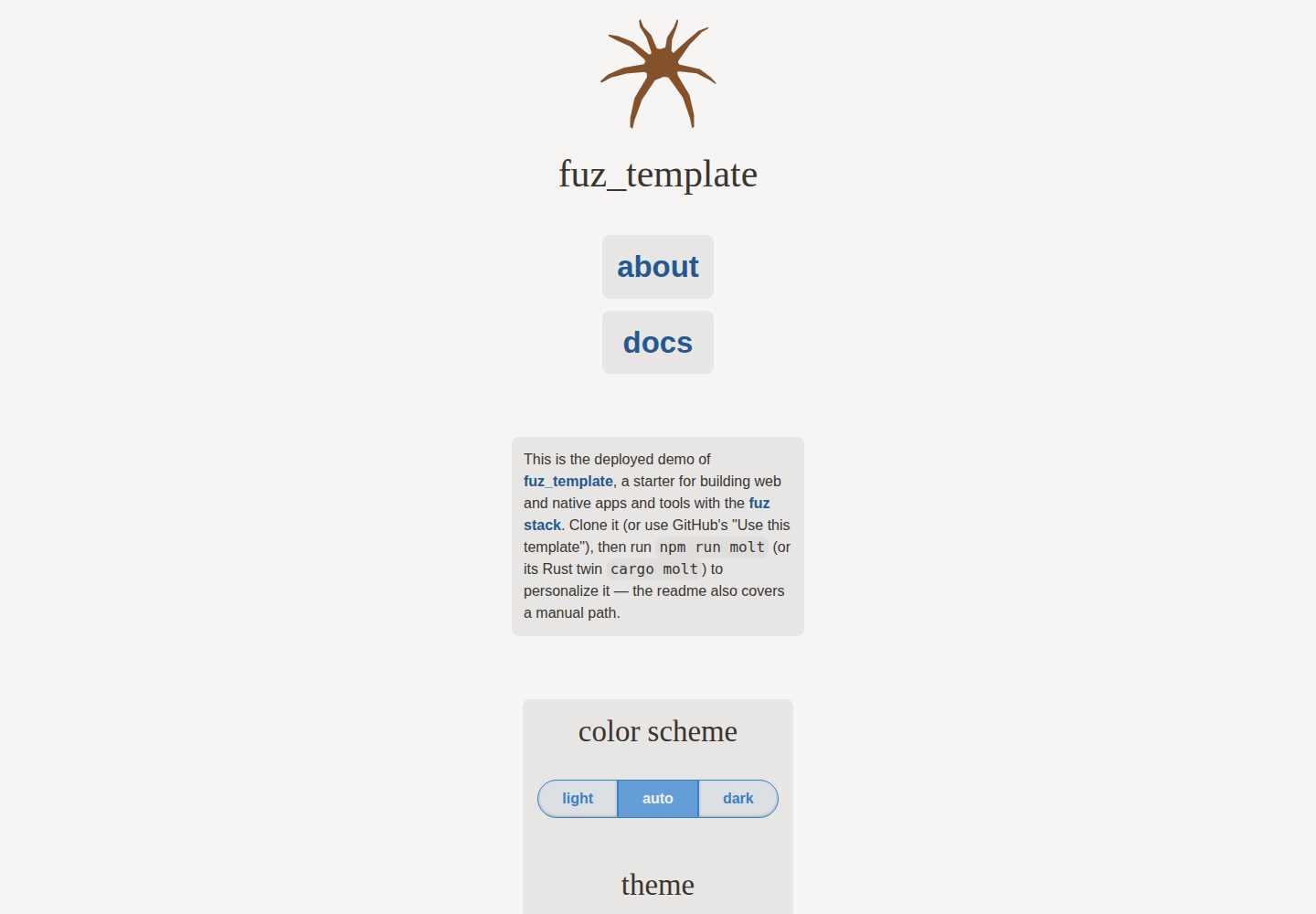
看看你的网站会是什么样
浏览真实页面截图,比较内容排版与手机效果。点击下方缩略图切换,放大查看整页细节。
全部页面与视图 3
截图用于了解视觉与布局,交互效果请以实际项目为准。
采集于 2026-10-02查看来源
值得关注的模板亮点
从已有项目资料中,快速了解它的特点。
内置 fuz_css 语义优先 CSS 框架与 fuz_ui Svelte UI 库(可卸载)
Gro 提供任务系统、代码生成、Vitest 测试、tsv 格式化与 ESLint 检查
可选 Rust 工作区与 @fuzdev/fuz_util 工具库
使用 @sveltejs/adapter-static,可按静态站点部署
molt 向导重命名项目并裁剪可选功能,Node 与 Rust 双实现行为一致
模板详细介绍
fuz_template 是 fuz-stack 的 Web 应用启动模板,使用 SvelteKit、Svelte 与 Vite,并集成 TypeScript。它内置 fuz_css(语义优先的 CSS 框架与设计系统)和 fuz_ui(Svelte UI 库,可按需卸载),构建与任务流程由 Gro 扩展,包含 Vitest 测试、tsv 格式化、ESLint 检查以及任务系统与代码生成。模板还提供可选的 Rust 工作区与 @fuzdev/fuz_util 工具库。
项目使用 @sveltejs/adapter-static,可按静态站点方式部署;同时附带部署到 deploy 分支的命令,用于 GitHub Pages 等场景。模板自带 molt 向导,用于把克隆重命名为自己的项目:它会更新项目名、清理演示组件、重新生成 README 与 CLAUDE.md、删除模板自身的 MIT 许可与 license 字段,并按需保留或移除 rust、cli、docs、github-extras 等可选部分。molt 有 Node 与 Rust 两套实现,行为一致;它要求 git 工作区干净,以便用 git reset 撤销。
限制方面:项目不支持 Windows,依赖 sh,建议使用 WSL。演示图片、字体、图标等第三方素材需单独核对许可,代码的 MIT 许可不覆盖它们;域名、托管、数据库等外部服务可能另行收费。
SvelteVite启动器
适合你的项目吗?
适用场景
- 以 SvelteKit 为基础搭建新的 Web 应用或静态站点
- 需要 TypeScript 与 Svelte 组件库、设计系统配合的前端项目
- 希望在同一仓库中同时使用 TypeScript 与可选 Rust 代码
- 通过 GitHub 模板或 git clone 快速起步并自定义项目名
适合人群
- 使用 SvelteKit 与 Vite 的前端开发者
- 需要 TypeScript 与 Svelte 类型检查的项目
- 愿意使用 Gro 任务系统与 fuz 系列库的团队
- 计划以静态适配器部署站点的项目
上手与定制指南
结合仓库当前版本的说明,按下面的资料检查内容、配置与运行要求。
- 1
克隆仓库后运行 npm i,再用 vite dev、npm run dev 或 gro dev 启动开发
- 2
molt 向导要求 git 工作区干净;非交互模式需加 --wetrun 才会写入
- 3
不支持 Windows,依赖 sh,建议在 WSL 中运行
- 4
模板代码为 MIT,分发时保留版权声明与许可文本;演示素材与外部服务需另行核对
授权与来源资料
使用条件与限制
免费使用 · 保留许可声明本次收录的是公开仓库中采用 MIT 许可的免费版本;免费范围为该版本代码,不代表外部服务或第三方素材免费。
使用时需要遵守
- 允许免费使用、修改、商用和分发该版本代码。
- 分发代码副本或实质性部分时,保留原作者版权声明和完整 MIT 许可声明。
- 代码按现状提供;担保与责任限制以原许可证及适用法律为准。
额外费用与待核对事项
- 不支持 Windows 系统,项目依赖 sh,官方建议在 WSL 环境下运行。
- molt 向导要求 git 工作区干净才能运行;非交互模式下必须加 --wetrun 才会写入文件。
- 运行 molt 会删除模板自带的 MIT 许可与 license 字段,新项目需自行选择许可。
- 保留 docs 文档系统需要提供仓库 URL(通过 --repo 或非模板的 git origin)。
- 演示图片、字体、图标及其他第三方素材需按各自许可核对,不能仅凭代码的 MIT 许可判断。
- 域名、托管、数据库、支付或 AI 等外部服务可能另外收费。
查看原文依据
Permission is hereby granted, free of charge
许可证原文
Windows will not be supported
README 原文
it requires a clean git tree
README 原文
deletes the template's MIT `LICENSE` and `license` fields
README 原文
https://github.com/fuzdev/fuz_template/blob/main/LICENSEhttps://github.com/fuzdev/fuz_template/blob/main/README.mdkeeping it needs a repository url
README 原文
DeepSeek 根据仓库许可证和 README 整理 ·2026-10-02。结果仅覆盖已读取资料,依赖、图片、字体及后续条款变更以各自原文为准。
项目核对记录与介绍依据
模板资料
- 来源平台
- GitHub
- 资料与维护参考分
- 资料较完整 · 88 / 100
- 技术栈
- Svelte · Vite
- 网站类型
- 启动器
这个分数如何计算
本站按许可资料(最高30分)、演示链接(12分)、预览图(10分)、Star数(15分)、记录的维护时间(15分)、描述完整度(8分)、功能记录(5分)和分类资料(5分)计算。它不是代码、安全或性能测试,也不是 Google 评分;有链接不代表已实测可用。
这个项目需要核对什么
- 记录的仓库更新时间
- 2026-10-01
- 截图检查日期
- 2026-10-02
已收录演示链接。请用你的内容与屏幕尺寸检查;有演示不代表表单、认证或支付已经可用。
目录记录的主要技术栈是 Svelte。请通过依赖清单和锁文件核对实际版本与托管要求。这些说明基于收录资料,不代表代码审计或部署实测。
查看具体选型方法 →介绍的制作与核对状态
介绍由 AI 辅助整理目录与仓库资料。仓库作者不等于这篇介绍的审核者。
已完成服务器许可规则与 AI 来源核对;未经过人工编辑审核。
查看当时使用的来源资料
SHA-256: 0bb24e2a9bd36ec27a62d9f2b32a86e3f79813e61da21cf70d975b3c3bc8de1d
2026-10-02T10:34:37.956Z
来源文件 / 仓库# @fuzdev/fuz_template ❄
[<img src="/static/logo.svg" alt="a friendly pixelated spider facing you" align="right" width="192" height="192">](https://template.fuz.dev/)
> a web app template with TypeScript + SvelteKit + optional Rust for the fuz-stack
[**template.fuz.dev**](https://template.fuz.dev/)
## contents
- [SvelteKit](https://github.com/sveltejs/kit) with [Svelte](https://github.com/sveltejs/svelte) and
[Vite](https://github.com/vitejs/vite) and optional [Rust](https://rust-lang.org/)
- [fuz_css](https://github.com/fuzdev/fuz_css): semantic-first CSS framework and design system
- [fuz_ui](https://github.com/fuzdev/fuz_ui):
- Svelte UI library - [ui.fuz.dev](https://ui.fuz.dev/)
- optional: `npm uninstall @fuzdev/fuz_ui` and delete the imports to remove it
- [Gro](https://github.com/fuzdev/gro):
- extends [SvelteKit](https://github.com/sveltejs/kit) and
[Vite](https://github.com/vitejs/vite)
- integrated [TypeScript](https://github.com/microsoft/TypeScript)
with [Svelte](https://github.com/sveltejs/svelte) and
[svelte-check](https://github.com/sveltejs/language-tools/tree/master/packages/svelte-check)
- testing with [Vitest](https://github.com/vitest-dev/vitest)
- formatting with [tsv](https://github.com/fuzdev/tsv)
- linting with [ESLint](https://github.com/eslint/eslint)
and [`@ryanatkn/eslint-config`](https://github.com/ryanatkn/eslint-config)
- also has [a task system](https://github.com/fuzdev/gro/blob/main/src/docs/task.md)
with [builtins](https://github.com/fuzdev/gro/blob/main/src/docs/tasks.md),
[codegen](https://github.com/fuzdev/gro/blob/main/src/docs/gen.md),
and [other things](https://github.com/fuzdev/gro/tree/main/src/lib/docs)
- optional [utilities library `@fuzdev/fuz_util`](https://github.com/fuzdev/fuz_util)
## usage
This project uses [SvelteKit](https://kit.svelte.dev/) with the static adapter
and [Vite](https://vitejs.dev/),
so the normal commands like `vite dev` work as expected.
It also uses [Gro](https://github.com/fuzdev/gro)
for tasks like deploying and more.
If you're logged into GitHub, click "Use this template" above, or clone directly:
```bash
git clone https://github.com/fuzdev/fuz_template.git cooltoy
cd cooltoy
npm i
# then
vite dev
# or
npm run dev
# or
gro dev # npm i -g @fuzdev/gro
gro sync # called by `gro dev`, refreshes generated files and calls `svelte-kit sync`
```
> learn more about [SvelteKit](https://github.com/sveltejs/kit),
> [Vite](https://github.com/vitejs/vite), [Gro](https://github.com/fuzdev/gro),
> and [fuz_ui](https://github.com/fuzdev/fuz_ui)
> [Windows will not be supported](https://github.com/fuzdev/fuz_template/issues/4) because
> it depends on sh, [WSL](https://docs.microsoft.com/en-us/windows/wsl/about) is recommended
The template includes
[`@sveltejs/adapter-static`](https://github.com/sveltejs/kit/tree/master/packages/adapter-static)
so it can [deploy](https://github.com/fuzdev/gro/blob/main/src/docs/deploy.md)
with no further configuration.
To learn how to swap it out for another deployment target, see
[the SvelteKit adapter docs](https://svelte.dev/docs/kit/adapters).
To make it your own, run the molt wizard (it requires a clean git tree):
```bash
npm run molt # or `cargo molt` — twin implementations, identical results
```
It renames the project, strips the demo components, and deletes itself — see
[molt](#molt) below.
To do the same by hand, change `@fuzdev/fuz_template`
and `template.fuz.dev` to your project name in the following files:
- [`package.json`](package.json) — also remove or replace the `glyph`,
`logo`, and `logo_alt` fields
- [`src/routes/+layout.svelte`](src/routes/+layout.svelte)
- [`src/routes/+page.svelte`](src/routes/+page.svelte)
- [`src/routes/about/+page.svelte`](src/routes/about/+page.svelte)
- update or delete [`static/CNAME`](static/CNAME),
./.github/FUNDING.yml, and ./.github/ISSUE_TEMPLATE/
To remove the Rust workspace, delete `Cargo.toml`, `Cargo.lock`, `crates/`,
`.cargo/`, `rust-toolchain.toml`, `clippy.toml`, and the `rust` job in
[`.github/workflows/check.yml`](.github/workflows/check.yml).
To remove the docs system, delete `src/routes/docs/` and
[`src/routes/library.ts`](src/routes/library.ts), remove the docs link in
[`src/routes/+page.svelte`](src/routes/+page.svelte), and drop the
`svelte-docinfo` devDependency along with its wiring in
[`vite.config.ts`](vite.config.ts) and [`src/app.d.ts`](src/app.d.ts).
Then run `npm i` to update `package-lock.json`.
The template is MIT-licensed ([`LICENSE`](LICENSE), plus `license` fields in
`package.json` and `Cargo.toml`), copyright fuz.dev — to keep MIT for your
project, replace the copyright holder with your own; or swap in
[another license](https://choosealicense.com/).
## molt
molt is a wizard that transforms this clone into your own project, then
deletes itself. It ships as twin implementations at full behavior parity —
same flags, same prompts, byte-identical results — so either toolchain
suffices: `src/lib/molt.ts` runs on Node, and the `molt` crate comes with
the template's Rust workspace.
```bash
npm run molt # interactive wizard: prompts, prints the full plan, confirms
npm run molt -- check # verify molt's file anchors still match the template
cargo molt # the Rust twin — same flags and behavior
cargo molt check
```
The plan, from the prompts or the equivalent flags:
- renames the project everywhere (`package.json`, page titles, headings)
- updates or removes `static/CNAME`, `homepage`, and `repository`
- deletes the demo components and writes a minimal starting page (plus a
starter `src/lib/example.ts` when docs are kept — the API docs need a
module to document)
- regenerates `README.md` and `CLAUDE.md` for the new project
- deletes the template's MIT `LICENSE` and `license` fields — the new project
chooses its own license
- keeps or strips each optional feature, by prompt or by `--keep`/`--strip`
lists (e.g. `--strip rust` or `--keep github-extras --strip docs`):
- `rust` — the whole workspace
- `cli` — the starter crate at [`crates/app_cli`](crates/app_cli), renamed
to the project name; it rides with `rust`, and stripping `cli` alone is
rejected because a kept workspace needs a crate
- `docs` — the docs system; keeping it needs a repository url (the API
docs link to source) from `--repo` or a git origin that isn't the
template's, and the wizard asks when there's none
- `github-extras` — funding + issue templates, personalized when kept;
stripped by default
- deletes both of its own implementations (the crate, the script, and its tests)
`--repo` takes an https, http, or ssh git url, normalizes it to its web url
with any credentials stripped, and refuses anything else with exit 2.
It refuses to run without a clean git tree, so an applied plan can be undone
with `git reset --hard && git clean -fd` (the tree was clean, so `git clean`
removes only files molt created). `--force` lets a dirty tree through for
_planning_, but applying to a dirty tree always requires an interactive
confirmation — without a terminal it refuses (exit 2), since there is no
clean undo point. Flags replace the prompts for non-interactive use
(`npm run molt -- --help` or `cargo molt --help`); in that mode nothing is
written without `--wetrun`. A terminal always confirms before applying, so
the only ungated write path is `--wetrun` on a clean tree without a terminal.
## build
```bash
npm run build
# or
gro build
```
See [Gro's build docs](https://github.com/fuzdev/gro/blob/main/src/docs/build.md) for more.
## test
```bash
npm test
# or
gro test
gro test filepattern1 filepatternB
gro test -- --forwarded-args 'to vitest'
```
See [Vitest](https://github.com/vitest-dev/vitest),
[`src/test/example.test.ts`](src/test/example.test.ts),
and [Gro's test docs](https://github.com/fuzdev/gro/blob/main/src/docs/test.md) for more.
## deploy
[Deploy](https://github.com/fuzdev/gro/blob/main/src/docs/deploy.md)
(build, commit, and push) to the `deploy` branch, e.g. for GitHub Pages:
```bash
npm run deploy
# or
gro deploy
```
## credits 🐢<sub>🐢</sub><sub><sub>🐢</sub></sub>
[Svelte](https://github.com/sveltejs/svelte) ∙
[SvelteKit](https://github.com/sveltejs/kit) ∙
[Vite](https://github.com/vitejs/vite) ∙
[esbuild](https://github.com/evanw/esbuild) ∙
[Vitest](https://github.com/vitest-dev/vitest) ∙
[TypeScript](https://github.com/microsoft/TypeScript) ∙
[ESLint](https://github.com/eslint/eslint) ∙
[tsv](https://github.com/fuzdev/tsv) ∙
[fuz_css](https://github.com/fuzdev/fuz_css) ∙
[Fuz](https://github.com/fuzdev/fuz_ui) ∙
[Gro](https://github.com/fuzdev/gro) ∙
[@fuzdev/fuz_util](https://github.com/fuzdev/fuz_util) ∙
[Zod](https://github.com/colinhacks/zod) ∙
& [more](package.json)
## [🐦](https://wikipedia.org/wiki/Free_and_open-source_software)
看看同类模板
对比同技术栈与用途的模板,找到更适合的视觉与内容结构。

CMSaasStarter
A modern SaaS template/boilerplate built with SvelteKit, Tailwind, and Supabase. Includes marketing page, blog…
Svelte · 后台
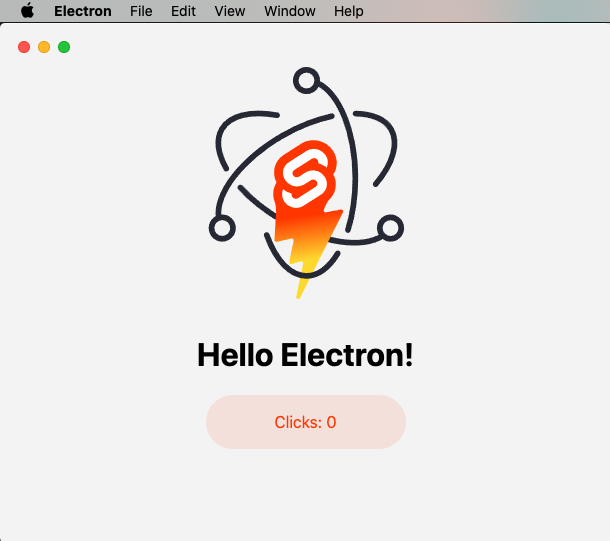
sveltekit-electron
Minimal Sveltekit + Electron starter template.
Svelte · 启动器
tauri-sveltekit
A minimal Tauri & SvelteKit starter template
Svelte · 启动器
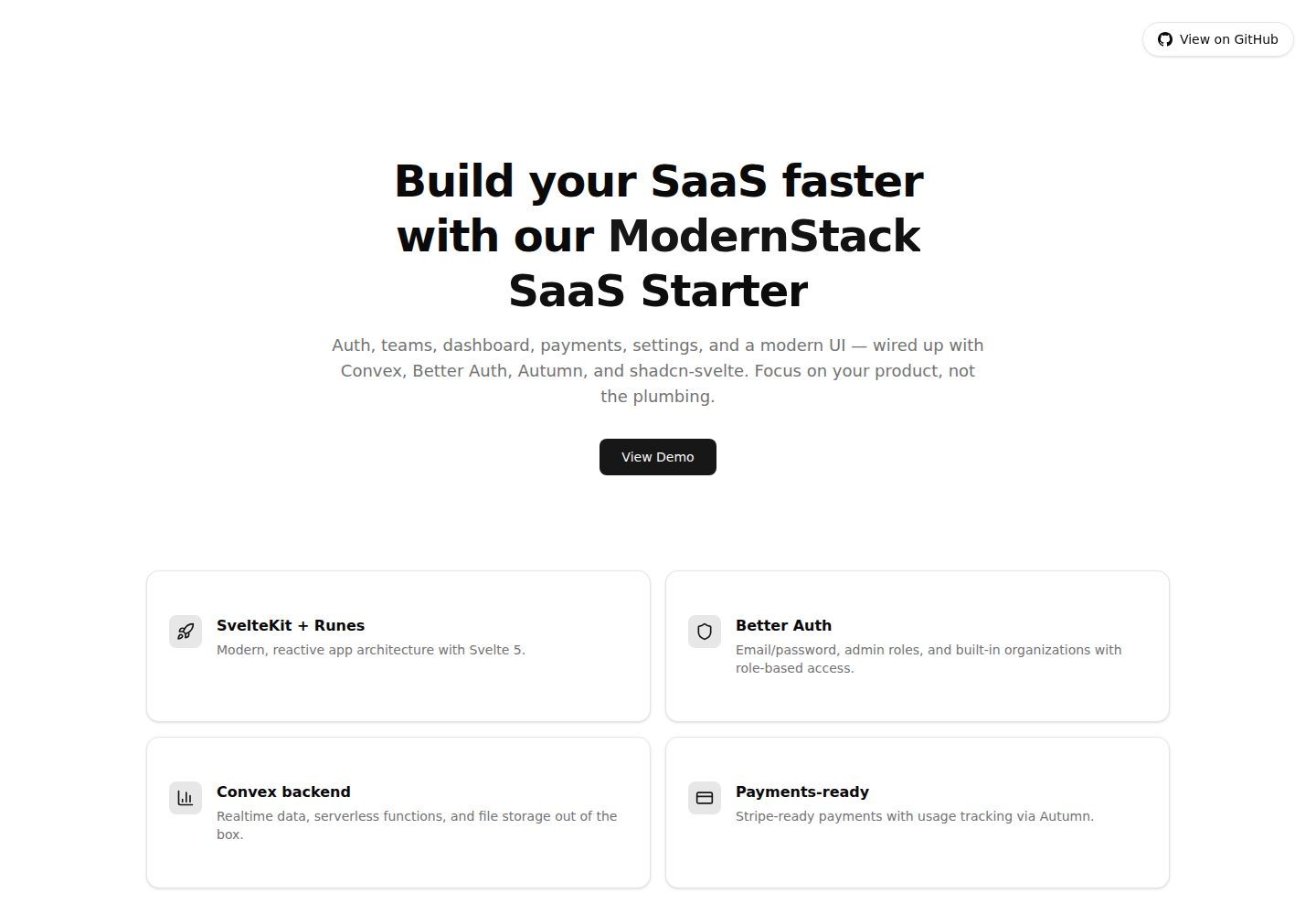
modernstack-saas
A modern SaaS template/boilerplate built with SvelteKit, Convex, Better Auth, and shadcn-svelte. Includes subs…
Svelte · 后台

sveltekit-mdsvex-blog-template
MDsveX blog starter template built with Sveltekit & Tailwind
Svelte · 作品集
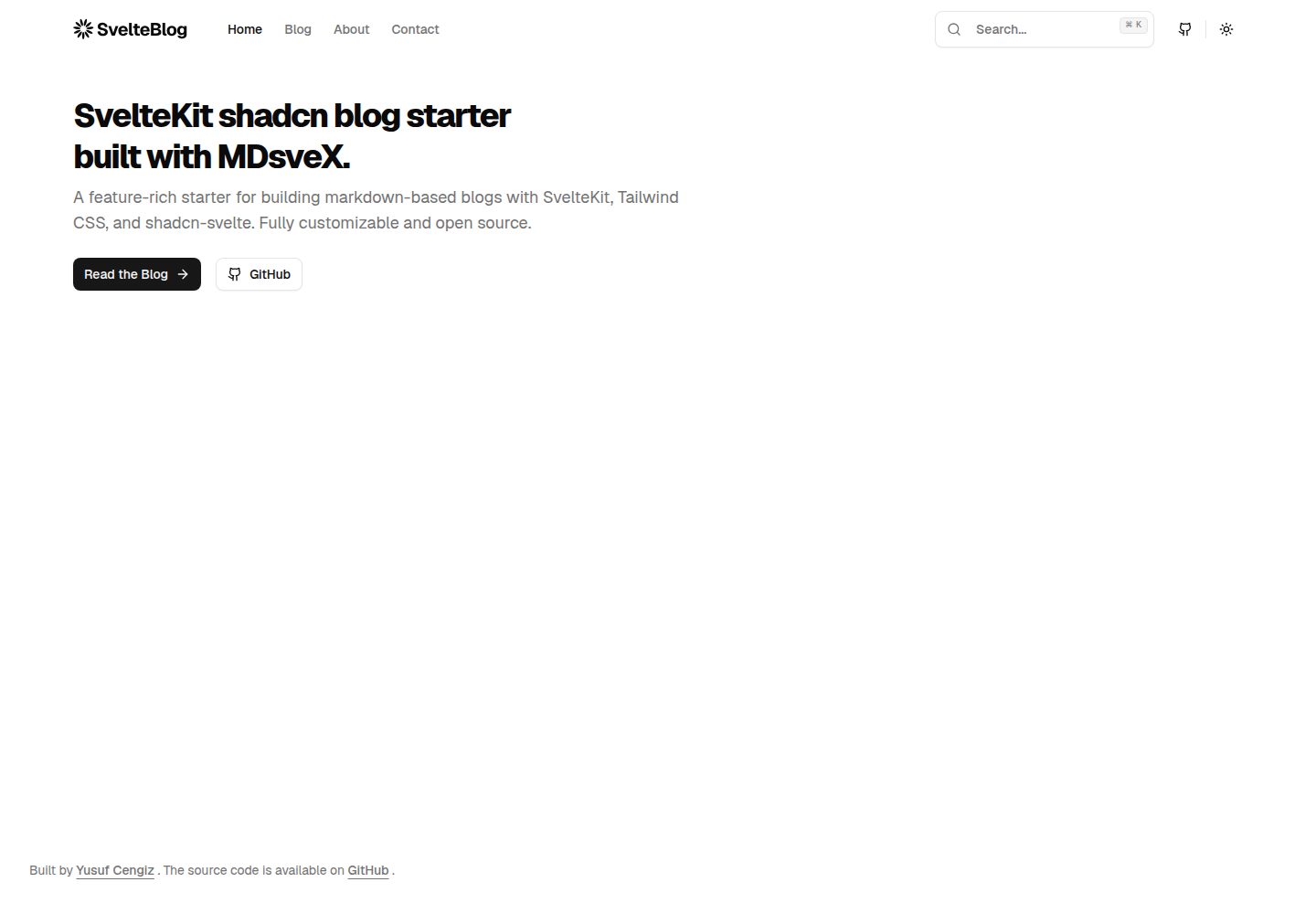
sveltekit-shadcn-blog-starter
Production-ready SvelteKit blog starter featuring shadcn-svelte UI, MDsveX for Markdown, Tailwind CSS styling,…
Svelte · 博客