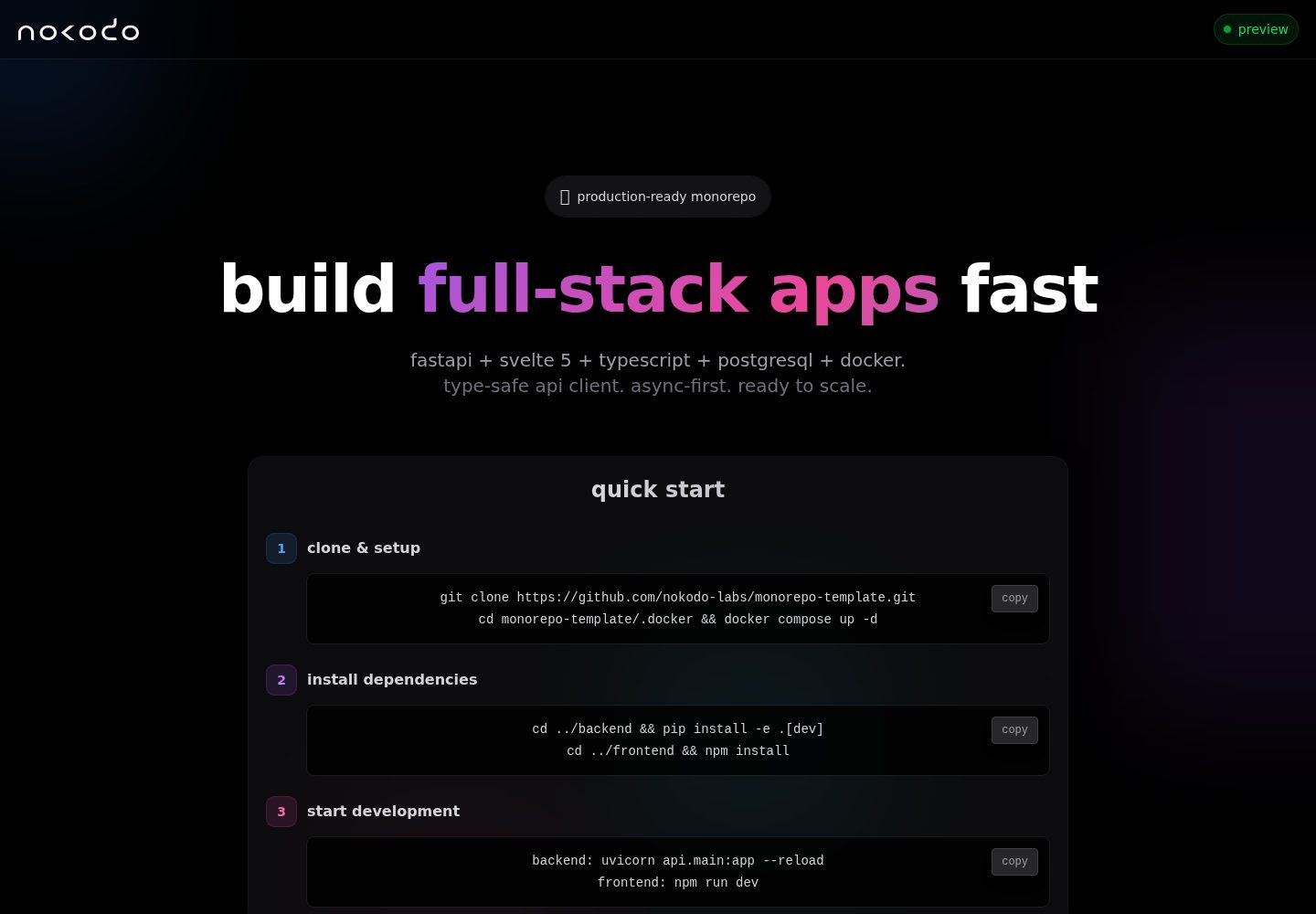
FastAPI 后端与 Svelte 5 前端组成的 monorepo 结构,按 backend/ 与 frontend/ 划分
SvelteVite启动器
monorepo-template — Svelte 启动器模板
作者 nokodo-labs
FastAPI + Svelte 5 全栈 monorepo 启动器,含 Docker、CI/CD 与 OpenAPI 类型同步。
看看你的网站会是什么样
浏览真实页面截图,比较内容排版与手机效果。点击下方缩略图切换,放大查看整页细节。
全部页面与视图 2
截图用于了解视觉与布局,交互效果请以实际项目为准。
采集于 2026-10-02查看来源
值得关注的模板亮点
从已有项目资料中,快速了解它的特点。
通过 OpenAPI 自动生成 TypeScript 类型,保持前后端类型同步
提供多阶段 Docker 构建、开发与生产 Docker Compose 配置及 Nginx 配置
GitHub Actions CI/CD 自动测试并推送镜像到 GHCR,按分支和发布打标签
包含 pytest 与 Vitest 测试配置、Ruff/ESLint/Prettier 代码规范及 VS Code 集成
backend 内 project_slug/ 为可独立打包的业务逻辑 SDK 层
模板详细介绍
该项目是一个全栈 monorepo 启动器,后端基于 FastAPI(Python 3.13+)与 SQLAlchemy、Pydantic、PostgreSQL、Alembic,前端基于 Svelte 5、Vite、Tailwind 与 TypeScript。仓库按 backend/ 与 frontend/ 划分,backend 内进一步区分 api/(路由、ORM、数据库、迁移)与 project_slug/(可独立打包的业务逻辑 SDK),测试分为 API、SDK 与 E2E 三层。前后端通过 OpenAPI 生成 TypeScript 类型保持类型同步,前端使用原生 fetch 而不引入 HTTP 库。
开发与部署方面,仓库提供 Docker Compose 配置(区分开发与生产)、多阶段 Dockerfile、Nginx 配置,以及 GitHub Actions 驱动的 CI/CD:自动测试、构建镜像并推送到 GHCR,按分支与发布打标签。同时包含 VS Code 任务、调试配置、推荐扩展,以及 Ruff、ESLint、Prettier、EditorConfig 等代码规范配置和 AI 指令文件。
限制与注意事项:模板本身不含业务逻辑,仅提供可运行的基础骨架;使用前需要按文档重命名 backend/project_slug/ 并更新引用。许可证为 BSD-3-Clause,允许修改与商用,但演示图片、字体、图标等第三方素材需单独核对许可,域名、托管、数据库等外部服务可能产生费用。
SvelteVite启动器
适合你的项目吗?
适用场景
- 需要同时开发 Python 后端与 Svelte 前端的全栈项目起步
- 希望以 Docker Compose 统一管理开发与生产环境配置
- 需要在 CI 中自动构建镜像并推送到 GHCR 的部署流程
- 希望前后端类型由 OpenAPI 自动同步、减少手写接口类型
- 使用 VS Code 并希望获得任务、调试配置与推荐扩展的团队
适合人群
- 熟悉 FastAPI 与 Svelte 的开发者或小团队
- 需要 PostgreSQL、Alembic 迁移与容器化部署的全栈项目
- 希望以 monorepo 方式管理前后端代码与共享 SDK 的项目
- 接受 BSD-3-Clause 许可并需自行核对第三方素材许可的使用者
上手与定制指南
结合仓库当前版本的说明,按下面的资料检查内容、配置与运行要求。
- 1
在 GitHub 点击 Use this template 创建仓库并克隆到本地
- 2
将 backend/project_slug/ 重命名为项目名并更新相关引用,详见 docs/setup.md
- 3
进入 .docker 目录执行 docker compose up -d 启动开发环境
- 4
前端默认在 http://localhost,后端 API 在 http://localhost:8000,API 文档在 /v1/docs
- 5
生产部署可拉取 GHCR 镜像后执行 docker compose pull 与 up -d,并配置环境变量
授权与来源资料
使用条件与限制
免费使用 · 保留许可声明本次收录的是公开仓库中采用 BSD-3-Clause 许可的免费版本;免费范围为该版本代码,不代表外部服务或第三方素材免费。
使用时需要遵守
- 允许免费使用、修改、商用以及源代码或二进制形式的分发。
- 源代码分发需保留版权声明、三项条件和免责声明;二进制分发需在文档或随附材料中重现这些内容。
- 未经事先书面许可,不得使用权利人或贡献者的名称为衍生产品背书或推广。
- 代码按现状提供;担保与责任限制以原许可证及适用法律为准。
额外费用与待核对事项
- 使用前必须将 backend/project_slug/ 目录重命名为自己的项目名,并同步更新代码中的相关引用,否则项目结构不匹配。
- 模板仅提供可运行的基础骨架,不含任何业务逻辑,需自行实现全部业务功能。
- 默认 CI/CD 依赖 GitHub Actions 并将镜像推送到 GHCR,需使用 GitHub 仓库与相应权限,属于外部服务依赖。
- 生产部署需自行配置环境变量并参考 docs/setup.md,域名、托管与数据库等外部服务可能产生费用。
- 演示图片、字体、图标及其他第三方素材需按各自许可核对,不能仅凭代码的 BSD-3-Clause 许可判断。
- 域名、托管、数据库、支付或 AI 等外部服务可能另外收费。
查看原文依据
Redistribution and use in source and binary forms, with or without modification, are permitted
许可证原文
Rename `backend/project_slug/` to your project name and update references.
README 原文
No business logic, just a working foundation
README 原文
CI/CD automatically builds and pushes Docker images to **GitHub Container Registry (GHCR)** on every commit.
README 原文
https://github.com/nokodo-labs/monorepo-template/blob/dev/LICENSEhttps://github.com/nokodo-labs/monorepo-template/blob/dev/README.mdSee [docs/setup.md](docs/setup.md#production-deployment) for full deployment instructions and environment configuration.
README 原文
DeepSeek 根据仓库许可证和 README 整理 ·2026-10-02。结果仅覆盖已读取资料,依赖、图片、字体及后续条款变更以各自原文为准。
项目核对记录与介绍依据
模板资料
- 来源平台
- GitHub
- 资料与维护参考分
- 资料较完整 · 92 / 100
- 技术栈
- Svelte · Vite
- 网站类型
- 启动器
这个分数如何计算
本站按许可资料(最高30分)、演示链接(12分)、预览图(10分)、Star数(15分)、记录的维护时间(15分)、描述完整度(8分)、功能记录(5分)和分类资料(5分)计算。它不是代码、安全或性能测试,也不是 Google 评分;有链接不代表已实测可用。
这个项目需要核对什么
- 记录的仓库更新时间
- 2026-09-22
- 截图检查日期
- 2026-10-02
已收录演示链接。请用你的内容与屏幕尺寸检查;有演示不代表表单、认证或支付已经可用。
目录记录的主要技术栈是 Svelte。请通过依赖清单和锁文件核对实际版本与托管要求。这些说明基于收录资料,不代表代码审计或部署实测。
查看具体选型方法 →介绍的制作与核对状态
介绍由 AI 辅助整理目录与仓库资料。仓库作者不等于这篇介绍的审核者。
已完成服务器许可规则与 AI 来源核对;未经过人工编辑审核。
查看当时使用的来源资料
SHA-256: 764640f5b54bf1fbfc81e89dee05f6312545546b2bd02d91b7ba0b166f2151dc
2026-10-02T10:36:02.506Z
来源文件 / 仓库<div align="center"> <img src="https://nokodo.net/media/images/logo_full.svg" alt="nokodo logo" width="320" /> <div style="height:32px"></div> --- <h1>Monorepo Template</h1> **Modern & production-ready full-stack template that saves you weeks of setup: FastAPI backend + Svelte 5 frontend with containerization, full CI/CD, VS Code support, and AI integrations.** [](LICENSE) [](https://github.com/nokodo-labs/monorepo-template/stargazers) [](https://github.com/nokodo-labs/monorepo-template/issues) [](https://github.com/nokodo-labs/monorepo-template/pulls) [](https://www.python.org/downloads/) [](https://nodejs.org/) </div> ## 🛠️ Stack - **Backend**: FastAPI (Python 3.13+), SQLAlchemy 2.0+, Pydantic, PostgreSQL 17, Alembic, uv - **Frontend**: Svelte 5, Vite 6, Tailwind 4, TypeScript, native fetch (zero HTTP deps) - **Type Safety**: OpenAPI TypeScript generator (auto-sync backend → frontend types) - **Dev**: VS Code (tasks, debugger, extensions), Ruff, pytest, AI instructions - **Deploy**: Docker Compose with production configs ## ✨ Features - ⚡ **Opinionated by design**: Deliberate choices, cohesive stack, no decision fatigue - 🏗️ **Production infrastructure**: PostgreSQL 17, multi-stage Docker builds, Nginx configs - 🔒 **End-to-end type safety**: Python type hints → OpenAPI → auto-generated TypeScript types - 🤖 **Full CI/CD pipeline**: Automated testing, Docker builds, GHCR publishing, releases - 🧪 **Complete test setup**: pytest (backend) + Vitest (frontend) with fixtures and full coverage - 📐 **Modern code standards**: EditorConfig, Ruff, ESLint, Prettier pre-configured - 💾 **Persistent data storage**: Volume-mounted data directory - 🛠️ **VS Code integration**: Tasks, debugger configs, recommended extensions - 🤖 **AI agents ready**: Premade instructions & prompts with extensible patterns - 🎯 **Minimal boilerplate**: No business logic, just a working foundation - 🔮 **Future-proof stack**: Latest stable versions of everything, zero tech debt from day one ## 🚀 Quick Start ### 1️⃣ Create Your Repository - Click **"Use this template"** on GitHub → Create your repo - Clone your new repository locally ### 2️⃣ Customize Project Rename `backend/project_slug/` to your project name and update references. See [docs/setup.md](docs/setup.md#initial-customization-required) for detailed instructions. ### 3️⃣ Start Development ```bash cd .docker docker compose up -d ``` **Your services:** - Frontend: http://localhost - Backend API: http://localhost:8000 - API Docs: http://localhost:8000/v1/docs > 💡 **VS Code users**: Open the workspace to get tasks, debugger configs, and recommended extensions automatically. ### 4️⃣ Deploy to Production CI/CD automatically builds and pushes Docker images to **GitHub Container Registry (GHCR)** on every commit. Images are tagged as: - `ghcr.io/your-org/your-repo:latest` → production branch - `ghcr.io/your-org/your-repo:dev` → dev branch - `ghcr.io/your-org/your-repo:v1.2.3` → releases **Deploy with Docker:** ```bash # Pull pre-built images and deploy docker compose pull docker compose up -d ``` > 💡 **Tip**: See [docs/setup.md](docs/setup.md#production-deployment) for full deployment instructions and environment configuration. ## 📁 Structure ``` backend/ ├── api/ # FastAPI application │ ├── api/v1/endpoints/ # Route handlers │ ├── core/ # Config, database │ ├── models/ # SQLAlchemy ORM │ ├── schemas/ # Pydantic validation │ ├── tests/ # API & ORM tests │ └── alembic/ # Database migrations ├── project_slug/ # SDK/service layer (rename me!) │ └── tests/ # SDK unit tests (optional) ├── tests/ # E2E integration tests └── data/ # Data storage (volume mounted) frontend/ ├── src/ │ ├── lib/ # Components │ └── main.ts # Entry point └── nginx.conf # Production server .docker/ # Docker configs ├── Dockerfile.backend # Backend build ├── Dockerfile.frontend # Frontend build ├── docker-compose.yml # Production └── docker-compose.dev.yml # Development .github/ # CI/CD, Dependabot, CODEOWNERS .vscode/ # Editor config, tasks, debugger tools/release_please/ # Release automation config ``` ### 🏗️ Architecture **Backend:** - **`api/`**: FastAPI app, routes, ORM, database setup - **`project_slug/`**: Business logic SDK that can be packaged separately for pip/uv/PyPI distribution - **Testing**: 3 tiers (API tests in `api/tests/`, SDK tests in `project_slug/tests/`, E2E in `tests/`) - **URLs**: `/v1/users` (no `/api` prefix - deploy on `api.yourdomain.com`) **Frontend:** - **Native fetch** - Zero HTTP library dependencies, uses web standards - **OpenAPI types** - Auto-generated TypeScript types from FastAPI schema - **Type safety** - Backend changes = compile errors in frontend if incompatible ## 📄 License BSD 3-Clause - See [LICENSE](LICENSE) for details.
看看同类模板
对比同技术栈与用途的模板,找到更适合的视觉与内容结构。

CMSaasStarter
A modern SaaS template/boilerplate built with SvelteKit, Tailwind, and Supabase. Includes marketing page, blog…
Svelte · 后台
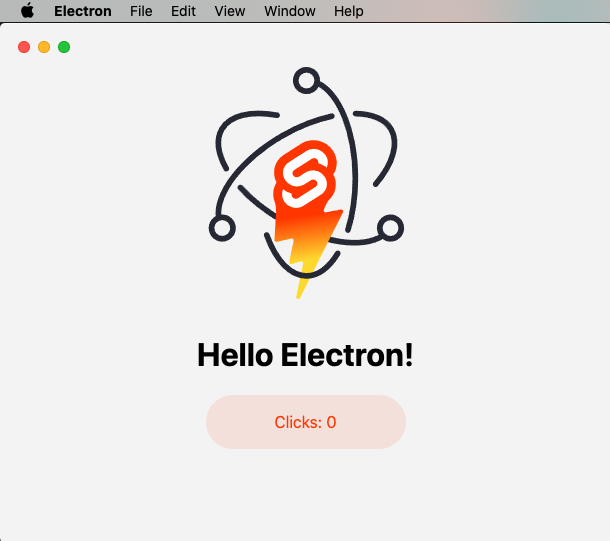
sveltekit-electron
Minimal Sveltekit + Electron starter template.
Svelte · 启动器
tauri-sveltekit
A minimal Tauri & SvelteKit starter template
Svelte · 启动器
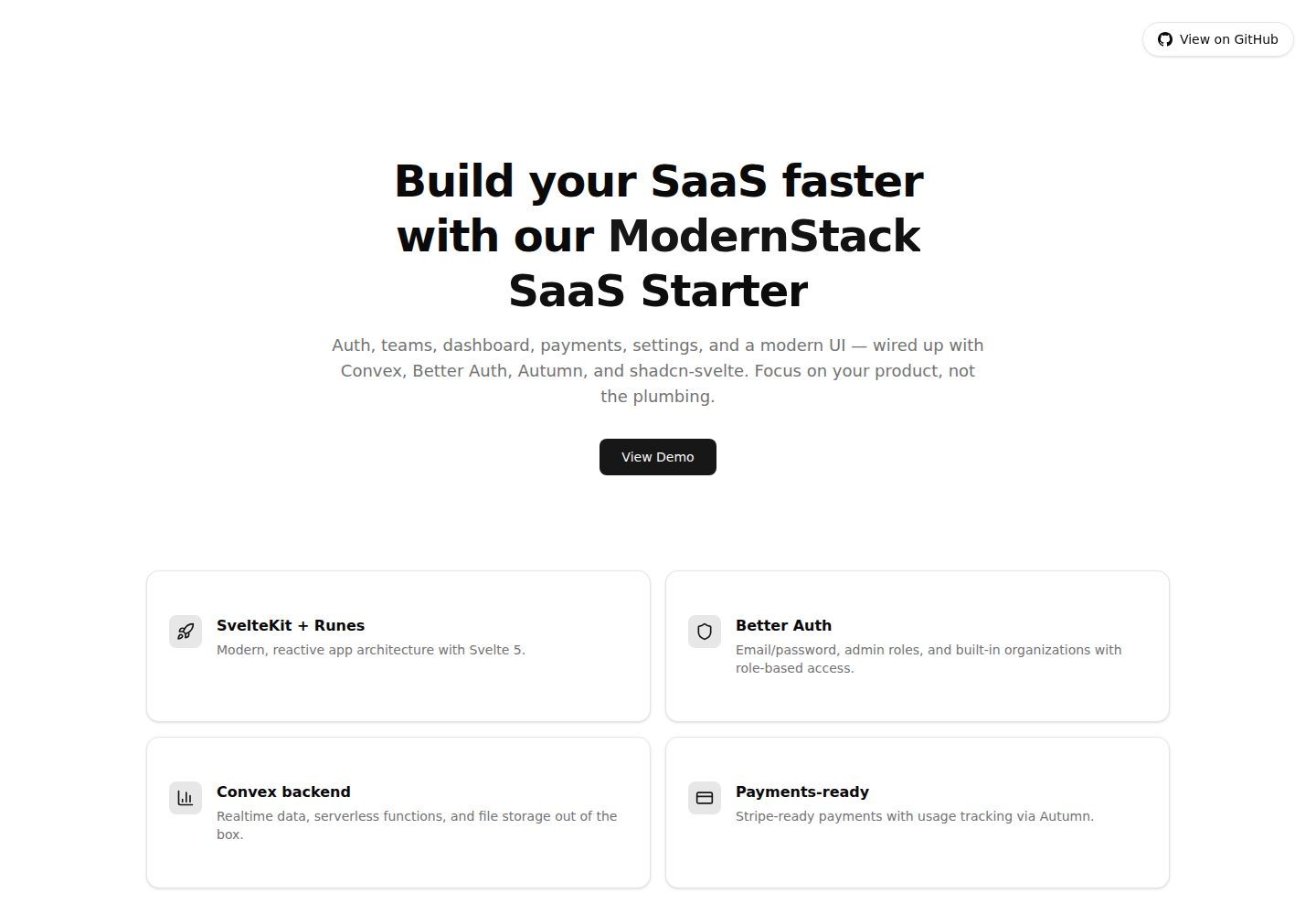
modernstack-saas
A modern SaaS template/boilerplate built with SvelteKit, Convex, Better Auth, and shadcn-svelte. Includes subs…
Svelte · 后台

sveltekit-mdsvex-blog-template
MDsveX blog starter template built with Sveltekit & Tailwind
Svelte · 作品集
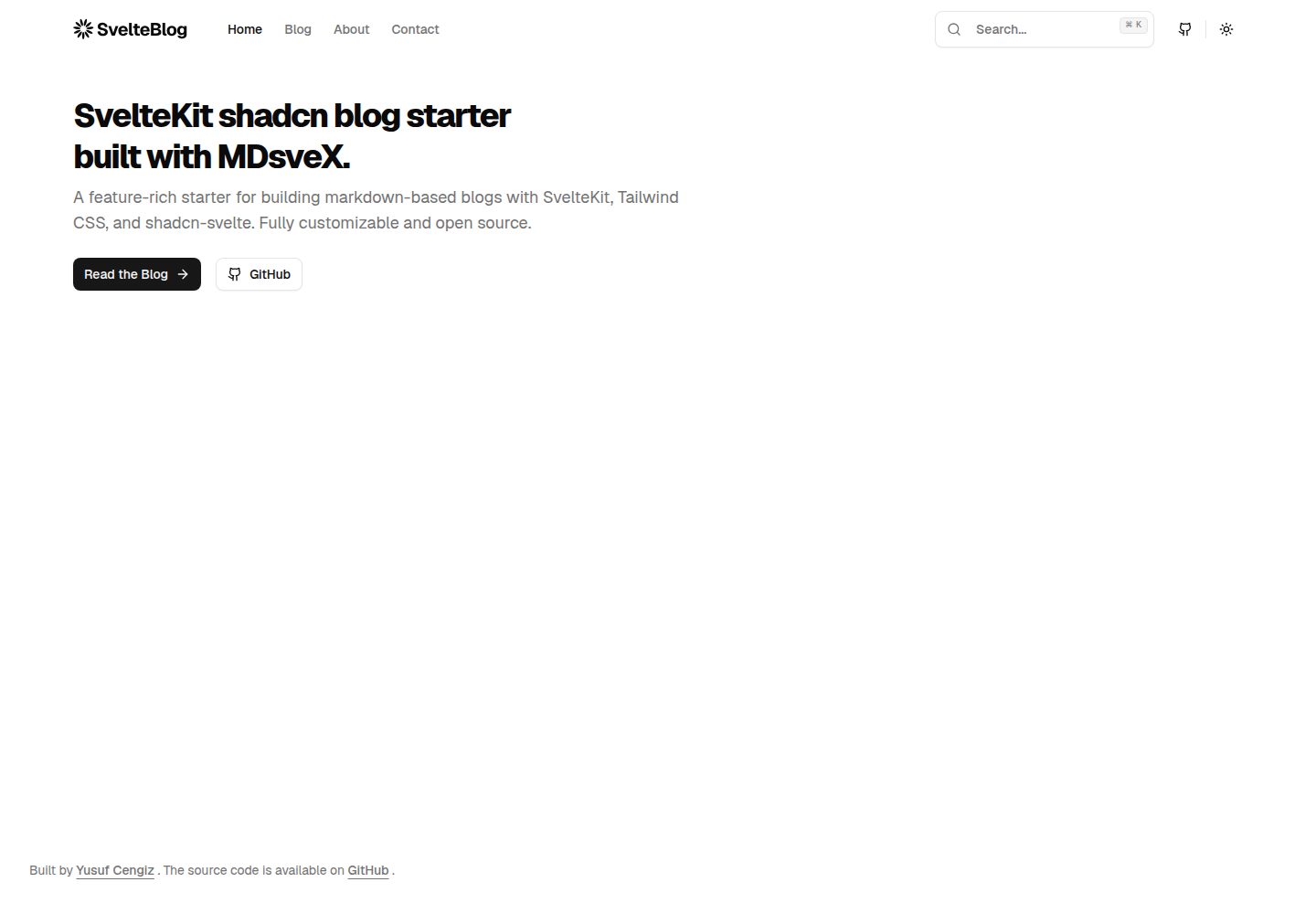
sveltekit-shadcn-blog-starter
Production-ready SvelteKit blog starter featuring shadcn-svelte UI, MDsveX for Markdown, Tailwind CSS styling,…
Svelte · 博客