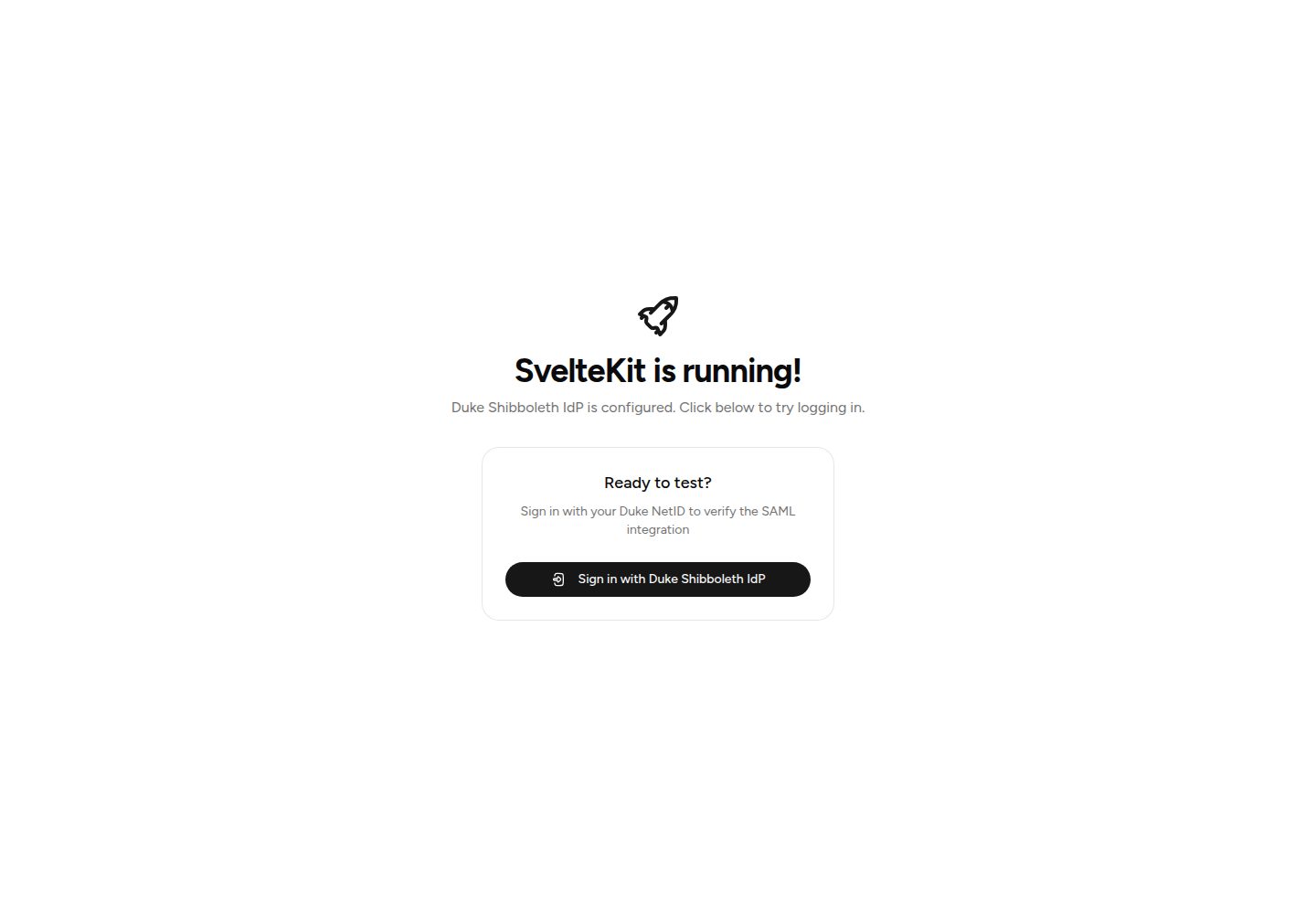
内置杜克大学 SAML SSO,包含登录、登出与 SP 元数据端点
Svelte启动器
SvelteKit-Duke-Shibboleth-Template — Svelte 启动器模板
作者 sam-packer
面向杜克大学 SAML SSO 的 SvelteKit 启动模板,内置 Shibboleth IdP 登录、签名 Cookie 会话与 PostgreSQL 用户存储。
看看你的网站会是什么样
浏览真实页面截图,比较内容排版与手机效果。点击下方缩略图切换,放大查看整页细节。
全部页面与视图 2
截图用于了解视觉与布局,交互效果请以实际项目为准。
采集于 2026-10-04查看来源
值得关注的模板亮点
从已有项目资料中,快速了解它的特点。
使用 @node-saml/node-saml 处理 SAML 协议,并自动解密加密断言
HMAC-SHA256 校验的签名 Cookie 会话,配合 PostgreSQL 与 Drizzle ORM 存储 users、sessions
跨平台 setup 脚本生成 SP 证书并下载杜克 IdP 证书,证书文件默认被 .gitignore 忽略
使用 Tailwind CSS 与 shadcn-svelte 组件,采用 Node.js 适配器部署
模板详细介绍
这是一个 SvelteKit 启动模板,把杜克大学(Duke University)的 SAML SSO 认证流程预先接好。模板以 Service Provider(SP)身份与杜克的 Shibboleth IdP 通信,覆盖登录、登出和 SP 元数据端点,并使用 @node-saml/node-saml 处理 SAML 协议。会话通过 HMAC-SHA256 校验的签名 Cookie 维护,用户与会话数据存放在 PostgreSQL 中,由 Drizzle ORM 管理 users 和 sessions 两张表,首次登录时自动写入用户记录。
模板自带一个跨平台 setup 脚本,用于生成 SP 私钥与证书,并下载杜克 IdP 的签名证书,证书默认放在 certs/ 目录并已加入 .gitignore;也支持通过环境变量回退读取。项目要求使用 Bun 作为包管理器,数据库连接、会话密钥、Entity ID 与 ORIGIN 等通过 .env 配置。UI 部分使用 Tailwind CSS 与 shadcn-svelte 组件,部署采用 Node.js 适配器。
使用前需要自行准备 PostgreSQL 数据库,并在杜克的自助注册门户登记 SP:填写与 SAML_SP_ENTITY_ID 完全一致的 Entity ID、粘贴 SP 证书、选择加密断言并签名响应,同时登记生产与本地两个 ACS 回调地址。模板预置解析 displayName、eduPersonPrincipalName、uid、givenName、sn、mail 等属性;如需更多属性,需要同步修改数据库 schema。README 明确要求不要勾选 Sign Assertion,因为模板的 SAML 配置期望的是签名响应。
Svelte启动器
适合你的项目吗?
适用场景
- 为杜克大学内部应用快速搭建带 SAML SSO 的 SvelteKit 项目
- 需要同时登记生产与本地开发两个 ACS 回调地址的 SAML 集成
- 希望把 SP 证书以文件形式管理,并兼容 Docker 卷挂载或部署密钥文件的场景
- 需要在 PostgreSQL 中持久化用户与会话,并预置解析杜克常用属性的项目
适合人群
- 熟悉 SvelteKit、Bun 与 PostgreSQL 的开发者
- 需要接入杜克大学 Shibboleth IdP 的校内应用
- 能自行完成杜克 SP 自助注册与证书配置的团队
上手与定制指南
结合仓库当前版本的说明,按下面的资料检查内容、配置与运行要求。
- 1
必须使用 Bun 安装依赖,不要使用 npm
- 2
运行 bun run setup 生成 certs/sp-key.pem、sp-cert.pem 并下载 idp-cert.pem
- 3
准备 PostgreSQL 数据库,复制 .env.example 为 .env 并设置 DATABASE_URL,然后执行 bun run db:push
- 4
生成随机 SESSION_SECRET,并配置 SAML_SP_ENTITY_ID 与 ORIGIN;Entity ID 需与杜克注册完全一致,ORIGIN 决定 ACS 回调地址
- 5
在杜克 SP 注册门户登记 Entity ID、粘贴 SP 证书、勾选加密断言与签名响应,并登记生产与本地两个 ACS URL
授权与来源资料
使用条件与限制
免费使用 · 保留许可声明本次收录的是公开仓库中采用 MIT 许可的免费版本;免费范围为该版本代码,不代表外部服务或第三方素材免费。
使用时需要遵守
- 允许免费使用、修改、商用和分发该版本代码。
- 分发代码副本或实质性部分时,保留原作者版权声明和完整 MIT 许可声明。
- 代码按现状提供;担保与责任限制以原许可证及适用法律为准。
额外费用与待核对事项
- 演示图片、字体、图标及其他第三方素材需按各自许可核对,不能仅凭代码的 MIT 许可判断。
- 域名、托管、数据库、支付或 AI 等外部服务可能另外收费。
- 必须使用 Bun 作为包管理器,README 明确要求不要使用 npm 安装依赖。
- 使用前必须自行准备 PostgreSQL 数据库,模板本身不提供数据库服务。
- 必须通过杜克大学自助门户完成 SP 注册,无法脱离杜克 IdP 独立使用认证功能。
- 注册的 Entity ID 必须与 .env 中的 SAML_SP_ENTITY_ID 完全一致,否则 SAML 认证失败。
- 杜克每个 SP 注册只支持一个 Entity ID,该值不能随环境变化。
- 生产与本地开发两个 ACS 回调地址都必须登记到杜克同一 SP 注册下。
- 注册时必须勾选 Encrypt Assertion,否则会触发杜克安全扫描。
- 必须保持 Sign Assertion 不勾选,因为模板期望的是签名响应而非签名断言。
- 模板 SAML 配置要求签名响应,禁止在依赖方设置中勾选 Sign Assertion。
- 如需杜克释放更多属性,必须自行修改数据库 schema 才能接收和存储。
- 生产部署时 DATABASE_URL、SESSION_SECRET、SAML_SP_ENTITY_ID、ORIGIN 四个环境变量均为必填。
- 主标识符为杜克 [email protected],用户身份体系绑定杜克账号。
查看原文依据
Permission is hereby granted, free of charge
许可证原文
- **[Bun](https://bun.sh/)** as the package manager. Do not use npm.
README 原文
You need a PostgreSQL database. You can use a local instance, Docker, Supabase, Neon, or any PostgreSQL provider.
README 原文
Duke provides a self-service portal for SP registration:
README 原文
This must **exactly match** the `SAML_SP_ENTITY_ID` in your `.env` file.
README 原文
**The Entity ID stays the same across environments**: Duke only supports one Entity ID per SP registration.
README 原文
You can register **multiple ACS URLs** on the same SP, which is how local development works.
README 原文
- [x] **Encrypt Assertion** - Check this. Duke will encrypt the assertion so user attributes are not visible in transit. SPs that don't enable encryption are subject to Duke security scans.
README 原文
- [ ] **Sign Assertion** - Leave unchecked. You must choose either Sign Assertion **or** Sign Response, not both.
README 原文
The template's SAML configuration (`src/lib/server/saml.ts`) expects a signed response ( `wantAuthnResponseSigned: true`). Do not check the Sign Assertion box in the Relying Party Settings.
README 原文
You can also request additional attributes, however you'll need to modify the database schema to accept and store those attributes as well.
README 原文
Set these on your hosting provider. All are required.
README 原文
https://github.com/sam-packer/SvelteKit-Duke-Shibboleth-Template/blob/master/LICENSE.mdhttps://github.com/sam-packer/SvelteKit-Duke-Shibboleth-Template/blob/master/README.md- `eduPersonPrincipalName` - [email protected] (primary identifier)
README 原文
DeepSeek 根据仓库许可证和 README 整理 ·2026-10-05。结果仅覆盖已读取资料,依赖、图片、字体及后续条款变更以各自原文为准。
项目核对记录与介绍依据
模板资料
- 来源平台
- GitHub
- 资料与维护参考分
- 资料较完整 · 83 / 100
- 技术栈
- Svelte
- 网站类型
- 启动器
这个分数如何计算
本站按许可资料(最高30分)、演示链接(12分)、预览图(10分)、Star数(15分)、记录的维护时间(15分)、描述完整度(8分)、功能记录(5分)和分类资料(5分)计算。它不是代码、安全或性能测试,也不是 Google 评分;有链接不代表已实测可用。
这个项目需要核对什么
- 记录的仓库更新时间
- 2026-07-31
- 截图检查日期
- 2026-10-05
已收录演示链接。请用你的内容与屏幕尺寸检查;有演示不代表表单、认证或支付已经可用。
目录记录的主要技术栈是 Svelte。请通过依赖清单和锁文件核对实际版本与托管要求。这些说明基于收录资料,不代表代码审计或部署实测。
查看具体选型方法 →介绍的制作与核对状态
介绍由 AI 辅助整理目录与仓库资料。仓库作者不等于这篇介绍的审核者。
审核声明: [email protected] · 2026-10-05
查看当时使用的来源资料
SHA-256: 716c25314ce87a2543e5ffa5840a5459e1324ed4727e76952d445babcdb43217
2026-10-05T01:00:23.422Z
来源文件 / 仓库# Duke Shibboleth IdP SvelteKit Template
A SvelteKit starter template with Duke University SAML SSO authentication built in. Clone it, run the setup script,
register with Duke, and you have a fully authenticated app.
> This template uses SAML vocabulary throughout. At a minimum, you should know that the Duke login page you see when
> signing in is the **Shibboleth IdP** (Duke's Identity Provider), and this application is a **Service Provider (SP)**
> that communicates with it.
>
> In this setup, the **Entity ID** is the SP's unique identifier in Duke. It does not have to be a real or `duke.edu`
> domain, though using your app's domain is good hygiene.
>
> The **ACS URL** is the callback URL where Duke sends the user back after authentication. In this template, the ACS
> URL is `{ORIGIN}/api/auth/callback`.
>
> For a full glossary of SAML terms, see the
> [Vocabulary tab](https://authentication.oit.duke.edu/manager/documentation) on Duke's documentation page.
## What's Included
- **[Bun](https://bun.sh/)** as the package manager. Do not use npm.
- **Duke SAML SSO** via `@node-saml/node-saml` - login, logout, SP metadata endpoint
- **Signed cookie sessions** with HMAC-SHA256 verification
- **PostgreSQL + Drizzle ORM** with `users` and `sessions` tables (auto-populated on first login)
- **Tailwind CSS v4** with [shadcn-svelte](https://www.shadcn-svelte.com/) UI components
- **Node.js adapter** for deployment anywhere (Railway, Fly, VPS, Docker, etc.)
- **Cross-platform** - works on Windows, macOS, and Linux (no bash/openssl required)
## Quick Start
### 1. Clone and install
```bash
git clone https://github.com/sam-packer/SvelteKit-Duke-Shibboleth-Template
cd SvelteKit-Duke-Shibboleth-Template
bun install
```
### 2. Run the setup script
This command generates your SP certificates that you'll give to Duke, and downloads Duke's IdP signing certificate.
```bash
bun run setup
```
This creates three files in `certs/`:
| File | What it is | Share with Duke? |
|----------------|-----------------------------------------------------------|-------------------------------------------------|
| `sp-key.pem` | Private key for signing SAML requests | **No** - keep secret |
| `sp-cert.pem` | Public certificate for your SP | **Yes** - you'll paste this during registration |
| `idp-cert.pem` | Duke's IdP signing certificate (downloaded automatically) | N/A - this is Duke's certificate |
These files are `.gitignore`'d so they won't be committed.
> **How it works:** Instead of cramming PEM content into environment variables, this template reads certificates
> directly from the `certs/` directory. This is cleaner, easier to manage, and works well with Docker volume mounts and
> deployment secret files. Environment variable fallbacks (`SAML_SP_PRIVATE_KEY`, etc.) are available if you can't use
> files.
### 3. Set up your database
You need a PostgreSQL database. You can use a local instance, Docker, Supabase, Neon, or any PostgreSQL provider.
```bash
# Copy the example env file
cp .env.example .env
# Edit .env and set your DATABASE_URL
# Example: postgresql://postgres:password@localhost:5432/my_application
```
Push the schema to your database:
```bash
bun run db:push
```
### 4. Configure environment variables
Generate a random string for your session string using this command and fill it in to your secret .env file:
```shell
node -e "console.log(require('crypto').randomBytes(32).toString('hex'))"
```
Edit your `.env` file:
```env
DATABASE_URL="postgresql://postgres:password@localhost:5432/my_application"
SESSION_SECRET="your_randomly_generated_string"
SAML_SP_ENTITY_ID="https://myapp.example.com"
ORIGIN="http://localhost:5173"
```
### Understanding Entity ID, Origin, and ACS URLs
These values must be consistent with what you register with Duke. Getting them wrong is the most common source of SAML
errors.
| Value | What it is | Example |
|---------------------|----------------------------------------------------------------------------------------------------------------------------------------------------------------------------------------------------------------------------------|--------------------------------------------------------|
| `SAML_SP_ENTITY_ID` | A unique identifier for your app in Duke's IdP. Must match your Duke registration exactly. Usually your app's domain for good hygiene, but technically any unique identifier Duke accepts. It does not need to be on `duke.edu`. | `https://myapp.example.com` |
| `ORIGIN` | The URL where your app is currently reachable. Changes between environments. Used to construct the ACS callback URL. | `http://localhost:5173` or `https://myapp.example.com` |
| ACS URL | The callback URL where Duke sends the user after login and where auth finishes. Auto-generated as `{ORIGIN}/api/auth/callback`. | `http://localhost:5173/api/auth/callback` |
**The Entity ID stays the same across environments**: Duke only supports one Entity ID per SP registration. In
practice, this is just the unique name of your app in Duke. It does not have to be your production domain, though using
your domain is the cleanest convention. You can register **multiple ACS URLs** on the same SP, which is how local
development works. You register both your production ACS and a localhost ACS under the same Entity ID.
For **local development** (`.env`):
```env
SAML_SP_ENTITY_ID="https://myapp.example.com"
ORIGIN="http://localhost:5173"
```
For **production** (`.env`):
```env
SAML_SP_ENTITY_ID="https://myapp.example.com"
ORIGIN="https://myapp.example.com"
```
> Note: `SAML_SP_ENTITY_ID` stays the same in both environments. Only `ORIGIN` changes, which changes the ACS callback
> URL that gets sent in the SAML request. Both ACS URLs must be registered with Duke (see step 5).
### 5. Register your SP with Duke's Identity Provider
Duke provides a self-service portal for SP registration:
**https://authentication.oit.duke.edu/manager/register/sp**
Select **"No, I will provide registration details manually."** and fill in the following fields.
#### Entity ID
Use a unique identifier for your app. Best practice is to use your production domain, but it does not have to be a real
domain. It also does not need to be a `duke.edu` domain. Duke effectively treats this as the unique name for your
application. If you ever change it later, update both your Duke registration and `SAML_SP_ENTITY_ID` so they still
match exactly.
```
https://myapp.example.com
```
This must **exactly match** the `SAML_SP_ENTITY_ID` in your `.env` file.
#### Owners
Your NetID should automatically be selected as the owner, you can add a support group if you choose.
#### Certificate
Open `certs/sp-cert.pem` and paste the certificate content **without** the `-----BEGIN CERTIFICATE-----` and
`-----END CERTIFICATE-----` lines. Just the base64 block in the middle.
#### Relying Party Settings
These control how Duke secures the SAML response it sends back to your app.
- [x] **Encrypt Assertion** - Check this. Duke will encrypt the assertion so user attributes are not visible in
transit. SPs that don't enable encryption are subject to Duke security scans. The template decrypts assertions
automatically using your SP private key (`certs/sp-key.pem`).
- [ ] **Sign Assertion** - Leave unchecked. You must choose either Sign Assertion **or** Sign Response, not both.
- [x] **Sign Response** - Check this. Duke will cryptographically sign the entire SAML response (which includes the
assertion). The template validates this signature using the IdP certificate (`certs/idp-cert.pem`).
The template's SAML configuration (`src/lib/server/saml.ts`) expects a signed response (
`wantAuthnResponseSigned: true`). Do not check the Sign Assertion box in the Relying Party Settings.
#### ACS URLs
ACS means the callback URL where Duke redirects the user after authentication and where your app finishes the auth flow.
You can register **multiple ACS URLs** on the same SP. Add both your production URL and localhost for development.
**ACS 1 (production):**
- **Binding:** `2.0:bindings:HTTP-POST`
- **Default ACS:** checked
- **URL:** `https://myapp.example.com/api/auth/callback`
**ACS 2 (local development):**
- **Binding:** `2.0:bindings:HTTP-POST`
- **Default ACS:** unchecked
- **URL:** `http://localhost:5173/api/auth/callback`
The app sends the correct ACS URL in each SAML request based on the `ORIGIN` environment variable, so Duke knows which
one to use.
#### Attributes
Select the attributes you want Duke to release to your SP. The template is preconfigured to parse all of these:
- `displayName` - Full name (and uses preferred name)
- `eduPersonPrincipalName` - [email protected] (primary identifier)
- `eduPersonScopedAffiliation` - Relationships to Duke (student, staff, faculty, etc.)
- `uid` - NetID
- `givenName` - First legal name
- `sn` - Last legal name
- `mail` - Duke email address
You can also request additional attributes, however you'll need to modify the database schema to accept and store those
attributes as well. The correct file to do this in is: `src/lib/server/db/schema.ts`.
### 6. Run it
```bash
bun run dev
```
Visit `http://localhost:5173`. You should see the "SvelteKit is running!" page with a button to sign in. Clicking it
will redirect you directly to Duke's Shibboleth IdP, and on success you'll see your name and profile attributes.
## Project Structure
```
├── certs/ # SP and IdP certificates (gitignored)
│ ├── sp-key.pem # Your SP private key
│ ├── sp-cert.pem # Your SP certificate
│ └── idp-cert.pem # Duke's IdP certificate
├── scripts/
│ └── setup.js # Cross-platform cert generation + IdP cert download
├── src/
│ ├── app.d.ts # TypeScript types (App.Locals)
│ ├── app.html # HTML shell
│ ├── hooks.server.ts # Session verification, route protection & cleanup
│ ├── lib/
│ │ ├── components/ui/ # shadcn-svelte components
│ │ ├── utils.ts # Tailwind utilities
│ │ └── server/
│ │ ├── certs.ts # PEM normalization, cert reading & caching
│ │ ├── saml.ts # SAML protocol (login URL, validation, metadata)
│ │ ├── session.ts # Session lifecycle (create, get, delete, cleanup)
│ │ ├── url.ts # URL validation (open redirect protection)
│ │ ├── user.ts # User upsert from SAML profile
│ │ └── db/
│ │ ├── index.ts # Database client (lazy singleton)
│ │ └── schema.ts # Drizzle schema (users & sessions tables)
│ └── routes/
│ ├── +layout.svelte # Root layout
│ ├── +layout.server.ts # Passes user to all pages
│ ├── +page.svelte # Homepage (public, includes login button)
│ └── api/
│ ├── auth/
│ │ ├── login/+server.ts # Redirects to Duke Shibboleth IdP
│ │ ├── callback/+server.ts # Handles SAML response
│ │ ├── logout/+server.ts # Clears session, redirects to homepage
│ │ └── metadata/+server.ts # SP metadata XML
│ └── health/+server.ts # Health check
├── drizzle.config.ts # Drizzle ORM config
├── svelte.config.js # SvelteKit config (CSRF trusted origins)
└── package.json
```
## Protecting Routes
By default, the homepage (`/`), `/api/auth/*`, and `/api/health` are public. Everything else requires authentication.
Unauthenticated requests to protected routes are redirected straight to `/api/auth/login`, which initiates the SAML
flow with Duke's IdP.
> **Design note:** This template does not include a dedicated login page. This is a well-known pattern for
> SSO-integrated applications: don't build an intermediate login page when the IdP *is* your login page.
To change which routes are public, edit `src/hooks.server.ts`:
```typescript
// Option A: Protect everything except specific routes (current default)
const publicRoutes = ['/', '/api/auth', '/api/health'];
const isPublicRoute = publicRoutes.some(
(route) => event.url.pathname === route || event.url.pathname.startsWith(route + '/')
);
if (!event.locals.user && !isPublicRoute) {
redirect(302, '/api/auth/login');
}
// Option B: Only protect specific routes
const protectedRoutes = ['/dashboard', '/admin'];
const isProtectedRoute = protectedRoutes.some(
(route) => event.url.pathname === route || event.url.pathname.startsWith(route + '/')
);
if (!event.locals.user && isProtectedRoute) {
redirect(302, '/api/auth/login');
}
```
## Accessing the User
The authenticated user is available in all server-side code:
```typescript
// In +page.server.ts or +layout.server.ts
export const load: PageServerLoad = async ({ locals }) => {
const user = locals.user;
// user.uid, user.eppn, user.displayName, user.mail, etc.
};
// In +server.ts (API routes)
export const GET: RequestHandler = async ({ locals }) => {
if (!locals.user) return new Response('Unauthorized', { status: 401 });
return json({ user: locals.user });
};
// In form actions
export const actions: Actions = {
default: async ({ locals }) => {
const userId = locals.user?.uid;
}
};
```
The user object shape (defined as `SessionUser` in `src/lib/server/session.ts`):
```typescript
{
uid: string; // NetID (e.g., "abc123")
eppn: string; // [email protected]
displayName: string; // Full name
givenName: string; // First name
sn: string; // Last name
mail: string; // Email address
affiliation: string; // eduPersonAffiliation / eduPersonScopedAffiliation
nameID: string; // SAML NameID
}
```
## Database
The template includes two tables:
- **`users`** — automatically populated when someone logs in for the first time. Subsequent logins update the profile
and `last_login_at` timestamp.
- **`sessions`** — stores active sessions with an expiration timestamp. Each session references a user and includes the
SAML NameID for logout. Expired sessions are automatically cleaned up periodically.
To add your own tables, edit `src/lib/server/db/schema.ts` and run:
```bash
bun run db:push # Push changes directly (dev)
bun run db:generate # Generate migration SQL (prod)
bun run db:migrate # Run generated migrations (prod)
```
For production, use `db:generate` + `db:migrate` instead of `db:push` so you have versioned migration files you can
track in git.
## Deployment
### Build
```bash
bun run build
bun start
```
### Environment variables in production
Set these on your hosting provider. All are required.
| Variable | Description |
|---------------------|-----------------------------------------------------|
| `DATABASE_URL` | PostgreSQL connection string |
| `SESSION_SECRET` | Random hex string for signing sessions |
| `SAML_SP_ENTITY_ID` | Your app's entity ID (must match Duke registration) |
| `ORIGIN` | Your app's public URL |
### Certificates in production
**Option A: File-based (recommended)**
Mount your certificate files to the `certs/` directory. Works with Docker volumes, Kubernetes secrets, etc.
**Option B: Environment variables**
Set `SAML_SP_PRIVATE_KEY`, `SAML_SP_CERTIFICATE`, and `SAML_IDP_CERT` as environment variables containing the full PEM
content. The app falls back to these if the files don't exist.
## Related
- **[duke-identity-tools](https://github.com/sam-packer/duke-identity-tools)** — A TypeScript client for Duke's LDAP identity services. Use it to look up people by NetID, email, or other attributes beyond what SAML provides. Install with `bun add duke-identity-tools`.
## Reference
- **Duke SP Registration:** https://authentication.oit.duke.edu/manager/register/sp
- **Duke IdP Metadata:** https://shib.oit.duke.edu/duke-metadata-3-signed.xml
- **Duke IdP Signing Certificate:** Extracted from the metadata above by `bun run setup`
- **Duke Available Attributes:** Listed on the SP registration page
## Troubleshooting
### "Authentication failed" after Duke Shibboleth IdP redirect
- Verify `certs/idp-cert.pem` is present (run `bun run setup` to re-download)
- Check that `SAML_SP_ENTITY_ID` matches what you registered with Duke exactly
- Check that `ORIGIN` matches your actual URL (including `https://`)
### CSRF errors on SAML callback
- `svelte.config.js` already trusts `https://shib.oit.duke.edu` - make sure this hasn't been removed
### Session not persisting
- Ensure `SESSION_SECRET` is set and consistent across restarts
- If behind a reverse proxy, ensure it forwards the `X-Forwarded-Proto` header so cookies are set with `secure: true`
correctly
### Certificate errors
- Run `bun run setup` to regenerate certificates
- Make sure the certificate you pasted in Duke's registration portal matches `certs/sp-cert.pem` (without the BEGIN/END
lines)
- PEM files should start with `-----BEGIN` and end with `-----END`
## License
This template is licensed under MIT.
看看同类模板
对比同技术栈与用途的模板,找到更适合的视觉与内容结构。

CMSaasStarter
A modern SaaS template/boilerplate built with SvelteKit, Tailwind, and Supabase. Includes marketing page, blog…
Svelte · 后台
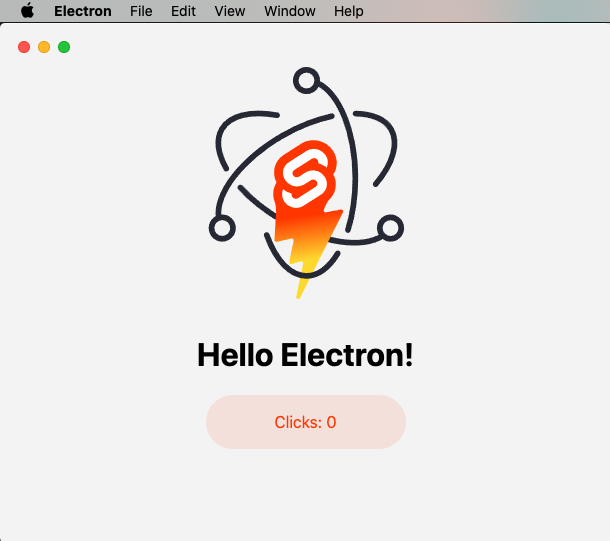
sveltekit-electron
Minimal Sveltekit + Electron starter template.
Svelte · 启动器
tauri-sveltekit
A minimal Tauri & SvelteKit starter template
Svelte · 启动器
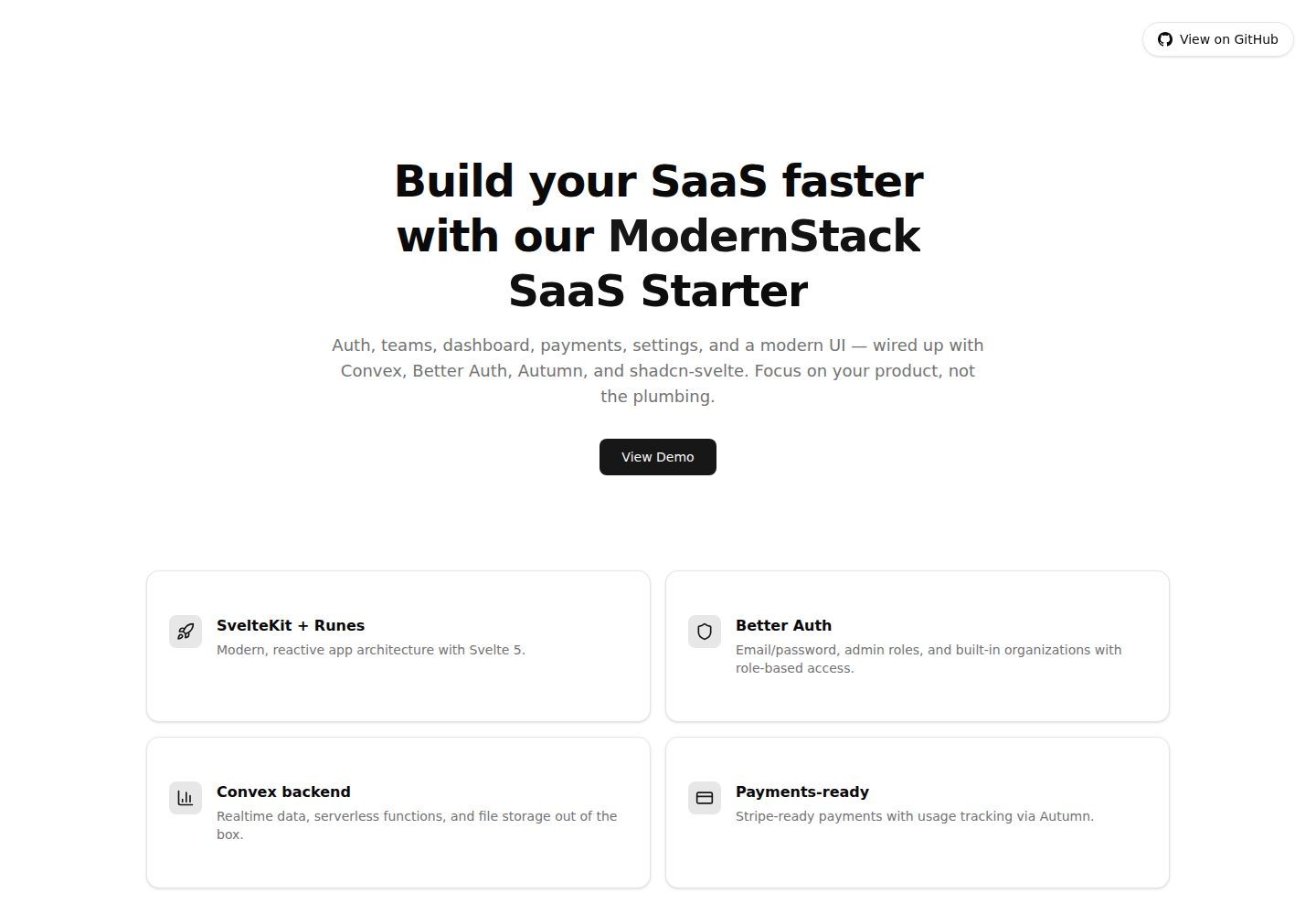
modernstack-saas
A modern SaaS template/boilerplate built with SvelteKit, Convex, Better Auth, and shadcn-svelte. Includes subs…
Svelte · 后台

sveltekit-mdsvex-blog-template
MDsveX blog starter template built with Sveltekit & Tailwind
Svelte · 作品集
sveltekit-shadcn-blog-starter
Production-ready SvelteKit blog starter featuring shadcn-svelte UI, MDsveX for Markdown, Tailwind CSS styling,…
Svelte · 博客