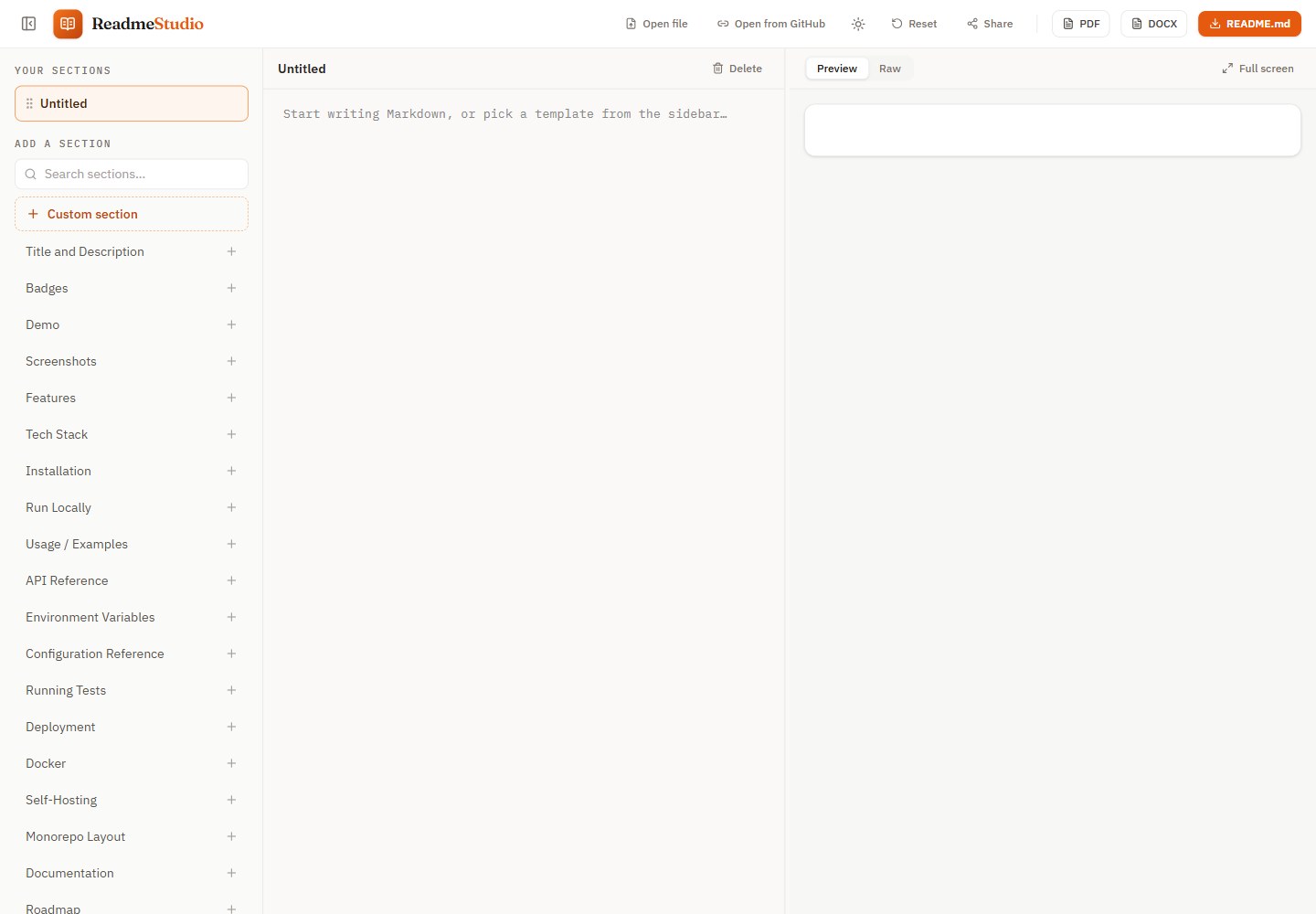
Section-based editing: a searchable section template library with drag-to-reorder, delete undo and recycle bin restore
ViteReactTool Site
readme-studio — Vite Tool Template
By prime0x2
ReadmeStudio is a browser-based README editor that organizes content by section and provides a GitHub-accurate live preview, Mermaid diagrams, PDF and DOCX export, and password-encrypted share links.
Explore the design
Compare the page layouts and mobile experience. Open any screenshot for a closer look.
Desktop homepage1 / 2
Desktop captureTop of page
Actual browser screenshot from the verified demo.
All pages & views 2
Screenshots show visual appearance; interactive behavior may differ.
Recorded 2026-10-18View source
What stands out
A quick read of the recorded project description.
GitHub-aligned preview: GFM tables, task lists, Shiki highlighting, badges, alert blocks and light/dark theme images
Mermaid diagrams appear as SVG or images in the preview, PDF and DOCX respectively, with invalid diagrams falling back to code blocks
PDF is generated by the browser print engine from the preview styles, and DOCX is built natively from the Markdown syntax tree
Share links are encrypted with a password in the browser before upload; the server does not touch the document or the password, and links can expire after 1/7/30 days
Preview and share any public GitHub README, with download as PDF/DOCX or "edit a copy"
Template Details
ReadmeStudio targets scenarios where a README must be written and distributed: it must display correctly on GitHub and also be delivered as a PDF or Word document. The editor uses a section template library; you can start from a blank page, open a local .md file or drag and drop a file, or click a template to add a section, with drag-to-reorder, delete undo and recycle bin restore. The preview covers GFM tables, task lists, Shiki syntax highlighting, badges, inline HTML, light/dark theme images, alert blocks and emoji shortcodes, and the test suite compares against GitHub's own rendering. Mermaid code blocks render in the preview, as vector SVG in PDF and as images in DOCX; invalid diagrams fall back to code blocks. PDF is generated by the browser print engine from the same HTML/CSS as the preview, while DOCX is built in the browser from the Markdown syntax tree. Share links are encrypted with a password in the browser before upload; the server does not touch the document or the password, and links can optionally expire after 1, 7 or 30 days. The README does not document offline availability, accessibility support or browser compatibility range.
ViteReactUtility site
Is it right for your project?
Use Cases
- Writing a README for an open-source project and exporting PDF for a client or DOCX for handover
- Turning an existing public GitHub README into a shareable read-only page and downloading it as PDF or Word
- Drafting and autosaving a Markdown document in the browser without registering an account
- Sharing a README draft snapshot with others under password protection and setting an expiry time
Suitable For
- Developers or technical writers who need to produce a GitHub README, PDF and DOCX at the same time
- Users who want to quickly build a README structure with section templates and rely on the live preview to proof format
- People who need to share a public GitHub README as a clean page or export it as a document
Getting started & customization
Use these recorded setup notes alongside the repository instructions for your chosen version.
- 1
Requires Node ≥ 22.13 (development uses 24, see .nvmrc) and pnpm ≥ 10
- 2
After cloning the repository, run ./dev_setup.sh to check the environment, copy the .env example and install dependencies, then run pnpm dev to start the development server (default http://localhost:3000)
- 3
The share link API requires running pnpm dev:api locally (Cloudflare local runtime on :8787, including local D1); pnpm dev proxies /api to it
- 4
Production deployment uses pnpm run deploy to build and deploy to Cloudflare Workers; the first time, create the database with wrangler d1 create, write the database_id into wrangler.jsonc, then run pnpm db:migrate
- 5
The image proxy can be configured via VITE_IMAGE_PROXY and is only used for image hosts that block cross-origin reads
License & source material
Usage conditions & limitations
Free to use · keep license noticeThis listing covers the free version under the MIT license in the public repository; the free scope is that version's code and does not mean external services or third-party assets are free.
Must comply with when using
- The code of this version may be used, modified, used commercially and distributed free of charge.
- When distributing copies or substantial portions of the code, retain the original author's copyright notice and the full MIT license notice.
- The code is provided as is; warranties and limitations of liability are governed by the original license and applicable law.
Additional costs & items to verify
- Demo images, fonts, icons and other third-party assets must be checked against their own licenses and cannot be judged solely by the code's MIT license.
- External services such as domains, hosting, databases, payments or AI may incur separate charges.
- Besides images linked in the README, opened GitHub READMEs and encrypted uploads when creating share links, a third-party image proxy wsrv.nl is also used for image hosts that block cross-origin reads (configurable via VITE_IMAGE_PROXY).
- Refreshing the GitHub rendering comparison test fixtures requires setting GITHUB_TOKEN to exceed the limit of 60 requests per hour.
- Production deployment depends on Cloudflare Workers and D1 services; the share link feature requires a Cloudflare account and database configuration.
- The first deployment requires logging in to a Cloudflare account in the browser.
- The first deployment of the share link feature requires creating a D1 database, writing the database_id and running migrations.
- The production build loads the cookieless Cloudflare Web Analytics script, whose token is in the committed .env.production.
- The section editor interaction model and original section template text come from readme.so (Katherine Oelsner, MIT license), and the corresponding attribution must retain when used.
View Original Text Basis
Permission is hereby granted, free of charge
Original License Text
Everything that affects rendering lives in one Markdown pipeline (`src/shared/`), so the preview and the PDF use the same HTML and CSS. The PDF is the browser's own print output; the DOCX is built in the browser from the Markdown syntax tree. The only network requests are the images your README links to, the GitHub README you open, the encrypted upload when you create a share link, and, for images whose host blocks cross-origin reads, an image proxy ([wsrv.nl](https://wsrv.nl), used only for those images and configurable with `VITE_IMAGE_PROXY`).
Original README
To add a case, write a new `tests/github-parity/fixtures/<name>.md` and fetch GitHub's rendering (set `GITHUB_TOKEN` to lift the 60 requests/hour limit):
Original README
Production runs at **<https://readme.prime0x2.dev>** on **Cloudflare Workers** as a Worker on the free plan: `dist/` is served from Cloudflare's edge, and a small Worker (`worker/`) answers `/api/*` for share links, backed by D1. `wrangler.jsonc` holds the whole setup: the assets directory, a single-page-app fallback (so `/view?url=…` and `/gh/<owner>/<repo>` links load the app) and the custom domain.
Original README
- **Manual deploy:** `pnpm run deploy` builds and runs `wrangler deploy`. The first run opens a browser to log in to Cloudflare.
Original README
- **Share links (first deploy only):** create the database with `pnpm exec wrangler d1 create readme-studio`, put the printed `database_id` into `wrangler.jsonc`, then run `pnpm db:migrate`. Run `pnpm db:migrate` again whenever a new file appears in `migrations/`.
Original README
- **Visitor analytics:** [Cloudflare Web Analytics](https://developers.cloudflare.com/web-analytics/), a cookie-less beacon that counts real human page views. Its token is public (it ships in the page source), so it lives in the committed `.env.production`, and only production builds load it.
Original README
https://github.com/prime0x2/readme-studio/blob/main/LICENSEhttps://github.com/prime0x2/readme-studio/blob/main/README.mdThe section-editor interaction model and the original section template texts come from [readme.so](https://github.com/octokatherine/readme.so) by Katherine Oelsner (MIT License). ReadmeStudio is an independent project with its own design and export engine. The original product spec lives in [SPEC.md](./SPEC.md).
Original README
Compiled by DeepSeek based on repository license and README ·2026-10-15. Results only cover the materials read; dependencies, images, fonts, and subsequent term changes are subject to their respective original texts.
Project checks & description sources
Template Information
- Source platforms
- GitHub
- Documentation and maintenance reference score
- More documented · 88 / 100
- Technologies
- Vite · React
- Website type
- Tool Site
How this score is calculated
Our heuristic uses license records (up to 30), a demo link (12), a preview (10), stars (15), recorded maintenance (15), description completeness (8), feature records (5) and classification data (5). It is not a code, security or performance test, or a Google score. A link does not establish tested functionality.
What to verify for this project
- Repository update recorded
- 2026-10-15
- Screenshot last checked
- 2026-10-18
A demo link is listed. Check it with your own content and viewport sizes; its presence does not confirm that forms, authentication or payments work.
The catalog identifies Vite as the primary stack. Check the actual dependency manifest and lockfile for versions and hosting requirements. These notes use recorded metadata, not a code audit or a deployment test.
Use a selection guide →How this description was prepared
AI-assisted description based on catalog records and repository material. Repository authors are not automatically the reviewers of this description.
Review declaration: codex-user-requested-batch-review-20261018 · 2026-10-18
Inspect the recorded source material
SHA-256: 2f3826a377fcec26bc4b1972f2d3dacf53623054bbe7b84de632b35e60bcea1a
2026-10-18T15:34:17.065Z
Source file / repository<p align="center">
<a href="https://readme.prime0x2.dev">
<img src=".github/assets/cover.png" alt="ReadmeStudio: the README editor with exports that don't suck" width="100%">
</a>
</p>
<p align="center">
<b>Write a README once. Get it right on GitHub, in PDF and in Word.</b><br>
Section templates, a GitHub-accurate live preview, Mermaid diagrams and share links, all running in your browser.
</p>
<p align="center">
<a href="https://readme.prime0x2.dev"><b>Open the app →</b></a>
· <a href="#-features">Features</a>
· <a href="#-share-any-github-readme">Share links</a>
· <a href="#-getting-started">Run locally</a>
· <a href="CHANGELOG.md">Changelog</a>
</p>
<p align="center">
<a href="https://github.com/prime0x2/readme-studio/actions/workflows/ci.yml"><img src="https://github.com/prime0x2/readme-studio/actions/workflows/ci.yml/badge.svg?branch=main" alt="CI"></a>
<a href="https://github.com/prime0x2/readme-studio/releases/latest"><img src="https://img.shields.io/github/v/release/prime0x2/readme-studio?color=f5721a" alt="Latest release"></a>
<a href="LICENSE"><img src="https://img.shields.io/github/license/prime0x2/readme-studio?color=blue" alt="MIT license"></a>
<a href="https://readme.prime0x2.dev"><img src="https://img.shields.io/website?url=https%3A%2F%2Freadme.prime0x2.dev&label=live&up_message=online" alt="Live site"></a>
<br>
<img src="https://img.shields.io/badge/React_19-20232a?logo=react&logoColor=61dafb" alt="React 19">
<img src="https://img.shields.io/badge/TypeScript-3178c6?logo=typescript&logoColor=white" alt="TypeScript">
<img src="https://img.shields.io/badge/Vite-646cff?logo=vite&logoColor=white" alt="Vite">
<img src="https://img.shields.io/badge/Tailwind_CSS-0f172a?logo=tailwindcss&logoColor=38bdf8" alt="Tailwind CSS">
<img src="https://img.shields.io/badge/Cloudflare_Workers-f38020?logo=cloudflare&logoColor=white" alt="Cloudflare Workers">
</p>
---
## 💡 Why
[readme.so](https://readme.so) made writing READMEs easy. But the moment you need that README somewhere other than GitHub (a PDF for a client, a Word doc for a handover), most tools hand you a blurry screenshot or lose half the styling.
ReadmeStudio keeps the section-based editor and makes the **exports first-class**. The PDF is printed by your browser from the *same* HTML and CSS as the preview, so they can't drift apart. The DOCX is built natively from the Markdown, with real Word headings, tables and code. Your document never leaves your machine unless you create a share link, and then only an encrypted copy is uploaded: the server never sees the document or the password.
## ✨ Features
- 🧩 **Section-based editing.** A searchable library of section templates (ported and improved from readme.so's MIT-licensed set, plus new ones like Docker, Badges and Monorepo layout). Start from a blank page, open a `.md` file from your computer (or drop it on the page), or click a template to add it; drag to reorder, reset to default, delete with undo, restore from trash.
- 👀 **GitHub-accurate preview.** GFM tables, task lists, Shiki syntax highlighting, badges and inline HTML, `<picture>` dark/light images, `> [!NOTE]` alerts and emoji shortcodes, in light and dark themes plus a raw-Markdown tab. Checked against GitHub's own rendering by the test suite.
- 📊 **Mermaid diagrams.** ` ```mermaid ` blocks render in the preview, as vector SVG in the PDF and as crisp images in the DOCX. Invalid diagrams fall back to a code block.
- 📄 **Real PDF export.** Printed by the browser's own engine from the preview's stylesheet: A4, page numbers, smart page breaks, selectable text, working links, vector diagrams, Bengali and other scripts.
- 📝 **Native DOCX export.** Word heading styles (the navigation pane works), GitHub-like tables sized from real image widths, highlighted code, alerts, diagrams and badges as crisp 2× images.
- 🔗 **Preview and share any GitHub README.** A read-only, shareable view of any public README, with PDF and DOCX download and **Edit a copy**. See [below](#-share-any-github-readme).
- 🔒 **Password-protected share links.** Share a snapshot of your draft as a short link. It's encrypted in your browser with your password before upload, so the server never sees the document or the password. The recipient types the password and gets the document full screen, with a theme toggle and PDF, DOCX and Markdown downloads. Links expire after 1, 7 or 30 days.
- 🎯 **Focus tools.** Collapse the sidebar, or expand the preview to fill the window.
- ⌨️ **A real editor.** CodeMirror 6 with Markdown highlighting, list continuation, per-section undo history and formatting shortcuts.
- 💾 **Auto-save.** Your document persists in the browser as you type. No account, no sign-up.
## 📸 Screenshots
<table>
<tr>
<td width="50%"><img src=".github/assets/dark-mode.png" alt="The editor in dark mode"></td>
<td width="50%"><img src=".github/assets/pdf-export.png" alt="A page of the exported PDF"></td>
</tr>
<tr>
<td align="center"><sub>Dark mode, with a live Mermaid diagram</sub></td>
<td align="center"><sub>The exported PDF: vector text, diagrams and tables</sub></td>
</tr>
<tr>
<td colspan="2"><img src=".github/assets/share-links.png" alt="The Share dialog with a new link, and the password prompt the recipient sees"></td>
</tr>
<tr>
<td colspan="2" align="center"><sub>Password-protected share links, encrypted in your browser</sub></td>
</tr>
</table>
## 🔗 Share any GitHub README
Put a GitHub link after `/view?url=` and you get a clean, shareable preview with PDF, DOCX and Markdown download. **Edit a copy** splits it into sections in the editor.
| Link | Opens |
| --- | --- |
| `/view?url=https://github.com/<owner>/<repo>` | The repository's README |
| `/gh/<owner>/<repo>` | The same, shorter |
| `/view?url=<file on github.com, raw.githubusercontent.com URL or gist>` | That file |
| Add `mode=full` to any of the above | A distraction-free reading view |
Relative images and links resolve against the repository, just like on GitHub. For example, this README: **<https://readme.prime0x2.dev/gh/prime0x2/readme-studio>**
## ⌨️ Keyboard shortcuts
| Shortcut | Action |
| --- | --- |
| <kbd>Ctrl</kbd>/<kbd>⌘</kbd> + <kbd>\\</kbd> | Show or hide the sections sidebar |
| <kbd>Esc</kbd> | Leave full screen |
| <kbd>Ctrl</kbd>/<kbd>⌘</kbd> + <kbd>B</kbd> / <kbd>I</kbd> | Bold / italic |
| <kbd>Ctrl</kbd>/<kbd>⌘</kbd> + <kbd>K</kbd> | Insert a link |
## 🧠 How it works
```mermaid
flowchart LR
S[Sections] --> M[Markdown]
M --> P["Shared pipeline<br/>(unified + Shiki + Mermaid)"]
P --> V[Live preview]
P --> R[Print view]
R --> PDF[PDF<br/>browser print engine]
M --> D[DOCX builder] --> W[DOCX]
```
Everything that affects rendering lives in one Markdown pipeline (`src/shared/`), so the preview and the PDF use the same HTML and CSS. The PDF is the browser's own print output; the DOCX is built in the browser from the Markdown syntax tree. The only network requests are the images your README links to, the GitHub README you open, the encrypted upload when you create a share link, and, for images whose host blocks cross-origin reads, an image proxy ([wsrv.nl](https://wsrv.nl), used only for those images and configurable with `VITE_IMAGE_PROXY`).
## 🗂 Project structure
```
src/ Vite + React 19 + Tailwind v4 + Zustand: editor, share links,
PDF (print) and DOCX export
src/shared/ markdown pipeline, preview CSS, section templates, types
(single source of truth so preview and PDF can never drift)
worker/ Cloudflare Worker: the share-link API (D1, rate limits, daily purge)
migrations/ D1 schema for share links
tests/ Vitest suites, including headless-Chromium browser tests
scripts/ one-off generators for the social card and README images
```
## 🚀 Getting started
Requires **Node ≥ 22.13** (development uses 24, see `.nvmrc`) and **pnpm ≥ 10**. pnpm switches to the exact version pinned in `package.json` on its own.
```bash
git clone https://github.com/prime0x2/readme-studio.git
cd readme-studio
./dev_setup.sh # checks node/pnpm, copies the .env example, installs (safe to re-run)
pnpm dev # http://localhost:3000
```
| Script | What it does |
| --- | --- |
| `pnpm dev` | Dev server with hot reload |
| `pnpm dev:api` | Share-link API in Cloudflare's local runtime on :8787, with a local D1 (`pnpm dev` proxies `/api` to it) |
| `pnpm db:migrate` | Apply D1 migrations to the production database |
| `pnpm build` | Type-check and production build into `dist/` |
| `pnpm test` | All tests, including the headless-Chromium suites |
| `pnpm lint` / `pnpm format` | Biome check / fix |
| `pnpm preview` | Build, then serve in Cloudflare's local runtime (`wrangler dev`) |
| `pnpm run deploy` | Build and deploy to Cloudflare Workers |
| `pnpm fixtures:update` | Refresh the GitHub parity fixtures |
## 🧪 Testing
167 tests, including real-browser suites that drive headless Chromium:
- **GitHub parity:** `tests/github-parity/` renders each fixture twice, once from GitHub's own HTML (GitHub's Markdown API, styled with `github-markdown-css`) and once through our pipeline with the app's real CSS. It then compares which images are shown, their sizes, floats and alignment, which images share a line, and table shapes, in light and dark.
- **Mermaid:** `tests/mermaid/` runs the real renderer and checks that labels are visible, diagrams follow the theme, invalid diagrams stay code and diagram labels can't run script.
- **Share links:** `tests/share/` and `tests/worker/` cover the wire format, the browser crypto, the client and the Worker API handlers.
- **PDF and DOCX:** the print path is rendered to real PDFs (A4, page numbers, diagrams, Bengali); DOCX output is checked for structure, tables, images and fonts.
<details>
<summary>More on the parity fixtures</summary>
<br>
Text isn't compared, since fonts legitimately differ. Images point at `https://img.readmestudio.test/<w>x<h>/<name>.svg` and are generated at that size by the test, so it runs offline.
The GitHub side follows GitHub's theme, including github.com's rule for `#gh-dark-mode-only` / `#gh-light-mode-only` links. Our side runs with the viewer's OS preference set to the *opposite* theme, because the preview must follow the app's theme toggle rather than the OS.
To add a case, write a new `tests/github-parity/fixtures/<name>.md` and fetch GitHub's rendering (set `GITHUB_TOKEN` to lift the 60 requests/hour limit):
```bash
pnpm fixtures:update
```
</details>
## ☁️ Deployment
Production runs at **<https://readme.prime0x2.dev>** on **Cloudflare Workers** as a Worker on the free plan: `dist/` is served from Cloudflare's edge, and a small Worker (`worker/`) answers `/api/*` for share links, backed by D1. `wrangler.jsonc` holds the whole setup: the assets directory, a single-page-app fallback (so `/view?url=…` and `/gh/<owner>/<repo>` links load the app) and the custom domain.
- **Manual deploy:** `pnpm run deploy` builds and runs `wrangler deploy`. The first run opens a browser to log in to Cloudflare.
- **Share links (first deploy only):** create the database with `pnpm exec wrangler d1 create readme-studio`, put the printed `database_id` into `wrangler.jsonc`, then run `pnpm db:migrate`. Run `pnpm db:migrate` again whenever a new file appears in `migrations/`.
- **Cleaning up abuse:** new shares are refused with a 503 once live ciphertext reaches 400 MB. To free space, find the burst with `pnpm exec wrangler d1 execute readme-studio --remote --command "SELECT created_at, size FROM shares ORDER BY created_at DESC LIMIT 50"`, then delete it by creation time (milliseconds since the epoch): `pnpm exec wrangler d1 execute readme-studio --remote --command "DELETE FROM shares WHERE created_at BETWEEN <from> AND <to>"`. Rows hold only ciphertext, so you can't tell good shares from bad ones by content.
- **Automatic deploys:** in the Cloudflare dashboard, go to *Workers & Pages → Create → Import a repository*, then set the build command to `pnpm build` and the deploy command to `npx wrangler deploy`. Every push to `main` deploys, and other branches get preview URLs. CI also runs `wrangler deploy --dry-run`, so a broken config fails the PR rather than the deploy.
- **Your own domain:** change `routes` in `wrangler.jsonc`, or remove it to use the `*.workers.dev` URL. The zone must be on the same Cloudflare account and the hostname must not already have a DNS record; Wrangler creates it.
- **Visitor analytics:** [Cloudflare Web Analytics](https://developers.cloudflare.com/web-analytics/), a cookie-less beacon that counts real human page views. Its token is public (it ships in the page source), so it lives in the committed `.env.production`, and only production builds load it.
## 🗺 Roadmap
- **End-to-end tests** for full flows: edit sections, download each format, validate the files.
- Import a local `README.md` file (GitHub links can already be imported with **Edit a copy**).
- Multiple documents with a document switcher.
- More section template packs.
## 🤝 Contributing
Issues and pull requests are welcome. Before opening a PR, run `pnpm lint && pnpm test`; the husky pre-commit hook runs Biome for you. For bigger changes, open an issue first so we can agree on the approach.
## 🙏 Credits
The section-editor interaction model and the original section template texts come from [readme.so](https://github.com/octokatherine/readme.so) by Katherine Oelsner (MIT License). ReadmeStudio is an independent project with its own design and export engine. The original product spec lives in [SPEC.md](./SPEC.md).
## 📄 License
[MIT](./LICENSE) © 2026 prime0x2
Explore similar templates
Compare previews and descriptions within the same stack and category.

vituum
Vituum is a static site generator for Vite, provided as a Vite plugin. It integrates template engines into Vite for rapid prototyping and static page development such as email templates.
Vite · Tool Site

tropical
Tropical is a Vite-based static site template for HTML-first sites with client-side JS islands where interactivity is needed. It supports React components, includes dev, build, stories, page, and component scripts, outputs builds to dist/static, and is MIT licensed.
Vite · Tool Site
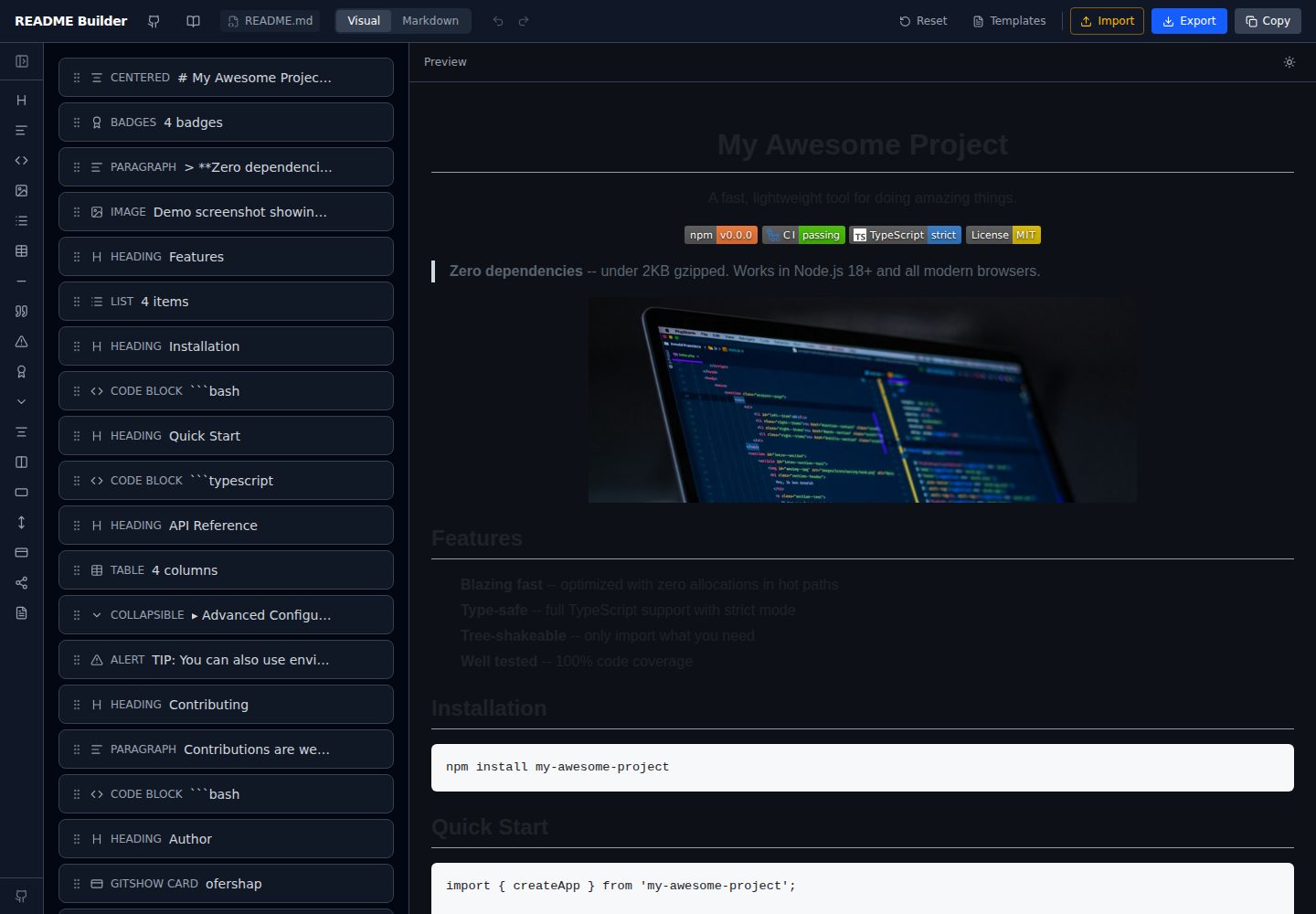
readme-builder
A purely front-end README visual editor built on Vite and React. It generates GitHub-flavored Markdown by dragging blocks, with live preview, four templates, badge editing, Markdown import/export, undo/redo, and localStorage autosave.
Vite · Tool Site
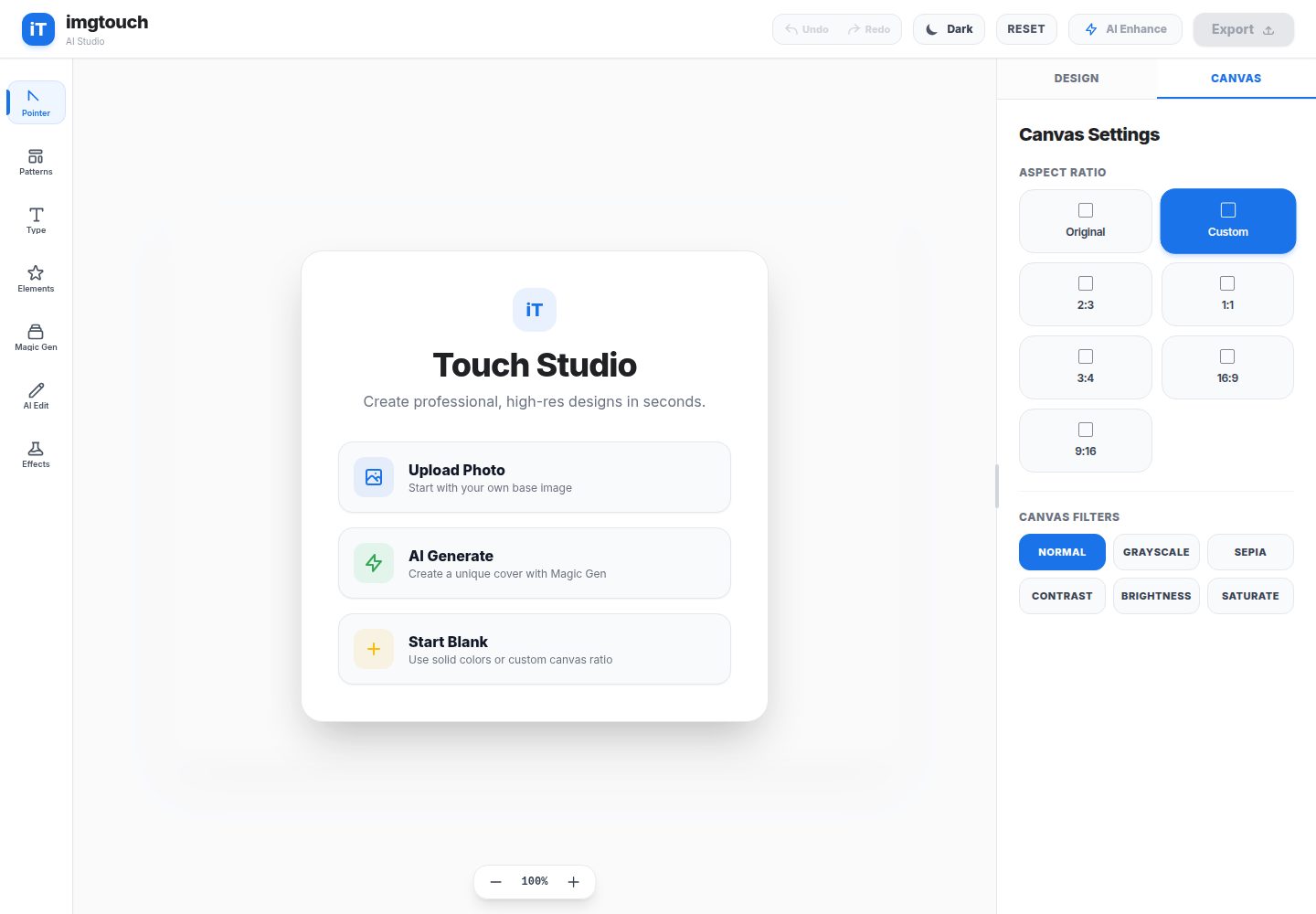
imgtouch
ImgTouch is an AI creative studio powered by Google Gemini 2.5, combining text-to-image generation, natural-language image editing, and super-resolution enhancement with canvas-based layer editing, design templates, and custom typography.
Vite · Tool Site
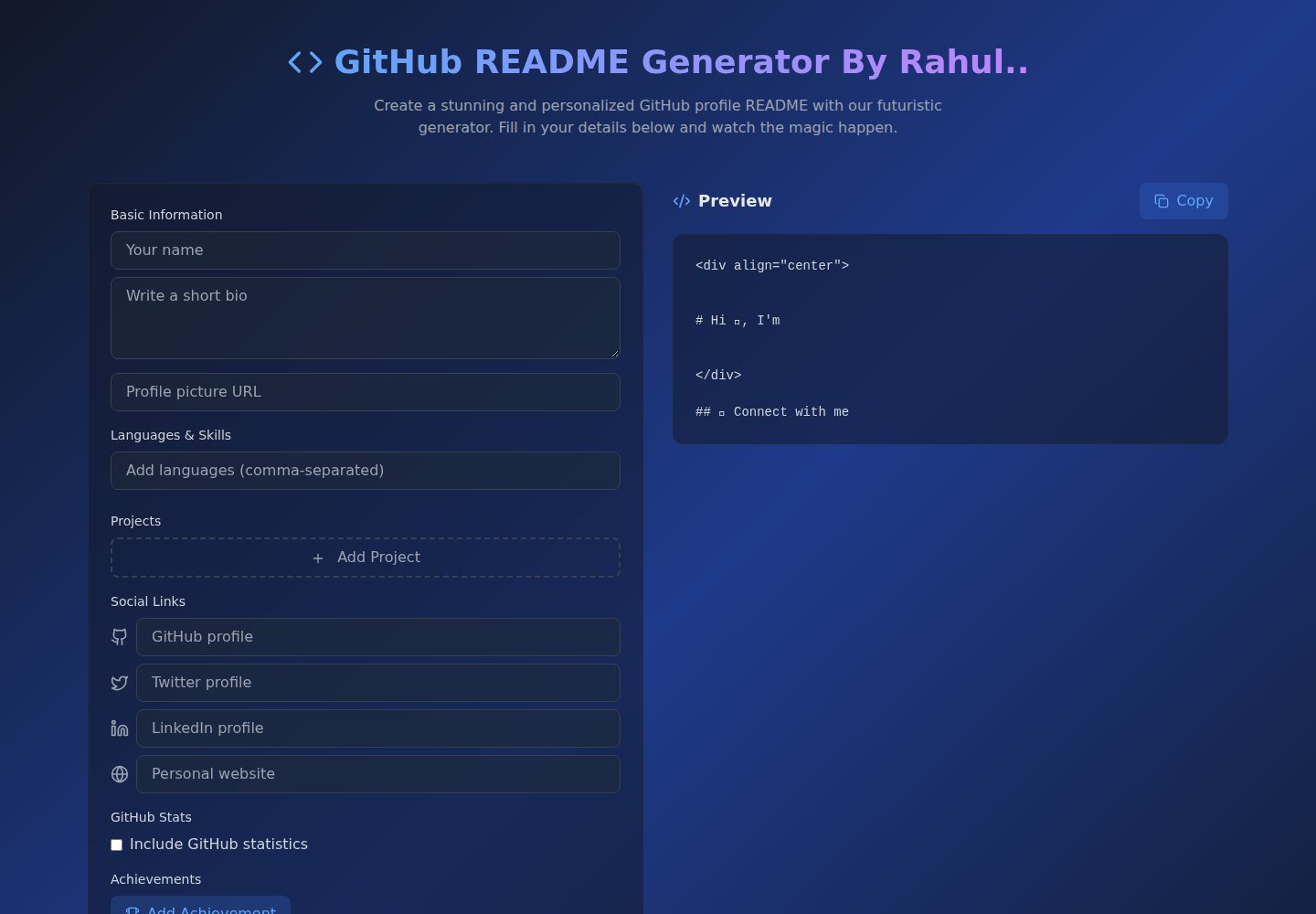
Github-Readme-Generator
A React and TypeScript web tool for generating GitHub project READMEs, with template selection, real-time Markdown preview, dark/light mode, responsive design, and export to multiple formats.
Vite · Documentation
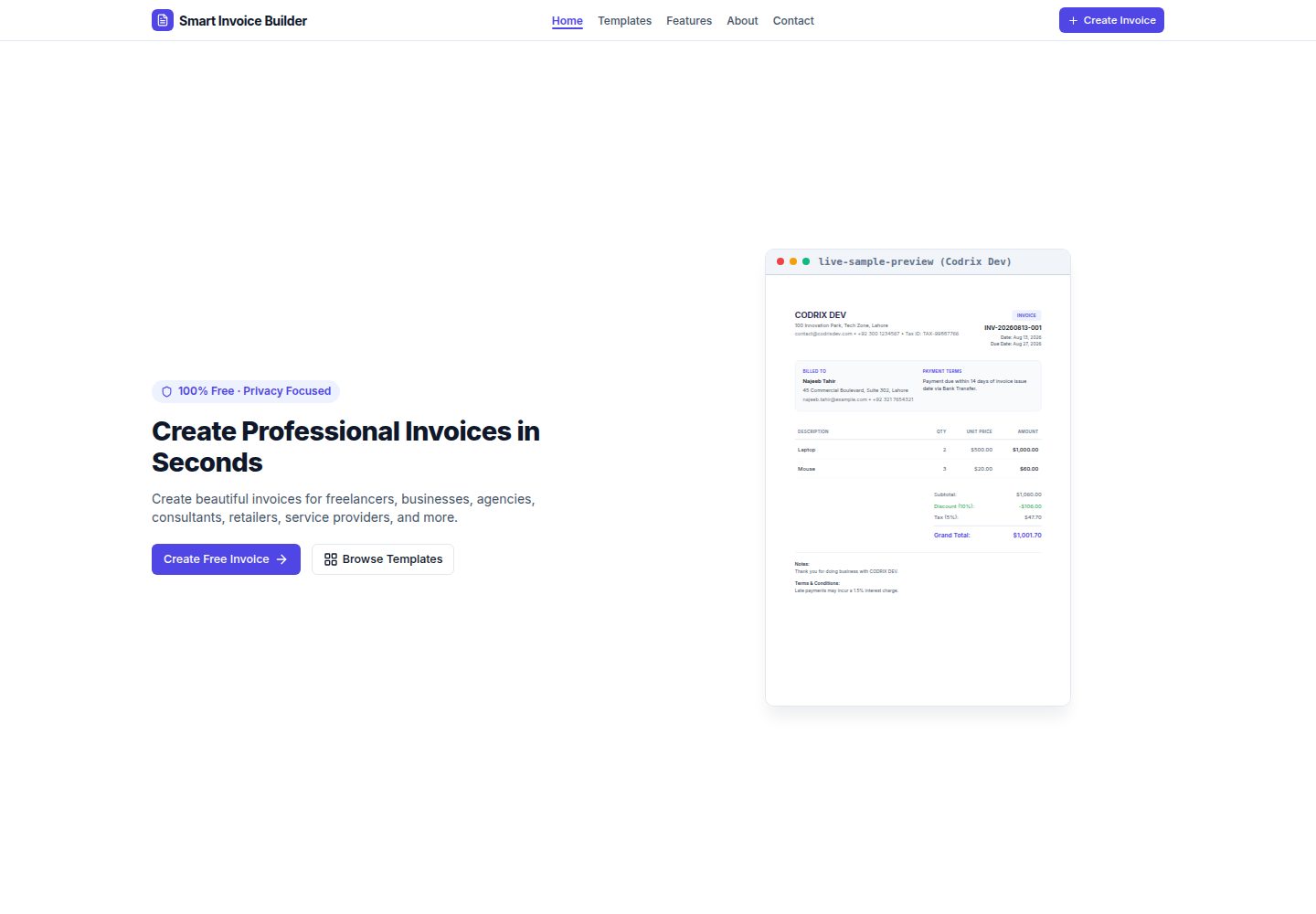
Smart-Invoice-Builder
Smart Invoice Builder is a local-first invoice generator built with React 18, TypeScript, and Vite.
Vite · Tool Site