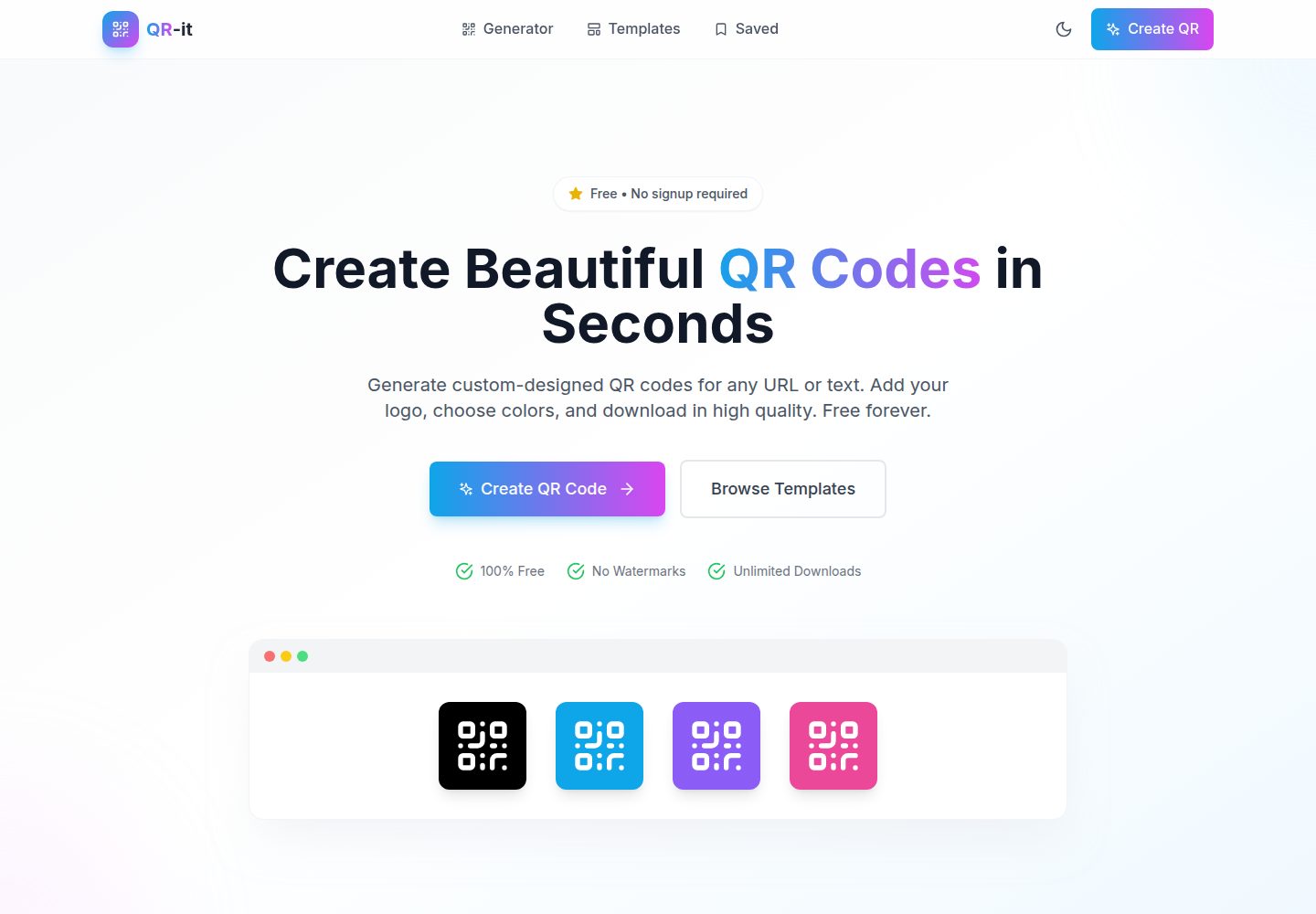
Supports generating QR codes for URLs, text, email, phone, SMS, WiFi, and vCard
ViteReactTool Site
QR-it — Vite Tool Template
By talktome8
QR-it is a free, no-signup QR code generator built with React, Vite, and Tailwind CSS, supporting custom designs, templates, logo embedding, scanability checks, and PNG/SVG export.
Explore the design
Compare the page layouts and mobile experience. Open any screenshot for a closer look.
Desktop homepage1 / 2
Desktop captureTop of page
Actual screenshot captured by the server browser.
All pages & views 2
Screenshots show visual appearance; interactive behavior may differ.
Recorded 2026-10-17View source
What stands out
A quick read of the recorded project description.
Provides arbitrary hex colors, linear/radial gradients, and metallic presets
Customizable dot styles and corner styles, with a choice of square or circular QR codes
Supports uploading a center logo and automatically uses a high error correction level
Built-in scan-quality warnings for contrast, quiet-zone margins, and logo size
Supports export as PNG, SVG, and high-resolution images for 300 DPI printing
Template Details
QR-it is a frontend QR code generation tool. Its README states that it can generate QR codes for URLs, text, email, phone, SMS, WiFi networks, and vCards, with live preview during custom design. Design options include arbitrary hex colors, linear or radial gradients, metallic presets, multiple dot and corner styles, square or circular QR codes, a center logo, and transparent backgrounds. The tool checks foreground-to-background contrast, quiet-zone margins, and logo size, and gives scan-quality warnings; export formats are PNG, SVG, or high-resolution images for 300 DPI printing.
The project uses React, Vite, Tailwind CSS, qr-code-styling, react-colorful, lucide-react, and react-router-dom, and provides development, build, preview, and ESLint scripts. The README gives steps from cloning the repository and installing dependencies to starting the development server, and explains how to create a production build. The page structure includes Home, Generator, Templates, and Saved pages, but the README does not document the specific behavior or data storage scope of the Saved page.
Regarding usage limitations, the README does not document backend services, an account system, or cloud sync capabilities; QR code generation and export are both done in the frontend. Scan-quality validation gives graded warnings, but the README does not provide specific thresholds or guarantee that all designs are scannable. The project is released under the MIT License.
ViteReactUtility site
Is it right for your project?
Use Cases
- Quickly generate a QR code with brand colors for a URL or plain text
- Create shareable QR codes for WiFi networks or vCards
- Place a logo in the center of a QR code and check scan risks
- Export transparent-background PNG or SVG for print or web design
Suitable For
- Individual users who need a free, no-signup QR code generator
- Brand designers who want to customize QR code colors, shapes, and logos
- Small projects or event organizers who need to export print-grade QR code images
Getting started & customization
Use these recorded setup notes alongside the repository instructions for your chosen version.
- 1
Requires Node.js 18+ and npm or yarn
- 2
After cloning the repository, run npm install to install dependencies
- 3
Run npm run dev to start the development server, accessible by default at http://localhost:3000
- 4
Run npm run build to create a production build, and npm run preview to preview the build result
- 5
Run npm run lint to execute ESLint checks
License & source material
Usage conditions & limitations
Free to use · keep license noticeThis listing covers the free version in the public repository under the MIT License; the free scope is that version's code and does not mean external services or third-party assets are free.
Must comply with when using
- The code of this version may be used, modified, used commercially, and distributed free of charge.
- When distributing copies or substantial portions of the code, the original author's copyright notice and the full MIT License notice must retain.
- The code is provided as-is; warranties and limitations of liability are governed by the original license and applicable law.
Additional costs & items to verify
- Demo images, fonts, icons, and other third-party assets must be checked against their respective licenses and cannot be judged solely by the code's MIT License.
- External services such as domains, hosting, databases, payments, or AI may incur separate charges.
View Original Text Basis
https://github.com/talktome8/QR-it/blob/main/LICENSEhttps://github.com/talktome8/QR-it/blob/main/README.mdPermission is hereby granted, free of charge
Original License Text
Compiled by DeepSeek based on repository license and README ·2026-10-17. Results only cover the materials read; dependencies, images, fonts, and subsequent term changes are subject to their respective original texts.
Project checks & description sources
Template Information
- Source platforms
- GitHub
- Documentation and maintenance reference score
- More documented · 85 / 100
- Technologies
- Vite · React
- Website type
- Tool Site
How this score is calculated
Our heuristic uses license records (up to 30), a demo link (12), a preview (10), stars (15), recorded maintenance (15), description completeness (8), feature records (5) and classification data (5). It is not a code, security or performance test, or a Google score. A link does not establish tested functionality.
What to verify for this project
- Repository update recorded
- 2026-07-15
- Screenshot last checked
- 2026-10-17
A demo link is listed. Check it with your own content and viewport sizes; its presence does not confirm that forms, authentication or payments work.
The catalog identifies Vite as the primary stack. Check the actual dependency manifest and lockfile for versions and hosting requirements. These notes use recorded metadata, not a code audit or a deployment test.
Use a selection guide →How this description was prepared
AI-assisted description based on catalog records and repository material. Repository authors are not automatically the reviewers of this description.
Review declaration: codex-user-requested-batch-review-20261018 · 2026-10-18
Inspect the recorded source material
SHA-256: 67d591952a8a11b5f0c7e632dd738d764a9560be633730d59b6d4eace98029b2
2026-10-17T10:04:54.746Z
Source file / repository# QR-it 🎨 ## Live Demo [Open QR-it](https://qr-it.raztom.com/) A free, no-signup QR code generator with custom designs, templates, logo support, scannability checks, and PNG/SVG exports. Built with React, Vite, and Tailwind CSS. ## ✨ Features ### Core Functionality - **Universal QR Generation**: Generate QR codes for URLs, text, email, phone, SMS, WiFi networks, and vCards - **Real-time Preview**: See changes instantly as you customize your design - **Scan Validation**: Automatic quality assessment with warnings for potential scanning issues - **Multiple Export Formats**: Download as PNG, SVG, or print-ready high-DPI images ### Design Customization - **Full Color Picker**: Choose any color with hex input, not just presets - **Gradient Colors**: Apply linear or radial gradients to dots, corners, and backgrounds - **Metallic Presets**: Gold, Silver, Bronze, Rose Gold, Chrome, and Holographic finishes - **Multiple Dot Styles**: Square, dots, rounded, extra-rounded, classy, and classy-rounded - **Corner Styles**: Customize corner squares and corner dots independently - **QR Shape**: Square (default) or Circle shape - **Logo Integration**: Add your brand logo with automatic high error correction - **Transparent Background**: Export QR codes without background for placement on any surface ### Scan Quality Features - **Contrast Validation**: Real-time contrast checking between foreground and background - **Low Contrast Warnings**: Visual warnings when colors may cause scanning issues - **Margin Recommendations**: Guidance on quiet zone requirements - **Logo Size Limits**: Automatic recommendations to keep logos scannable ### User Experience - **Dark/Light Mode**: Toggle between themes with system preference detection - **Pre-made Templates**: Quick-start templates for common use cases - **Responsive Design**: Works on desktop and mobile devices ### Export Options - **PNG**: Raster images with optional transparent background - **SVG**: Scalable vectors with optional transparent background - **Print-Ready**: High-resolution exports at 300 DPI ## 🚀 Quick Start ### Prerequisites - Node.js 18+ - npm or yarn ### Installation ```bash # Clone the repository git clone https://github.com/talktome8/QR-it.git cd QR-it # Install dependencies npm install # Start development server npm run dev ``` The app will be available at `http://localhost:3000` ### Build for Production ```bash # Create production build npm run build # Preview production build npm run preview ``` ## 📁 Project Structure ``` qr-it/ ├── public/ │ └── favicon.svg ├── src/ │ ├── assets/ # Static assets │ ├── components/ │ │ ├── common/ # Reusable UI components │ │ │ ├── Button.jsx │ │ │ ├── Input.jsx │ │ │ ├── Modal.jsx │ │ │ ├── ColorPicker.jsx │ │ │ ├── AdvancedColorPicker.jsx # Gradient & metallic colors │ │ │ ├── Select.jsx │ │ │ ├── Slider.jsx │ │ │ ├── Tabs.jsx │ │ │ ├── Card.jsx │ │ │ └── Toast.jsx │ │ ├── layout/ │ │ │ ├── Layout.jsx │ │ │ ├── Header.jsx │ │ │ └── Footer.jsx │ │ └── qr/ │ │ ├── QRPreview.jsx # QR rendering & download │ │ ├── QRInput.jsx # Data input forms │ │ └── QRCustomizer.jsx # Style controls │ ├── hooks/ │ │ ├── useQRContext.jsx # QR state management │ │ ├── useTheme.jsx # Dark/light mode │ │ └── useLocalStorage.js # Persistent storage │ ├── pages/ │ │ ├── HomePage.jsx │ │ ├── GeneratorPage.jsx │ │ ├── TemplatesPage.jsx │ │ └── SavedPage.jsx │ ├── services/ │ │ └── qrService.js # QR generation service │ ├── utils/ │ │ ├── helpers.js │ │ └── validators.js │ ├── styles/ │ │ └── index.css │ ├── App.jsx │ └── main.jsx ├── package.json ├── vite.config.js ├── tailwind.config.js └── README.md ``` ## 🎨 How to Use ### Creating a QR Code 1. **Enter Data**: Go to the Generator page and enter your URL or text 2. **Choose Style**: Use the tabs to customize: - **Presets**: Quick-start templates - **Colors**: Full color picker with gradients and metallic options - **Style**: Dot and corner styles, QR shape (square/circle) - **Logo**: Upload a center logo (auto-sets high error correction) - **Settings**: Error correction, size, and margins 3. **Download**: Click Download and choose PNG, SVG, or Print-Ready ### Transparent Background Export 1. Go to the **Colors** tab in the customizer 2. Check **"Transparent Background"** 3. The preview will show a checkerboard pattern indicating transparency 4. Download as PNG or SVG - the background will be transparent ### QR Shape Options The app supports two QR shapes that are fully scannable: | Shape | Description | |-------|-------------| | **Square** | Standard rectangular QR code (default) | | **Circle** | Round QR code with circular boundary | Both shapes maintain full scan reliability. ### Scan Quality Validation The app automatically validates scan quality and shows warnings: - **Excellent/Good**: ✅ No issues, QR will scan reliably - **Fair**: ⚠️ May have issues - suggestions provided - **Poor**: ❌ Likely to fail - immediate action needed Common warnings: - Low contrast between QR and background - Small quiet zone (margin) - Logo too large - Missing high error correction with logo ### Color & Gradient System **Solid Colors**: Use the color picker to choose any hex color **Gradients**: Switch to gradient mode and configure: - Gradient type (linear/radial) - Rotation angle - Multiple color stops **Metallic Presets**: One-click metallic finishes: - Gold, Silver, Bronze - Rose Gold, Chrome, Holographic ## 🔧 Technical Details ### QR Code Generation Uses [qr-code-styling](https://github.com/nicklasoverby/qr-code-styling) library which provides: - Multiple dot and corner styles - Gradient support - Logo embedding - Circle shape mask - High-quality SVG and PNG export ### Error Correction Levels | Level | Recovery | Best For | |-------|----------|----------| | L (Low) | 7% | Smallest QR, clean environments | | M (Medium) | 15% | Balanced size and recovery | | Q (Quartile) | 25% | Recommended default | | H (High) | 30% | Required when using logos | ## 🛠️ Development ### Available Scripts ```bash npm run dev # Start development server npm run build # Build for production npm run preview # Preview production build npm run lint # Run ESLint ``` ### Technologies Used - **React 18**: UI framework - **Vite 5**: Build tool - **Tailwind CSS 3**: Styling - **qr-code-styling**: QR generation - **react-colorful**: Color picker - **lucide-react**: Icons - **react-router-dom**: Routing ## 📝 License MIT License - feel free to use in your projects. ## 🙏 Acknowledgments - [qr-code-styling](https://github.com/nicklasoverby/qr-code-styling) for the QR generation library - [react-colorful](https://github.com/omgovich/react-colorful) for the color picker - [Lucide](https://lucide.dev/) for the beautiful icons
Explore similar templates
Compare previews and descriptions within the same stack and category.

vituum
Vituum is a static site generator for Vite, provided as a Vite plugin. It integrates template engines into Vite for rapid prototyping and static page development such as email templates.
Vite · Tool Site

tropical
Tropical is a Vite-based static site template for HTML-first sites with client-side JS islands where interactivity is needed. It supports React components, includes dev, build, stories, page, and component scripts, outputs builds to dist/static, and is MIT licensed.
Vite · Tool Site
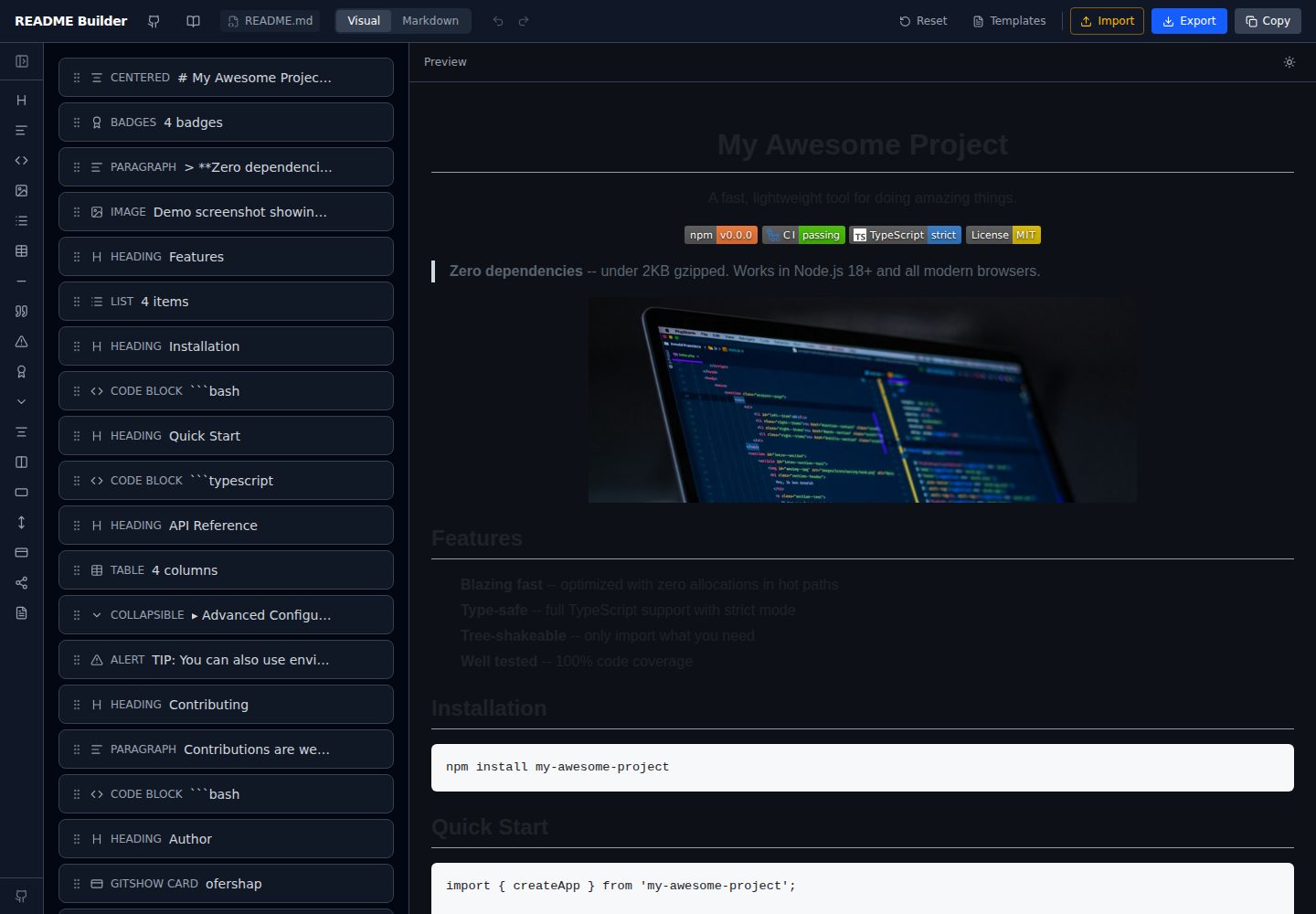
readme-builder
A purely front-end README visual editor built on Vite and React. It generates GitHub-flavored Markdown by dragging blocks, with live preview, four templates, badge editing, Markdown import/export, undo/redo, and localStorage autosave.
Vite · Tool Site
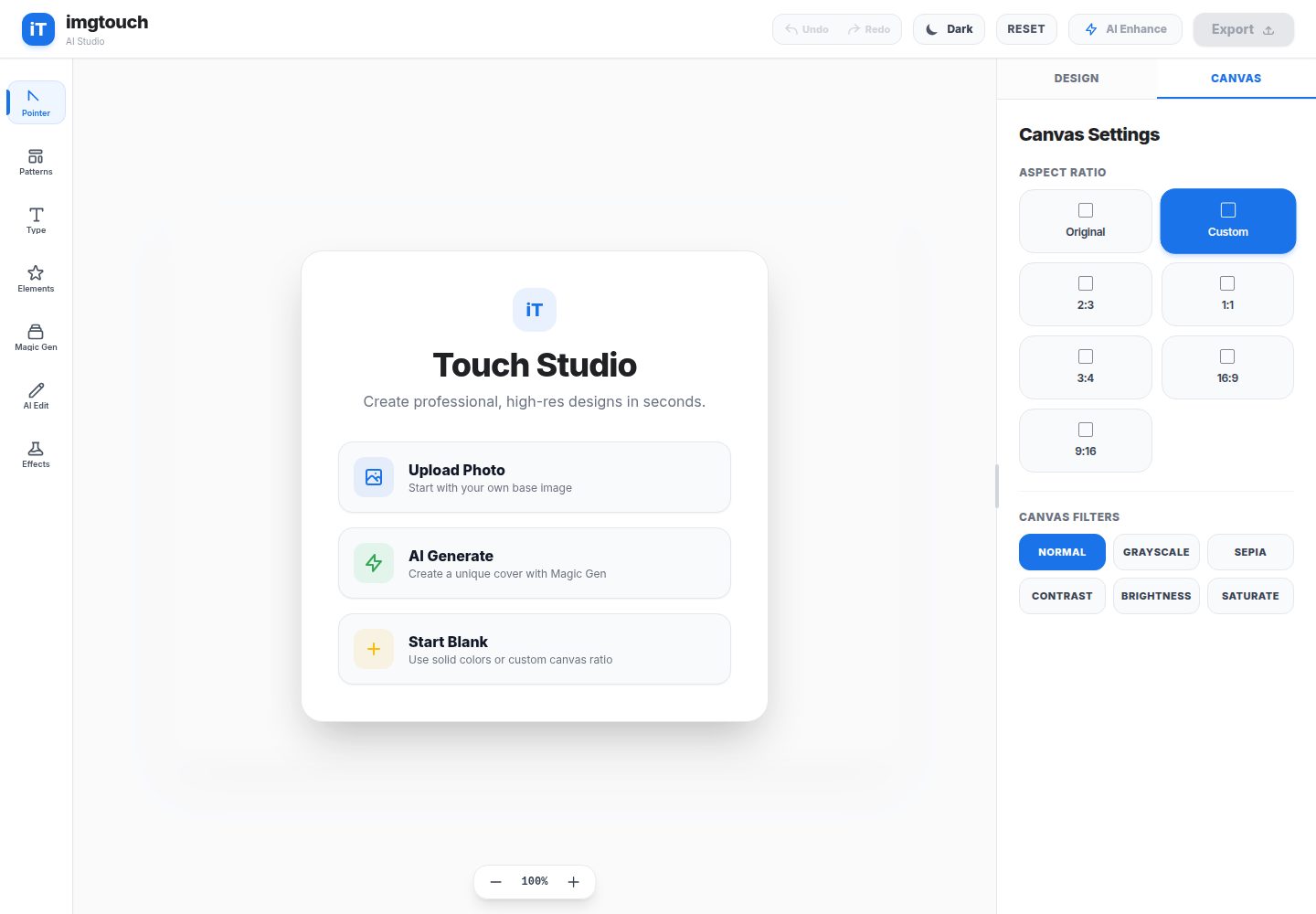
imgtouch
ImgTouch is an AI creative studio powered by Google Gemini 2.5, combining text-to-image generation, natural-language image editing, and super-resolution enhancement with canvas-based layer editing, design templates, and custom typography.
Vite · Tool Site
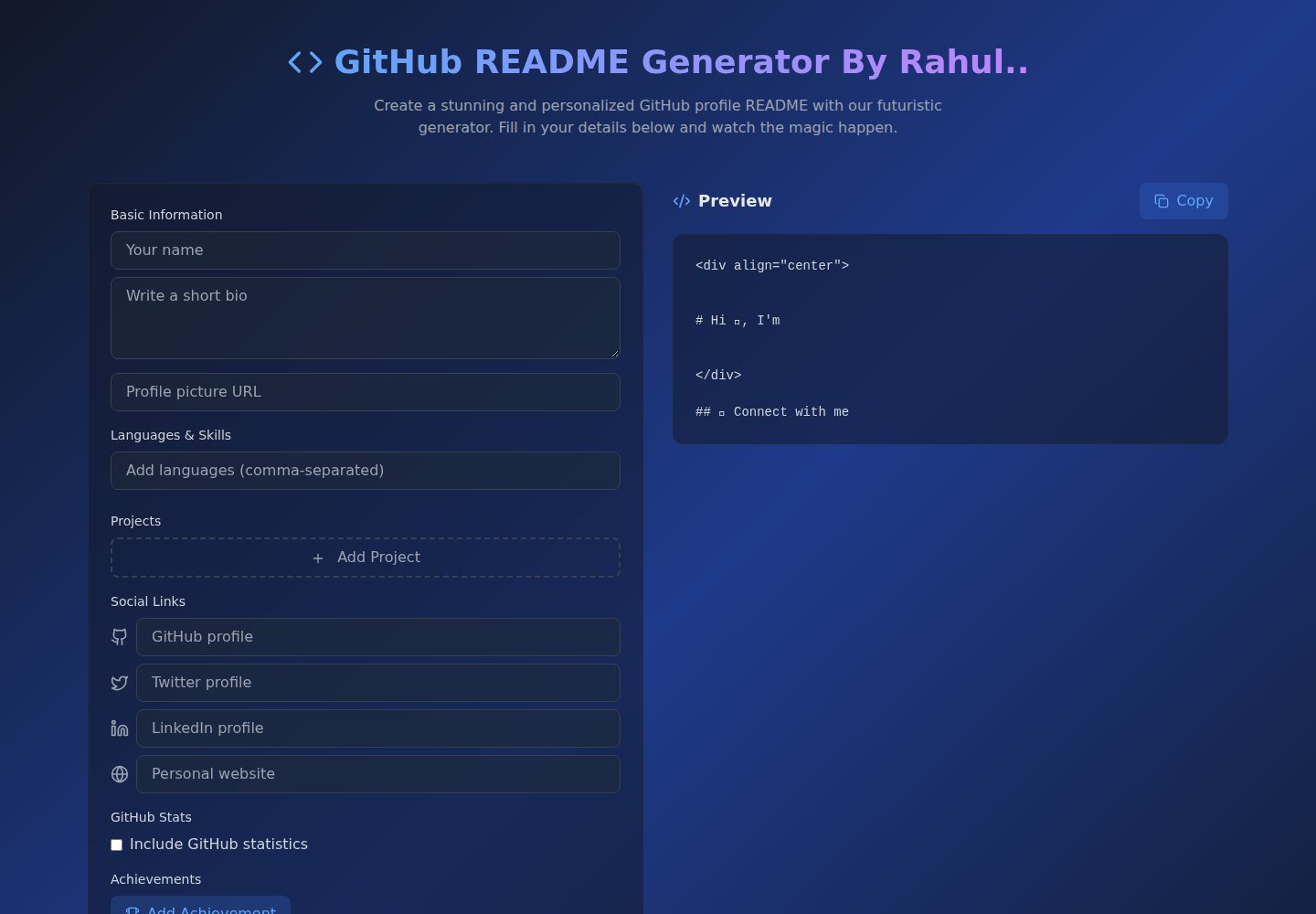
Github-Readme-Generator
A React and TypeScript web tool for generating GitHub project READMEs, with template selection, real-time Markdown preview, dark/light mode, responsive design, and export to multiple formats.
Vite · Documentation
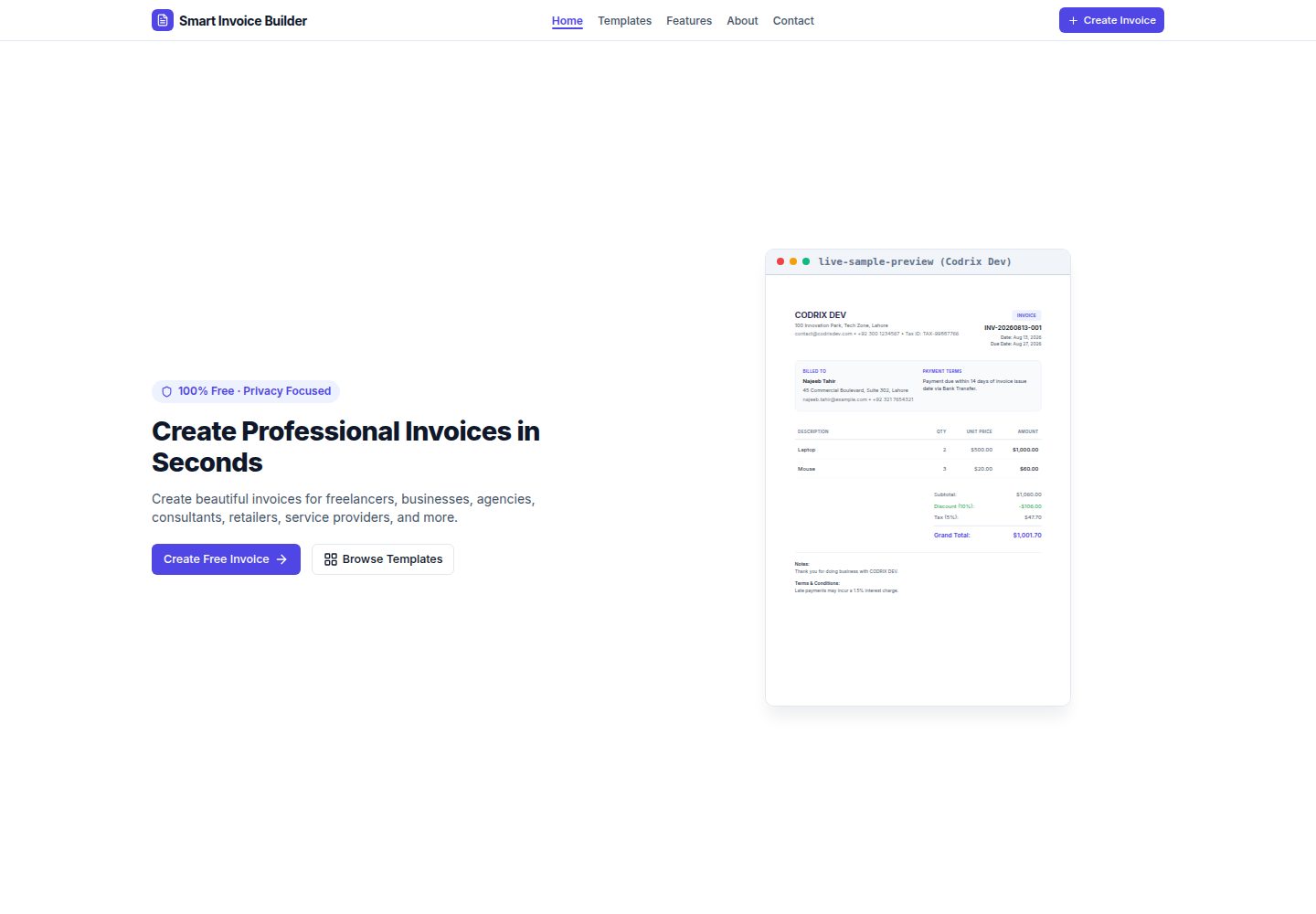
Smart-Invoice-Builder
Smart Invoice Builder is a local-first invoice generator built with React 18, TypeScript, and Vite.
Vite · Tool Site