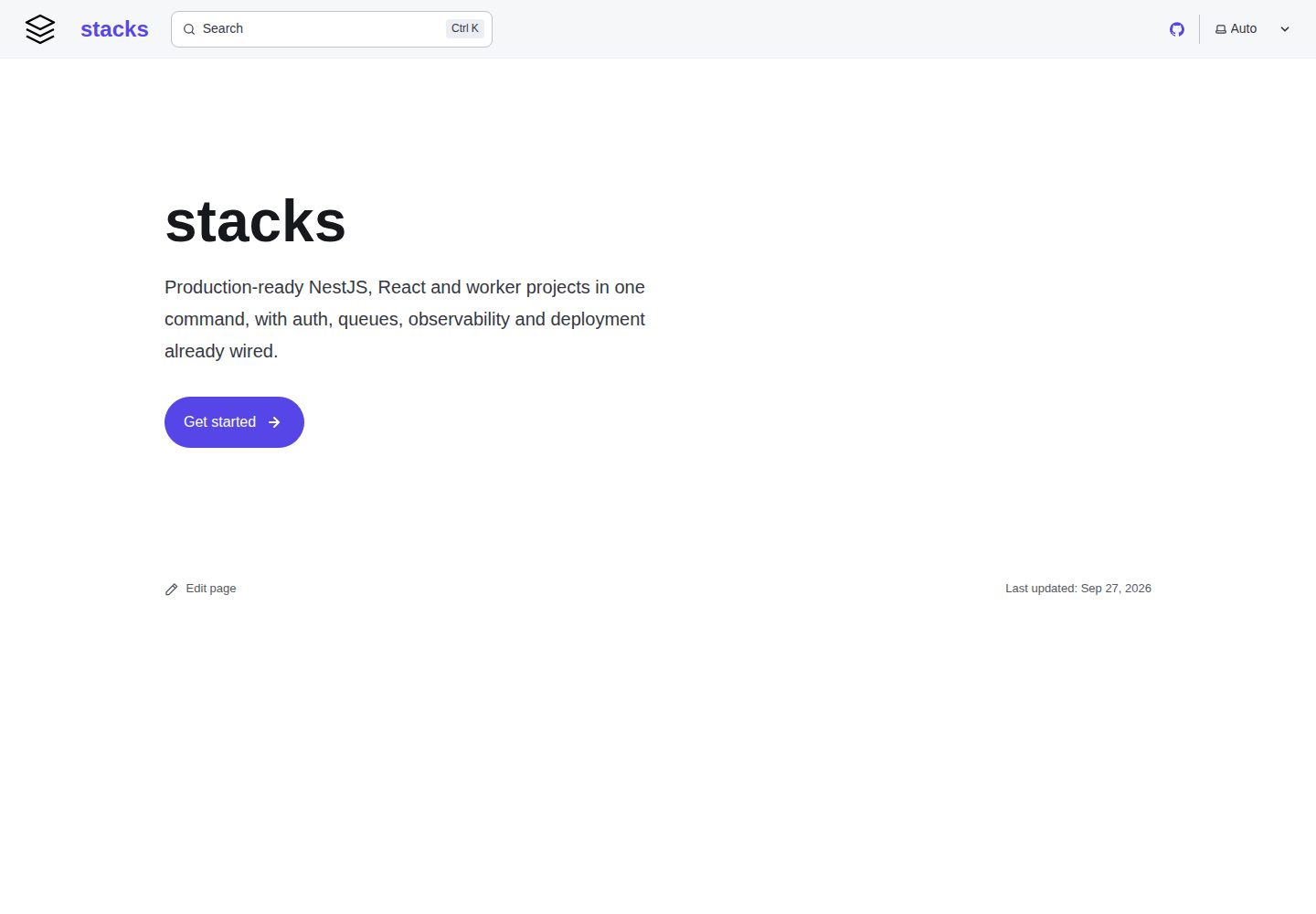
Templates are complete runnable applications that include all optional features; generation deletes unselected parts according to your choices
ViteReactTool Site
stacks — Vite Tool Template
By aurostack-org
aurostack-org/stacks is a collection of runnable Vite/React project templates with a zero-dependency Node ESM generator that creates projects by deleting unselected features.
Explore the design
Compare the page layouts and mobile experience. Open any screenshot for a closer look.
Desktop homepage1 / 2
Desktop captureTop of page
Actual screenshot captured by the server browser.
All pages & views 2
Screenshots show visual appearance; interactive behavior may differ.
Recorded 2026-10-05View source
What stands out
A quick read of the recorded project description.
The generator is pure Node ESM with no dependencies and no build step, and supports npx and global installation
Provides five template types: NestJS, React application, React monorepo, Node worker, and Python worker
Built-in OpenTelemetry or OpenObserve RUM telemetry is enabled by default but only reported after configuration
Background jobs use BullMQ by default, with optional Temporal for long-running and recoverable workflows
stack doctor validates feature flags, file references, and post-generation code integrity
Template Details
The repository provides multiple complete, runnable project templates covering NestJS APIs, React applications and monorepos, and Node and Python background workers. Templates use subtractive generation: each template includes all optional features by default, and generation deletes unselected files, code snippets, and dependencies according to your choices, and applies rename mappings. The generator is pure Node ESM with no dependencies and no build step, and can be used via npx, installed globally, or used within a Claude Code plugin. Templates include built-in OpenTelemetry or OpenObserve RUM telemetry, enabled by default but only reported after configuration; background jobs use BullMQ by default, with optional Temporal. The repository also includes the stack doctor validation tool and the stack extract template synchronization command.
ViteReactTool site
Is it right for your project?
Use Cases
- Quickly scaffold a NestJS API project with Prisma, Redis, BullMQ, and authentication
- Generate a single Vite/React application or a monorepo frontend split into multiple applications
- Create a Node or Python background worker that shares a database with the API
- Use plugin skills in Claude Code to scaffold projects, add features, and upgrade
- Synchronize improvements to an existing project according to templates or extract new templates
Suitable For
- Developers who need runnable, testable project templates rather than code snippets
- Teams building frontends with Vite and React that need accompanying backend and worker components
- Users who want to quickly generate projects in Claude Code via a plugin
- Multi-service projects that need unified telemetry and background job solutions
Getting started & customization
Use these recorded setup notes alongside the repository instructions for your chosen version.
- 1
The generator requires Node 20.19 or later and can be used via npx @aurostack/stacks or installed globally
- 2
In Claude Code, you must first add the plugin marketplace and install the stacks@aurostack plugin
- 3
Template maintenance must be done in a git checkout; install.sh can link the stack command to a local checkout
- 4
Telemetry is enabled by default but only reported after configuring an OpenObserve organization token or OTLP endpoint
- 5
Temporal is an optional feature and must be enabled at generation time via --with temporal
License & source material
Usage conditions & limitations
Free to use · keep license noticeThis entry covers the free version of the public repository under the MIT license; the free scope is the code of this version and does not mean that external services or third-party assets are free.
Must comply with when using
- You may use, modify, commercialize, and distribute the code of this version for free.
- When distributing copies or substantial portions of the code, retain the original author's copyright notice and the full MIT license notice.
- The code is provided as is; warranties and limitations of liability are governed by the original license and applicable law.
Additional costs & items to verify
- Demo images, fonts, icons, and other third-party assets must be checked against their respective licenses and cannot be judged solely by the code's MIT license.
- External services such as domains, hosting, databases, payments, or AI may incur additional charges.
- The source-map upload feature required for browser-readable stack traces depends on the OpenObserve Enterprise edition and is not available in the free version.
- Telemetry is enabled by default, but data is only actually reported after creating an organization in OpenObserve and configuring an ingest token or RUM token.
- If you do not use OpenObserve, you must provide your own OTLP-compatible backend service and configure the corresponding endpoint and request headers.
- Frontend RUM reporting requires adding each application origin to the instance's ZO_CORS_ALLOWED_ORIGINS; otherwise browser reporting will be blocked.
- Temporal is an optional feature and must be explicitly enabled at generation time with --with temporal; it does not replace the built-in BullMQ queue.
- The node-worker template image with Temporal enabled switches to Debian because the Temporal native core cannot run on Alpine.
- Using Temporal in production requires configuring the CA, certificate, and private key PEM files needed for mTLS.
- Template maintenance (stack extract, editing templates, stack-sync skill) must be performed in a git checkout; plugin and npm package copies cannot run stack extract.
- stack extract depends on the maintainer's local stacks.local.json configuration, which contains the source repository path, include/exclude globs, and identifier replacement rules.
- Templates do not include secrets or migration files: .env* is excluded, and only a handwritten .env.example is provided; database migrations must be created by the generated project itself.
- npm publishing uses a staging mechanism; versions only go live after the maintainer approves them via 2FA.
View Original Text Basis
Permission is hereby granted, free of charge
Original License Text
Source-map upload for readable browser stack traces needs OpenObserve Enterprise.
Original README
To connect a project to its OpenObserve organization:
Original README
Any other OTLP backend works too: set `OTEL_EXPORTER_OTLP_ENDPOINT` (and `_HEADERS`) instead of the `OPENOBSERVE_*` variables.
Original README
Add each app origin to the instance's `ZO_CORS_ALLOWED_ORIGINS`, or the browser's RUM posts are blocked.
Original README
Temporal is opt-in (`--with temporal`) for the backend templates, alongside the queues rather than instead of them:
Original README
Its image switches to Debian: Temporal's native core doesn't run on Alpine
Original README
for production mTLS the `TEMPORAL_TLS_CA`, `TEMPORAL_TLS_CERT` and `TEMPORAL_TLS_KEY` PEMs.
Original README
Template work (`stack extract`, editing `templates/`, the `/stack-sync` skill) happens in a git checkout — the plugin and the npm package are copies that the next update replaces, and `stack extract` refuses to run from one:
Original README
That config is maintainer-local: a gitignored `stacks.local.json` at the repo root (or the file `STACKS_LOCAL` names) holding, per template, the source repo's path, include/exclude globs, and the `replacements` that map the source's identifiers onto the template's working ones (`Acme Corp`, `acme`).
Original README
Two things never enter a template: **secrets** — `.env*` is excluded for exactly this reason, and every template ships a hand-written `.env.example` instead — and **migrations**, which belong to one database's history and would fight the first migration a generated project creates.
Original README
https://github.com/aurostack-org/stacks/blob/main/LICENSEhttps://github.com/aurostack-org/stacks/blob/main/README.mdA staged version goes live only once a maintainer approves it with 2FA:
Original README
Compiled by DeepSeek based on repository license and README ·2026-10-05. Results only cover the materials read; dependencies, images, fonts, and subsequent term changes are subject to their respective original texts.
Project checks & description sources
Template Information
- Source platforms
- GitHub
- Documentation and maintenance reference score
- More documented · 85 / 100
- Technologies
- Vite · React
- Website type
- Tool Site
How this score is calculated
Our heuristic uses license records (up to 30), a demo link (12), a preview (10), stars (15), recorded maintenance (15), description completeness (8), feature records (5) and classification data (5). It is not a code, security or performance test, or a Google score. A link does not establish tested functionality.
What to verify for this project
- Repository update recorded
- 2026-10-05
- Screenshot last checked
- 2026-10-05
A demo link is listed. Check it with your own content and viewport sizes; its presence does not confirm that forms, authentication or payments work.
The catalog identifies Vite as the primary stack. Check the actual dependency manifest and lockfile for versions and hosting requirements. These notes use recorded metadata, not a code audit or a deployment test.
Use a selection guide →How this description was prepared
AI-assisted description based on catalog records and repository material. Repository authors are not automatically the reviewers of this description.
Review declaration: [email protected] · 2026-10-05
Inspect the recorded source material
SHA-256: 0c35a944554938ef7c8621ee0d27a84e44c0c591bdf157fc359099adef71fc5c
2026-10-05T11:01:27.341Z
Source file / repository# stacks
House project templates, and the generator that stamps them out.
**Documentation: [stacks.aurostack.co](https://stacks.aurostack.co)**:
every template, feature and environment variable, how to set up and connect a
generated project, and architecture diagrams. Sources in [`docs/`](docs/).
```
stack list # what's available
stack info nest-api # its features and defaults
stack new nest-api ~/Projects/acme/api --with realtime --without media
stack add notifications --dir ~/Projects/acme/api # later
stack upgrade --dir ~/Projects/acme/api # after a stacks release
```
The CLI is plain Node ESM (20.19+) with **no dependencies and no build step**.
## Install
### In Claude Code
```
/plugin marketplace add aurostack-org/stacks
/plugin install stacks@aurostack
```
This adds six skills: `/stacks:stack-new` scaffolds a project (or just ask
for "a new API"), `/stacks:stack-setup` gets it running locally,
`/stacks:stack-add` adds a feature to one later, `/stacks:stack-upgrade`
brings it up to the current templates,
`/stacks:stack-from-design` reads a finished claude.ai design,
plans the services it needs, scaffolds them all and applies its design system
to the UI kit theme, `/stacks:stack-tasks` turns that plan into a Linear
backlog, and `/stacks:stack-sync` folds improvements back into the templates. The plugin carries the CLI and templates with it.
To have Claude Code offer it to everyone who opens a repository, commit this to
the repository's `.claude/settings.json`:
```json
{
"extraKnownMarketplaces": {
"aurostack": {
"source": { "source": "github", "repo": "aurostack-org/stacks" },
"autoUpdate": true
}
},
"enabledPlugins": {
"stacks@aurostack": true
}
}
```
### In a terminal or CI
```sh
npx @aurostack/stacks new nest-api ./api # one-off
npm install -g @aurostack/stacks # or keep `stack` around
stack --version
```
### Maintaining the templates
Template work (`stack extract`, editing `templates/`, the `/stack-sync` skill)
happens in a git checkout — the plugin and the npm package are copies that the
next update replaces, and `stack extract` refuses to run from one:
```sh
git clone https://github.com/aurostack-org/stacks.git
bash stacks/install.sh # links `stack` to this checkout
claude --plugin-dir ./stacks # try skill edits without reinstalling
```
`package.json` holds the version; the plugin manifests repeat it, and
`stack doctor` fails if they drift.
### Releasing
```sh
npm version patch # or minor / major: bumps package.json and the plugin
# manifests in one commit, tagged vX.Y.Z
git push --follow-tags
```
The tag runs the full CI (`.github/workflows/ci.yml`: every template's key
variants generated with `--strict`, then typechecked, linted, built and tested,
plus the Docker images), then `release.yml` stages the version on npm and
creates the GitHub release. The Claude Code plugin updates from the same
commit.
A staged version goes live only once a maintainer approves it with 2FA:
```sh
npm stage list @aurostack/stacks
npm stage approve <stage-id> # or npmjs.com → the package → Staged Packages
```
CI authenticates as an npm **trusted publisher** (no token): repository
`aurostack-org/stacks`, workflow `release.yml`, environment `npm`, allowed to
stage only. The `npm` GitHub environment is restricted to `v*` tags.
## The templates
| Template | What you get |
|---|---|
| `nest-api` | NestJS 12 + Prisma (Postgres) + Redis + BullMQ + better-auth + Vitest, Docker Compose for local Postgres/Redis, Scalar API reference at `/docs` |
| `react-monorepo` | Yarn workspaces + Turborepo; Vite/React 19 apps over shared packages — one RTK Query `baseApi`, better-auth session handling, a shadcn-style UI kit with light/dark theming, layouts, generated OpenAPI types |
| `react-app` | The same stack as one Vite app: shared code under `src/shared`, auth screens as routes, optional marketing site and admin console. One deployment instead of four |
| `node-worker` | Standalone TypeScript worker — BullMQ consumers, Prisma against the API's database, pino, PM2 + Docker |
| `py-worker` | Python BullMQ worker over the same queues, SQLAlchemy models on the same Postgres |
### Monolith or monorepo
`react-app` and `react-monorepo` are the same stack, and the choice between them
is a deployment decision, not a code one:
- **`react-app`** — one origin, one build, one image. The auth screens are routes
(`/login`), so the session guard navigates instead of bouncing across hosts, and
there is no cross-subdomain cookie to configure. Start here.
- **`react-monorepo`** — separate apps on separate origins, deployed and released
independently, sharing one session cookie across subdomains. Worth its extra
moving parts when a marketing site and an app genuinely ship on different
cadences, or when one surface needs to scale or be locked down on its own.
The shared code is literally the same files: `templates/react-app/derive.sh`
re-flattens `packages/*` into `src/shared/*` and rewrites the import specifiers,
so a fix in one lands in the other. See that template's README.
### Observability
Every template ships with OpenTelemetry (backend) or OpenObserve RUM (browser)
wired in and switched on by default (`--without observability` for `nest-api`,
`--without telemetry` for the rest). Nothing is sent until a project is
connected; unset, the SDKs are never even loaded.
| Template | Sends |
|---|---|
| `nest-api` | Traces (HTTP, GraphQL, Prisma, pg, ioredis, BullMQ jobs), logs with trace ids, runtime/HTTP/queue metrics |
| `node-worker` | Job traces, Prisma/Redis spans, logs, metrics |
| `py-worker` | One trace per job, Redis spans, logs, metrics |
| `react-app` / `react-monorepo` | Page views, errors (including the error boundary's), slow resources, user actions, the signed-in user id, console errors as logs. API calls carry `traceparent`, so a click links to the backend trace it caused |
To connect a project to its OpenObserve organization:
1. Create an organization for the project in OpenObserve.
2. **Backend:** from IAM → Ingestion Tokens, copy the org's ingestion token
(`o2oi_…`) and set `OPENOBSERVE_ORG` and `OPENOBSERVE_TOKEN`
(`OPENOBSERVE_URL` defaults to `https://o2.aurostack.co`). Each service
writes to its own stream, named after `OTEL_SERVICE_NAME`.
3. **Frontend:** from Ingestion → RUM, copy the RUM token and set
`VITE_OPENOBSERVE_ORG` and `VITE_OPENOBSERVE_CLIENT_TOKEN`. It is a
write-only token built to ship in a bundle. Never put the backend's
ingestion token there.
4. Add each app origin to the instance's `ZO_CORS_ALLOWED_ORIGINS`, or the
browser's RUM posts are blocked.
Any other OTLP backend works too: set `OTEL_EXPORTER_OTLP_ENDPOINT` (and
`_HEADERS`) instead of the `OPENOBSERVE_*` variables. `OTEL_SDK_DISABLED=true`
turns telemetry off. Session replay is off by default
(`sessionReplaySampleRate` in `initTelemetry`). The first request or two of a
page load go out before the RUM SDK has started, so they carry no trace header.
Source-map upload for readable browser stack traces needs OpenObserve
Enterprise.
### Background work: BullMQ or Temporal
BullMQ is built in. Temporal is opt-in (`--with temporal`) for the backend
templates, alongside the queues rather than instead of them:
- **BullMQ** for fire-and-forget jobs: send an email, resize an image, a
cron-style sweep.
- **Temporal** for work that spans many steps, waits (minutes to months, or
for a signal), or must resume exactly where it stopped after a crash or
deploy: onboarding sequences, payments and refunds, multi-service sagas.
| Template | `--with temporal` adds |
|---|---|
| `nest-api` | `TemporalService` (a lazily-connected client for starting and querying workflows) and Temporal's dev server in `compose.yml` (UI on `:8233`) |
| `node-worker` | A Temporal worker next to the BullMQ consumers, with an example workflow and activity in `src/temporal`. Its image switches to Debian: Temporal's native core doesn't run on Alpine |
| `py-worker` | The same in Python (`temporal/`), with a span per workflow and activity when telemetry is on |
Every template reads the same settings: `TEMPORAL_ADDRESS`,
`TEMPORAL_NAMESPACE`, `TEMPORAL_TASK_QUEUE`, and for production mTLS the
`TEMPORAL_TLS_CA`, `TEMPORAL_TLS_CERT` and `TEMPORAL_TLS_KEY` PEMs. Locally
they default to the dev server with no TLS. The API starts workflows on the
task queue a worker polls: `main` for node-worker, `python` for py-worker.
## How it works
Templates are **subtractive**. `templates/<name>/files` is a complete, runnable
app with *every* optional feature switched on, annotated with `@feature`
markers. Generating a project **deletes** what you did not ask for.
The point of that choice: the template itself stays installable, buildable and
testable. A template assembled from additive fragments is only ever exercised at
generation time, so it rots silently. This one you can `yarn install` and run.
Generation does four things:
1. drops files owned by a disabled feature (`features.<x>.files`);
2. strips `@feature` regions from the files that survive;
3. prunes `package.json` / `requirements.txt` entries the feature owned — JSON
cannot carry comments, so those are declared in the manifest instead;
4. applies the rename map, so `@acme/ui` becomes `@yourscope/ui`.
Then the post-generation hooks install dependencies and run the project's own
`yarn format`. That last step is not cosmetic: deleting a feature leaves code
that is *valid but no longer formatted* — an array that now fits on one line, a
blank line where a block used to be — and the generated CI runs `format:check`.
Formatting with the project's own Prettier is the only fix that generalises;
hand-tuning the template for how each combination happens to strip does not.
Template files hold real working identifiers rather than `__PLACEHOLDER__`
sludge — that is what keeps them compilable in place. Renaming is by declared
search/replace pairs in `template.json`.
### Marker syntax
Comment-syntax agnostic, so `//`, `#` and `<!-- -->` all work:
```ts
import { Gateway } from 'realtime'; // @feature realtime
// @feature:start realtime, notifications ← OR across the list
// @feature:else ← kept only when none matched
// @feature:end
// @feature:start !realtime ← negation
```
**One sharp edge.** An inline marker deletes exactly *one line*. Parking one on
the closing line of a multi-line import or object literal leaves the construct
half-open — and because the template has every feature on, it still compiles.
Nothing catches it until someone generates without that feature. Wrap
multi-line constructs in `@feature:start`/`@feature:end`. `stack doctor` checks
for this.
## stack doctor
Run it after touching a template. Across the two extremes of the feature space
*and* each optional feature flipped on its own, it verifies that:
- every `@feature` name is declared in the manifest (a typo'd
`@feature realtimee` silently deletes code otherwise);
- every feature's `files` globs match something;
- TypeScript brackets stay balanced after stripping;
- JSON still parses;
- **nothing imports a file the selection deleted** — the one that catches a
barrel re-exporting a module that is no longer there.
## Keeping templates current
```
stack extract nest-api # re-copy from the live repo
stack extract nest-api --prune # also drop files the source no longer has
```
Extraction is deliberately mechanical — it copies what the template's source
config says. That config is maintainer-local: a gitignored `stacks.local.json`
at the repo root (or the file `STACKS_LOCAL` names) holding, per template, the
source repo's path, include/exclude globs, and the `replacements` that map the
source's identifiers onto the template's working ones (`Acme Corp`, `acme`).
The `/stack-sync` skill documents the format.
Files it would overwrite are reported as **conflicts** and left alone, because
those are usually the ones you hand-edited to add markers or strip domain code.
Files outside the include globs (a hand-written `.env.example`, a template-only
seeder) can never be pruned, by construction.
Two things never enter a template: **secrets** — `.env*` is excluded for exactly
this reason, and every template ships a hand-written `.env.example` instead —
and **migrations**, which belong to one database's history and would fight the
first migration a generated project creates.
## Two things learned the hard way
Both templates that use Yarn ship a **`.yarnrc.yml` with `nodeLinker:
node-modules`**. Under Yarn's default PnP linker, `ts-node` crashes on startup
and `prisma generate` fails with `EROFS` trying to place its engine binaries.
Everything else works under PnP; those two do not.
Templates with a Prisma schema ship at least **one model**. A model-less schema
generates no client at all, so every `@db/*` / `#prisma/*` import in a freshly
scaffolded project fails to resolve, and the error points at the imports rather
than at the schema.
## Layout
```
stacks/
├── package.json npm package @aurostack/stacks; the version lives here
├── .claude-plugin/ plugin + marketplace manifests
├── skills/
│ ├── stack-new/ scaffolding a new project
│ └── stack-sync/ folding changes back into the templates
├── cli/
│ ├── stack.mjs entry point
│ └── src/ manifest, generate, extract, strip, tokens, hooks
└── templates/<name>/
├── template.json features, rename map, post-gen hooks
└── files/ the runnable superset app
```
Nothing here depends on where it lives: the CLI resolves the templates relative
to its own location, and the skills reach it through `${CLAUDE_PLUGIN_ROOT}`.
Explore similar templates
Compare previews and descriptions within the same stack and category.

vituum
Vituum is a static site generator for Vite, provided as a Vite plugin. It integrates template engines into Vite for rapid prototyping and static page development such as email templates.
Vite · Tool Site

tropical
Tropical is a Vite-based static site template for HTML-first sites with client-side JS islands where interactivity is needed. It supports React components, includes dev, build, stories, page, and component scripts, outputs builds to dist/static, and is MIT licensed.
Vite · Tool Site
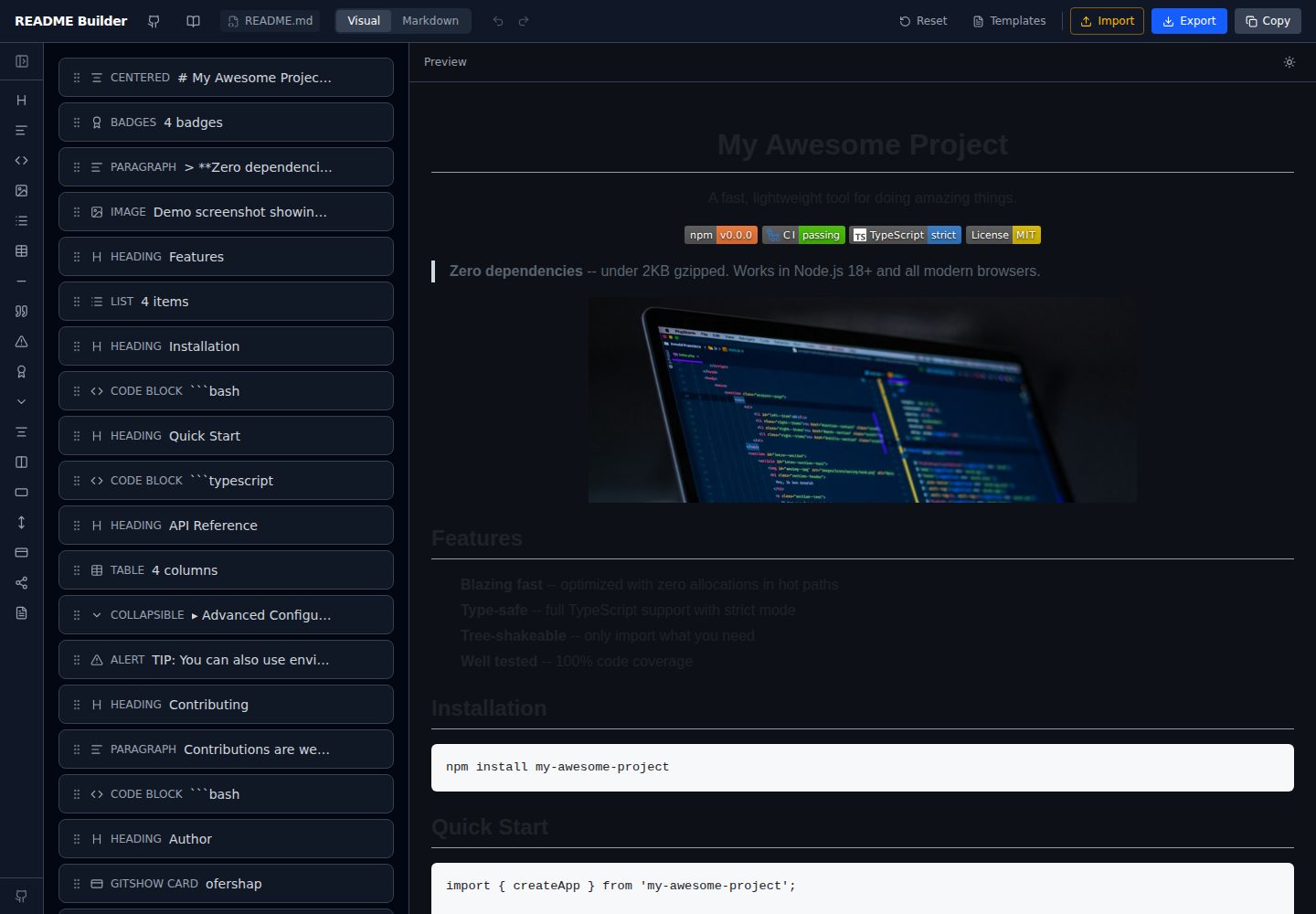
readme-builder
A purely front-end README visual editor built on Vite and React. It generates GitHub-flavored Markdown by dragging blocks, with live preview, four templates, badge editing, Markdown import/export, undo/redo, and localStorage autosave.
Vite · Tool Site
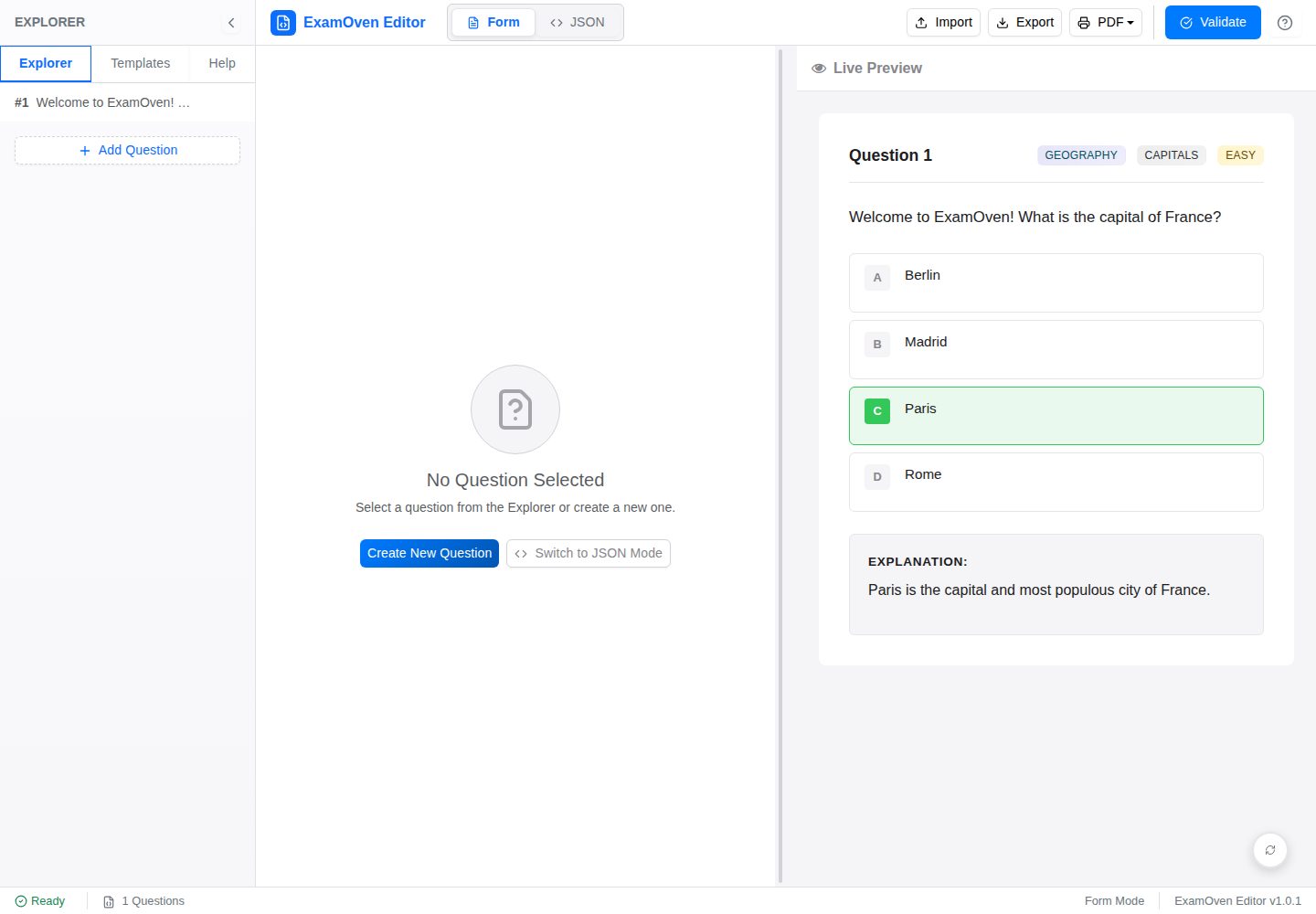
examify-json-editor
A React, TypeScript, and Vite-based browser tool for creating, editing, and validating Examify/ExamOven JSON question files.
Vite · Tool Site
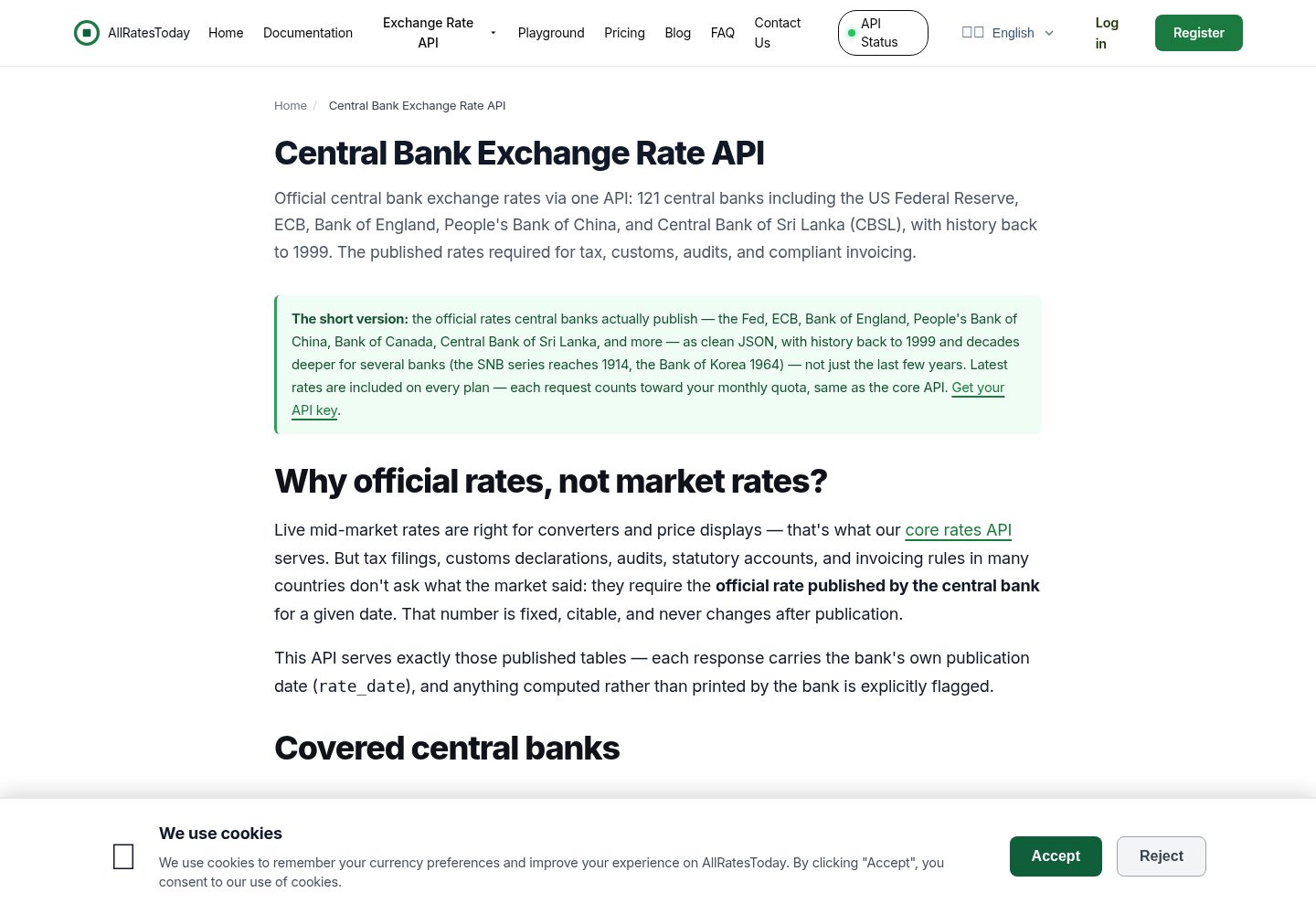
react-currency-converter
A React + Vite currency conversion template that runs immediately after cloning.
Vite · Tool Site
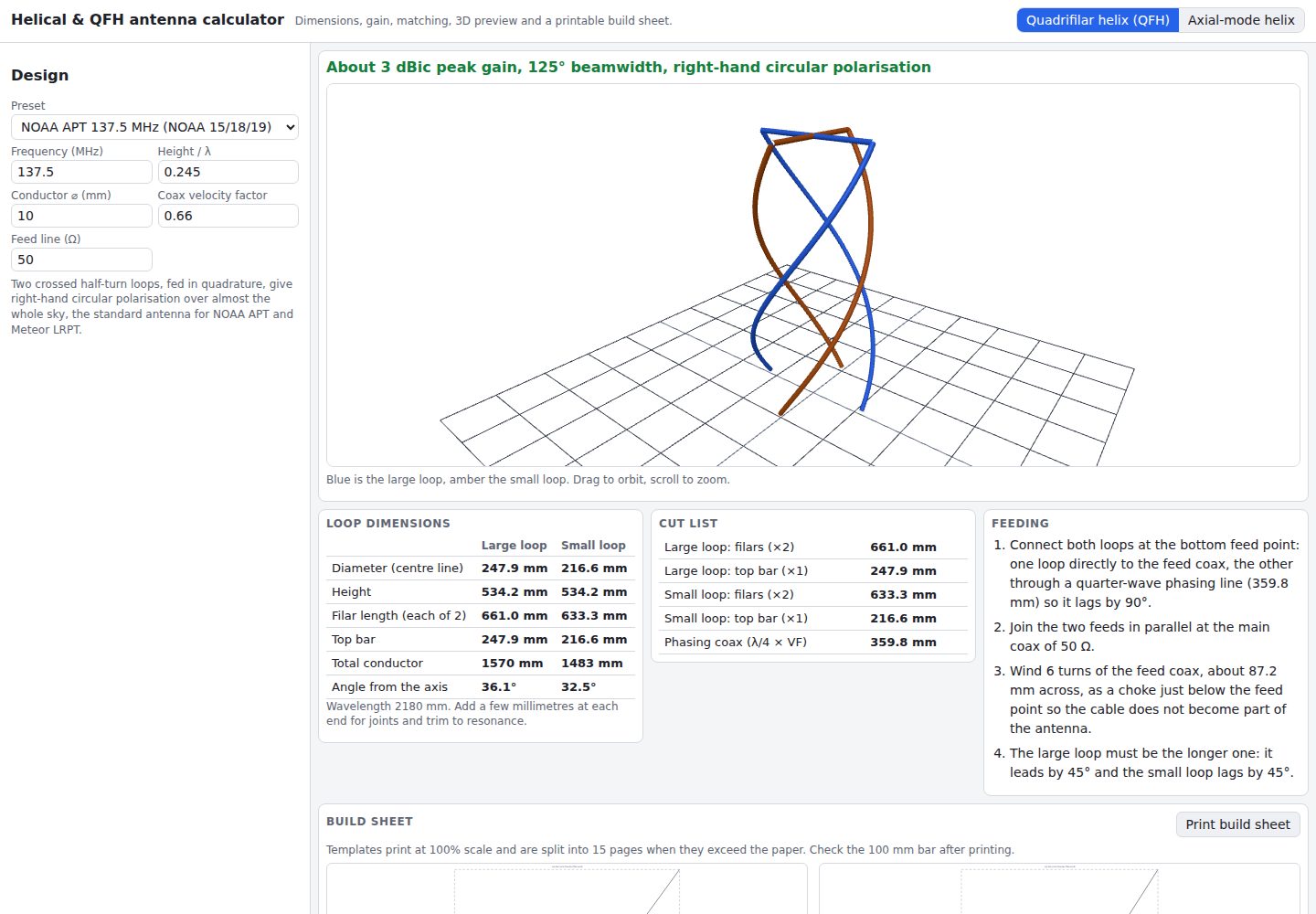
helical-qfh-calculator
A Vite + React browser calculator for axial-mode helical (Kraus) and quadrifilar helix (QFH) antennas.
Vite · Tool Site