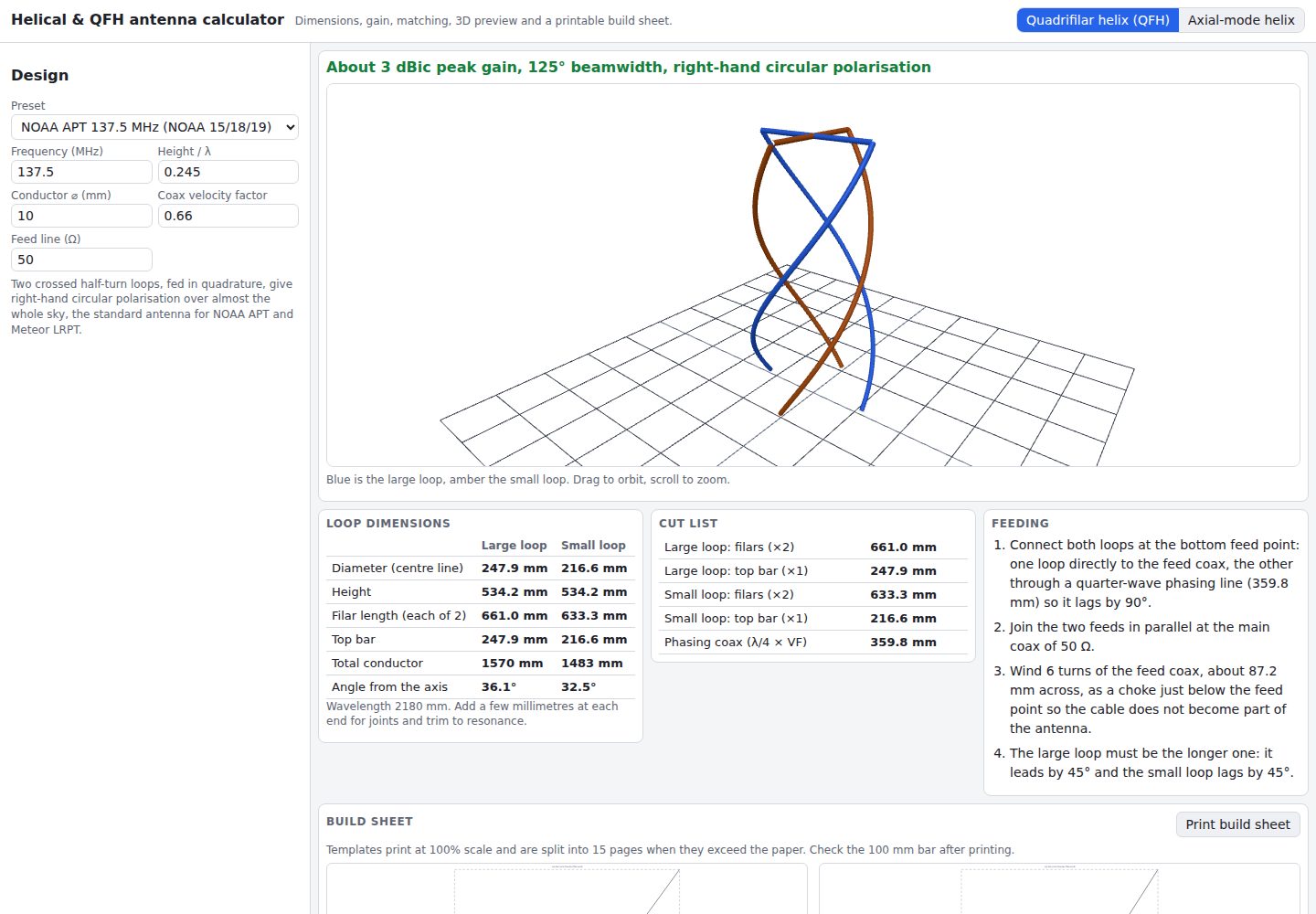
Axial-mode helix uses the Kraus formula to calculate directivity, beamwidth, axial ratio, and feed resistance, and warns when the design falls outside the axial-mode range
ViteReactTool Site
helical-qfh-calculator — Vite Tool Template
By hermes98761234
A Vite + React tool that calculates axial-mode helical (Kraus) and quadrifilar helix (QFH) antenna dimensions in the browser, with 3D preview and printable 1:1 build templates.
Explore the design
Compare the page layouts and mobile experience. Open any screenshot for a closer look.
Desktop homepage1 / 2
Desktop captureTop of page
Actual screenshot captured by the server browser.
All pages & views 2
Screenshots show visual appearance; interactive behavior may differ.
Recorded 2026-10-10View source
What stands out
A quick read of the recorded project description.
QFH derives the large and small half-turn loop diameters from the loop length, and outputs a cut list, quarter-wave phasing coax, and feedline choke wiring steps
Built-in quarter-wave matching section calculator: microstrip (Hammerstad-Jensen) or air coax
Three.js 3D preview rotates and zooms around the real geometry, and 1:1 wrap templates and ground plane disks can be printed (tiled on A4/Letter, with a 100 mm verification bar)
Built-in band presets including NOAA APT, Meteor-M, GPS L1, Wi-Fi, and GOES HRIT, with English/Ukrainian and millimeter/inch switching
Template Details
This is a browser-based antenna design calculator for two structures: axial-mode helical antennas (Kraus formula) and quadrifilar helix antennas (QFH). After entering parameters such as frequency, number of turns, pitch angle, conductor, and ground plane, the tool returns diameter, turn spacing, wire length, directivity, half-power and null-power beamwidths, axial ratio, and feed resistance, and warns when the design falls outside the axial-mode range; it also provides a gain-versus-turns curve and a button to back-calculate the number of turns for a target gain. The QFH section derives the diameters of the large and small half-turn loops from the loop length, and outputs feedline length, top crossbar length, a cut list, the quarter-wave phasing coax calculated from the velocity factor, the feedline choke, and wiring steps. The tool includes a matching section calculator that gives the width and length of a microstrip quarter-wave transformer using the Hammerstad-Jensen formula, or the D/d and length for an air coax section. Presets cover NOAA APT 137.5 MHz, NOAA 19, Meteor-M LRPT, Iridium, GPS L1, Inmarsat (QFH), as well as 70 cm, Wi-Fi, 5.8 GHz FPV, GOES HRIT, and 2 m (helical). The interface uses Three.js for a rotatable, zoomable 3D geometry preview and can generate 1:1 scale wrap templates and ground plane disks tiled onto A4 or Letter paper, with a 100 mm verification bar. It supports English and Ukrainian, light/dark/system-following themes, and millimeter and inch units; settings and designs are stored locally in the browser, with no backend and no tracking. The README notes that the QFH loop ratios are based on a common 137 MHz build plan and are starting values, and that trimming with an analyzer is recommended; the roughly 3 dBic gain and 125° beamwidth shown for the QFH are typical values, not simulation results.
ViteReactTool Site
Is it right for your project?
Use Cases
- Design a QFH antenna for 137 MHz weather satellite reception, obtaining loop dimensions, a cut list, and phasing coax parameters
- Design an axial-mode helical antenna for bands such as 70 cm, 2 m, or 5.8 GHz, view the gain-versus-turns relationship, and back-calculate the number of turns
- Calculate microstrip or air coax quarter-wave matching section dimensions for an existing antenna
- Print 1:1 build templates for winding a helix or cutting a ground plane disk
Suitable For
- Radio amateurs who need quick initial dimensions for a helical or QFH antenna from formulas
- Makers preparing to hand-build a 137 MHz weather satellite receiving antenna
- People who want to check geometric proportions with a 3D preview and print physical templates
- DIY antenna users who need to compare parameters across multiple band presets
Getting started & customization
Use these recorded setup notes alongside the repository instructions for your chosen version.
- 1
Requires Node.js 22; after cloning the repository run npm install, then npm run dev to start the local development server (default http://localhost:5173)
- 2
npm test runs formula, geometry, template, and internationalization tests; npm run build generates the static site in dist/
- 3
The repository uses the MIT license; distributing copies or substantial portions of the code requires retaining the copyright notice and the full MIT license notice
- 4
Third-party assets such as demo images, fonts, and icons must be checked separately under their own licenses
License & source material
Usage conditions & limitations
Free to use · keep license noticeThis listing covers the free version in the public repository under the MIT license; the free scope is the code of that version and does not mean external services or third-party assets are free.
Must comply with when using
- Free use, modification, commercial use, and distribution of this version's code are permitted.
- When distributing copies or substantial portions of the code, retain the original author's copyright notice and the full MIT license notice.
- The code is provided as is; warranties and limitations of liability are governed by the original license and applicable law.
Additional costs & items to verify
- Demo images, fonts, icons, and other third-party assets must be checked under their own licenses and cannot be judged solely by the code's MIT license.
- External services such as domains, hosting, databases, payments, or AI may incur separate charges.
- QFH loop ratios are based on a common 137 MHz build plan and are only starting values; actual builds require trimming and adjustment with an antenna analyzer.
- The roughly 3 dBic gain and 125° beamwidth shown for the QFH are typical empirical values, not simulation results, and should not be treated as precise guarantees.
View Original Text Basis
Permission is hereby granted, free of charge
Original License Text
The loop proportions follow the commonly built 137 MHz designs, so treat them as a starting point and trim on an analyser.
Original README
https://github.com/hermes98761234/helical-qfh-calculator/blob/main/LICENSEhttps://github.com/hermes98761234/helical-qfh-calculator/blob/main/README.mdThe QFH gain and beamwidth shown (about 3 dBic and 125°) are typical values, not a simulation.
Original README
Compiled by DeepSeek based on repository license and README ·2026-10-10. Results only cover the materials read; dependencies, images, fonts, and subsequent term changes are subject to their respective original texts.
Project checks & description sources
Template Information
- Source platforms
- GitHub
- Documentation and maintenance reference score
- More documented · 85 / 100
- Technologies
- Vite · React
- Website type
- Tool Site
How this score is calculated
Our heuristic uses license records (up to 30), a demo link (12), a preview (10), stars (15), recorded maintenance (15), description completeness (8), feature records (5) and classification data (5). It is not a code, security or performance test, or a Google score. A link does not establish tested functionality.
What to verify for this project
- Repository update recorded
- 2026-10-10
- Screenshot last checked
- 2026-10-10
A demo link is listed. Check it with your own content and viewport sizes; its presence does not confirm that forms, authentication or payments work.
The catalog identifies Vite as the primary stack. Check the actual dependency manifest and lockfile for versions and hosting requirements. These notes use recorded metadata, not a code audit or a deployment test.
Use a selection guide →How this description was prepared
AI-assisted description based on catalog records and repository material. Repository authors are not automatically the reviewers of this description.
Review declaration: [email protected] · 2026-10-10
Inspect the recorded source material
SHA-256: ee7317237b2823ddd697542846cae10f78c1455c0fe2e17adcb1562708ef54c4
2026-10-10T06:08:14.400Z
Source file / repository# Helical & QFH Antenna Calculator Design an axial-mode helical antenna (Kraus) or a quadrifilar helix (QFH) for 137 MHz weather satellites, L-band and beyond. Get the dimensions, gain, beamwidth, feed impedance and a matching section, spin the result in 3D and print a build sheet with full-size templates. Everything runs in your browser. **Try it: [hermes98761234.github.io/helical-qfh-calculator](https://hermes98761234.github.io/helical-qfh-calculator/)** [](https://github.com/hermes98761234/helical-qfh-calculator/actions/workflows/deploy.yml)  ## Features - **Axial-mode helix (Kraus).** Frequency, C/λ, pitch angle, turns, conductor and ground plane give diameter, turn spacing, wire length, directivity, half-power and null-to-null beamwidth, axial ratio and feed resistance, with warnings outside the axial-mode window. A gain-versus-turns chart and an inverse "turns for this gain" button are included. - **Matching section.** Quarter-wave transformer impedance for your feed line, as a microstrip (width and length on your substrate, Hammerstad-Jensen) or as an air coax (D/d and length). - **Quadrifilar helix (QFH).** Large and small half-turn loops solved from the loop length, with diameters, filar and top-bar lengths, a cut list, the quarter-wave phasing coax for your velocity factor, a feed-coax choke and wiring steps. - **Presets.** NOAA APT 137.5 MHz, NOAA 19, Meteor-M LRPT, Iridium, GPS L1 and Inmarsat for the QFH; 70 cm, Wi-Fi, 5.8 GHz FPV, GOES HRIT and 2 m for the helix. - **3D preview** with Three.js: orbit and zoom around the real geometry. - **Printable build sheet.** Wrap templates and a ground-plane disc at 1:1 scale, tiled onto A4 or Letter pages with a 100 mm check bar. - **English and Ukrainian**, light, dark or system theme, millimetres or inches. Settings and your design are kept in the browser. There is no backend and no tracking. ## How it works The helix uses the textbook relations from Kraus, *Antennas*: directivity `D = 15 N (C/λ)² (S/λ)`, half-power beamwidth `52 / ((C/λ) √(N S/λ))`, first-null beamwidth `115 / ((C/λ) √(N S/λ))`, input resistance `≈ 140 C/λ` and axial ratio `(2N+1)/2N`. The pitch angle sets the spacing through `tan α = S/C`. The QFH is two crossed, bifilar half-turn loops. The longer loop leads by 45° and the shorter lags by 45°, which makes right-hand circular polarisation with a wide cardioid pattern. Each loop is a pair of helical filars of length `√(H² + (πD/2)²)` joined by a top bar of length `D`. The calculator solves the diameter that gives the loop conductor length of about 0.725 λ (large) and 0.685 λ (small) at your chosen height, with a small shortening for thick conductors. The loop proportions follow the commonly built 137 MHz designs, so treat them as a starting point and trim on an analyser. The QFH gain and beamwidth shown (about 3 dBic and 125°) are typical values, not a simulation. ## Quick start You need [Node.js](https://nodejs.org/) 22. ```bash git clone https://github.com/hermes98761234/helical-qfh-calculator.git cd helical-qfh-calculator npm install npm run dev # http://localhost:5173 npm test # formula, geometry, template and i18n tests npm run build # static site in dist/ ``` ## License MIT
Explore similar templates
Compare previews and descriptions within the same stack and category.

vituum
Vituum is a static site generator for Vite, provided as a Vite plugin. It integrates template engines into Vite for rapid prototyping and static page development such as email templates.
Vite · Tool Site

tropical
Tropical is a Vite-based static site template for HTML-first sites with client-side JS islands where interactivity is needed. It supports React components, includes dev, build, stories, page, and component scripts, outputs builds to dist/static, and is MIT licensed.
Vite · Tool Site
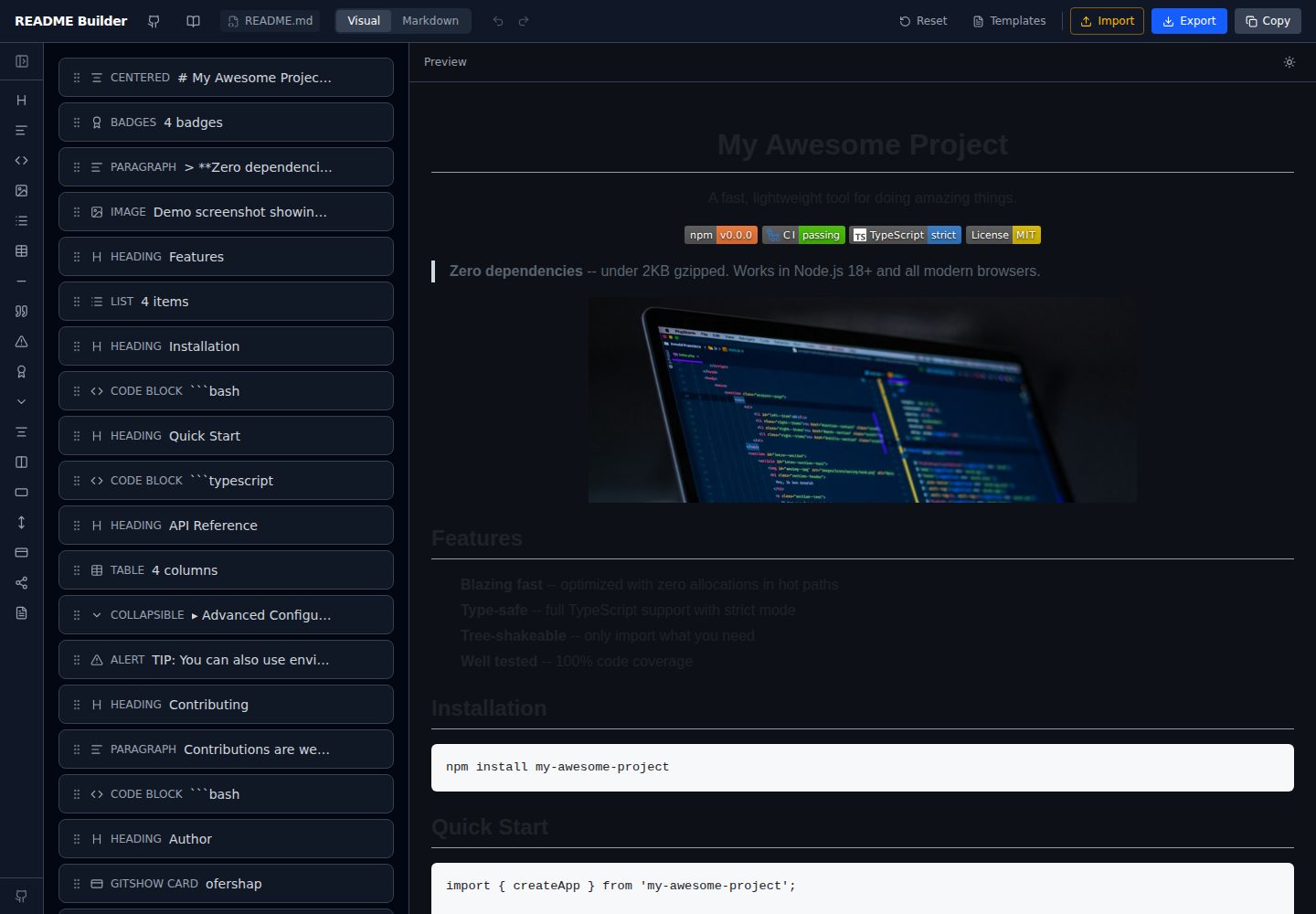
readme-builder
A purely front-end README visual editor built on Vite and React. It generates GitHub-flavored Markdown by dragging blocks, with live preview, four templates, badge editing, Markdown import/export, undo/redo, and localStorage autosave.
Vite · Tool Site
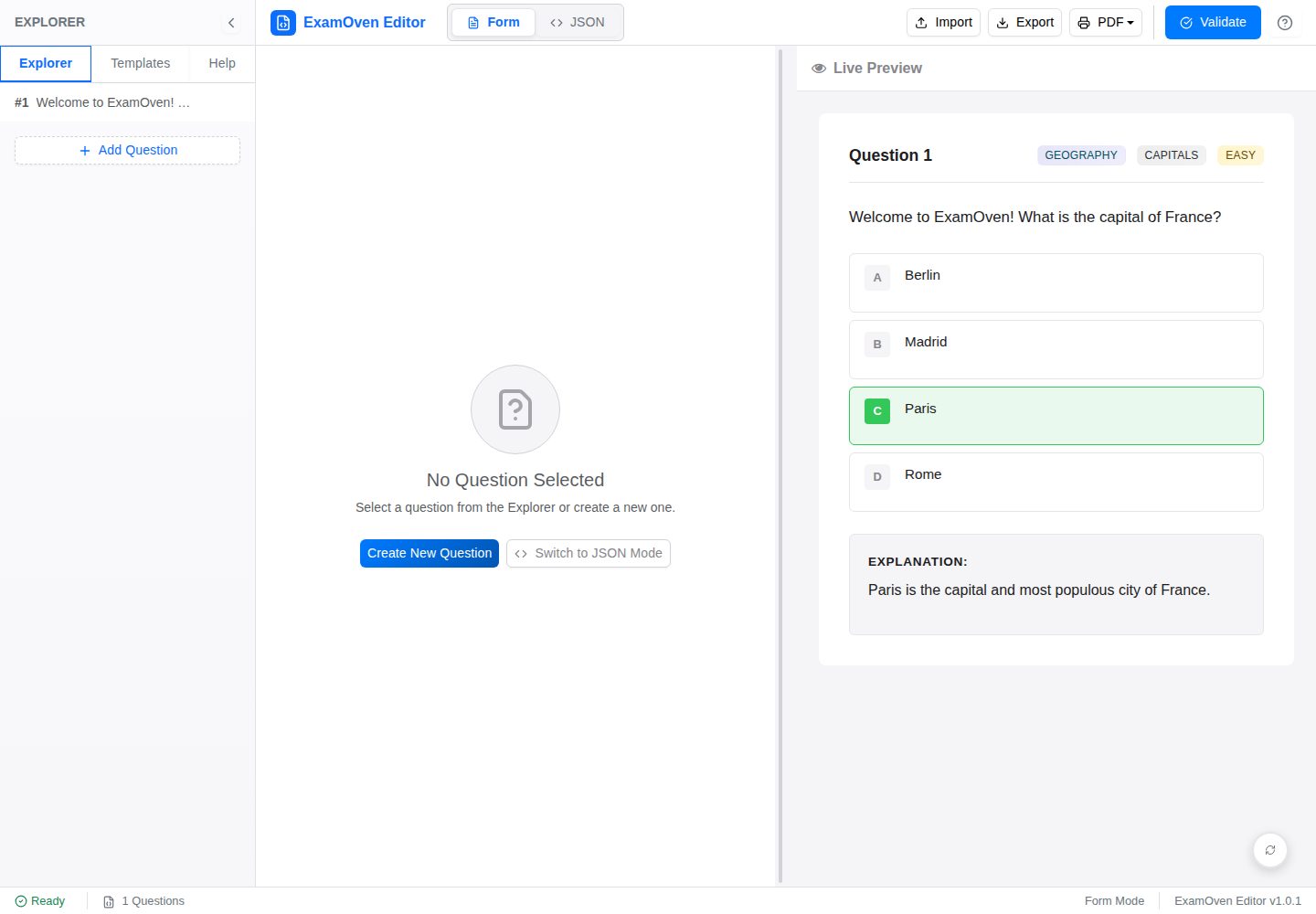
examify-json-editor
A React, TypeScript, and Vite-based browser tool for creating, editing, and validating Examify/ExamOven JSON question files.
Vite · Tool Site

react-currency-converter
A React + Vite currency conversion template that runs immediately after cloning.
Vite · Tool Site
stacks
aurostack-org/stacks provides runnable Vite/React project templates and a zero-dependency Node ESM generator that creates projects by deleting unselected features.
Vite · Tool Site